
Process Payroll – Trial feature allows the administrator to process the payroll in trial stage. This feature helps to make changes in the payslip and payroll components before processing the payroll in the final stage.
Prerequisites:
1. You have your Deskera HRMS application URL in place.
2. You are the administrator of the HRMS application
3. Ensure good internet connectivity
4. Ensure that you have Generated and Authorized the Payroll for that user.
Step 1: Go to Process Payment under Payroll widget in HRMS.
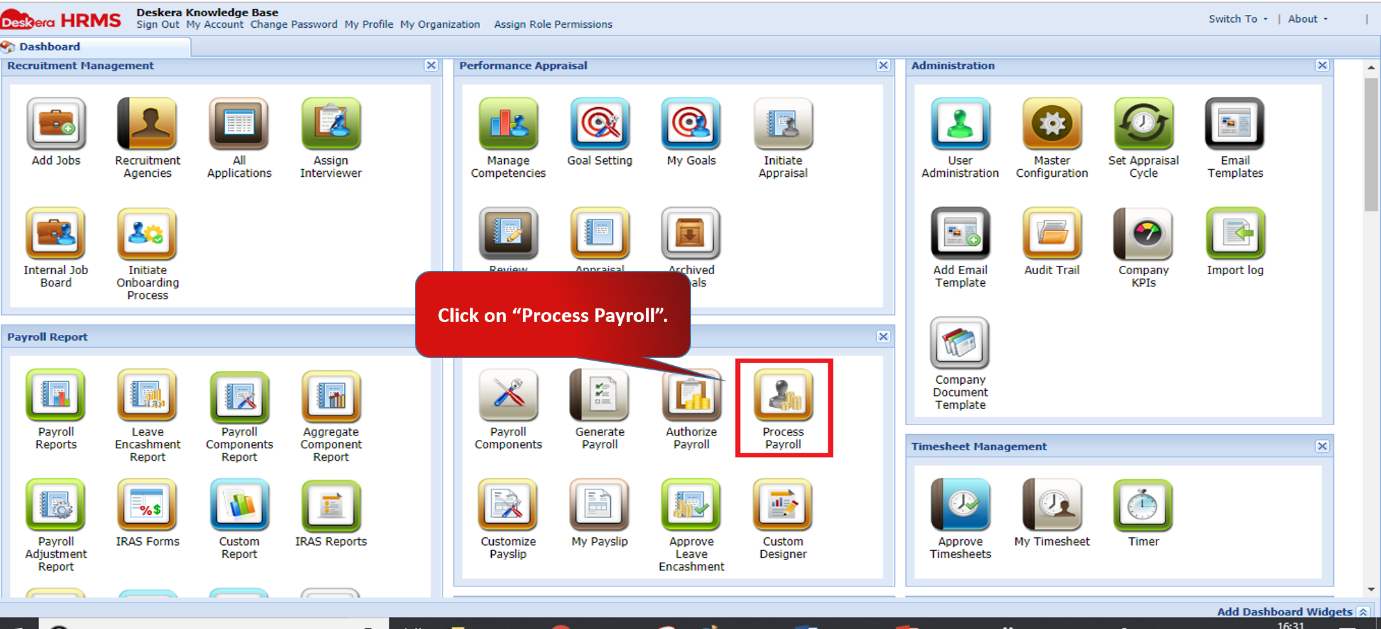
Fig 2.4.2.8.1 HRMS Dashboard
Step 2: Ensure that you have entered the details in Advance search including the pay cycle and the frequency of the user whose payroll has been generated and authorized.
Change the Status to Authorized to see the user.
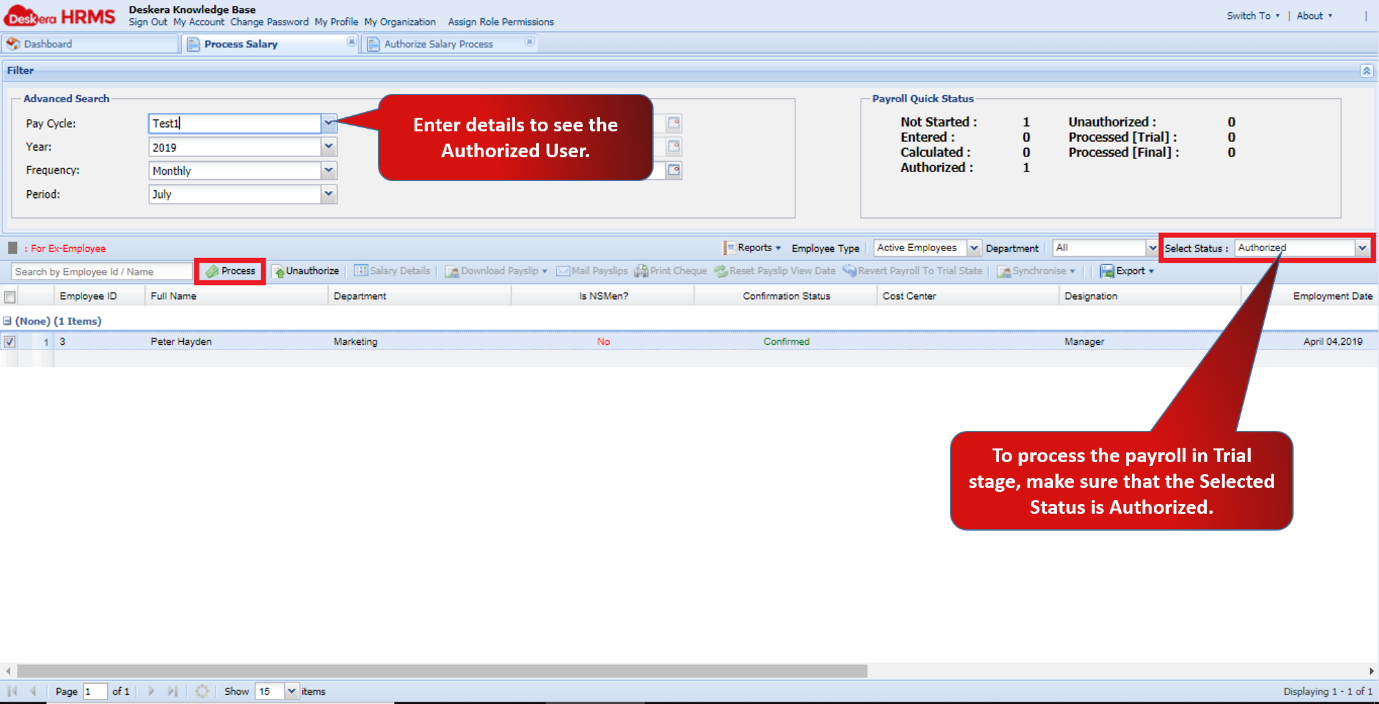
Fig 2.4.2.8.2 Process Payroll
Step 3: Once you have selected the User, click on Process.
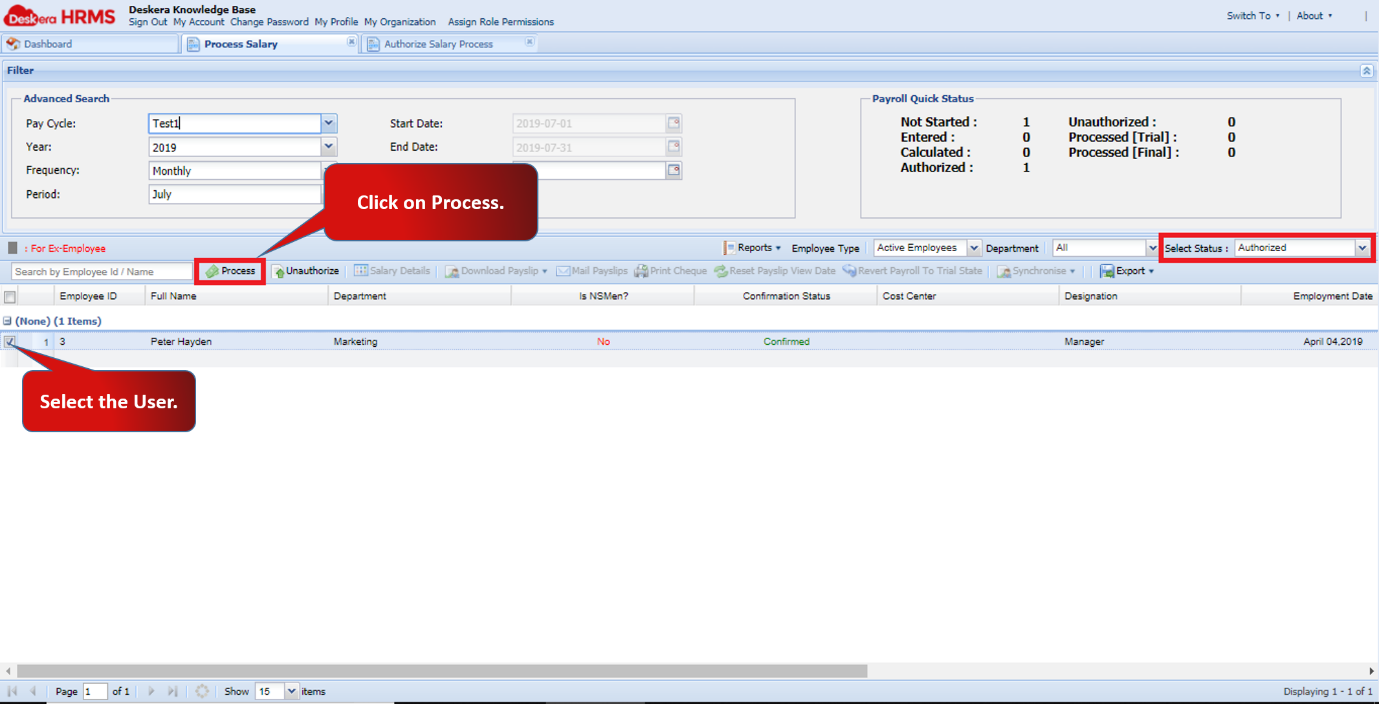
Fig 2.4.2.8.3 Process Payroll
Step 4: A Process Payroll window will pop up. Change the Process to Trial.
Fill in all the details and click on OK.
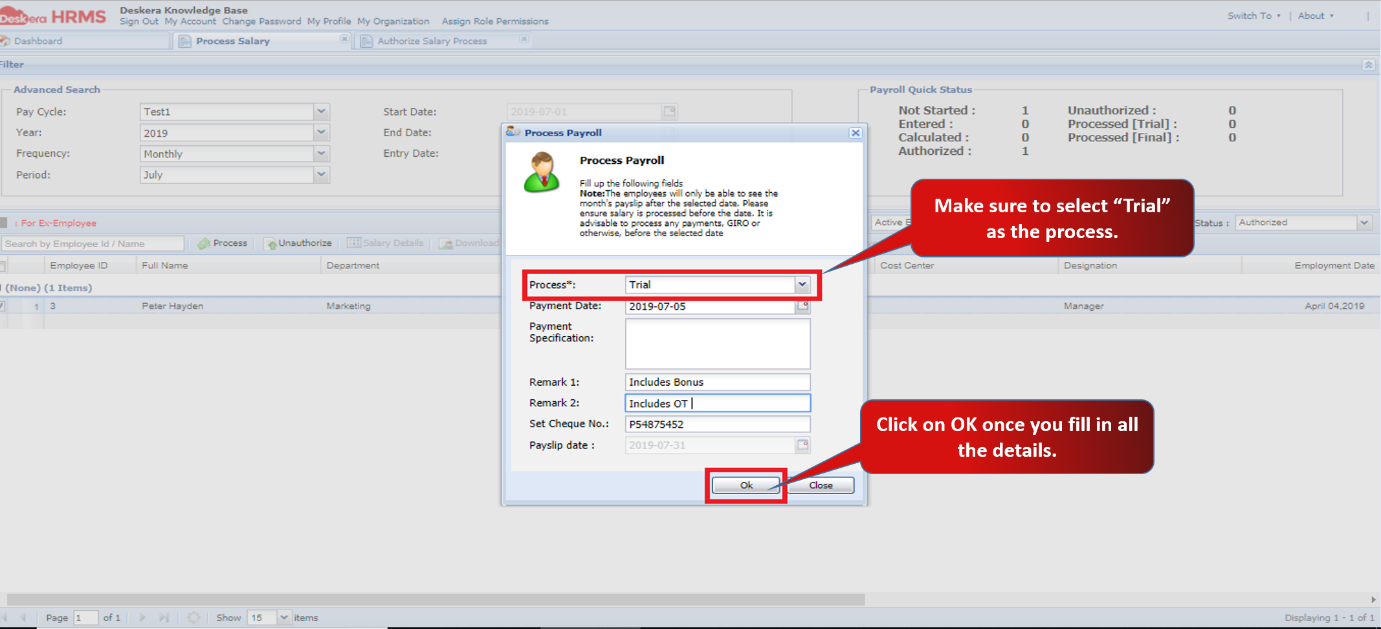
Fig 2.4.2.8.4 Process Payroll
Step 5: Change the status to Processed [Trial] to see the user whose payroll has been processed at the trial stage.
Here you can Unauthorize, check Salary Details and Download Payslip as well.
If the payroll has been processed at the Final stage, then you cannot unauthorize it or process it again.
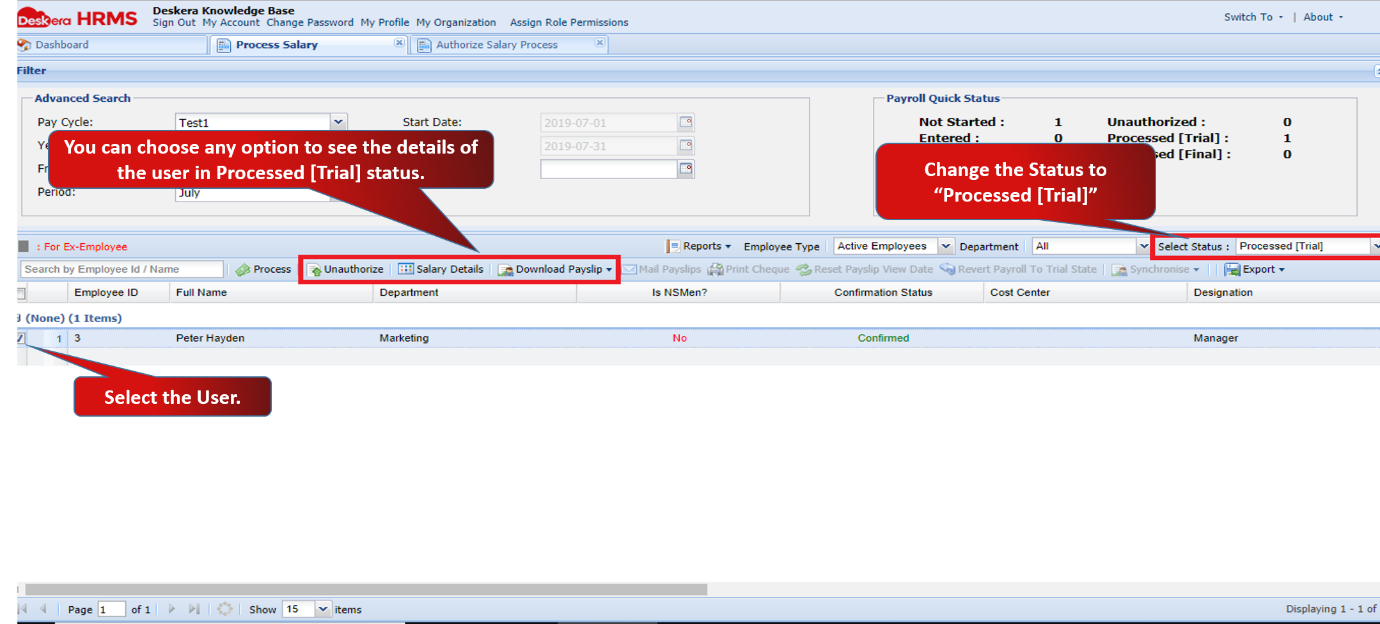
Fig 2.4.2.8.5 Process Payroll
Comments
0 comments
Please sign in to leave a comment.