
The Review Details Function helps the user to cross check and verify payroll details across each stage of calculating the payroll. This function however, only allows the user to view the payroll details and does not let the user edit the details from here.
The Review Details function can be accessed under the Generate Payroll module on Payroll widget.
Prerequisites:
- Ensure you have your Deskera HRMS application URL in place.
- Ensure a good internet connectivity.
- Ensure you are logged in as Administrator in the HRMS application.
- Ensure that the payroll components have been assigned and payroll process has been initiated for the concerned user.
Step 1: Go to Generate Payroll under Payroll Widget
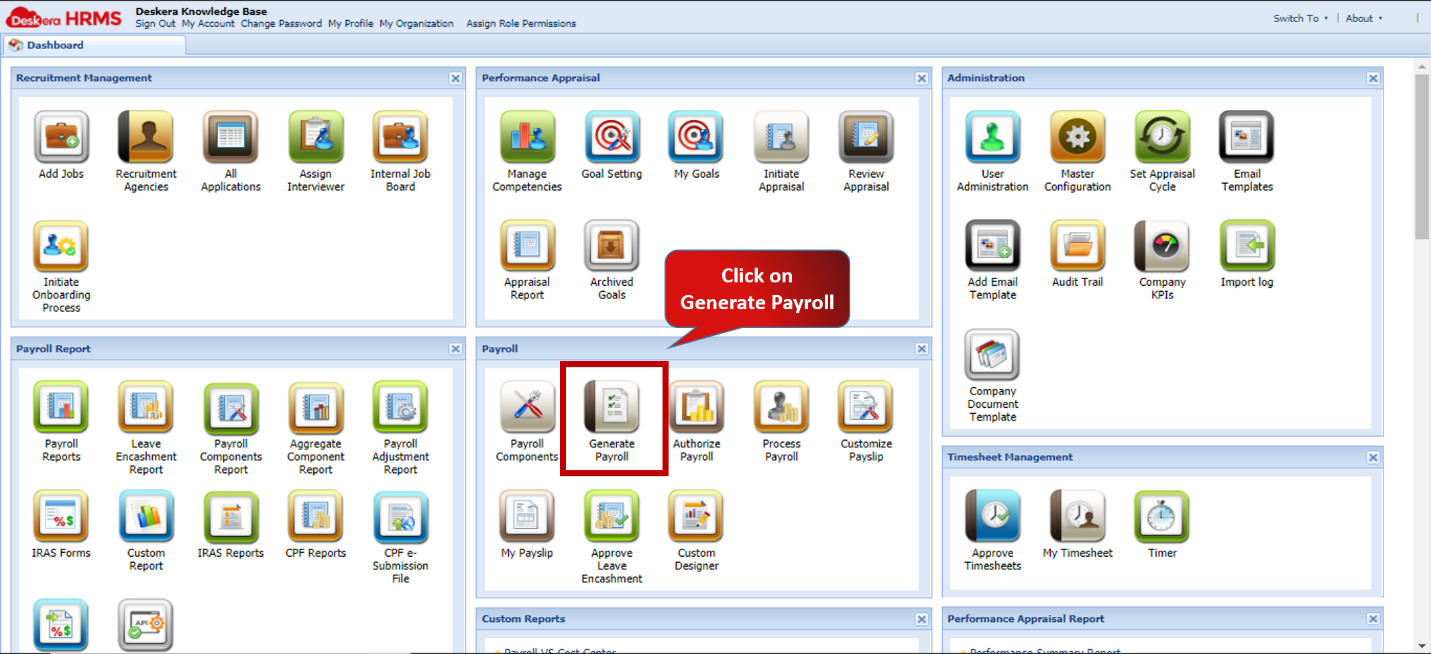 Fig.2.4.2.5.1 HRMS Dashboard
Step 2: Click on Select Status and choose the current status of the payroll concerned
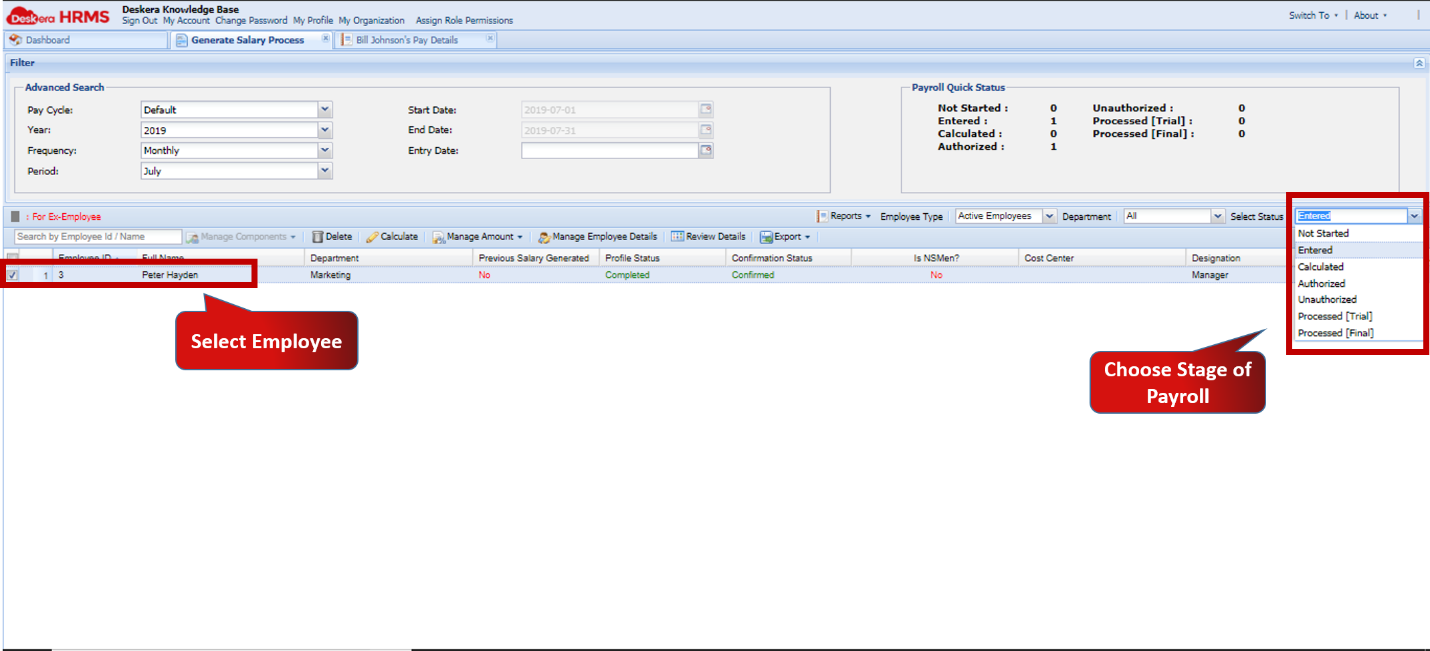 Fig.2.4.2.5.2 Generate Salary Process
Step 3: Click on Review Payroll
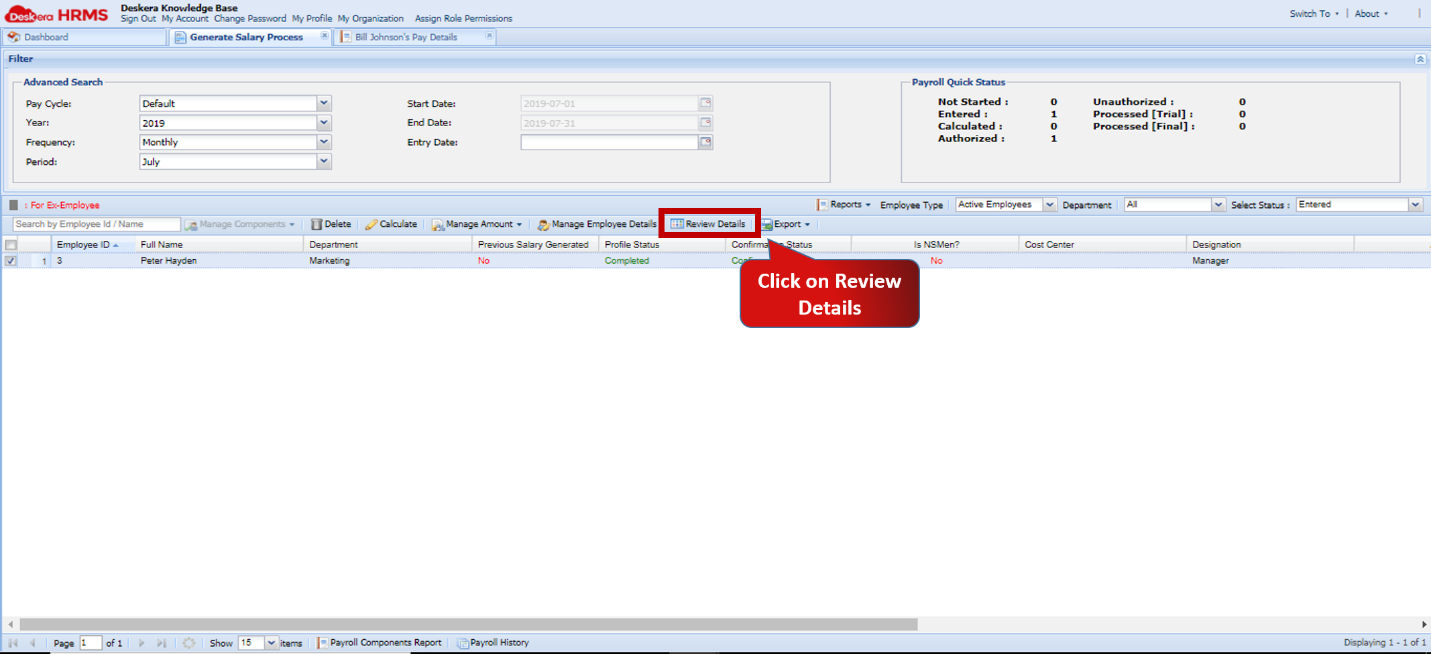 Fig.2.4.2.5.3 Review Details
Step 4: View all details of Payroll selected stage of processing
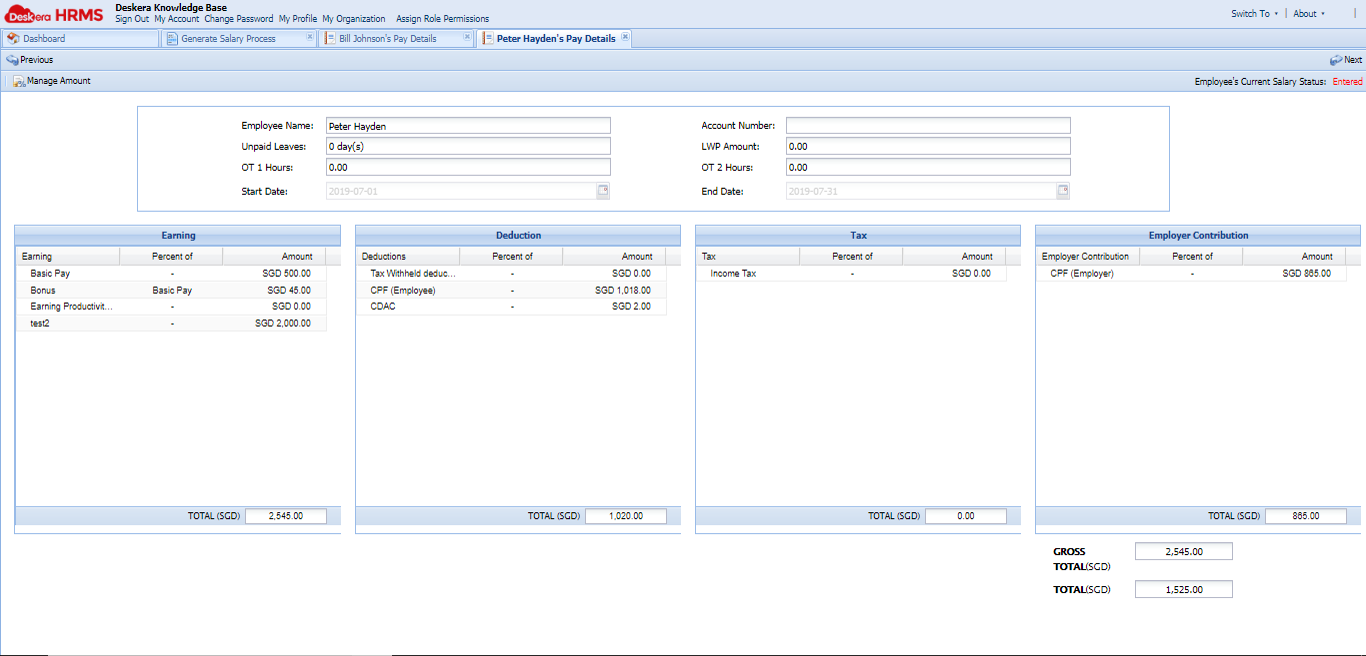 Fig.2.4.2.5.4 Review Details
Comments
0 comments
Please sign in to leave a comment.