
Manage Component includes viewing editing and deleting the components as required by the company in the Deskera HRMS module.
Prerequisites:
- You have your Deskera HRMS application URL in place.
- You are the administrator of the HRMS application.
- Ensure Stable Internet Connectivity.
View Components:
In order to view the components, Click on Payroll Components under the Payroll widget in the HRMS Dashboard
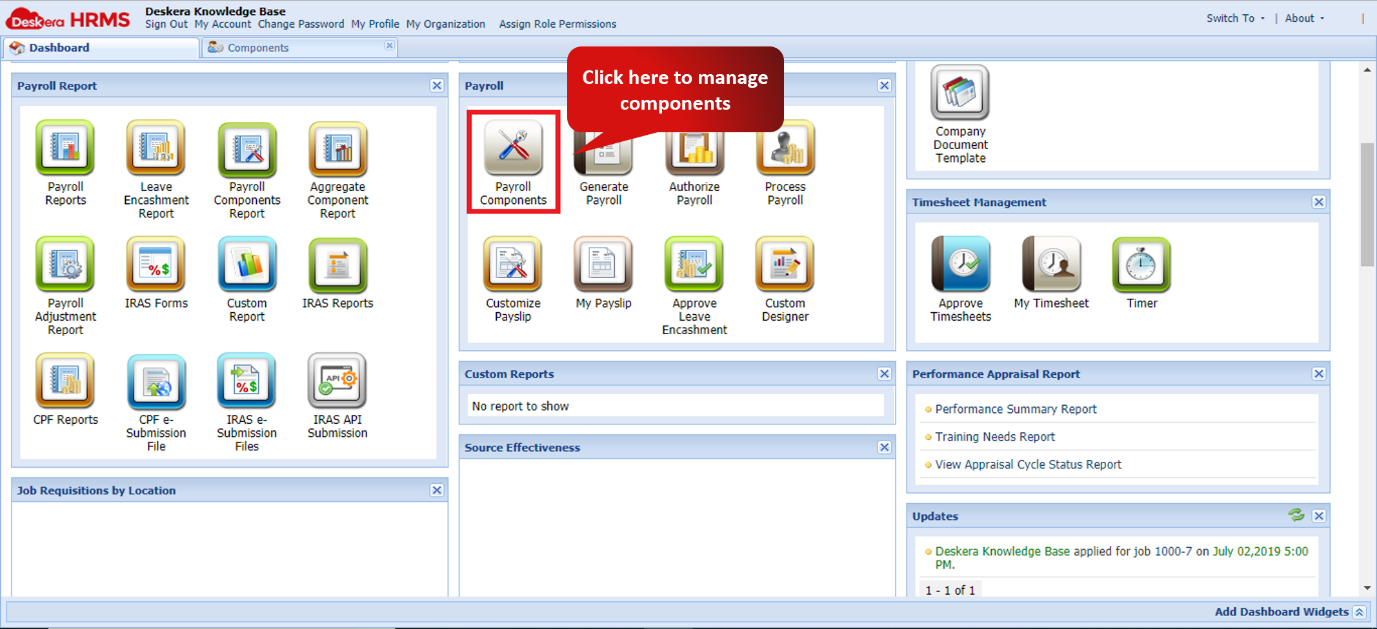
Fig. 2.4.1.2.1 HRMS Dashboard
Step 2: You are navigated to a tab containing the list of components, their type and also the amount allotted for each component.
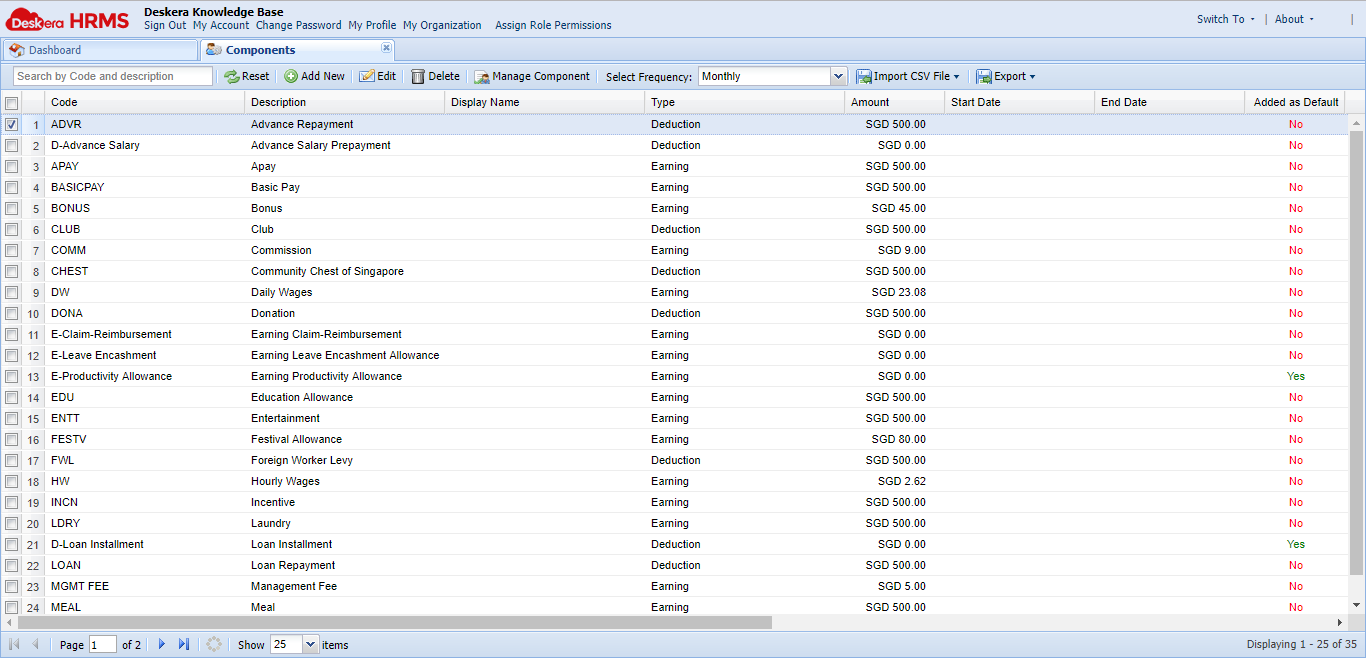
Fig. 2.4.1.2.2 Component View
Edit Component:
Step 1: Click on Payroll Components under the Payroll widget in the HRMS Dashboard.
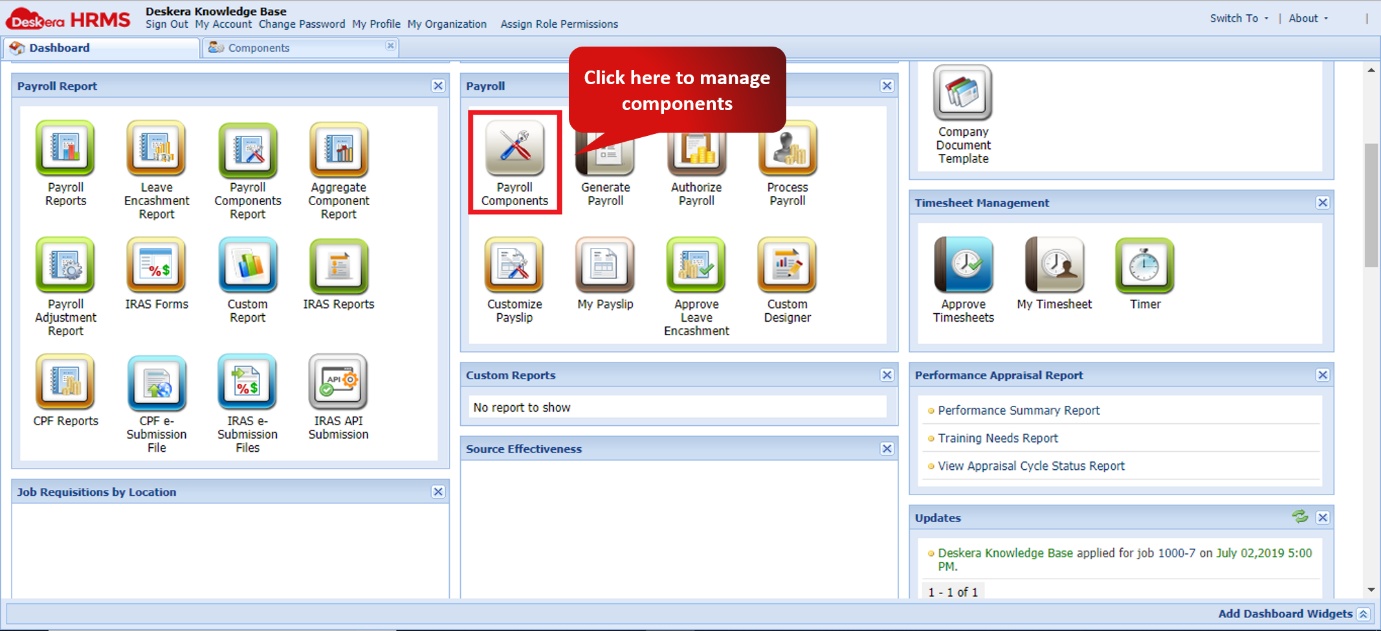
Fig. 2.4.1.2.3 HRMS Dashboard
Step 2: Select the component you wish to edit and click on edit to start editing the component.
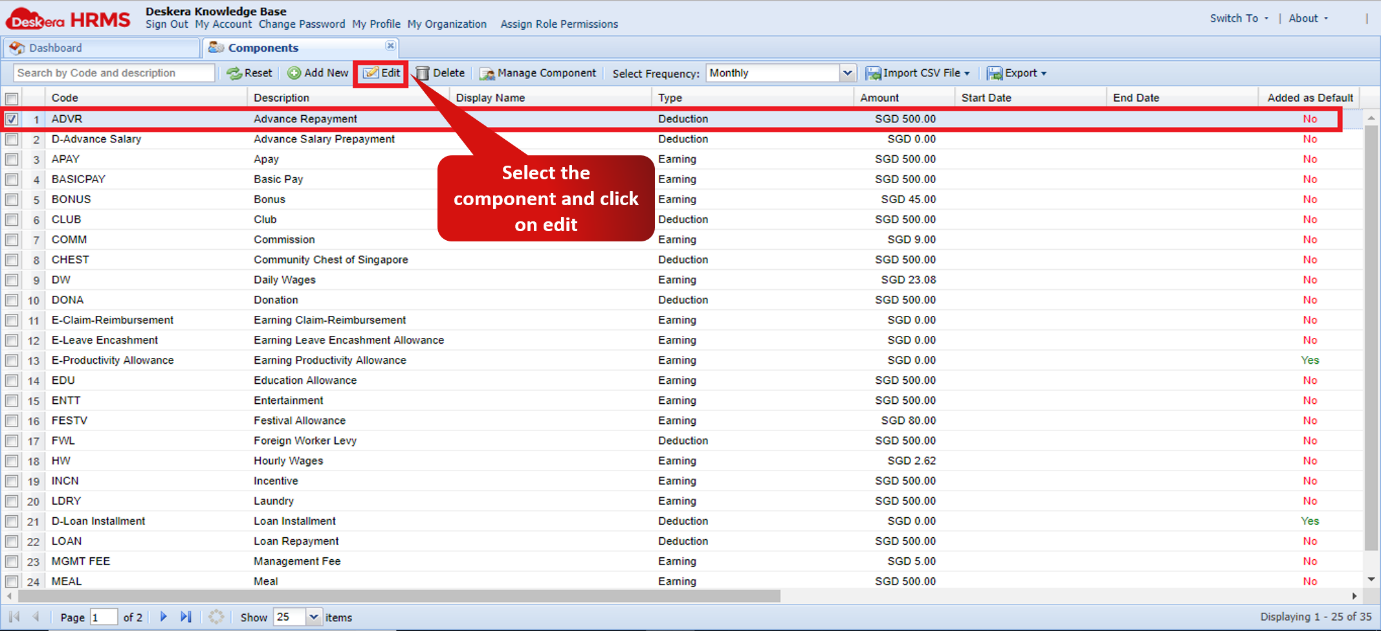
Fig. 2.4.1.2.4 Component View
Step 3: Fill in all the required fields and complete the wizard to have successfully edited the component.
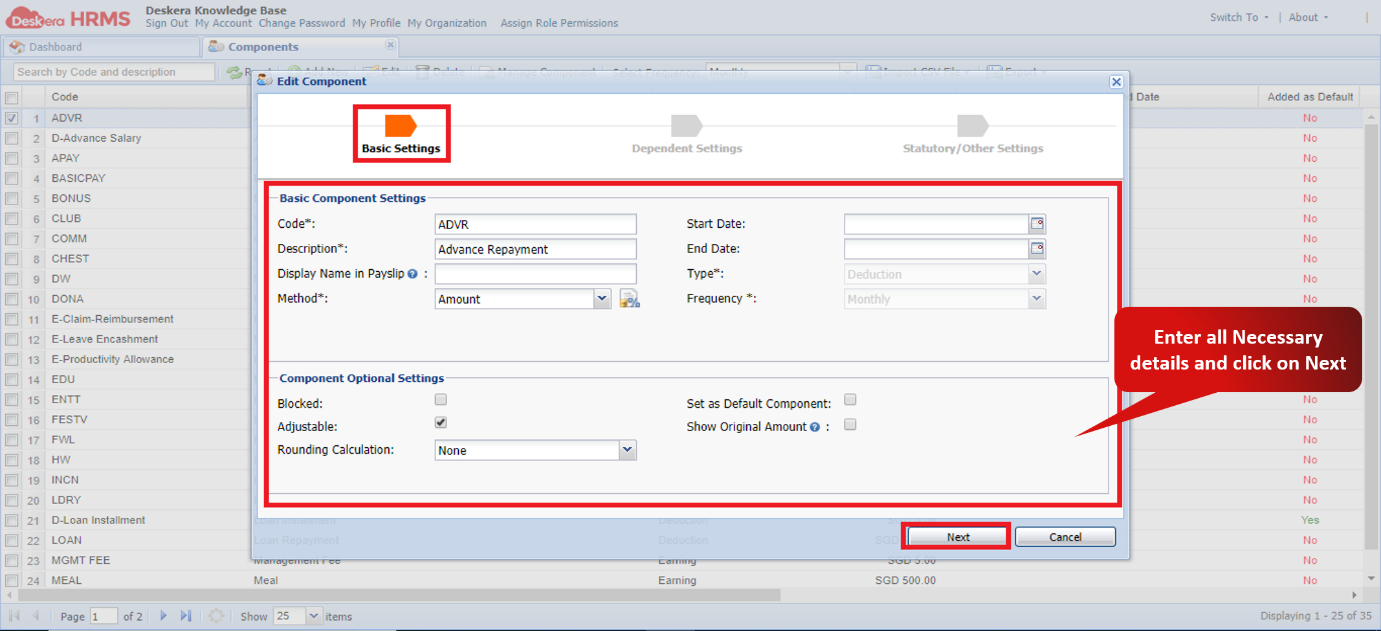 Fig. 2.4.1.2.5 Edit Component wizard
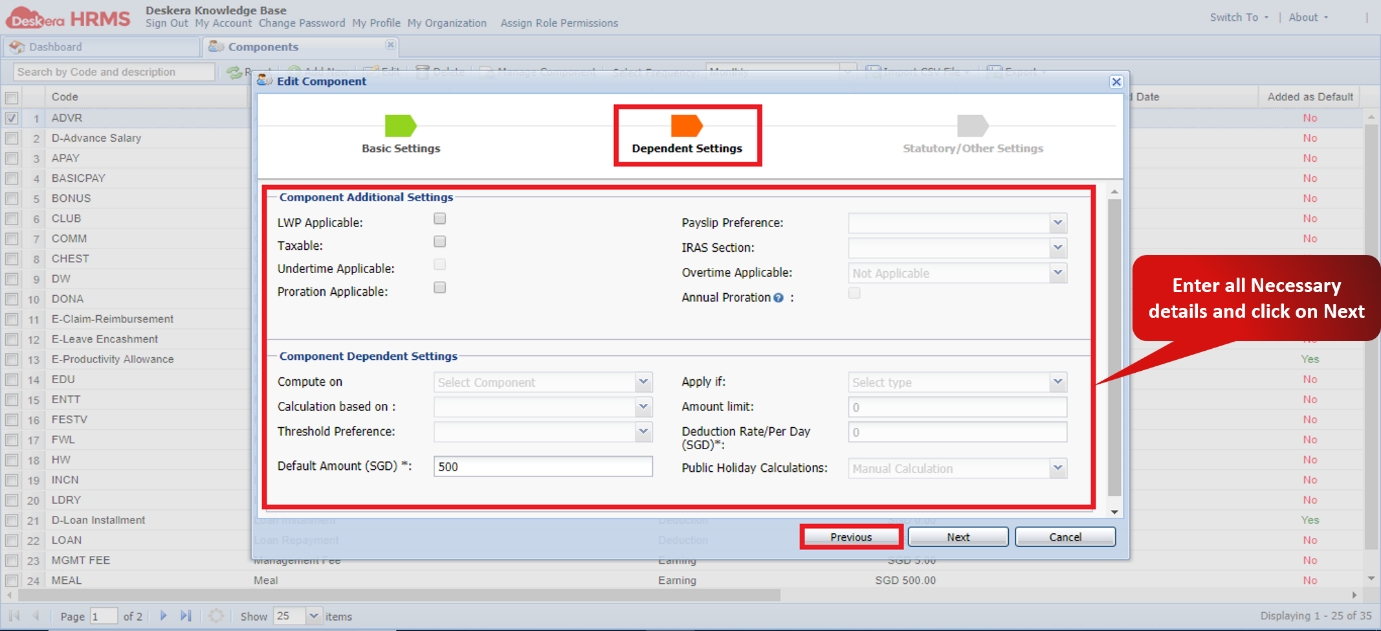
Fig 2.4.1.2.6 Edit Component wizard
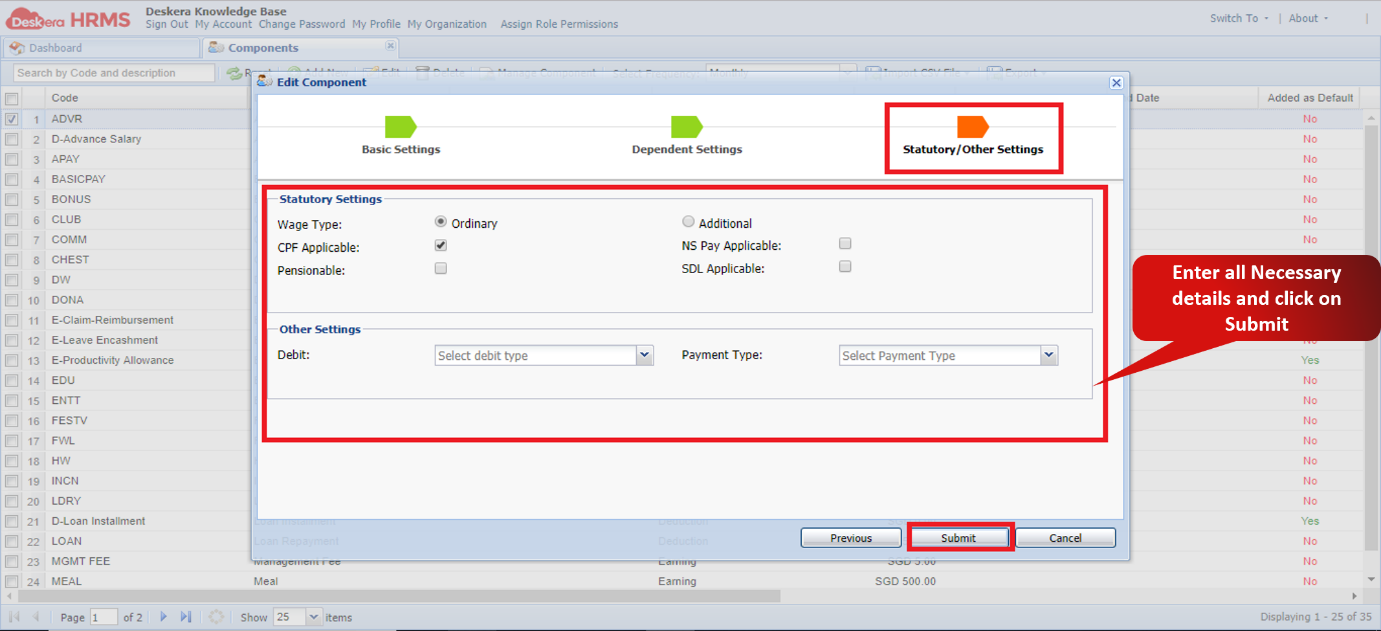
Fig 2.4.1.2.7 Edit Component wizard
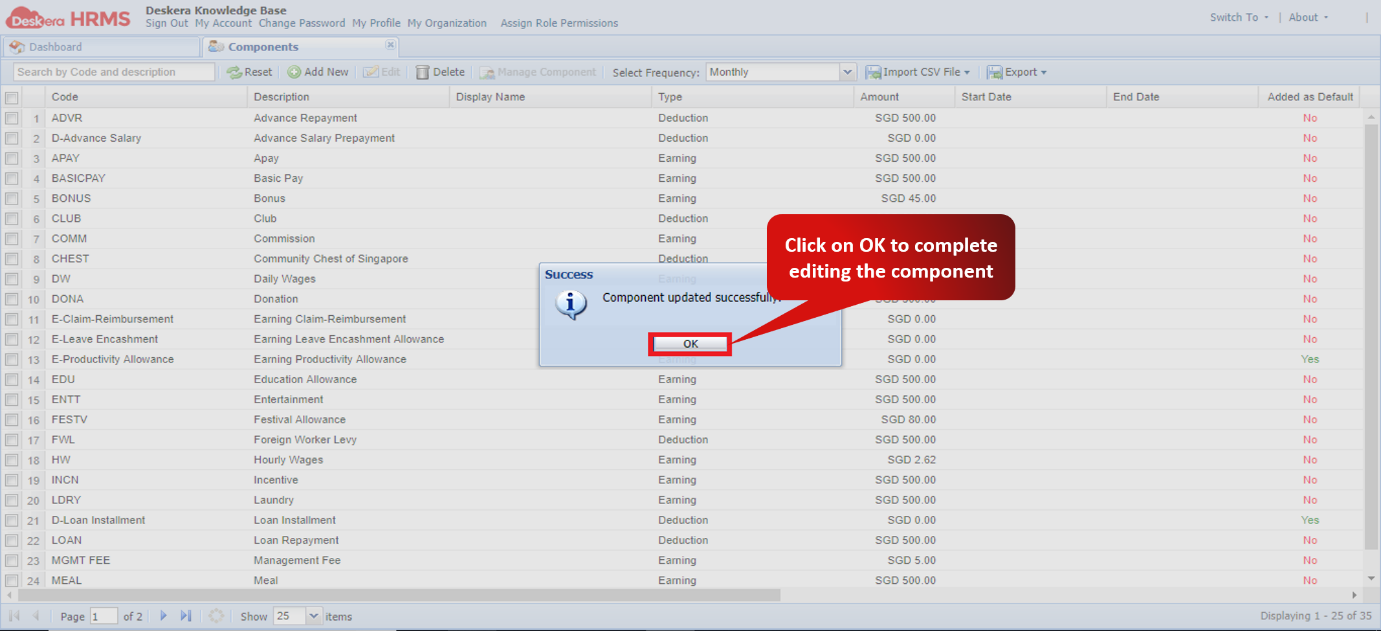
Fig 2.4.1.2.8 Confirmation window for editing components
Delete Component:
Step 1: Click on Payroll Components under the Payroll widget in the HRMS Dashboard.
Fig 2.4.1.2.9 HRMS Dashboard
Step 2: Select the components to be deleted and click on delete.
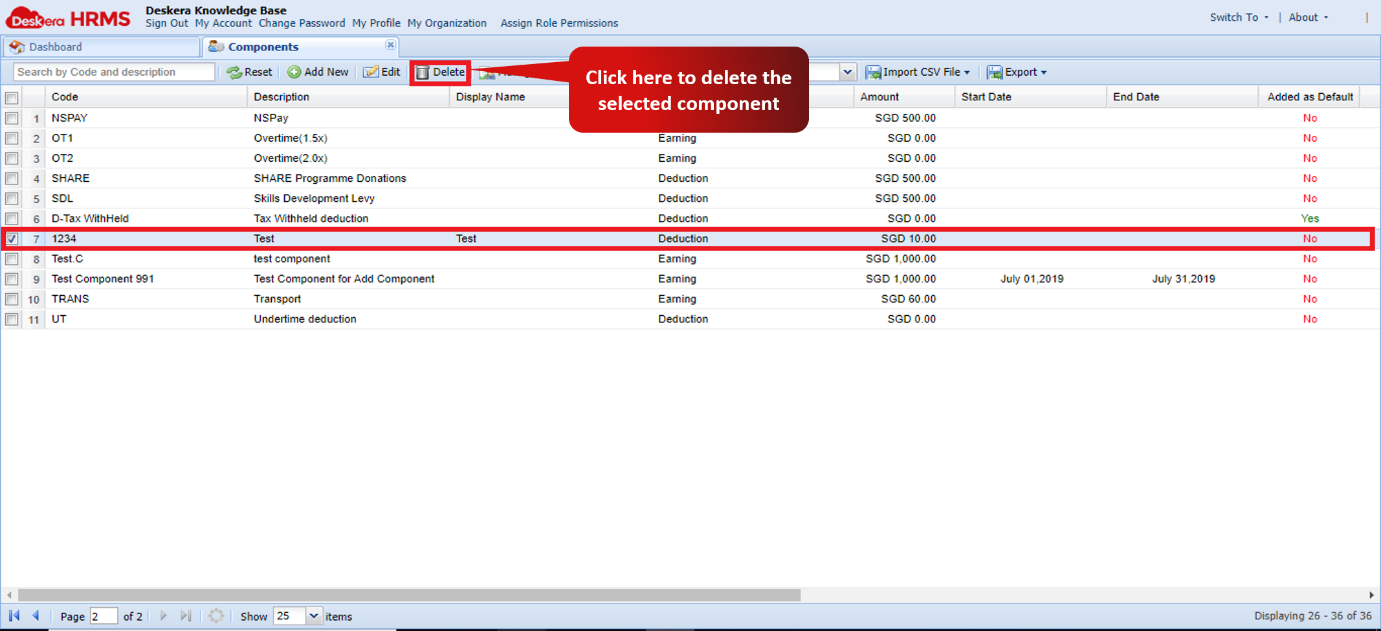
Fig 2.4.1.2.10 Component View
Step 3: Click on Yes to confirm deleting the record.
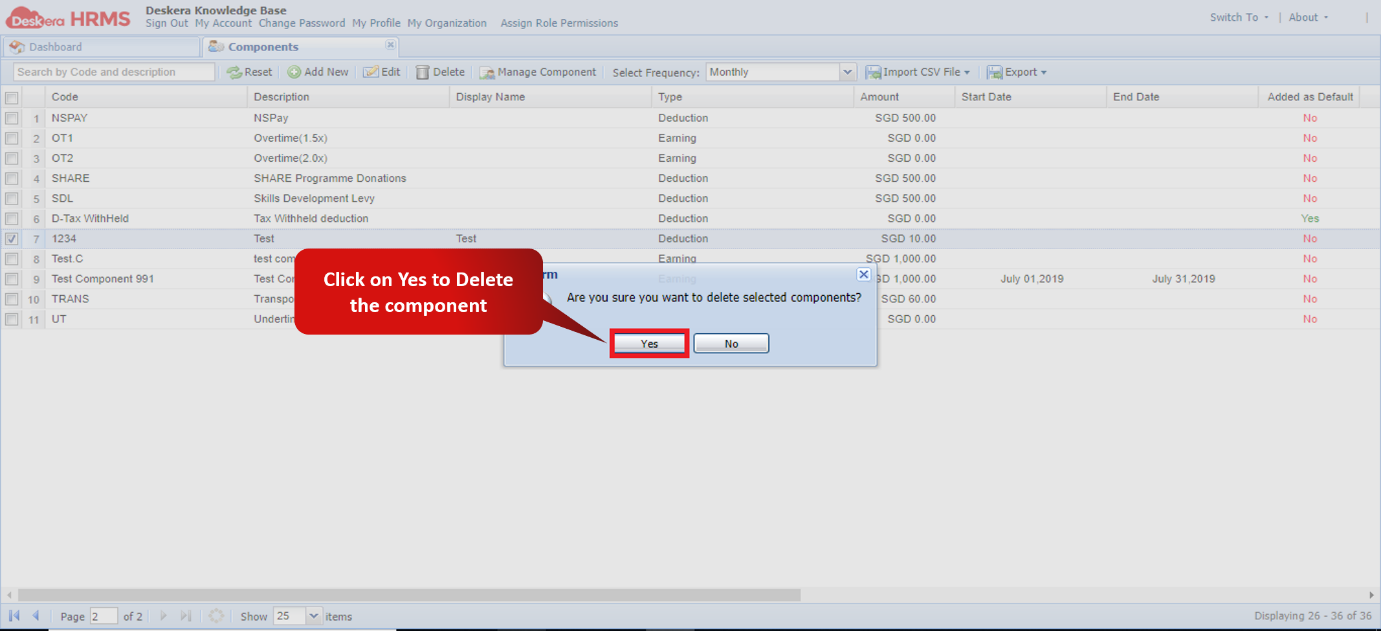
Fig 2.4.1.2.11 Confirmation window for deleting components
Comments
0 comments
Please sign in to leave a comment.