
Salary that is generated has to be authorized for further processing. With the help of this function, the administrator can authorize the processed salary for payroll generation.
Prerequisites:
- You have your Deskera HRMS application URL in place
- You are the administrator of the HRMS application
- Ensure a good internet connectivity
- Ensure the employee whose salary is to be authorized is in the Calculated stage
Step 1: Click Authorize Payroll under Payroll on the Deskera HRMS Dashboard.
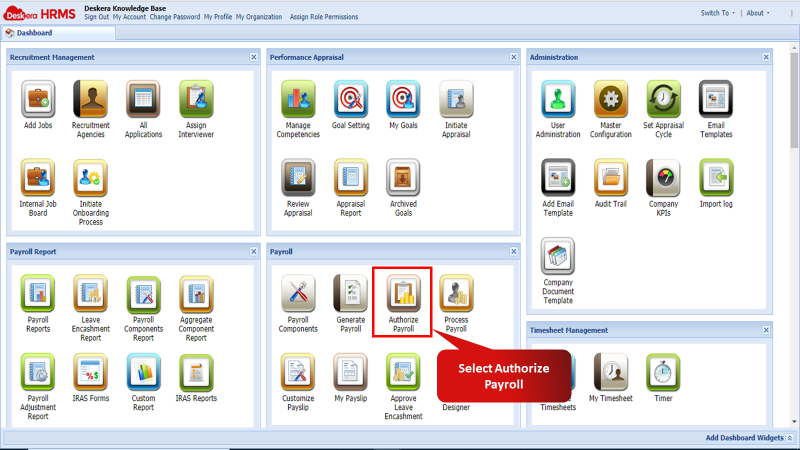
Fig 2.4.2.6.1 Authorize Payroll
Step 2: On the Authorize Payroll Process window select the employee whose payroll the user wishes to authorize. Then click the Authorize button. The payroll would now have been authorized. The user will now appear under Process Payroll found on the HRMS Dashboard.

Fig 2.4.2.6.2 Authorize Salary Process
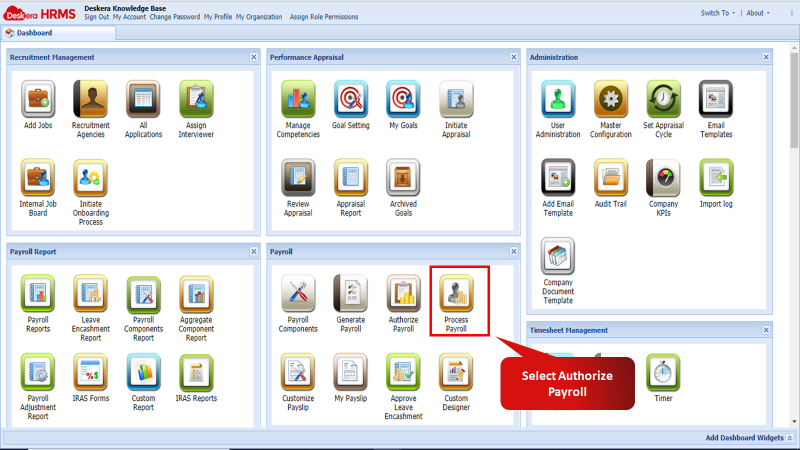
Fig 2.4.2.6.3 Process Payroll
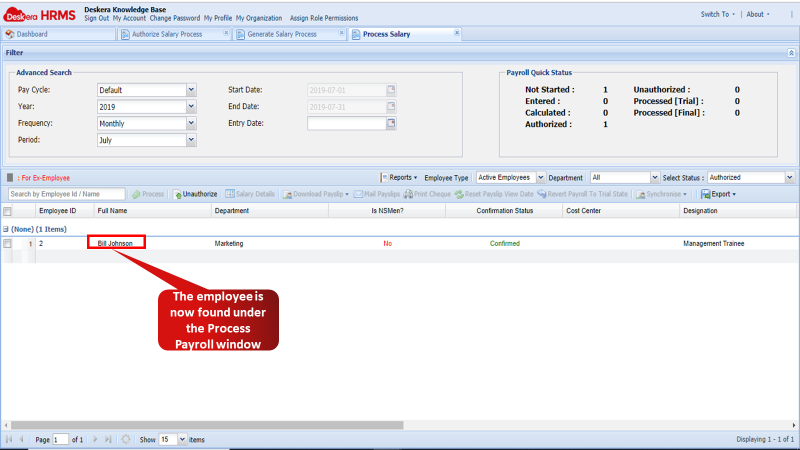
Fig 2.4.2.6.4 Process Payroll
Comments
0 comments
Please sign in to leave a comment.