
Assign Components feature enables you assign the payroll components to an employee to generate and calculate the salary. An employee’s remuneration is made up of any income and / or allowance, which is paid or is payable to them by their employer, as well as the value of any benefits.
Prerequisites:
1. You have your Deskera HRMS application URL in place.
2. You are the administrator of the HRMS application
3. Ensure good internet connectivity
Step 1: Go to User Administration under Administration widget in HRMS.
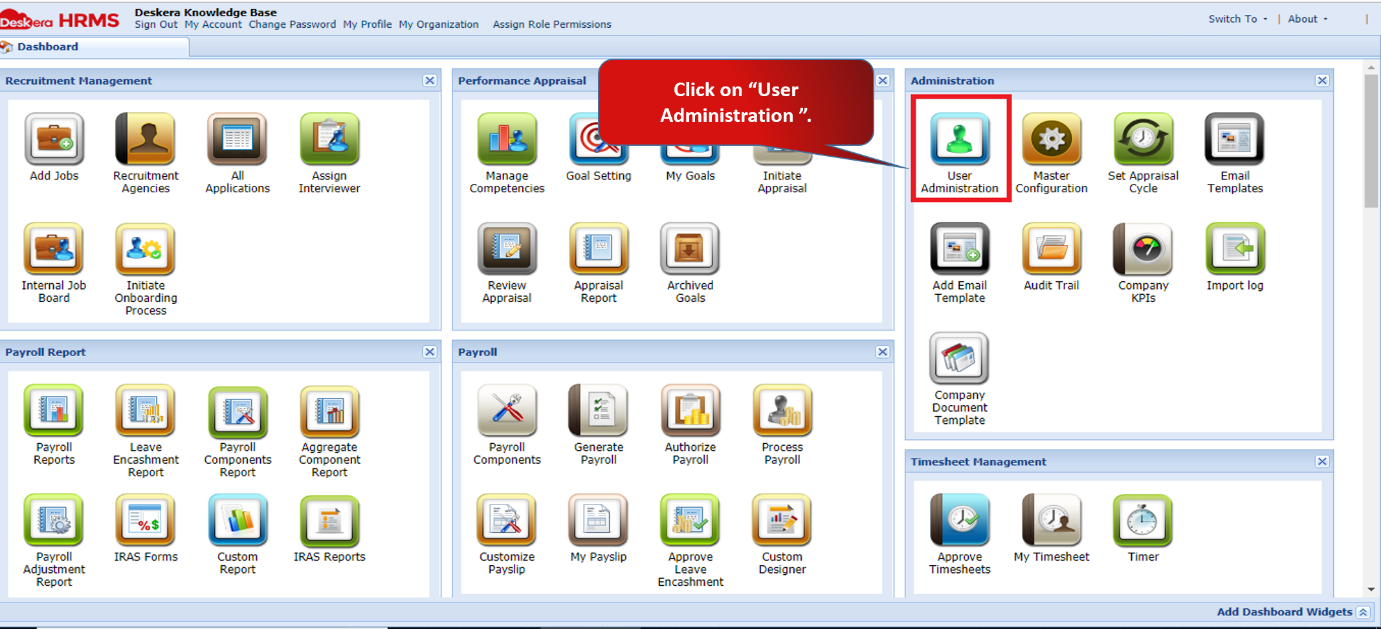
Fig 2.4.1.3.1 HRMS Dashboard
Step 2: We need to assign frequency to the user before assigning the components.
Select the user and click on Assign Frequency option under Assign Payroll Settings.
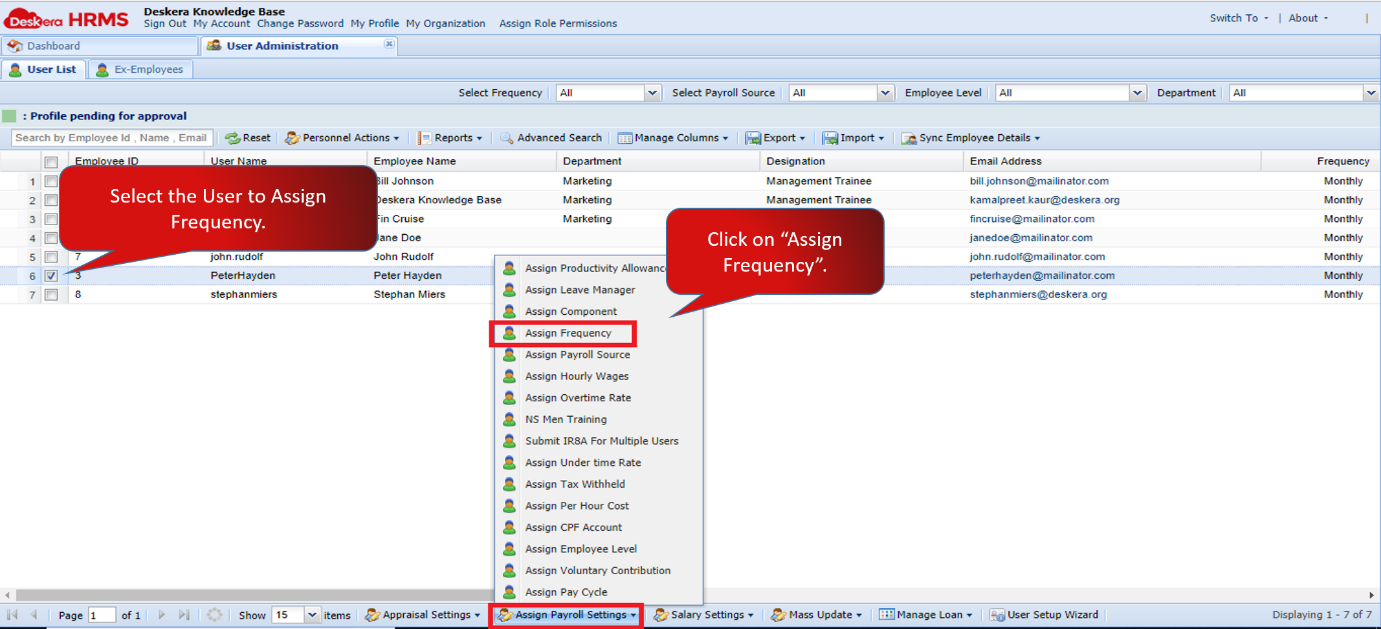
Fig 2.4.1.3.2 User Administration
Step 3: Assign the desired frequency. For example- Here we have assigned the frequency as ‘Monthly’. Click on Save once assigned.
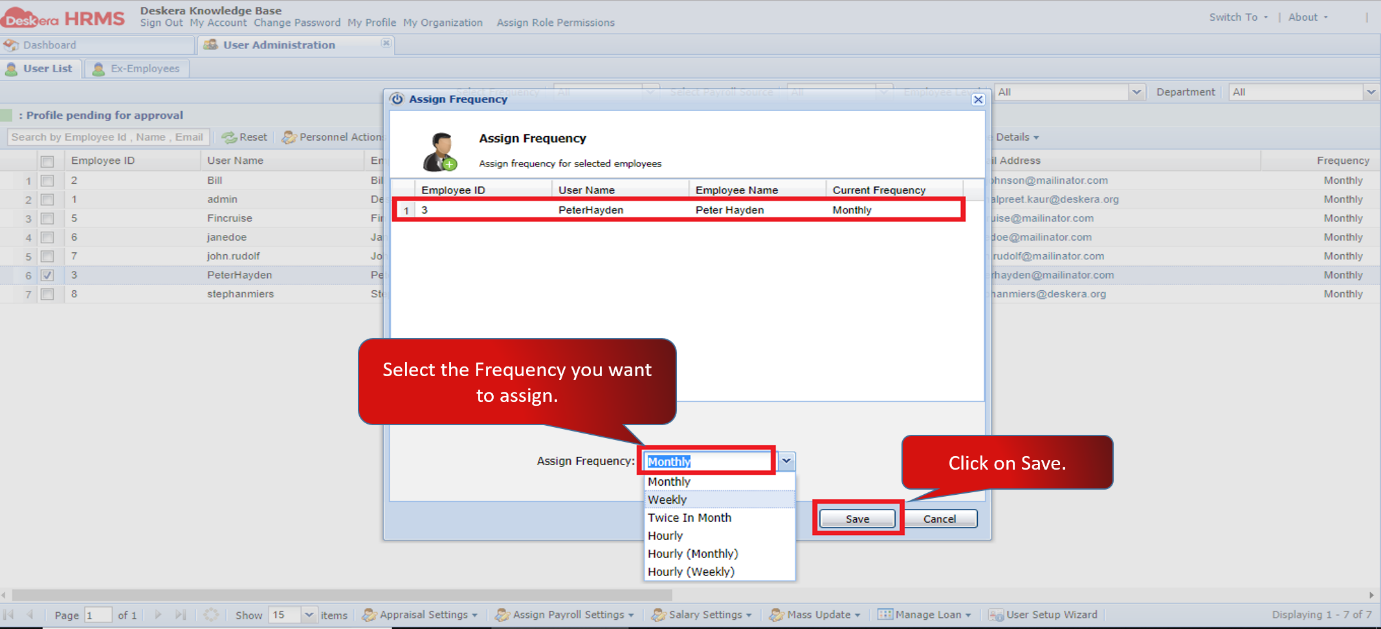
Fig 2.4.1.3.3 Assign Frequency
Step 4: You need to filter the user list according to the Frequency assigned.
Click on Select Frequency and select the frequency from the drop down list.
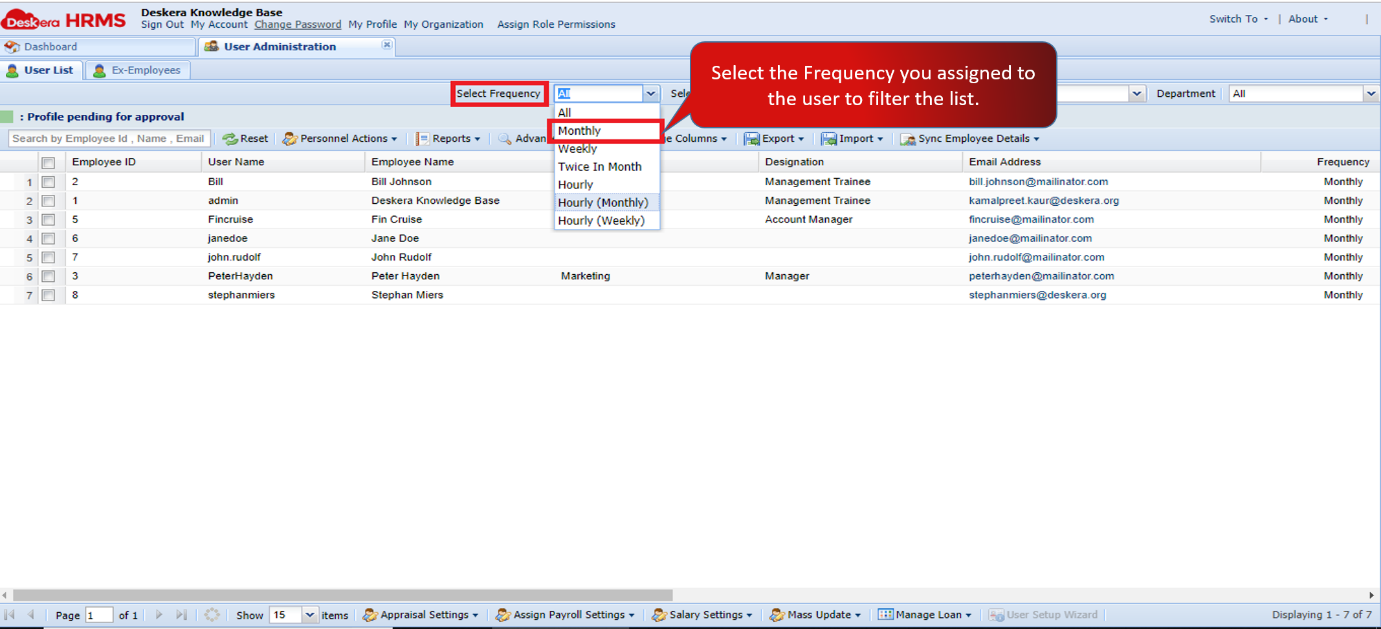
Fig 2.4.1.3.4 Assign Frequency
The list will be filtered according to the selected frequency.
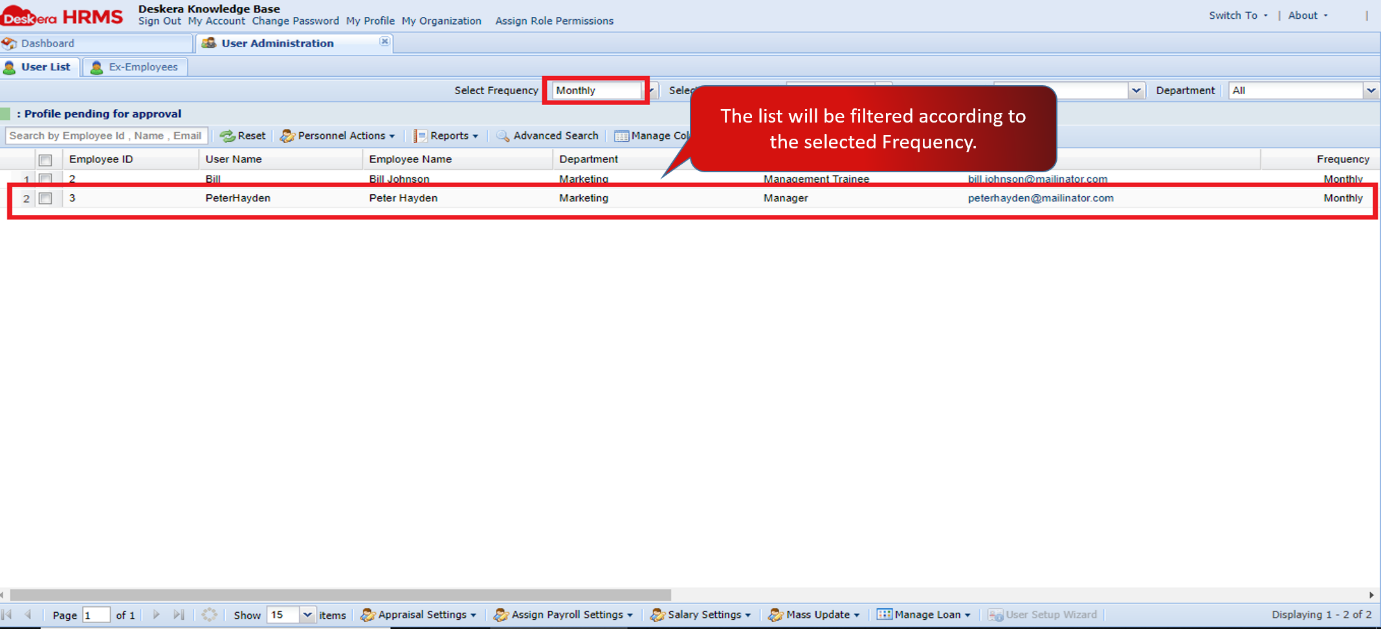
Fig 2.4.1.3.5 Assign Frequency
Step 5: Select the user from the filtered list. Go to Assign Payroll Settings and click on Assign Components.
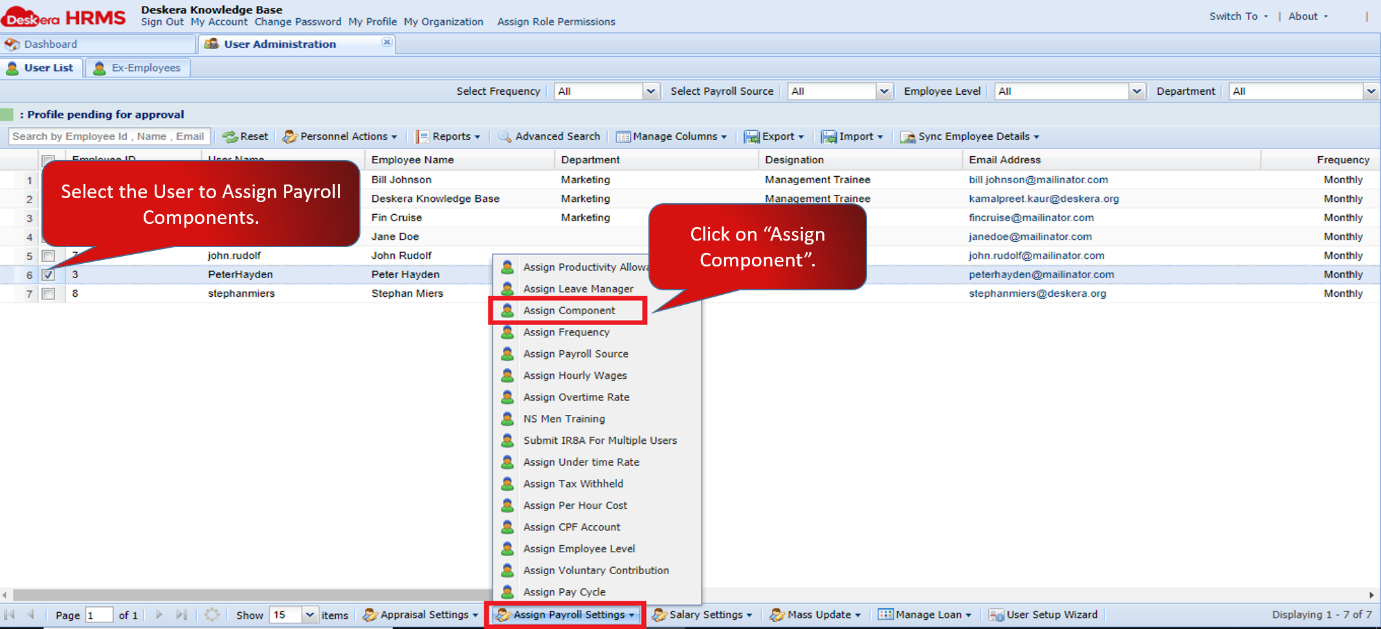
Fig 2.4.1.3.6 User Administration
Step 6: An Assign Payroll Component window will pop up. Select the component on the left you want to assign to the user and click on the arrow to shift it to the right hand side.
You can assign multiple components as well. Once assigned, click on Save.
Components will be assigned successfully.
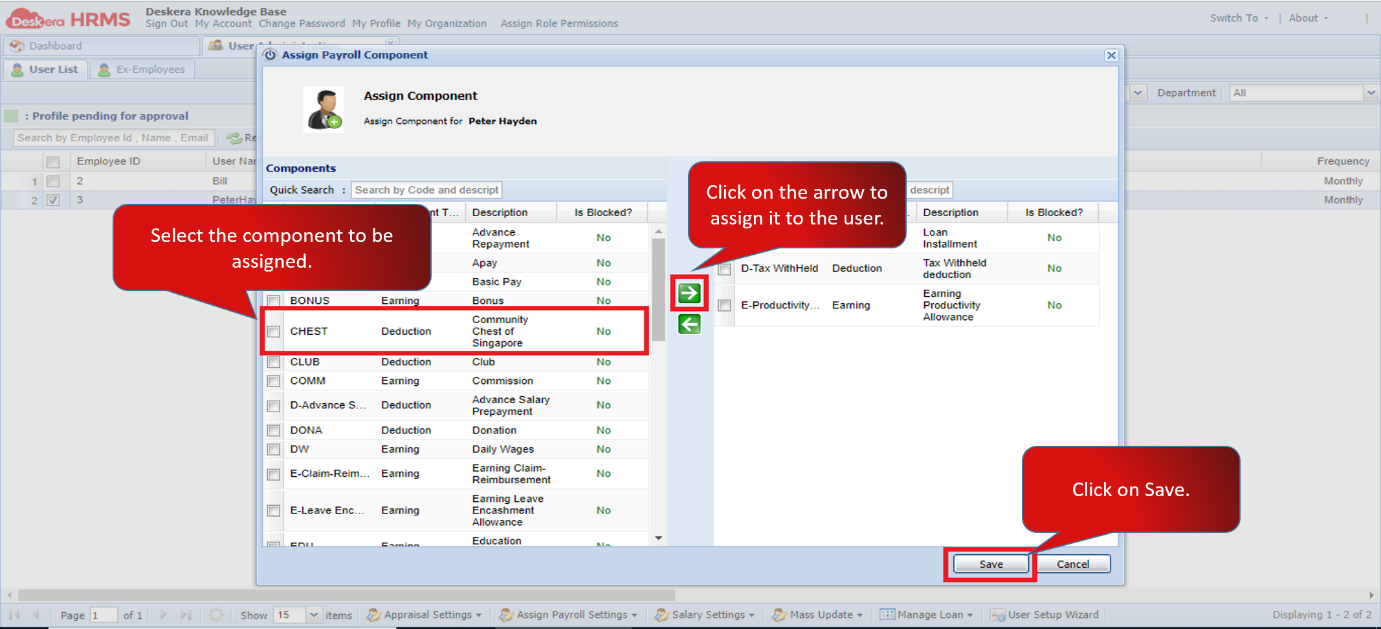
Fig 2.4.1.3.7 Assign Payroll Component
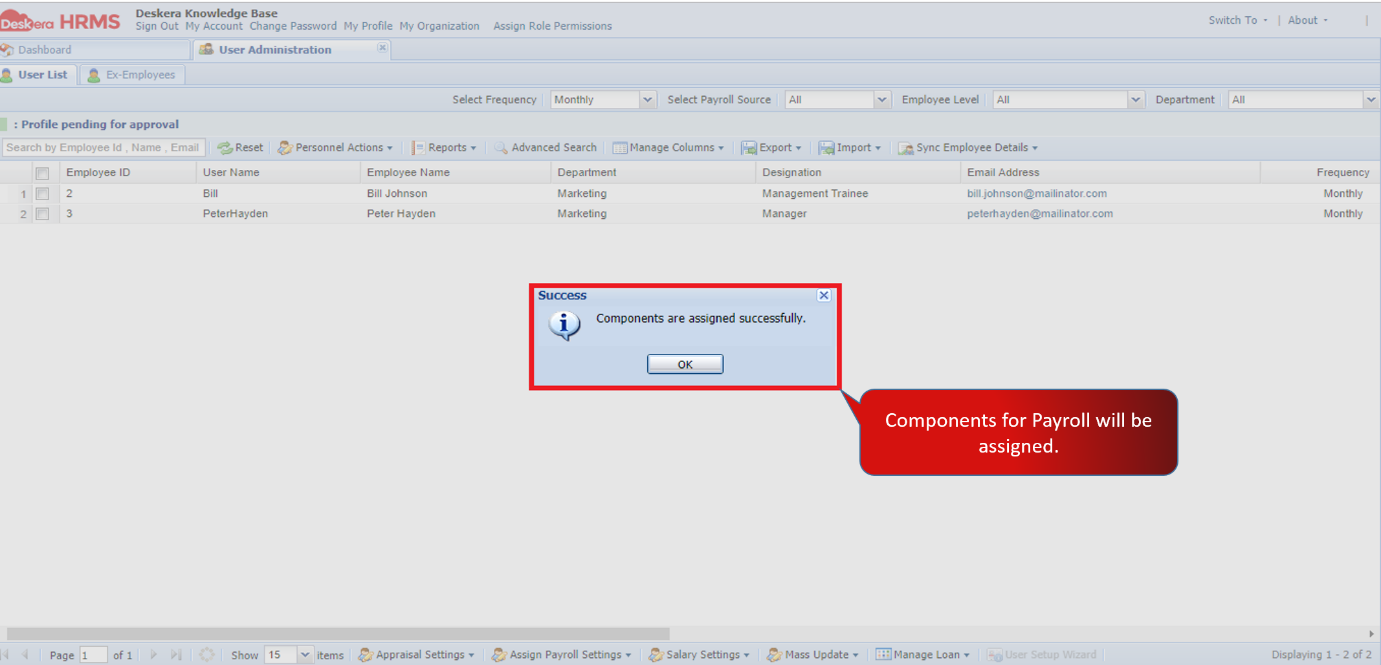
Fig 2.4.1.3.8 Assign Payroll Component
Comments
0 comments
Please sign in to leave a comment.