
If the payroll is processed in final state and it has to be reverted back to the trial state due to some errors, “Revert to trial state” option is used.
Prerequisites:
- You have your Deskera HRMS application URL in place.
- You are the administrator of the HRMS application.
- Ensure Stable Internet Connectivity.
Step 1: On the HRMS dashboard, Click on Process payroll.
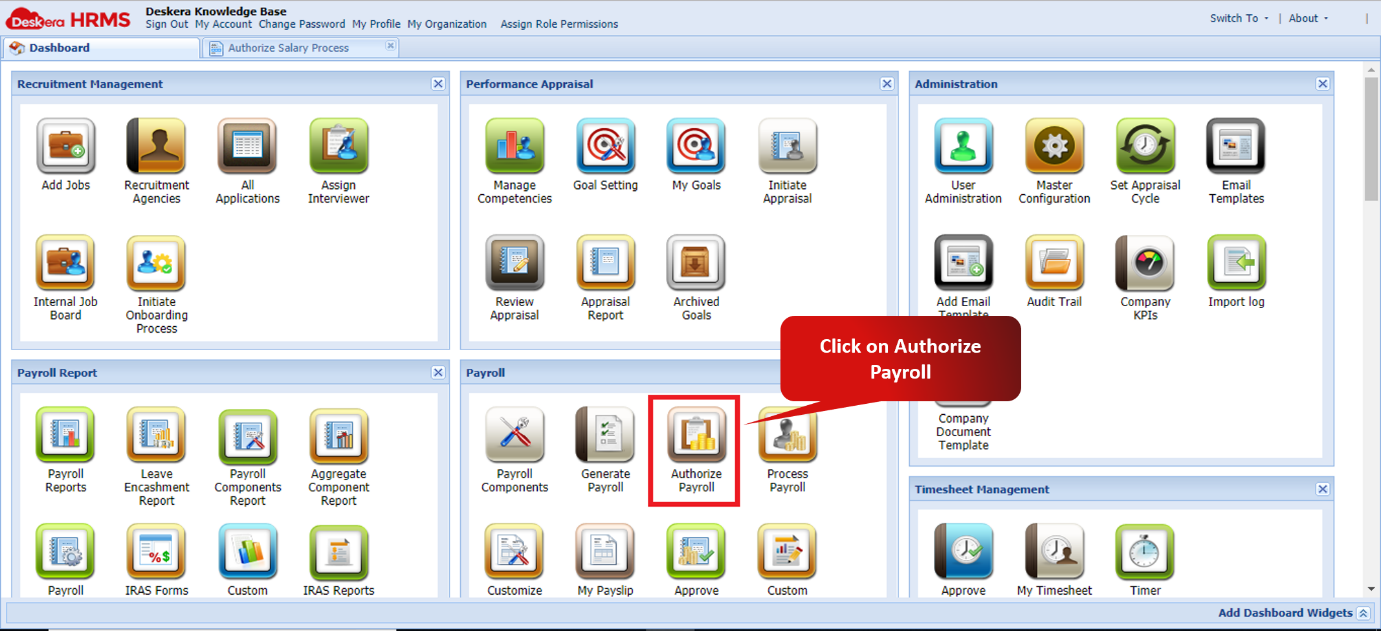
Fig 2.4.2.11.1 HRMS Dashboard
Step 2: Select the Status to be Process [Final].
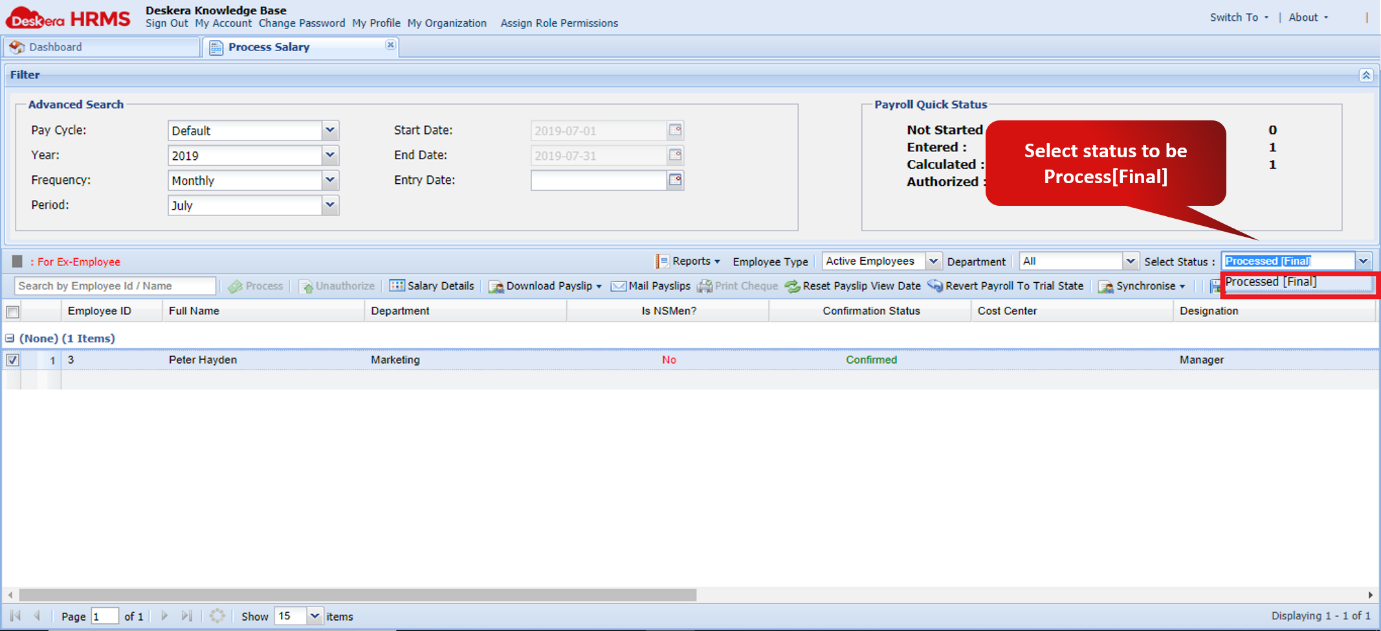
Fig 2.4.2.11.2 Process Payroll Window
Step 3: Select the user whose payroll has to be reverted and click on “Revert Payroll to Trial State”.
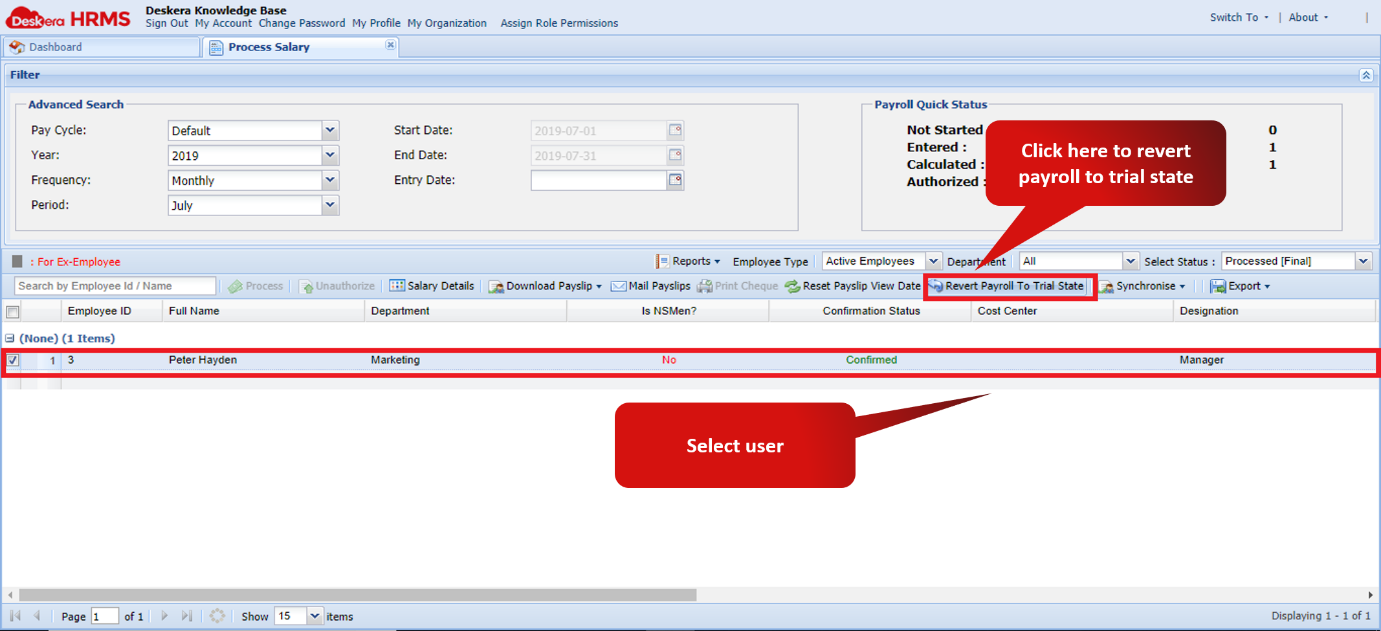
Fig 2.4.2.11.3 Process Payroll window
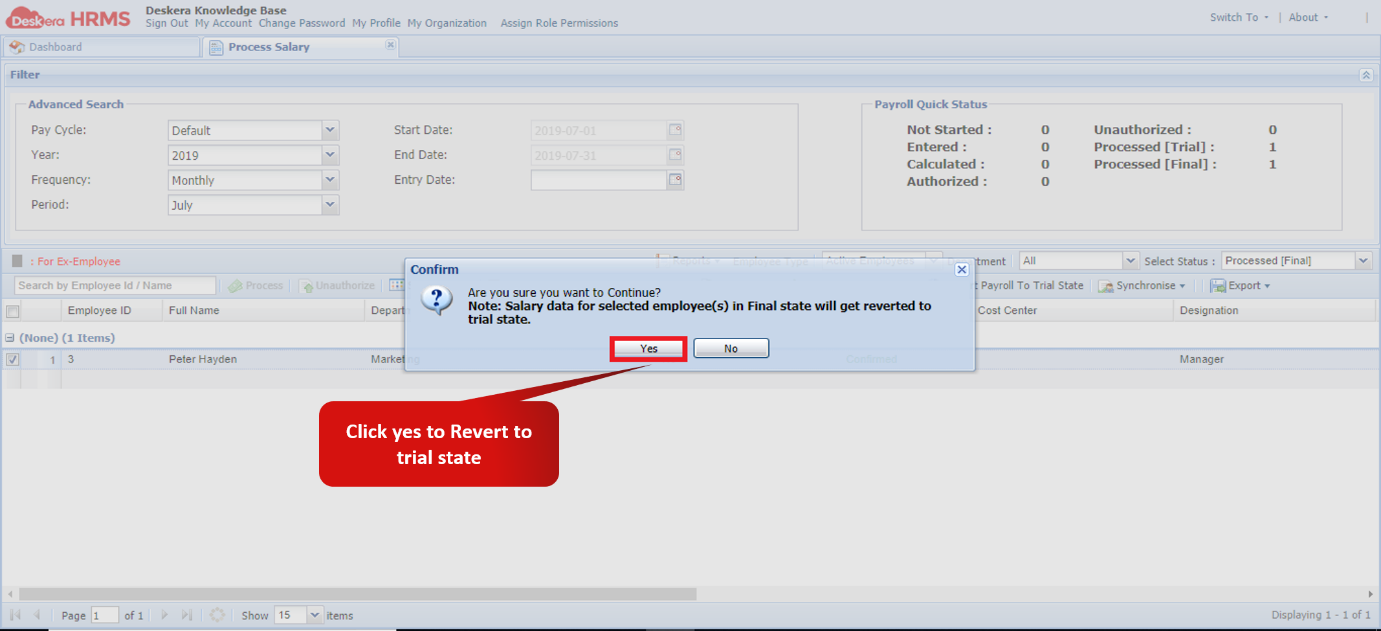
Fig 2.4.2.11.4 Revert Payroll confirmation message
Comments
0 comments
Please sign in to leave a comment.