
The Create Payslip Template feature allows the user to create custom payslips that will serve the user different purposes for different employees present in the organization.
Prerequisites:
- You have your Deskera HRMS application URL in place
- You are the administrator of the HRMS application
- Ensure a good internet connectivity
Step 1: Click on Customize Payslip under Payroll on the Deskera HRMS Dashboard.

Fig 2.4.3.2.1 Customize Payslip
Step 2: On the Customize Payslip window select New Template.
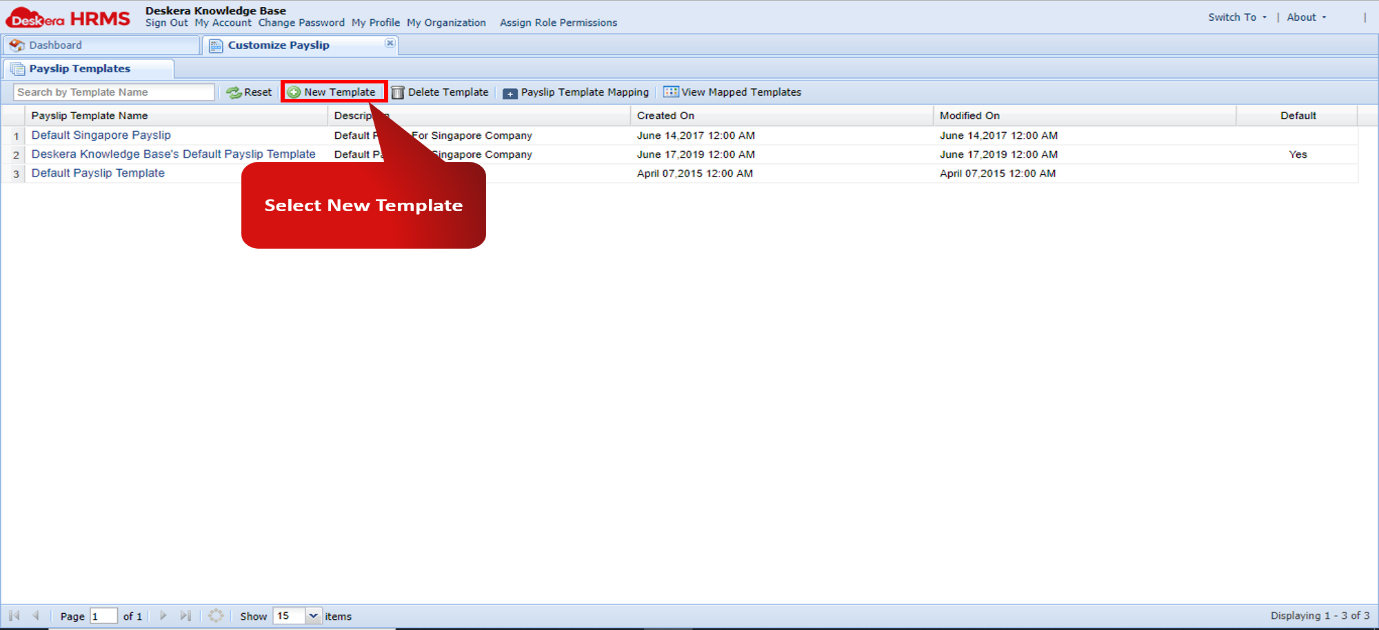
Fig 2.4.3.2.2 New Template
Step 3: The New Template window will allow user to create custom templates that can be used for different purposes as needed by the organization.
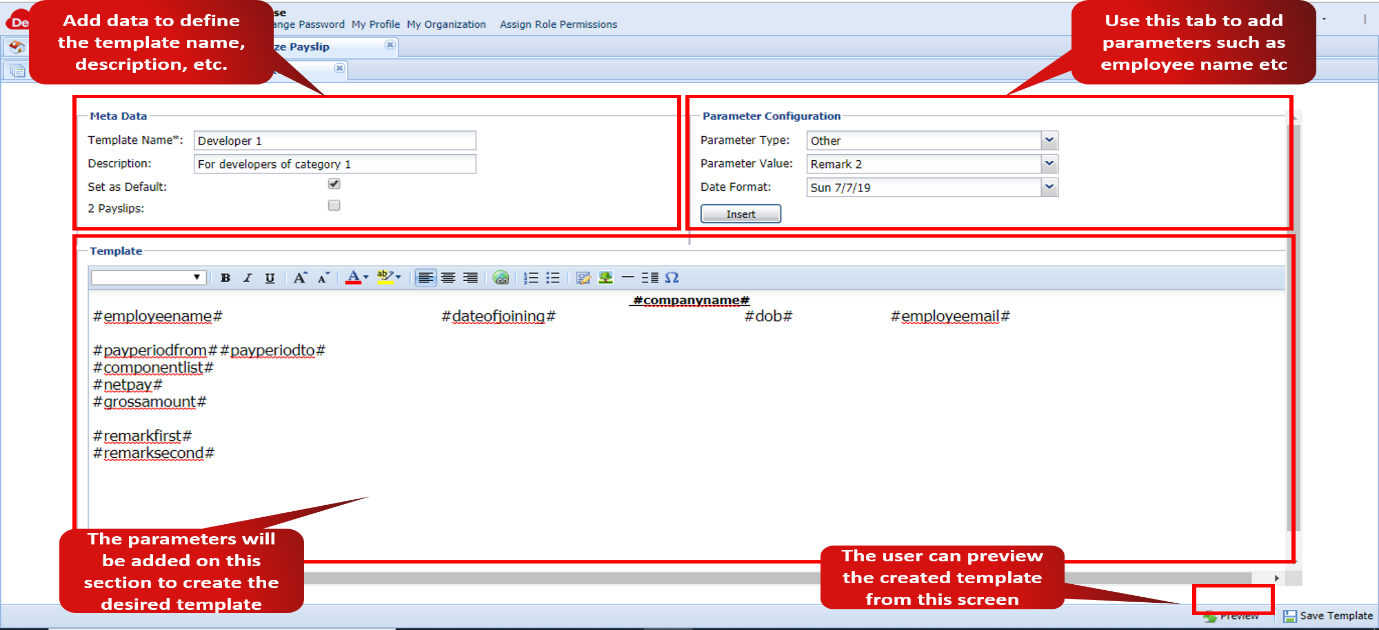
Fig 2.4.2.3.3 Customize Payslip
Comments
0 comments
Please sign in to leave a comment.