
Prerequisites:
1. You have your Deskera eLeave application URL in place.
2. You are the administrator of the eLeave application.
3. Ensure good internet connectivity.
Step 1: Go to Master Configuration under Administration widget in eLeave.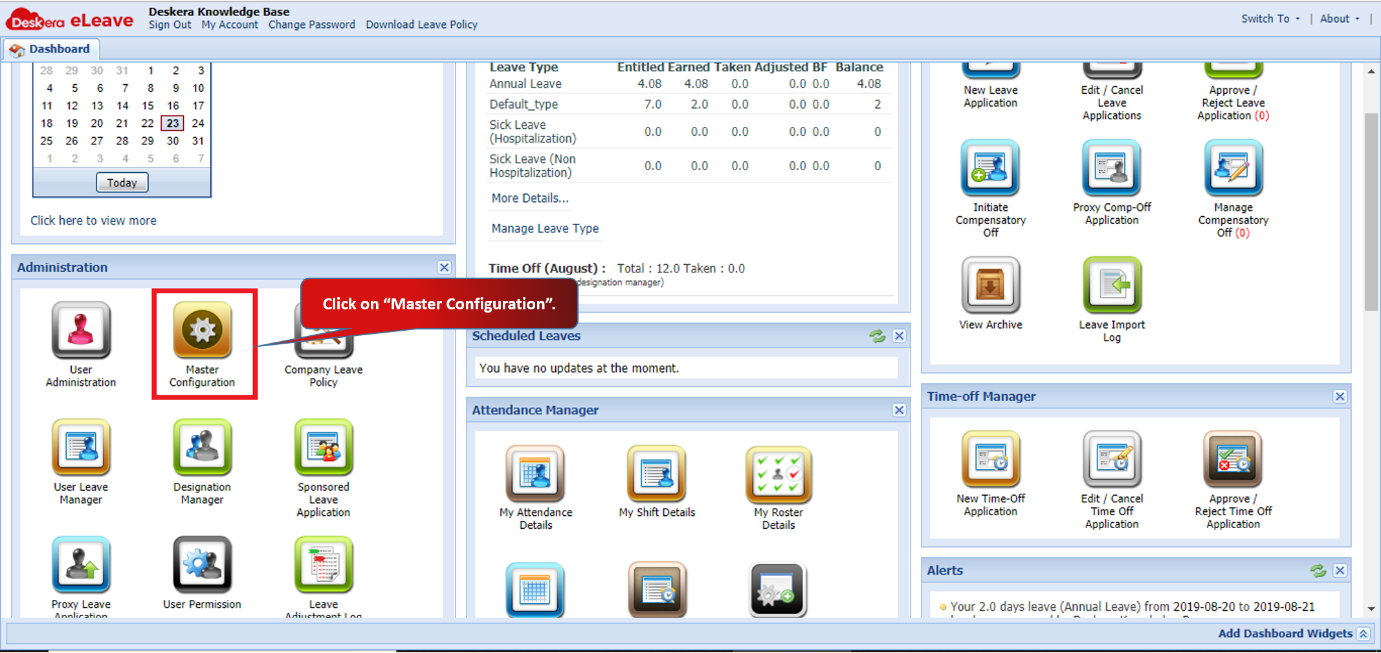 Fig 3.1.2.7.1 eLeave Dashboard
Step 2: Activate the required reports by ticking the box.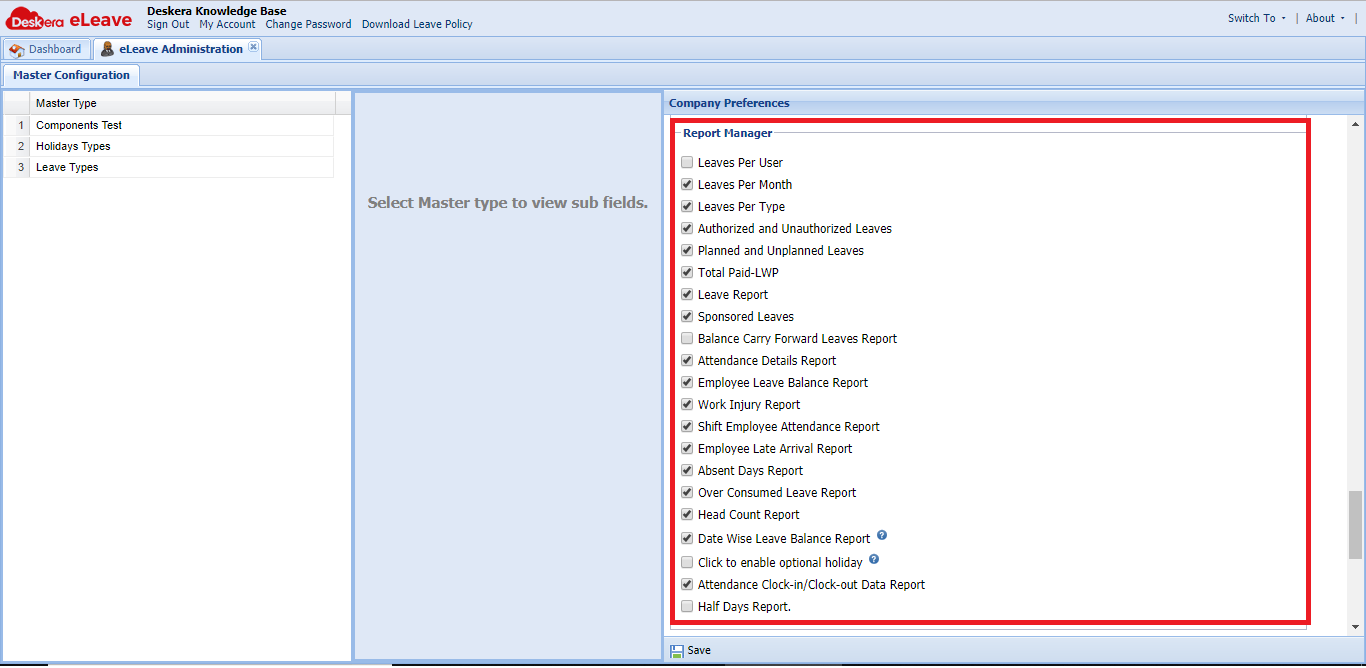 Fig 3.1.2.7.2 Report Manager
Step 3: You can activate the optional holiday setting. You can also select the category of optional holiday by clicking on “Click to select optional holiday”.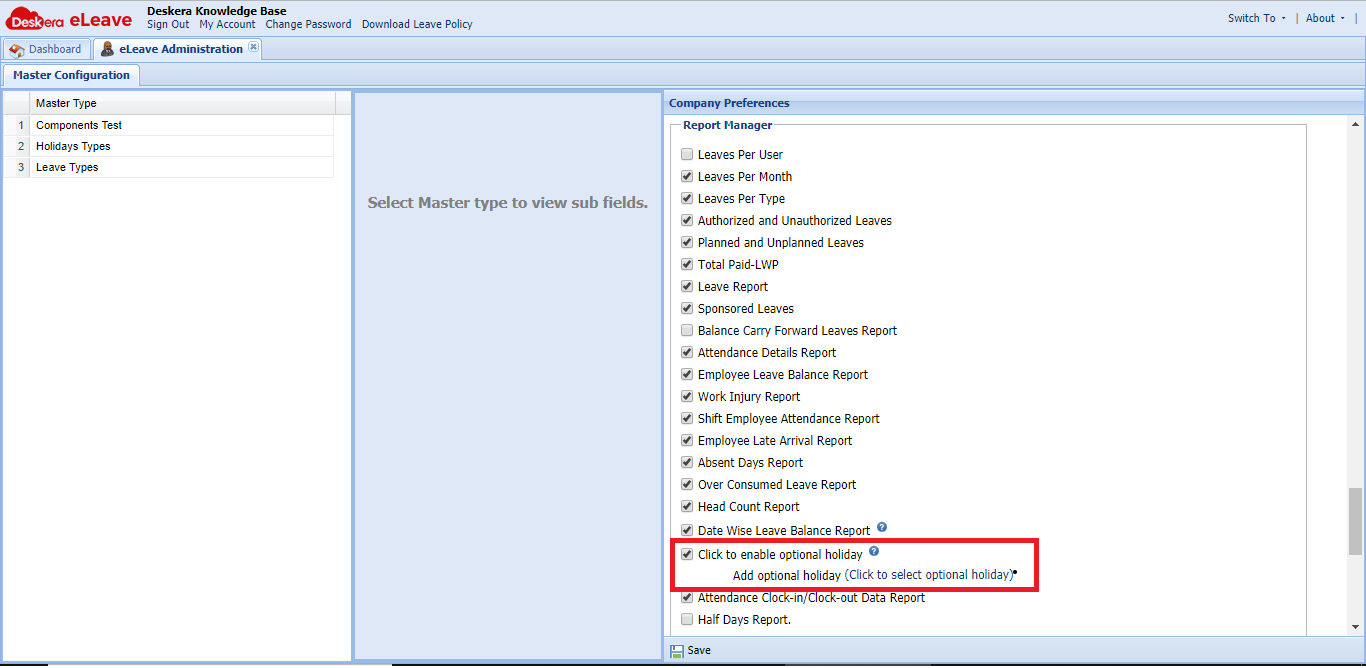 Fig 3.1.2.7.3 Report Manager
Step 4: You can select the holiday category here. Click on Submit to save.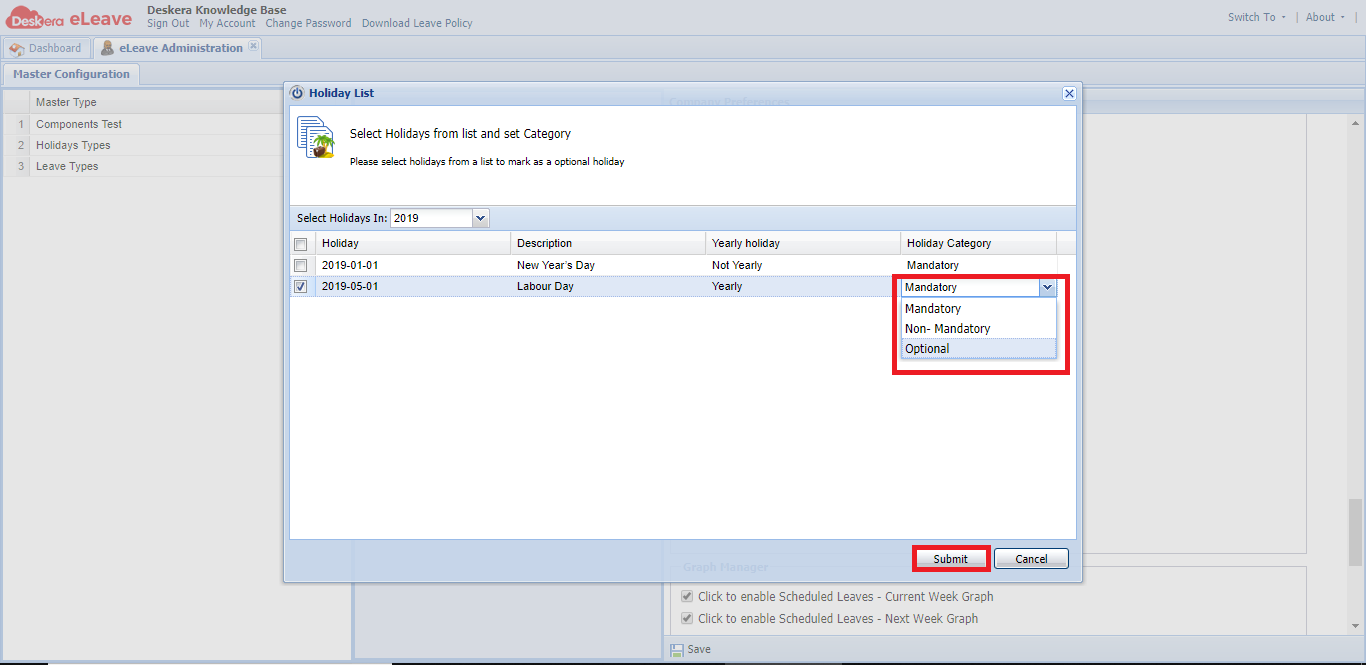 Fig 3.1.2.7.4 Report Manager
Step 5: You can view all the activated reports on eLeave Dashboard under Report Manager.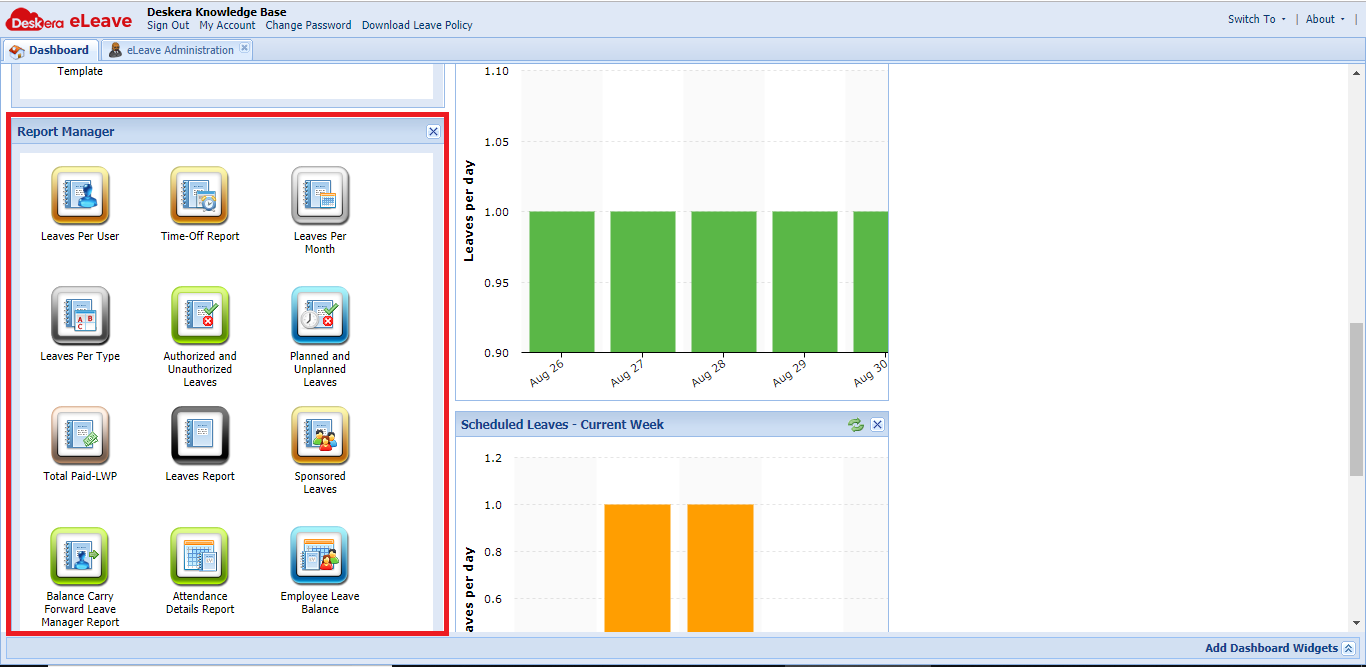 Fig 3.1.2.7.5 Report Manager
Comments
0 comments
Please sign in to leave a comment.