
Prerequisites:
1. You have your Deskera eLeave application URL in place.
2. You are the administrator of the eLeave application.
3. Ensure good internet connectivity.
Step: Go to Master Configuration under Administration widget in eLeave.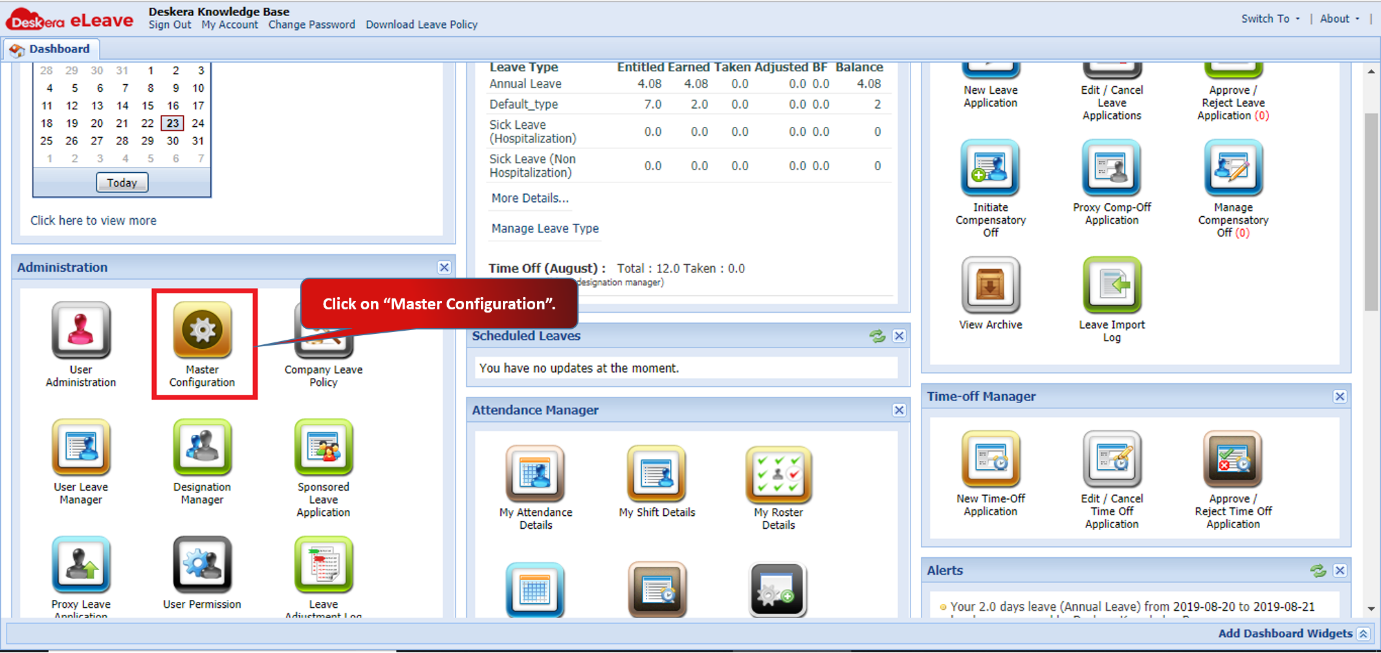 Fig 3.1.2.6.1 eLeave Dashboard
Employee Management
Click to disable the editing of selected fields under User Administration.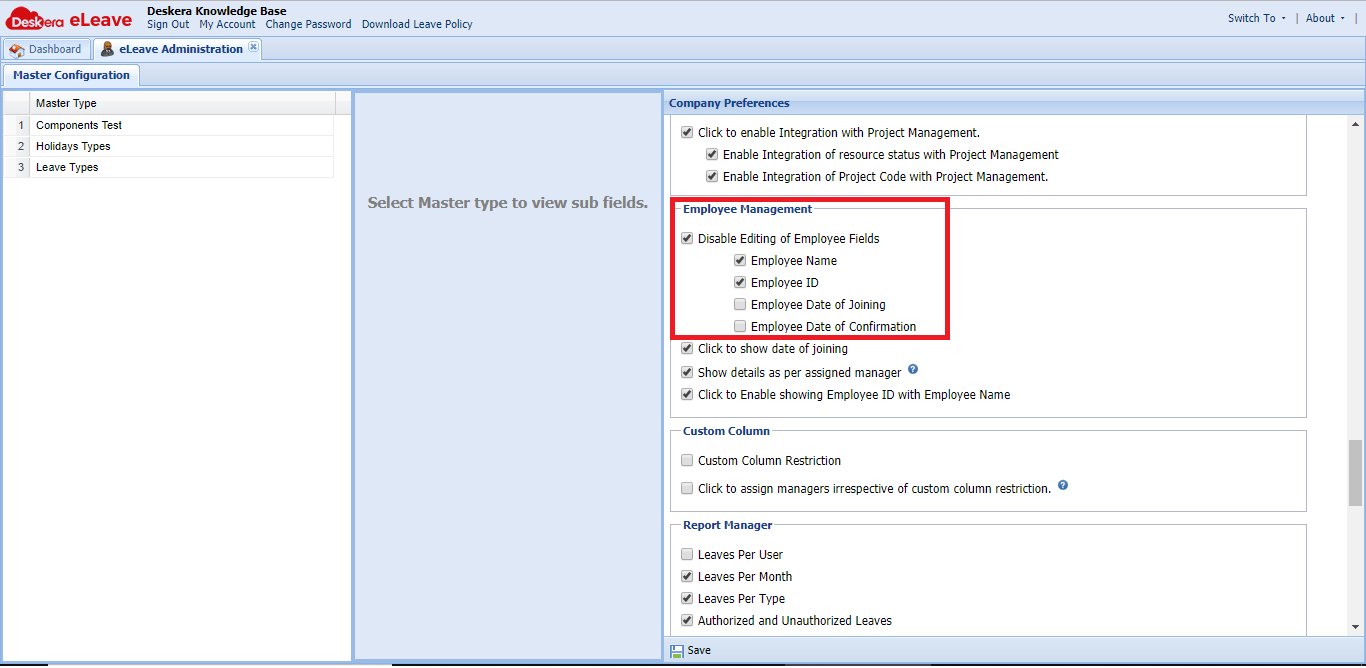 Fig 3.1.2.6.2 Master Configuration
You can enable to show joining date, Employee ID and Employee name under User Administration.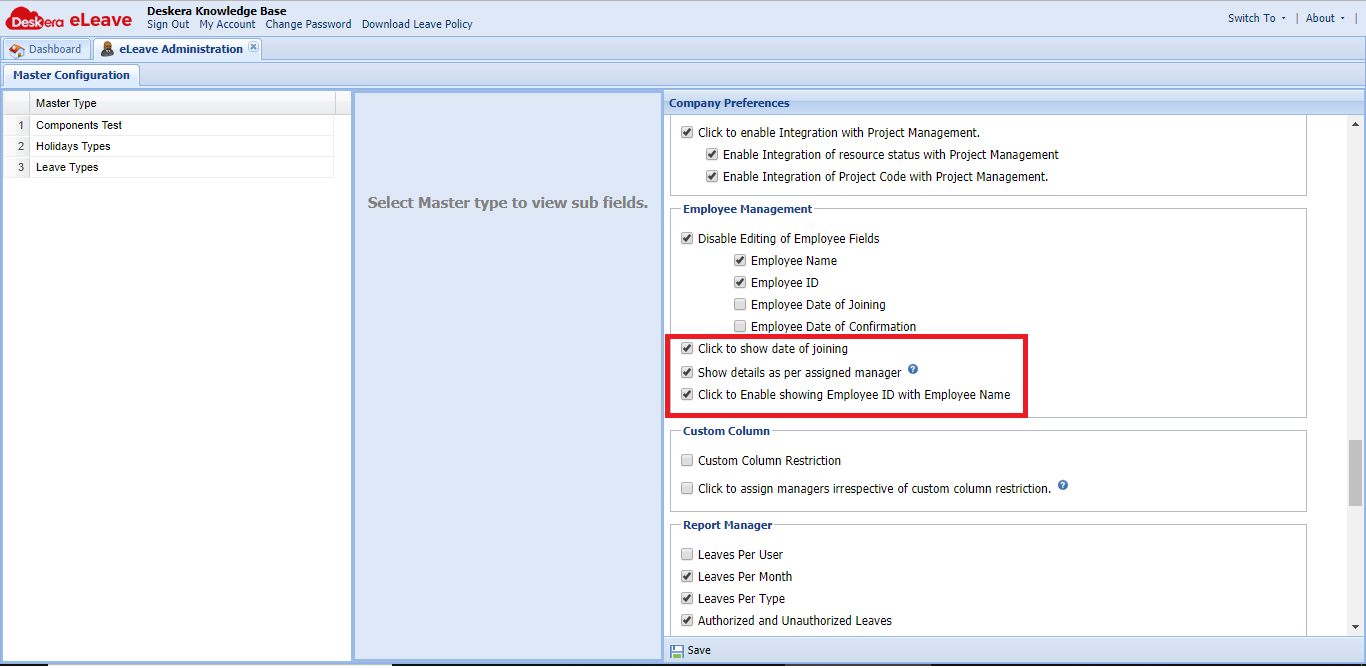 Fig 3.1.2.6.3 Master Configuration
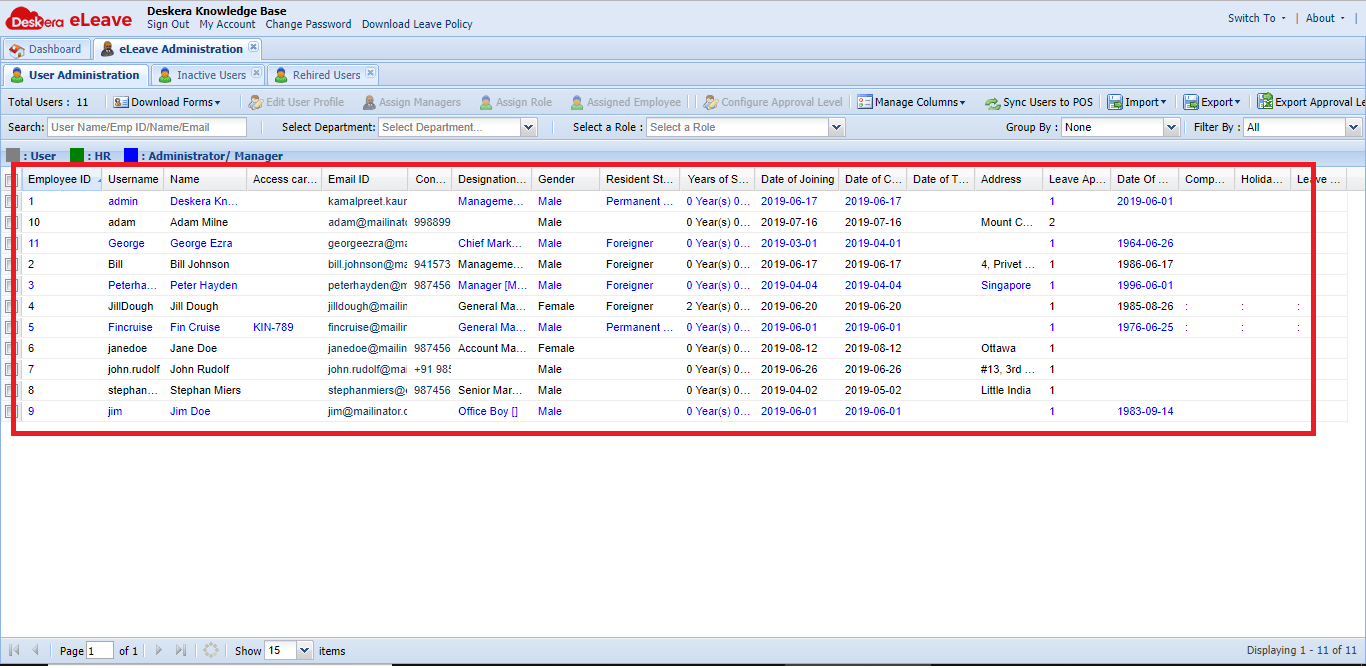 Fig 3.1.2.6.4 User Administration
Custom Column
You can set custom column restrictions here and give permissions according to the role.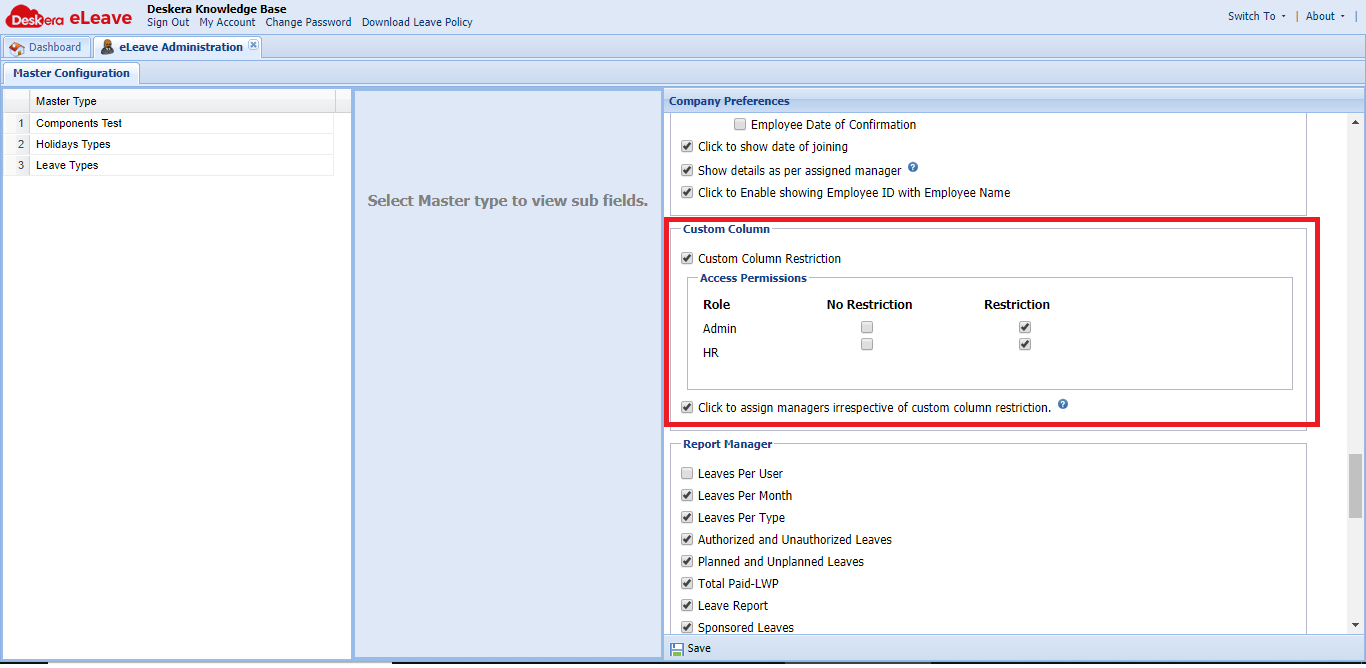 Fig 3.1.2.6.5 Master Configuration
Comments
0 comments
Please sign in to leave a comment.