
Company Leave Policy feature enables you to set the leave policy for the company. You can enable and change these settings only when you use eLeave for the first time.
Prerequisites:
1. You have your Deskera eLeave application URL in place.
2. You are the administrator of the eLeave application.
3. Ensure good internet connectivity.
Step 1: Go to Company Leave Policy under Administration widget in eLeave.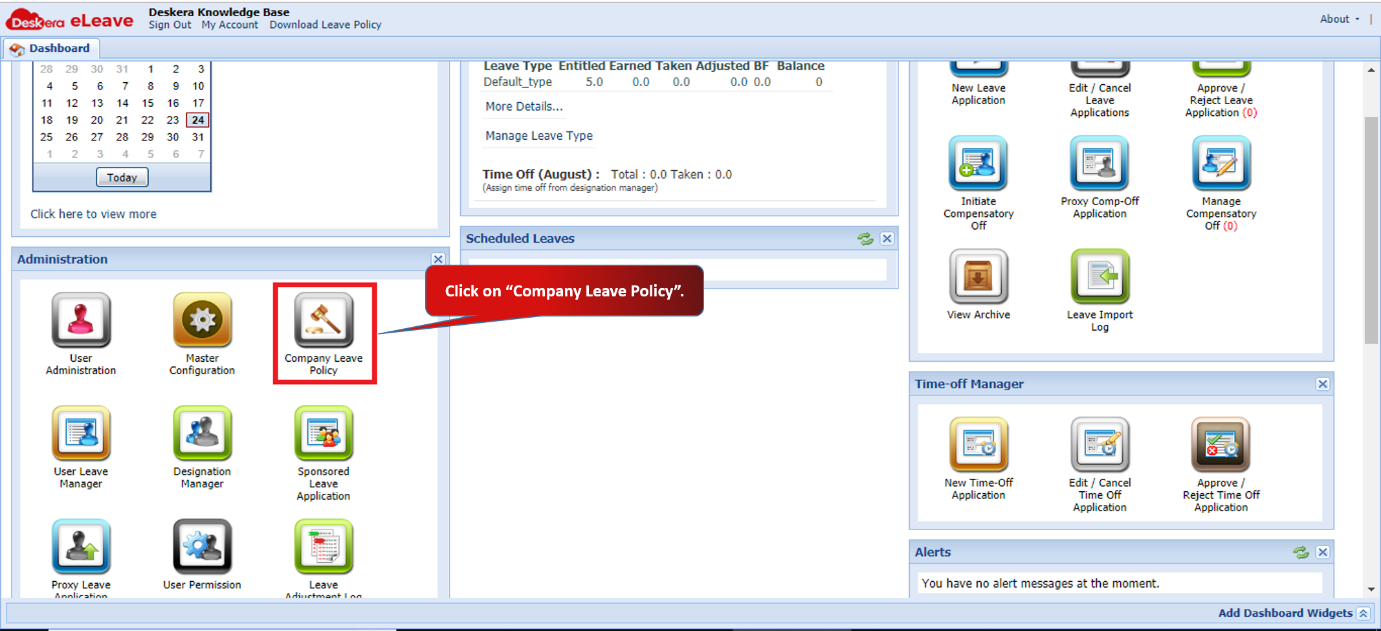 Fig 3.1.3.1 eLeave Dashboard
Step 2: Under Leave Policy Document, you can upload your company’s leave policy document for users. You can download the Leave Policy document from the top panel of eLeave.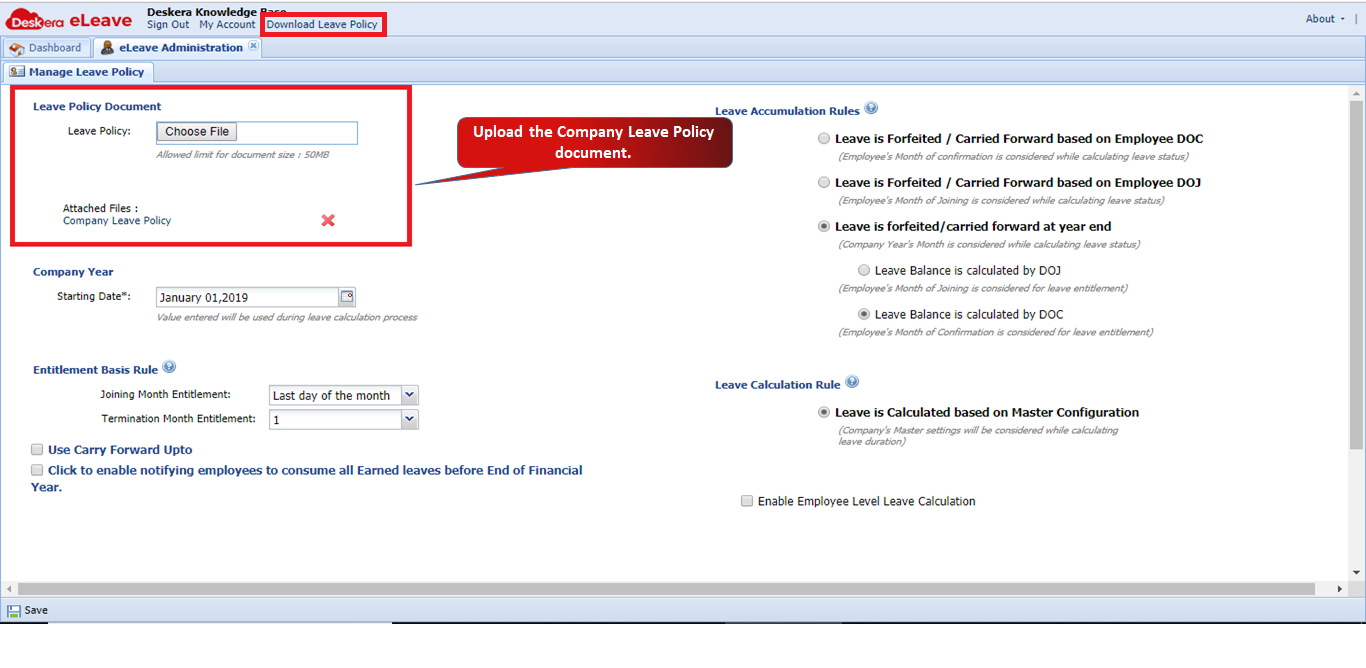
Step 3: Under Company Year, you can set the starting date of the company’s financial year. The starting year of the company will be used for leave calculation process. 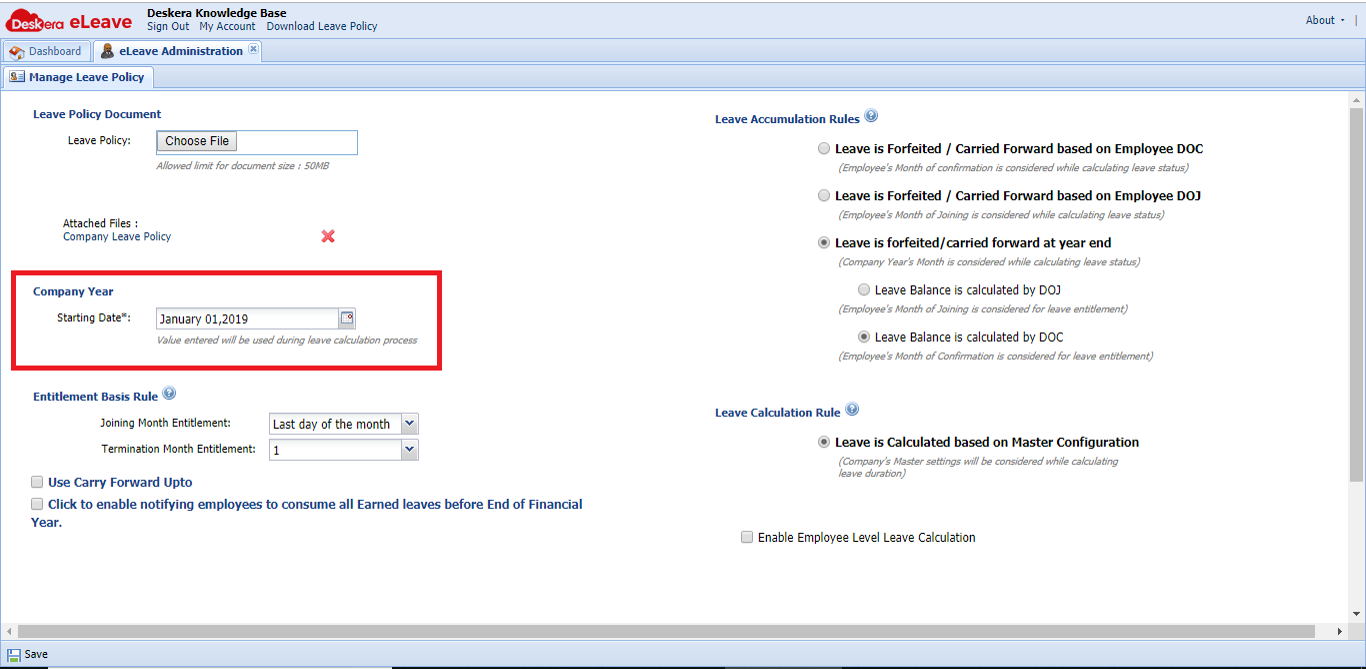
Step 4: Under Entitlement Basis Rule, you can set the Joining month entitlement date as well as Termination month entitlement date.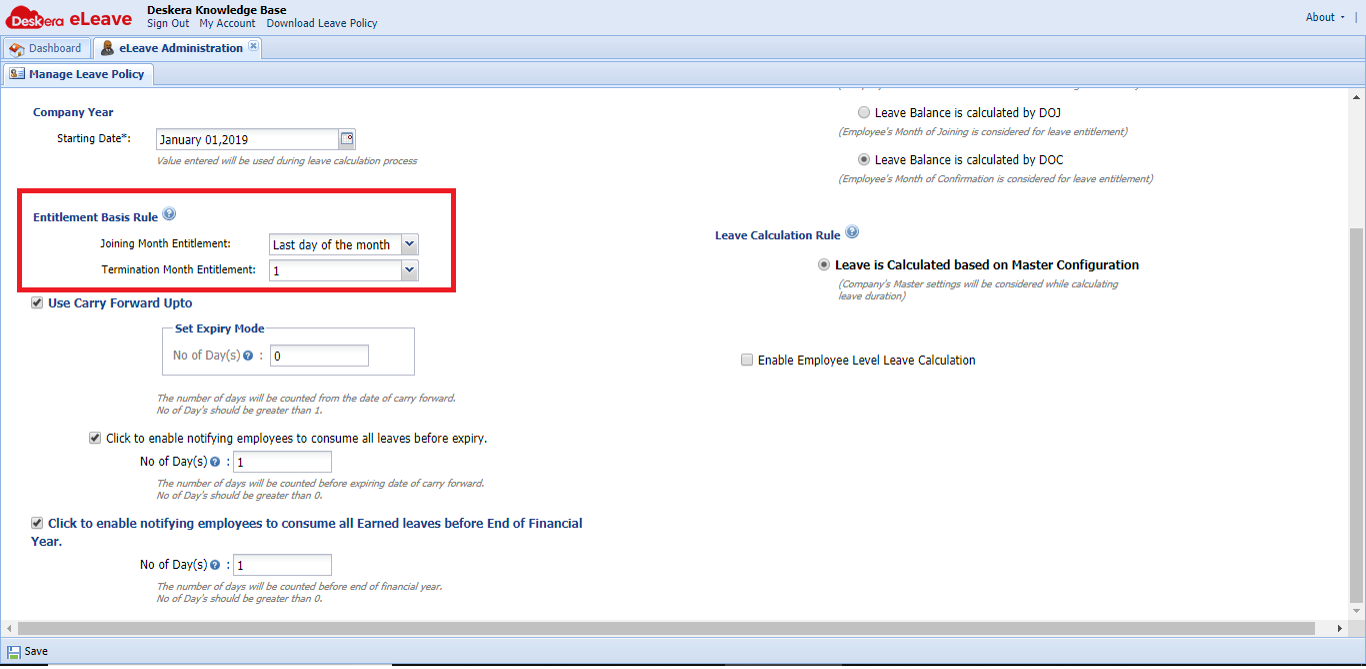
Step 5: Under Use Carry Forward Upto, you can set expiry number of days for carry forward leave. You can also enable notifying employees to consume all leaves before expiry. 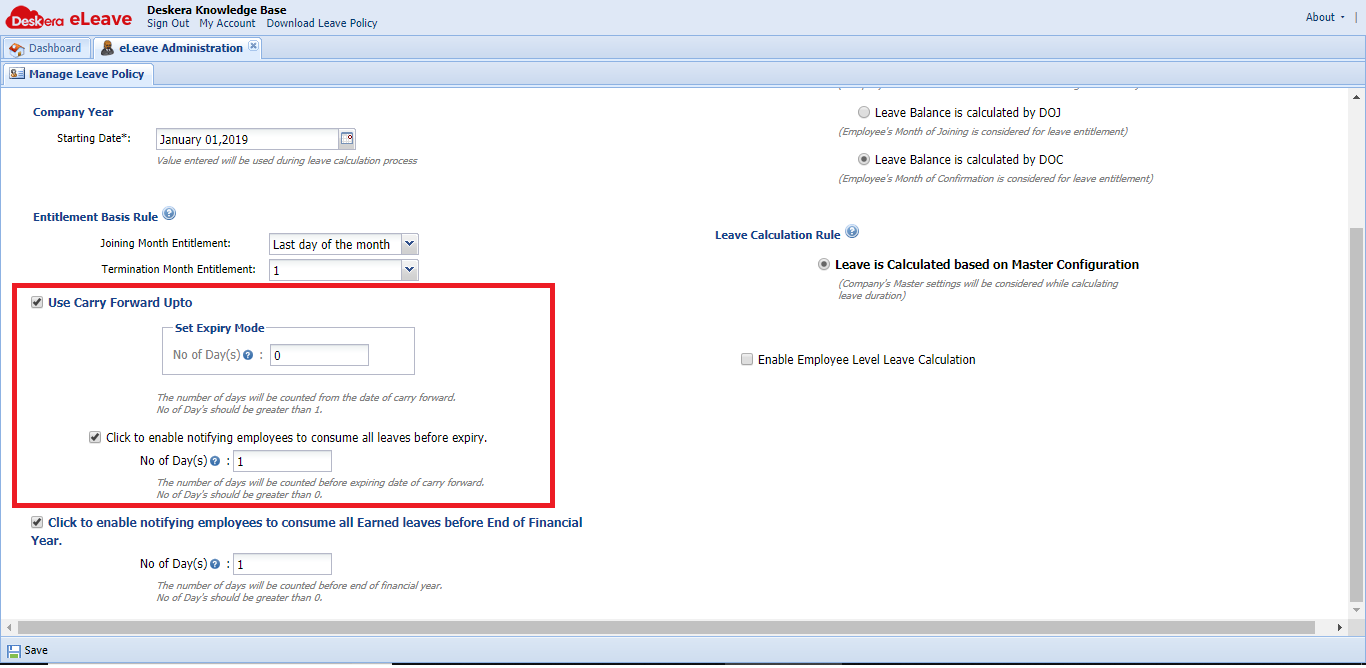
Step 6: Under Click to enable notifying employees to consume all Earned leaves before End of Financial Year, you can set the number of days before expiry which the employees will be notified. 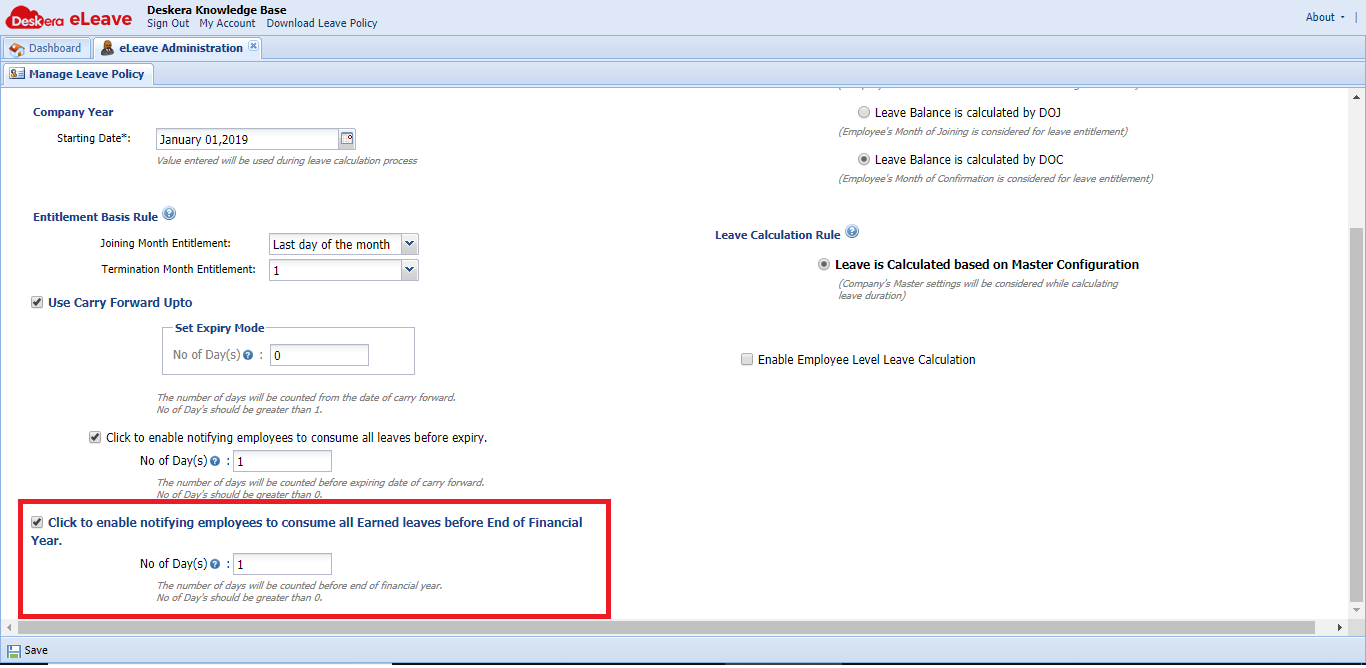
Step 7: Under Leave Accumulation Rules, you can select one of the rules according to your company’s requirement.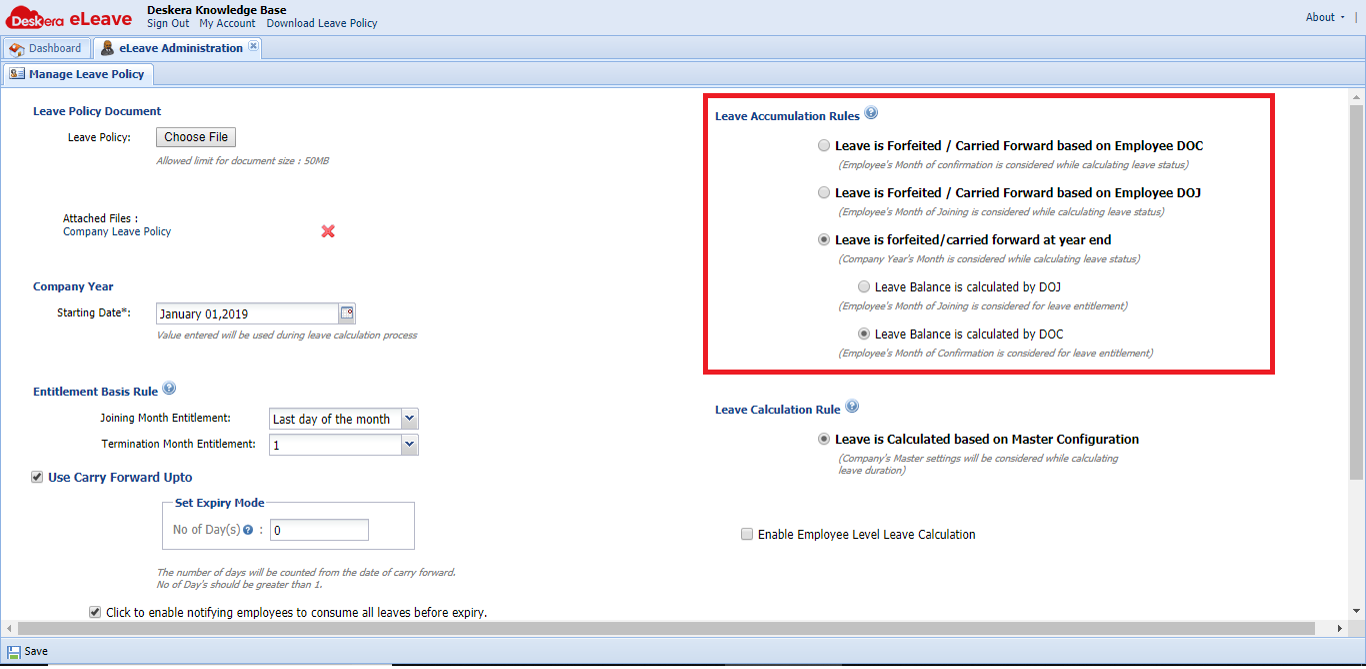
Step 8: Under Leave Calculation Rule, you can enable the setting to calculate the leave based on either master configuration or assigned shift or assigned roster. You can also enable Employee Level Leave calculation. 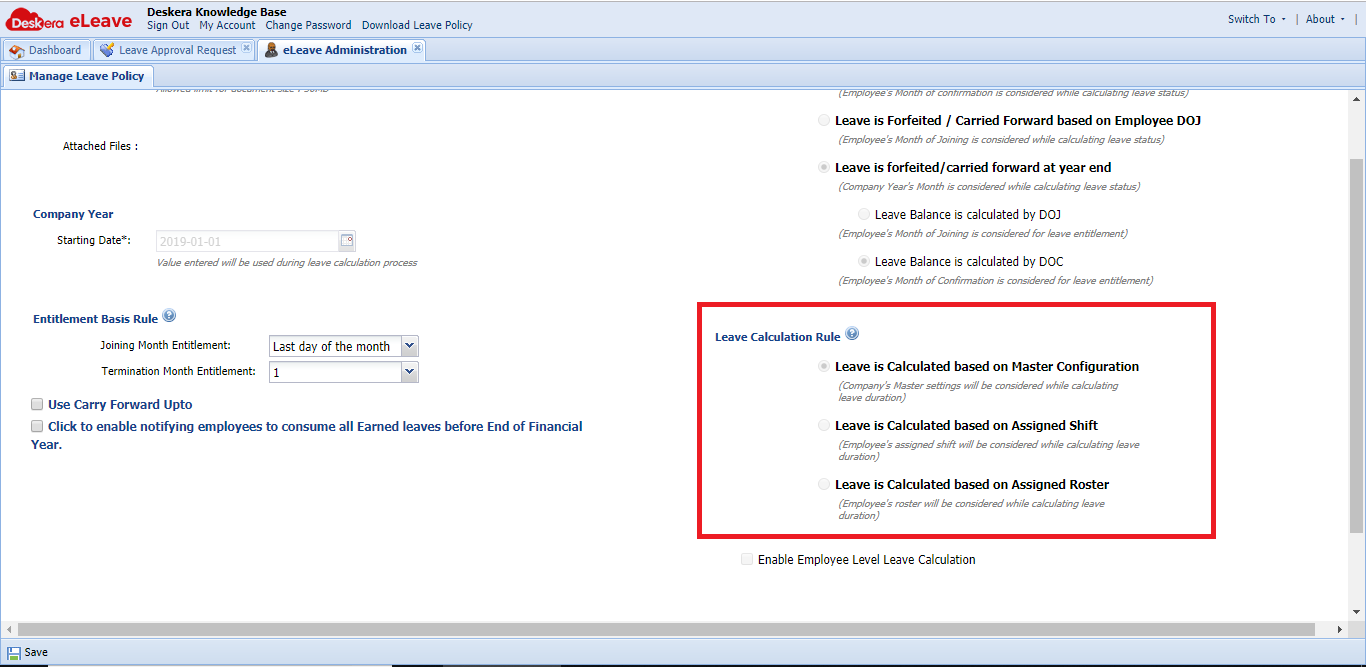
Comments
0 comments
Please sign in to leave a comment.