
Prerequisites:
1. You have your Deskera eLeave application URL in place.
2. You are the administrator of the eLeave application.
3. Ensure good internet connectivity.
Holidays
Step 1: Go to Master Configuration under Administration widget in eLeave.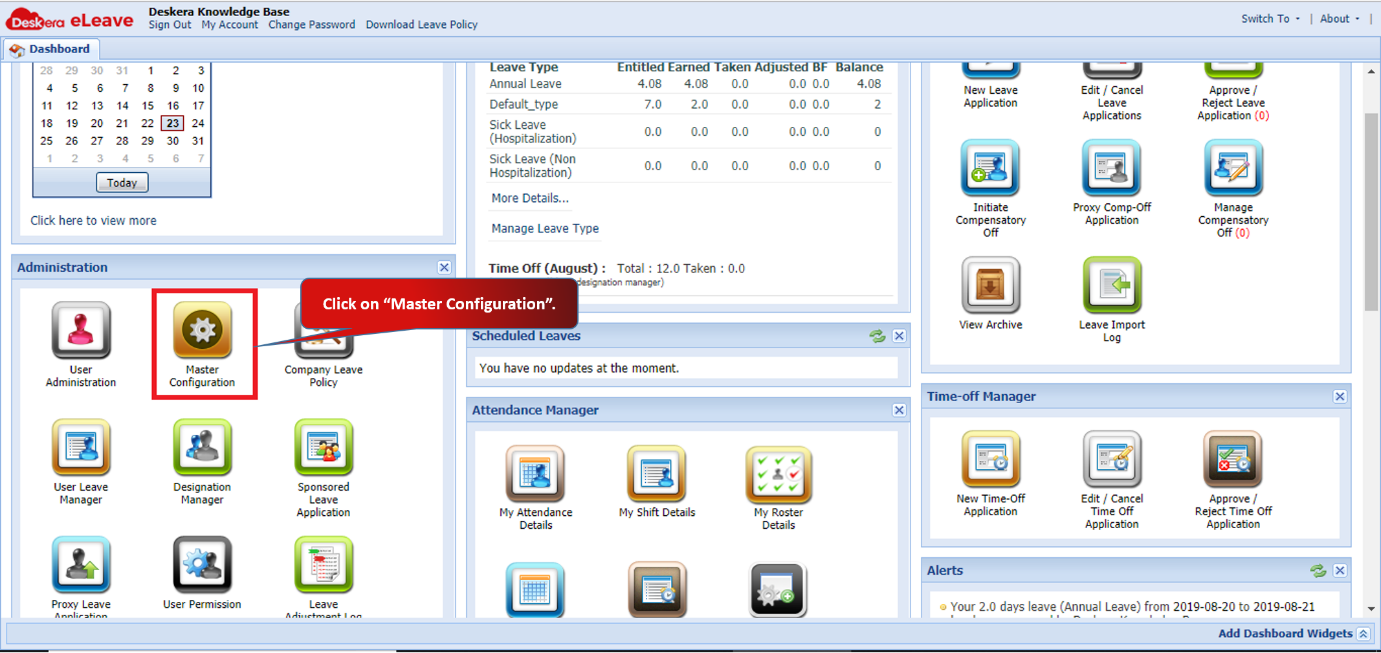 Fig 3.1.2.9.1 eLeave Dashboard
Step 2: You can add Holidays according to your requirement.
Click on Add Holiday and fill in the details. The holiday will be added in the list.
You can also import the list of holidays. 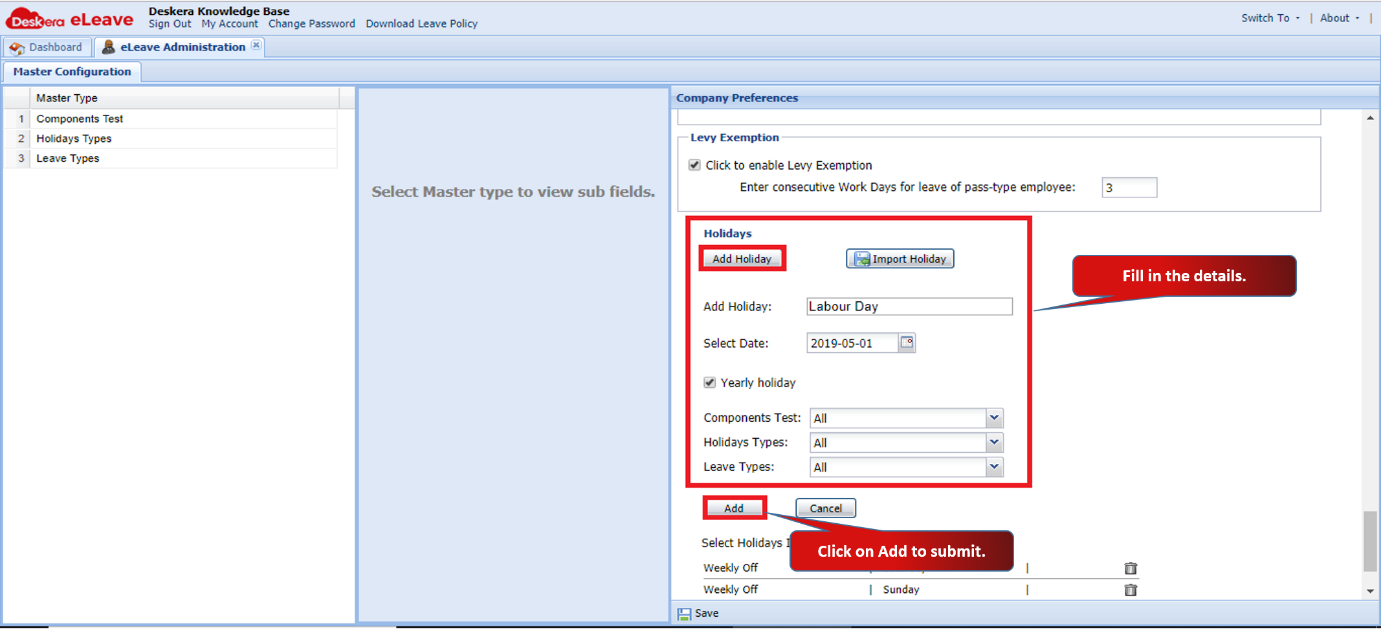 Fig 3.1.2.9.2 Holidays
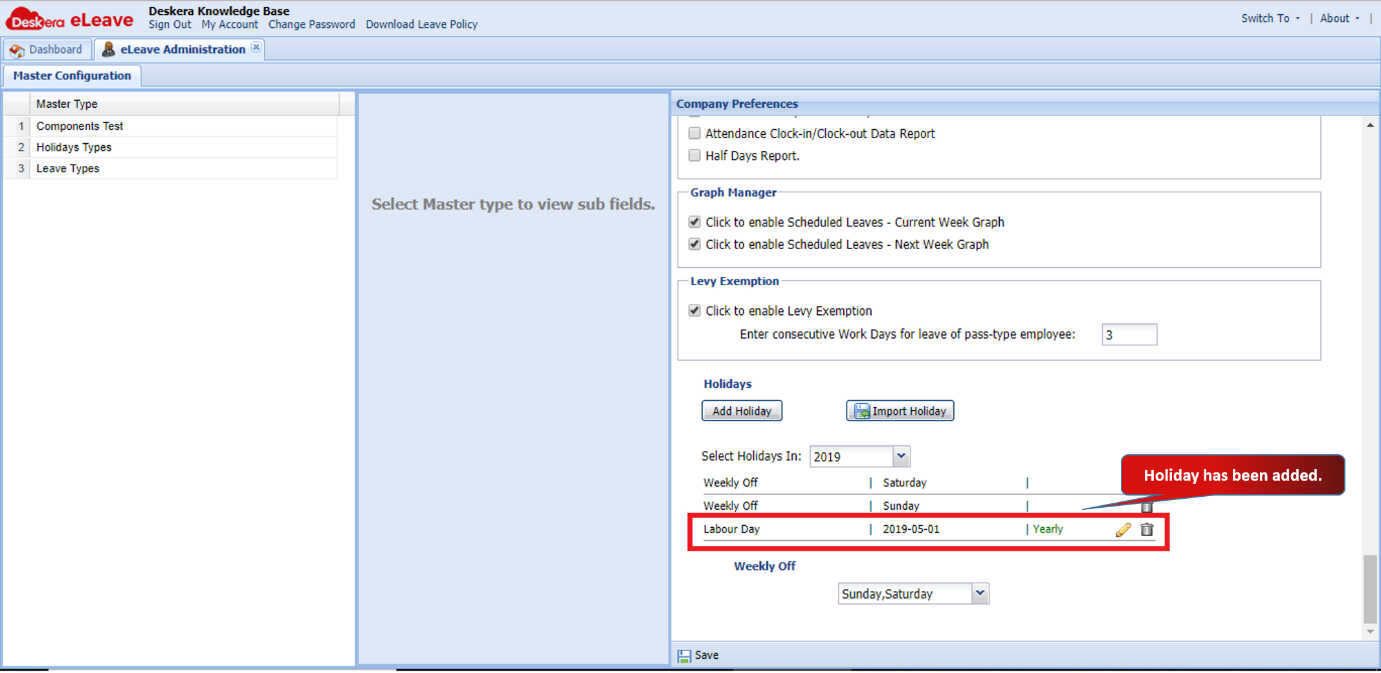 Fig 3.1.2.9.3 Holidays
Weekly Off
Weekly Off is set according to your company’s requirement. It defines the working days for calculation of leaves. 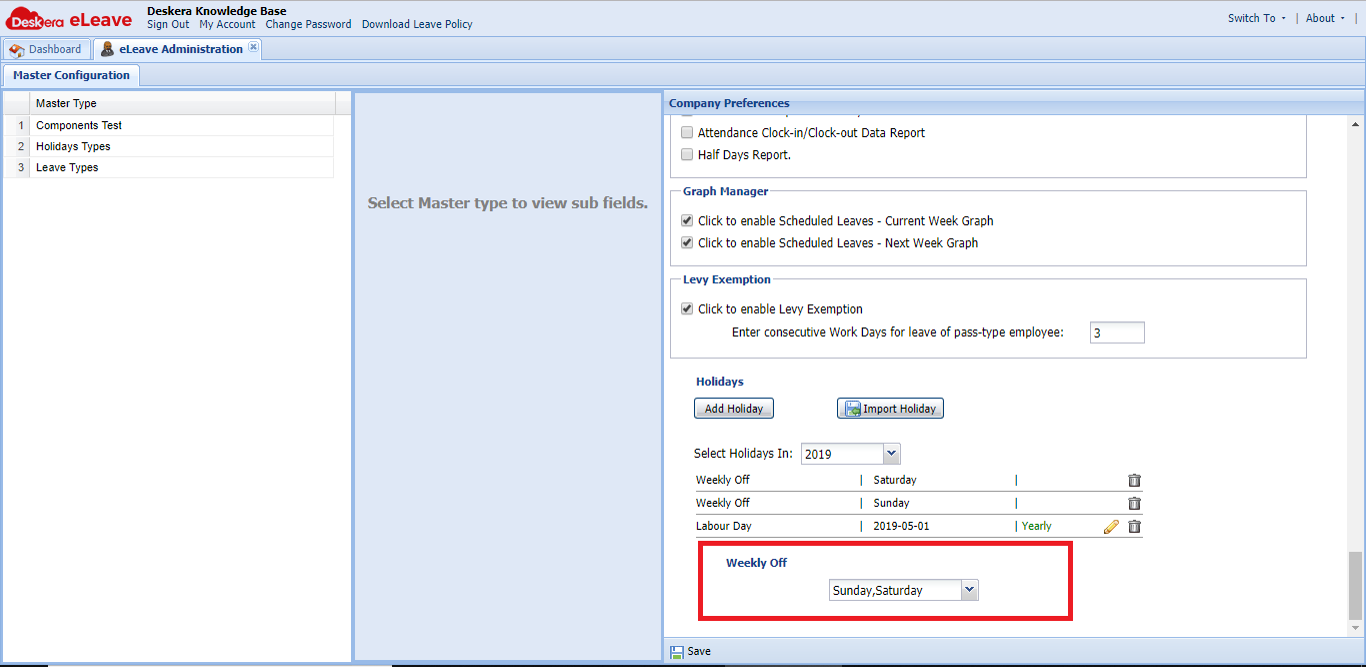 Fig 3.1.2.9.4 Weekly Off
Comments
0 comments
Please sign in to leave a comment.