
You can enable this setting to activate Levy exemption. Levy Exemption is applied for users who are under a pass type.
Prerequisites:
1. You have your Deskera eLeave application URL in place.
2. You are the administrator of the eLeave application.
3. Ensure good internet connectivity.
Step 1: Go to Master Configuration under Administration widget in eLeave.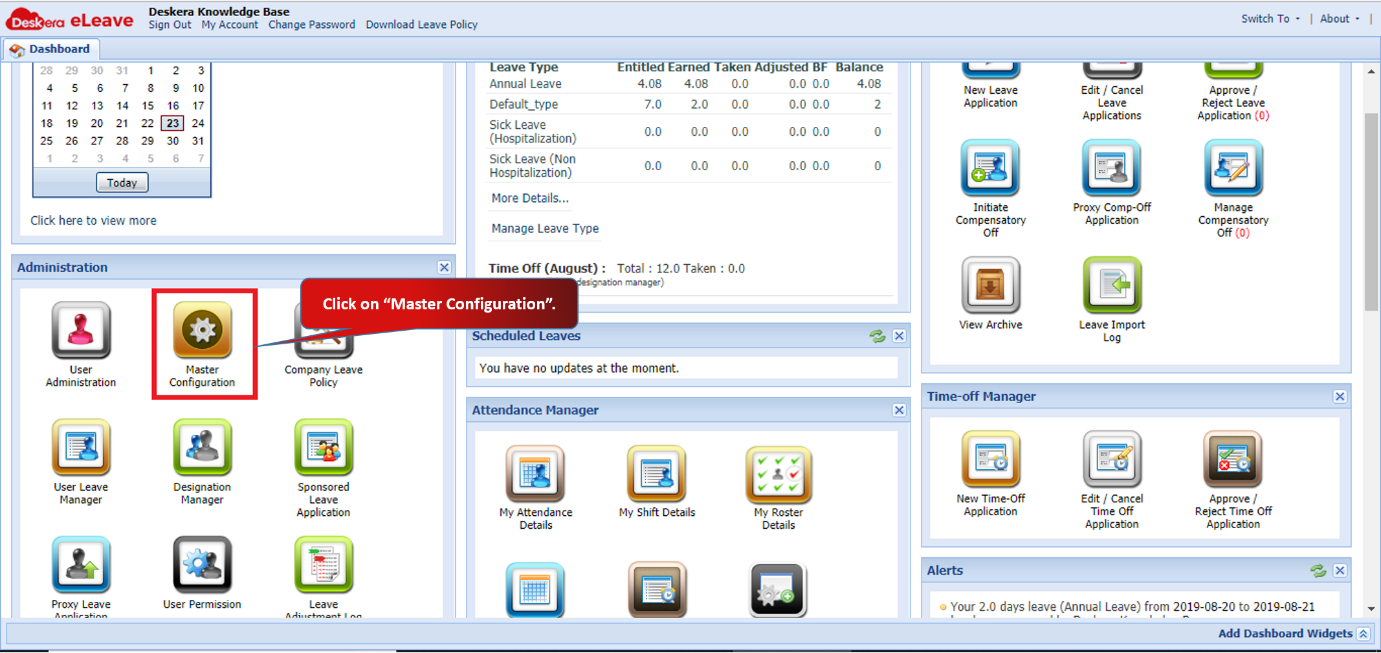 Fig 3.1.2.8.1 eLeave Dashboard
Step 2: Enable Levy Exemption and enter the consecutive days for leave of pass type employee.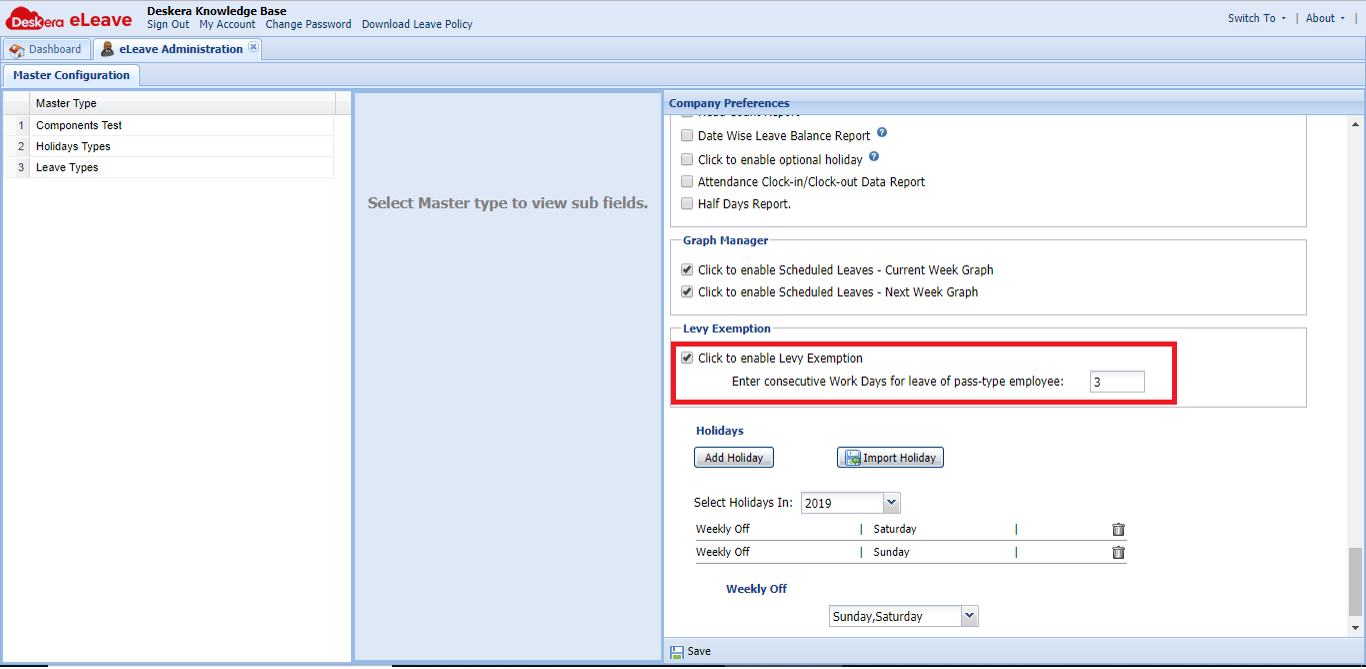 Fig 3.1.2.8.2 Levy Exemption
Step 3: Enable Levy You can see the permit details under User Administration in user profile. When the user applies for a leave more than the levy exemption entered, his leave will automatically be considered as Levy Exemption. 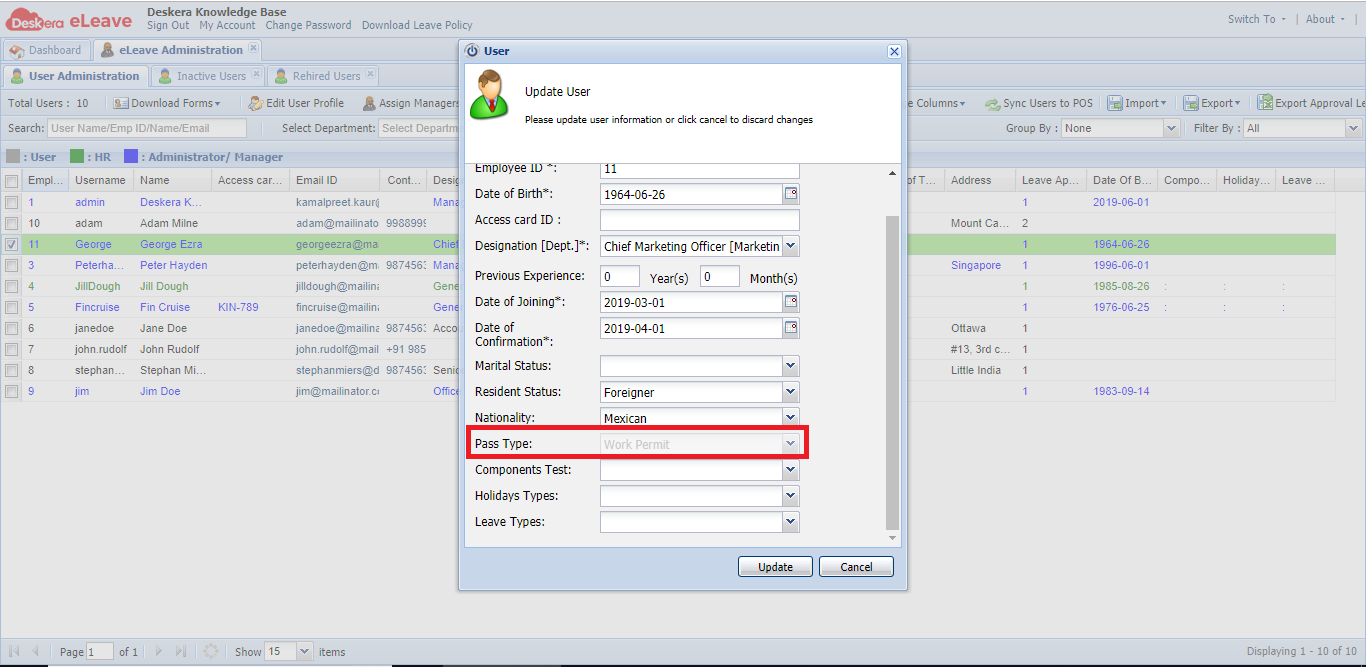 Fig 3.1.2.8.3 Levy Exemption
Step 4: The HR receives the email notification for Levy Exemption leave application and can approve the leave under Leave Approval request.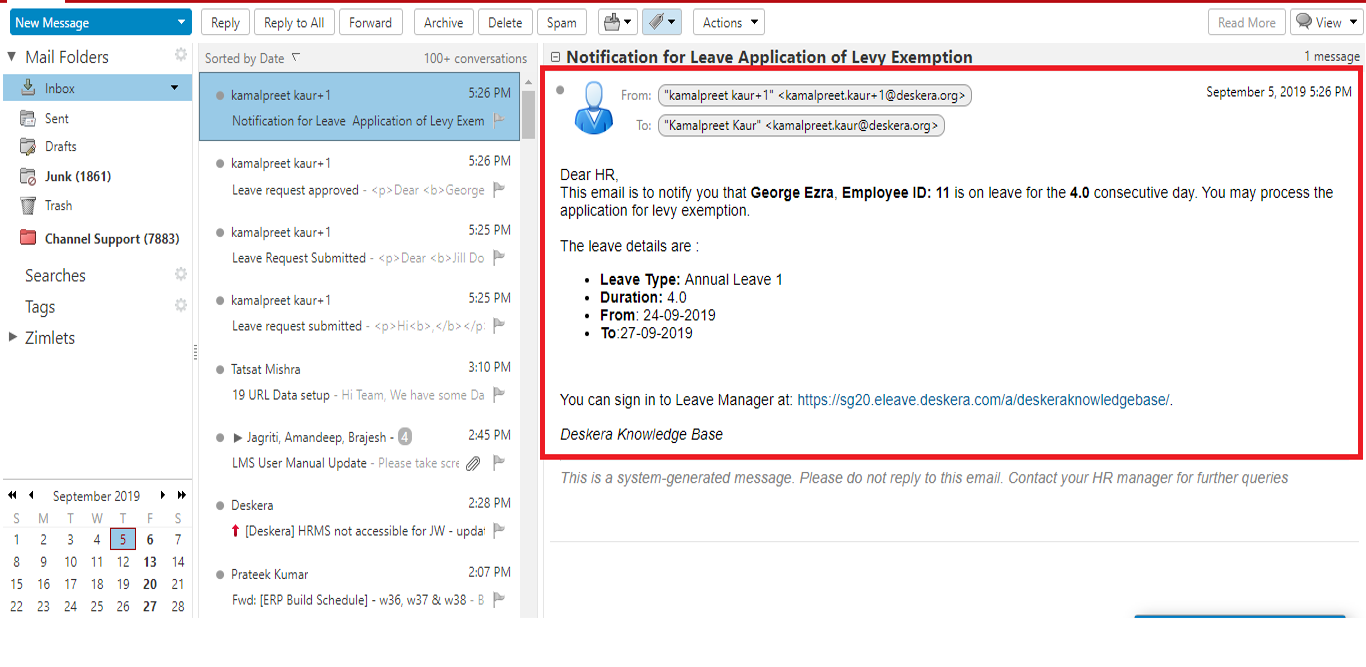 Fig 3.1.2.8.4 Levy Exemption
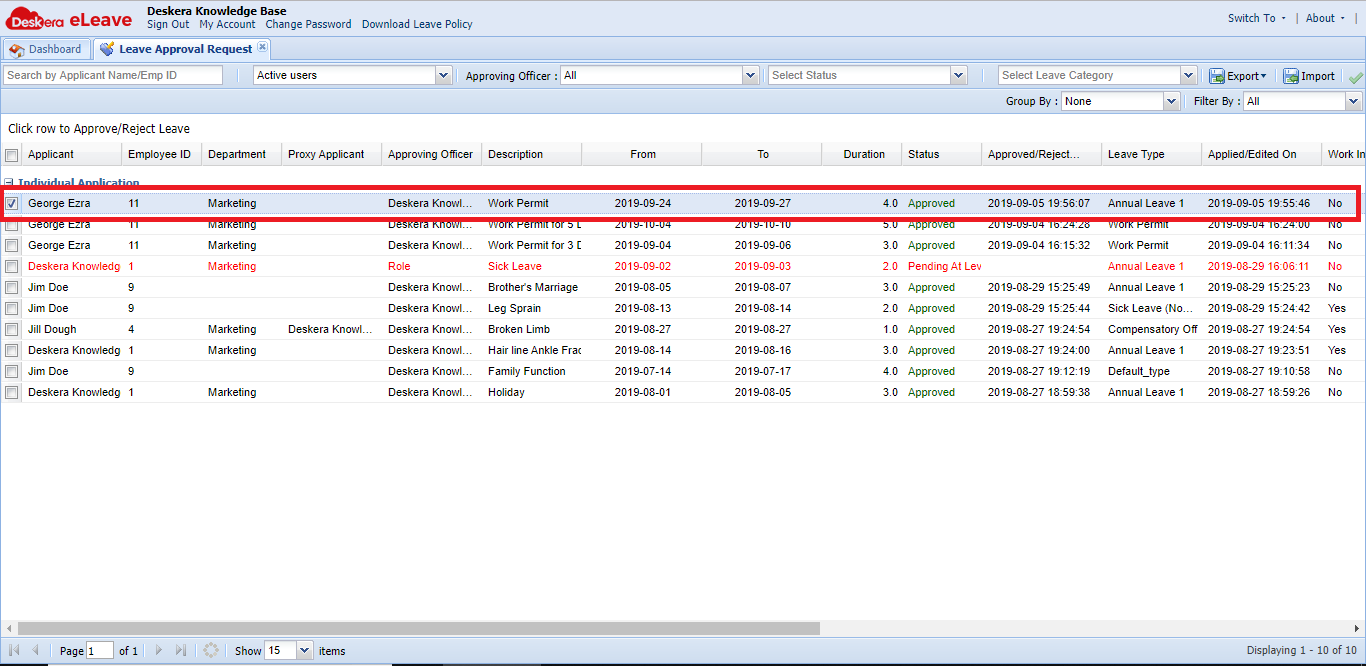 Fig 3.1.2.8.5 Levy Exemption
Comments
0 comments
Please sign in to leave a comment.