
Sponsored Leave Application feature enables you to apply a group leave for a corporate event or official event of an organisation.
Prerequisites:
1. You have your Deskera eLeave application URL in place.
2. You are the administrator of the eLeave application.
3. Ensure good internet connectivity.
Step 1: Go to Sponsored Leave Application under Administration widget in eLeave.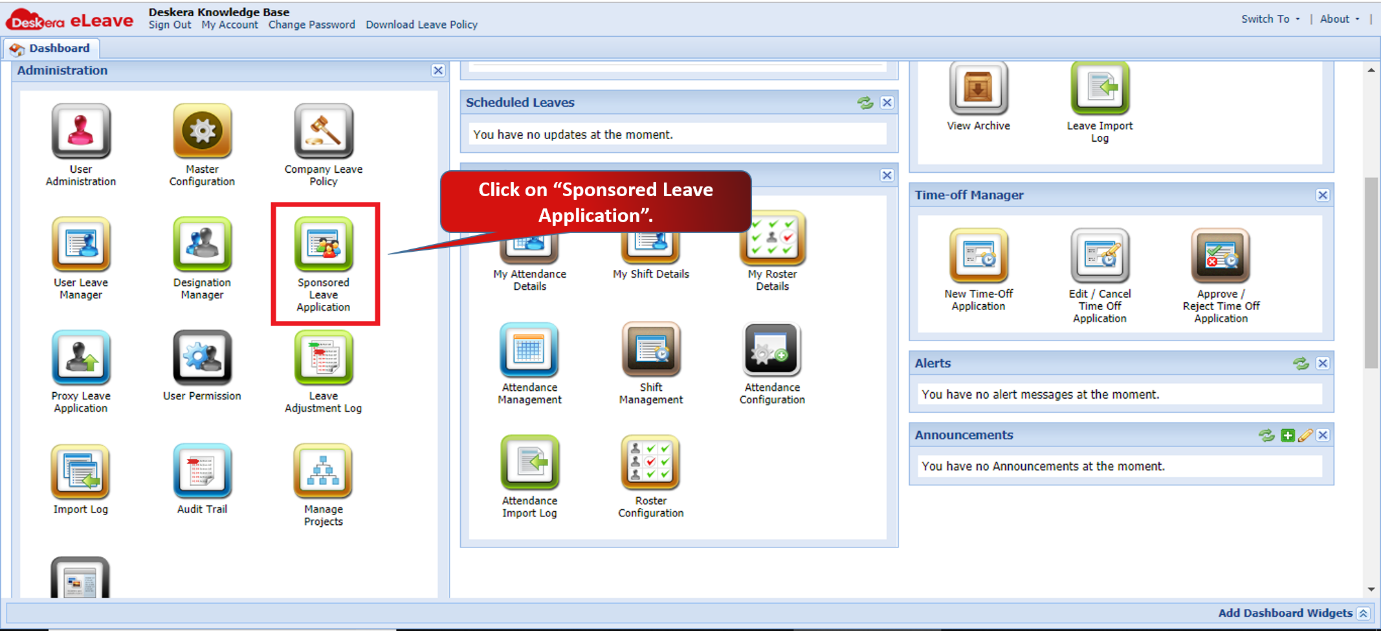 Fig 3.1.6.1 eLeave Dashboard
Step 2: Click on Yes to continue.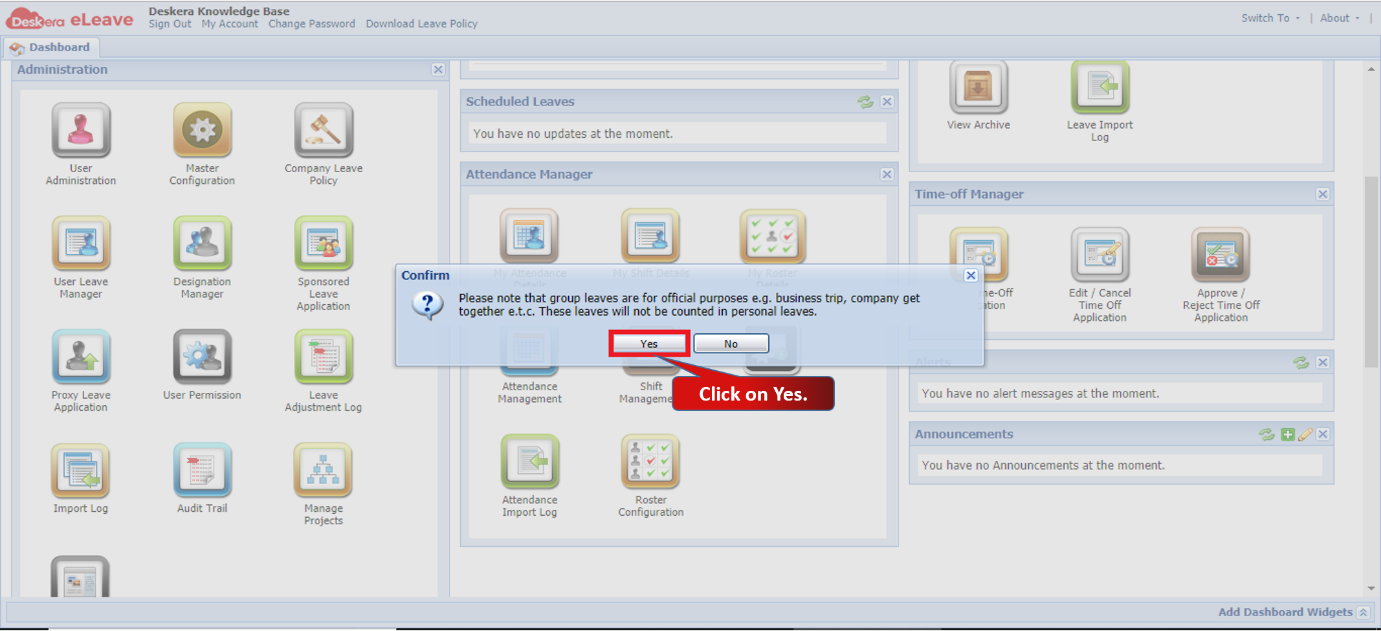 Fig 3.1.6.2 eLeave Dashboard
Step 3: Select the users and click on Continue. 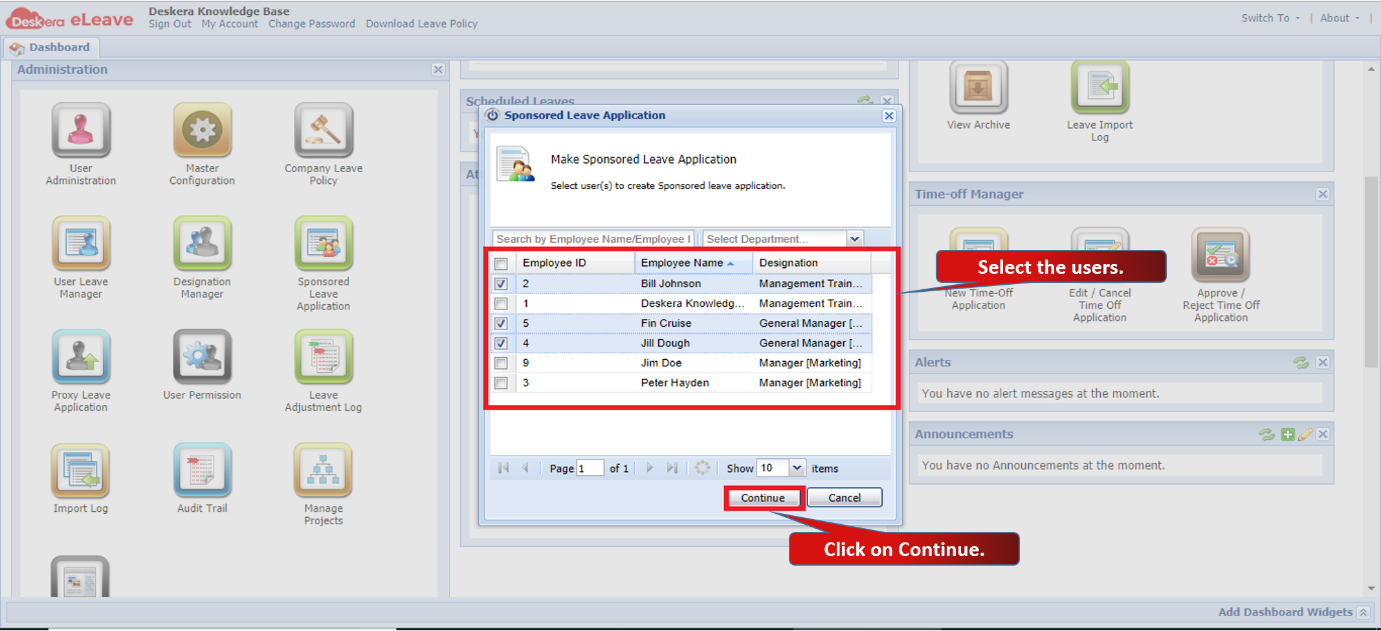 Fig 3.1.6.3 Sponsored Leave Application
Step 4: Fill in the leave details and click on Submit. Leave application will be submitted successfully. 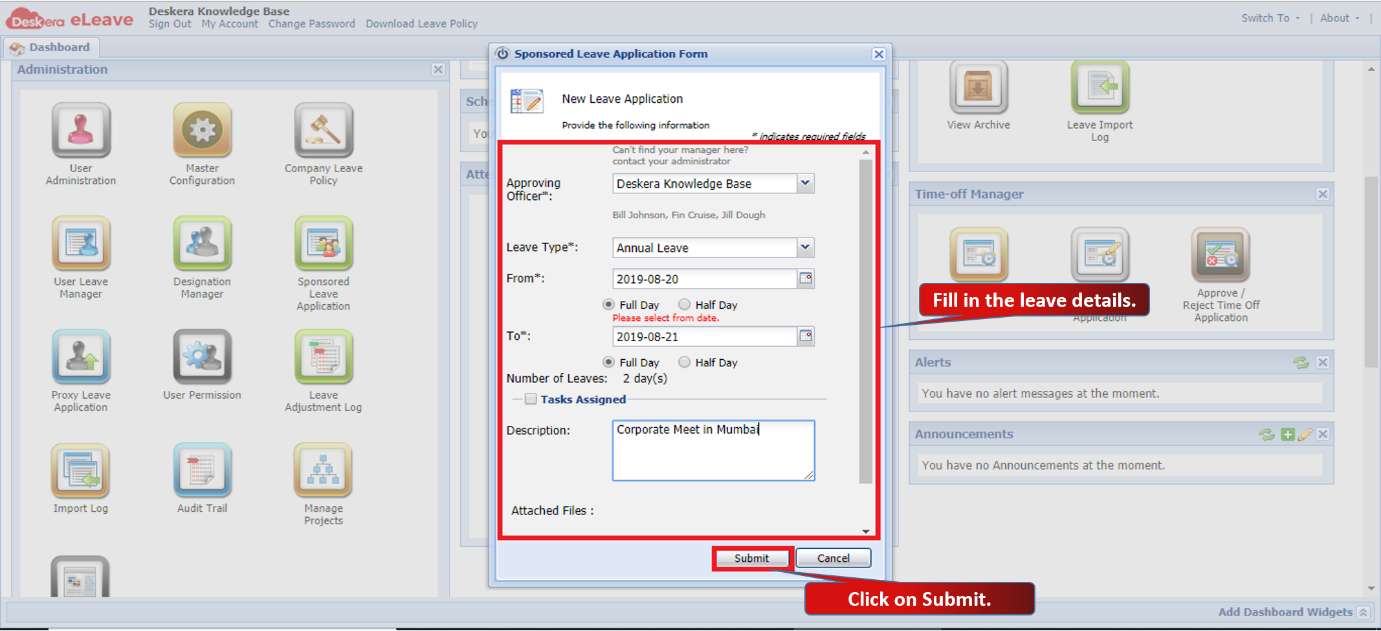 Fig 3.1.6.4 Sponsored Leave Application
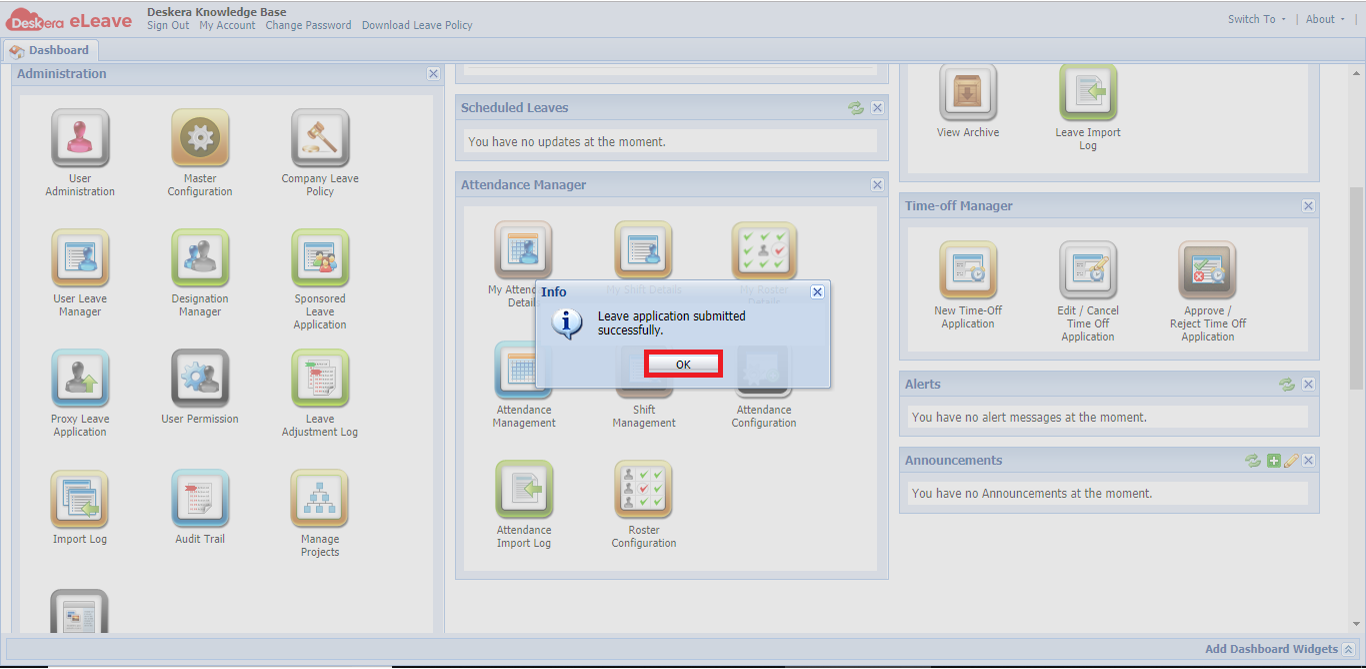 Fig 3.1.6.5 Sponsored Leave Application
Comments
0 comments
Please sign in to leave a comment.