
Prerequisites:
1. You have your Deskera eLeave application URL in place.
2. You are the administrator of the eLeave application.
3. Ensure good internet connectivity.
Assign Manager
Assign Manager feature enables you to change and assign managers to a selected user.
Step 1: Go to User Administration under Administration widget in eLeave.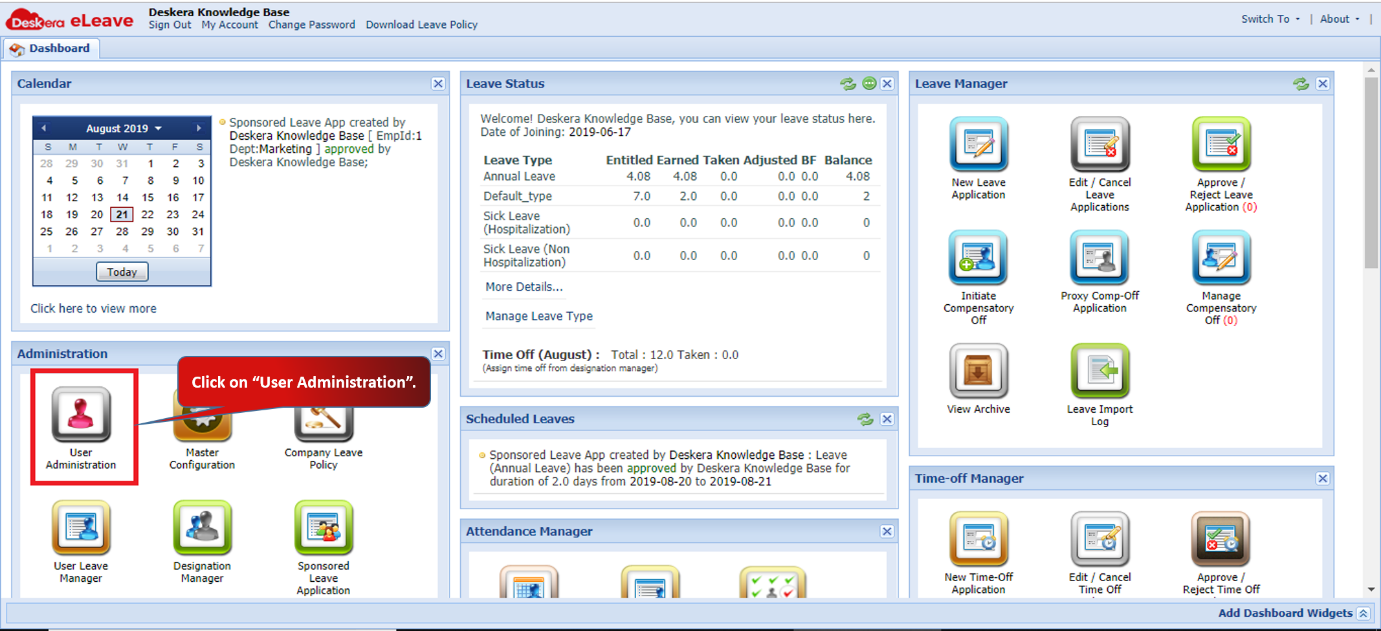 Fig 3.1.1.3.1 eLeave Dashboard
Step 2: Select the user and click on Assign Managers.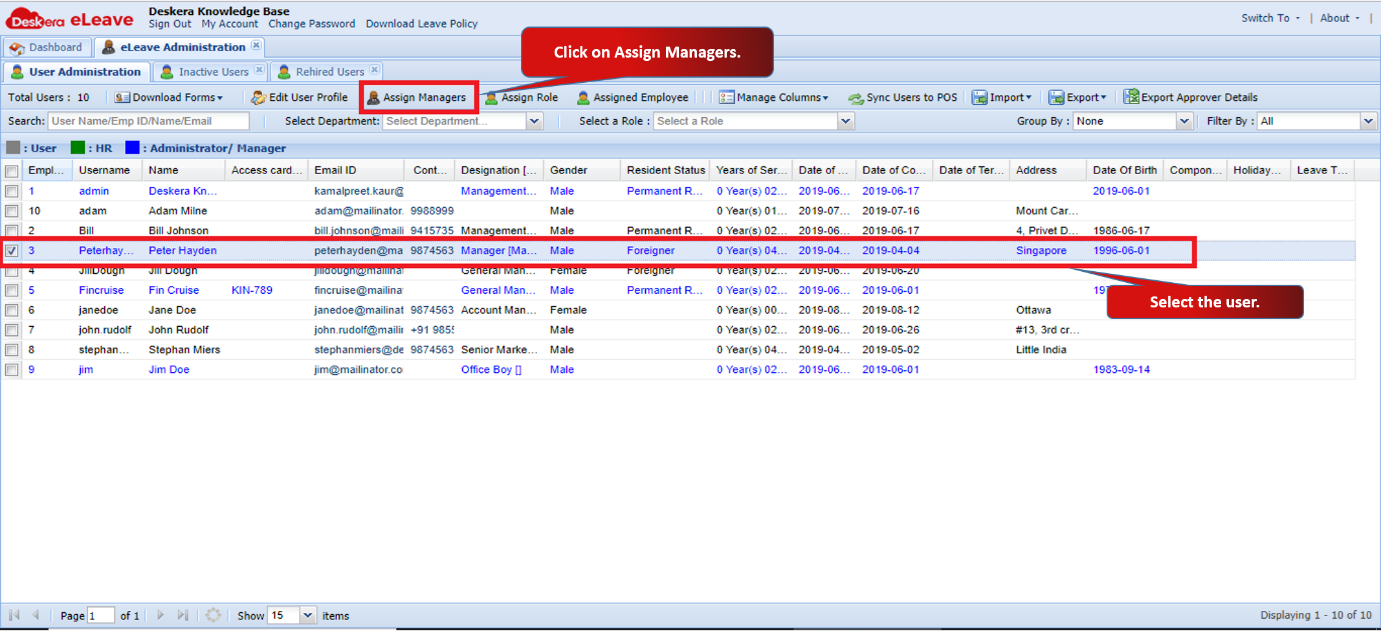 Fig 3.1.1.3.2 Assign Manager
Step 3: Select the manager and click on Apply.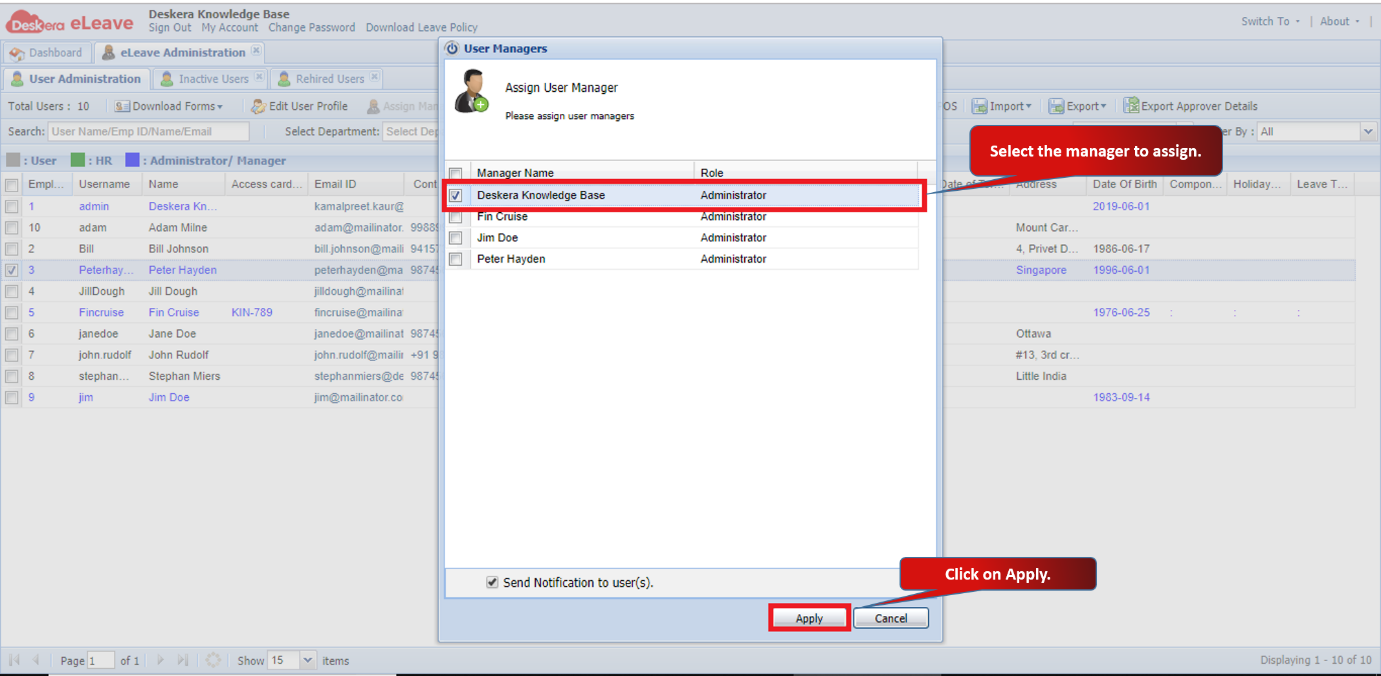 Fig 3.1.1.3.3 Assign Manager
Assign Role
Assign Role feature enables you to change and assign roles to a selected user.
Step 1: Select the user and click on Assign Role.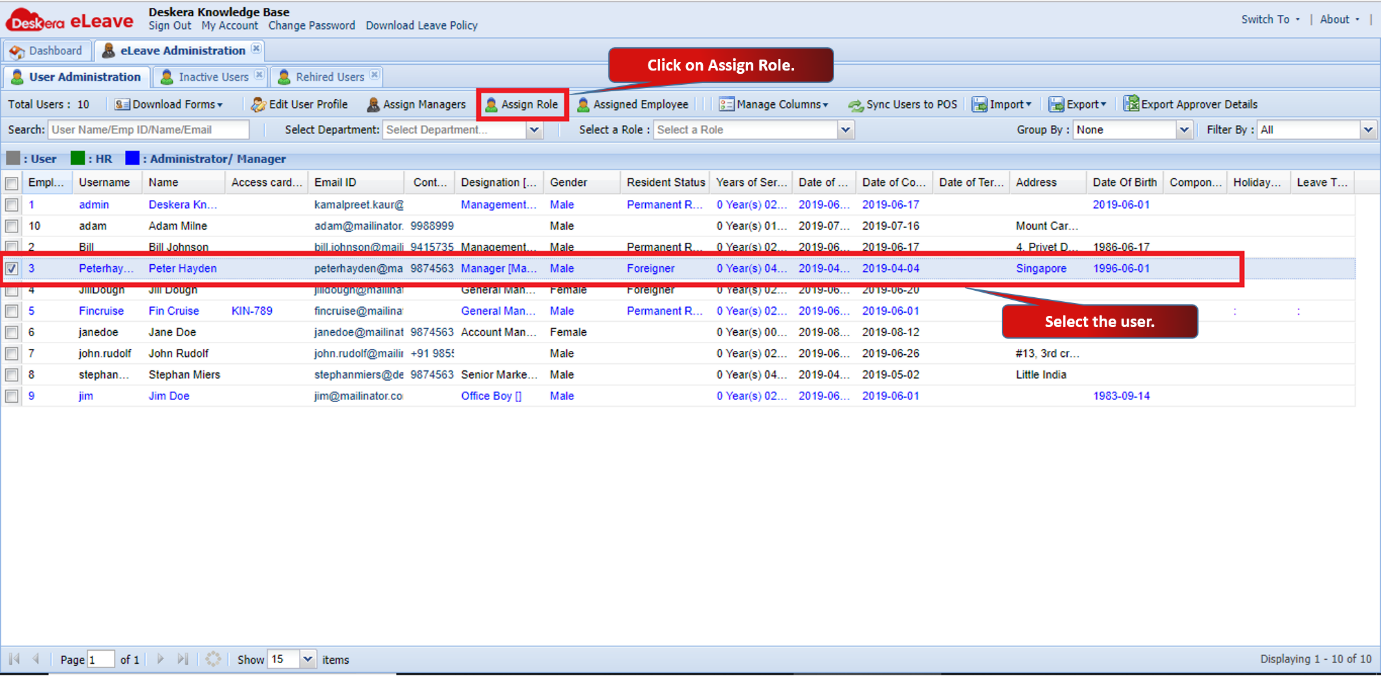 Fig 3.1.1.3.4 Assign Role
Step 2: Select the role and click on Apply.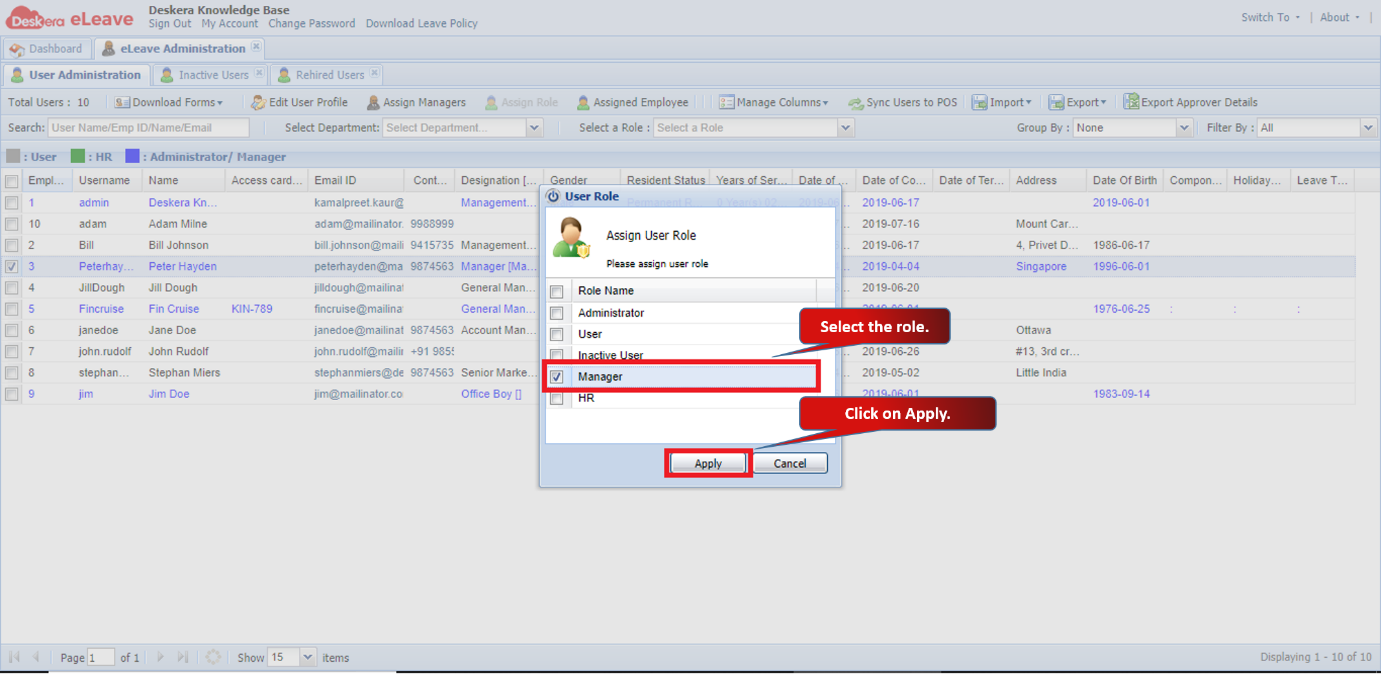 Fig 3.1.1.3.5 Assign Role
Comments
0 comments
Please sign in to leave a comment.