
Download Forms enables you to download three types of forms- Monthly Leave Card, Absence Leave Form and Time-off Form.
Prerequisites:
1. You have your Deskera eLeave application URL in place.
2. You are the administrator of the eLeave application.
3. Ensure good internet connectivity.
Step 1: Go to User Administration under Administration widget in eLeave.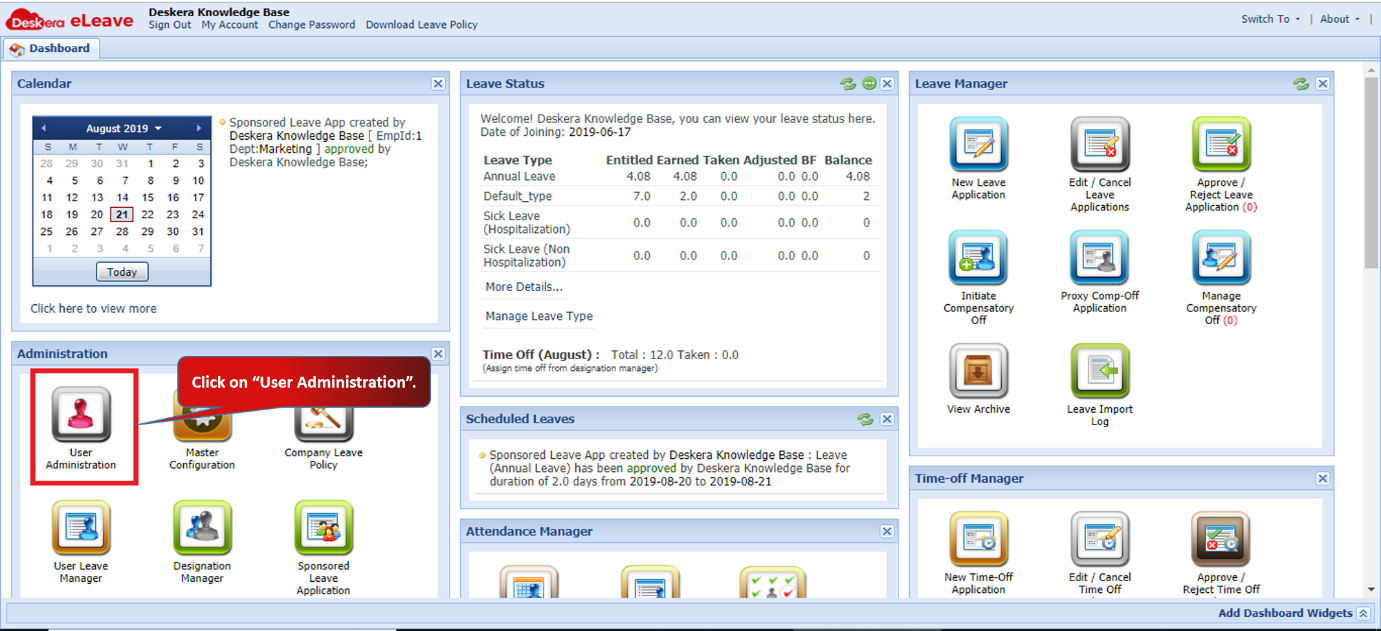 Fig 3.1.1.1.1 eLeave Dashboard
Step 2: Click on Monthly Leave Card.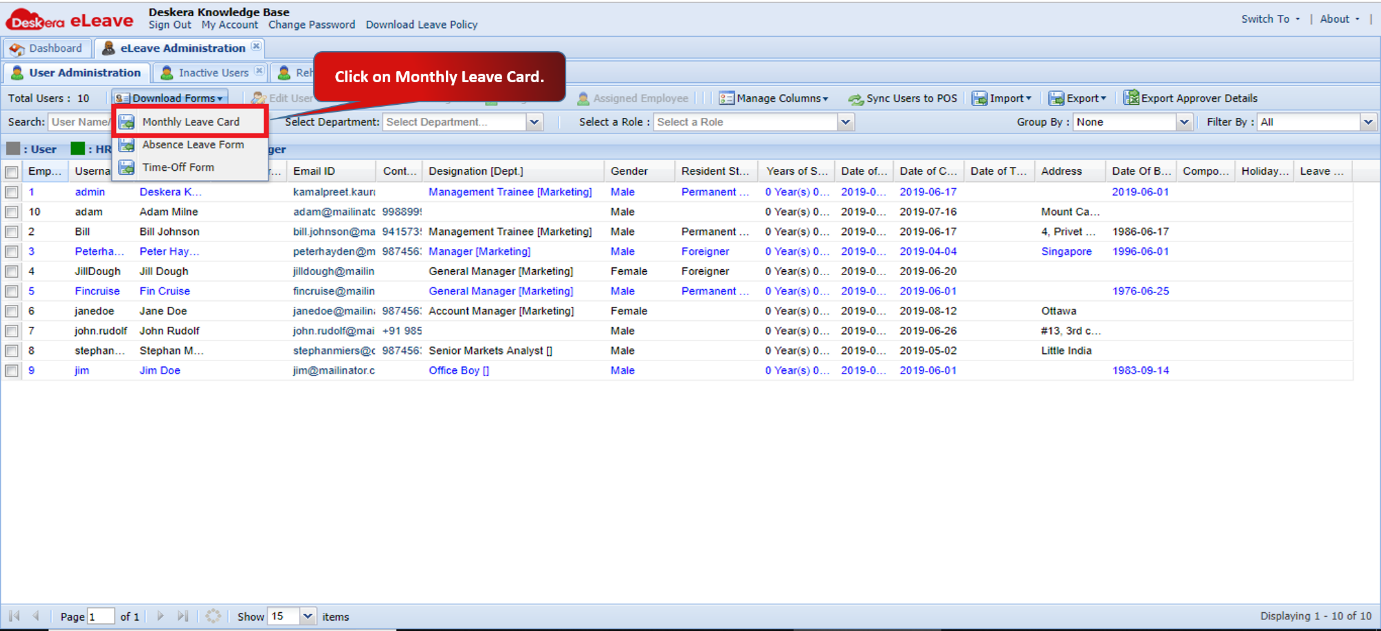 Fig 3.1.1.1.2 User Administration
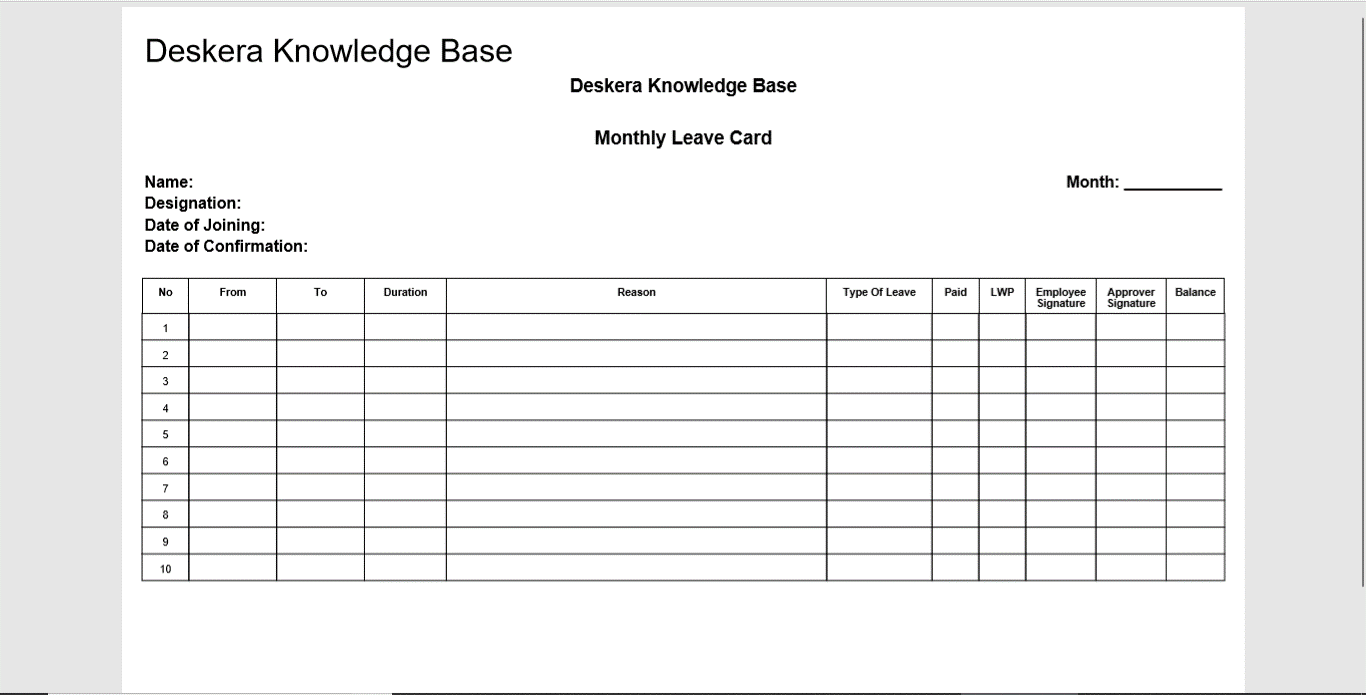 Fig 3.1.1.1.3 Monthly Leave Card
Step 3: Click on Absence Leave Form.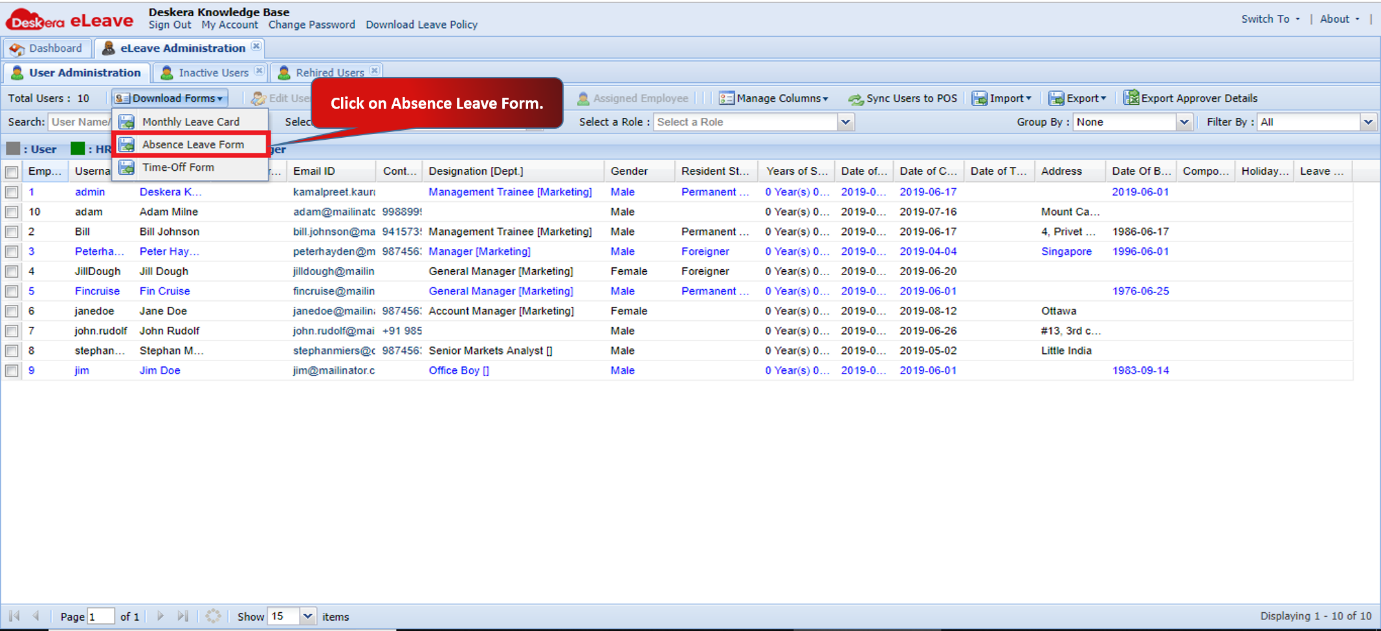 Fig 3.1.1.1.4 User Administration
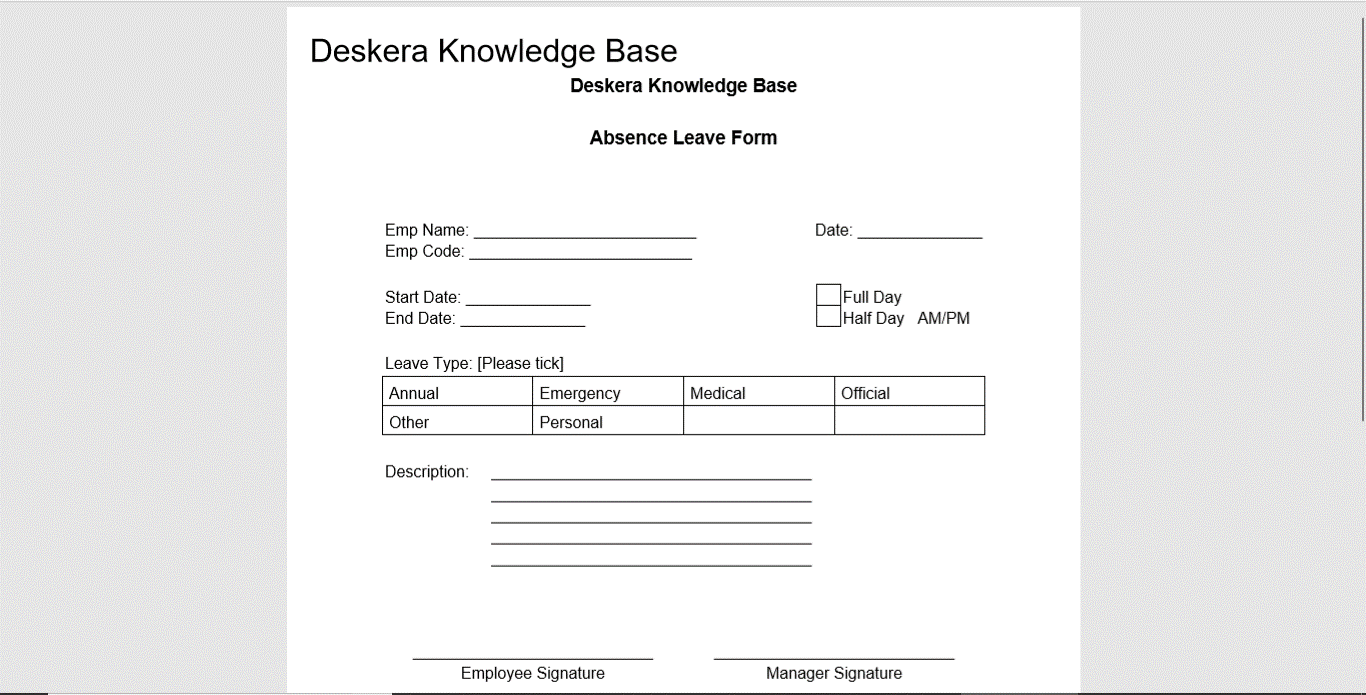 Fig 3.1.1.1.5 Absence Leave Form
Step 4: Click on Time-Off Form. 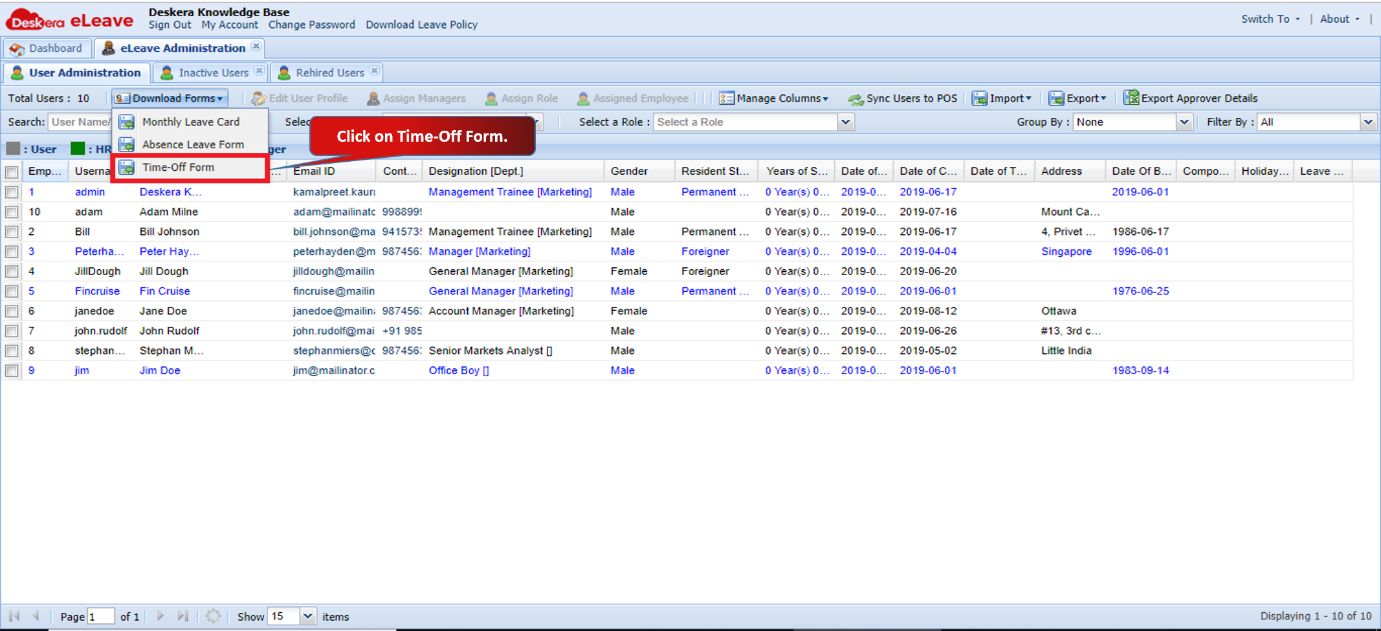 Fig 3.1.1.1.6 User Administration
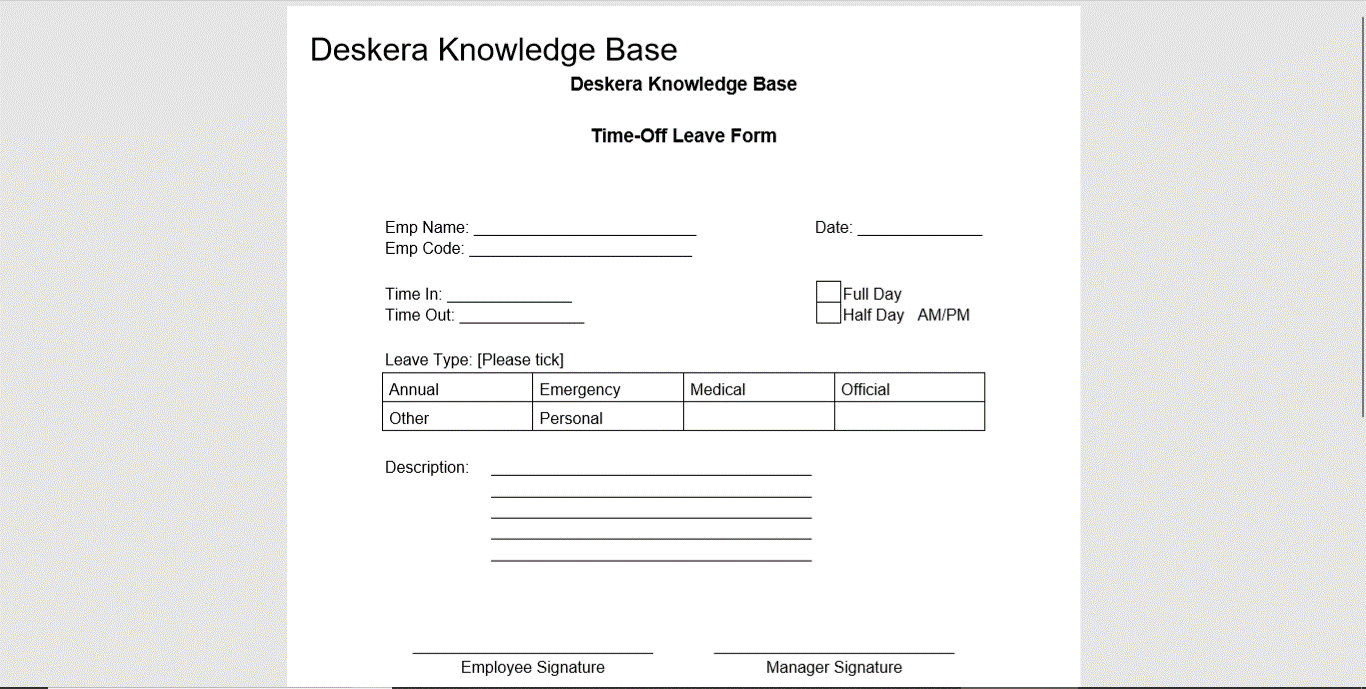 Fig 3.1.1.1.7 Time-Off Leave Form
Comments
0 comments
Please sign in to leave a comment.