
Assigned Employee feature enables you see the list of employees assigned under an admin/HR/manager.
Prerequisites:
1. You have your Deskera eLeave application URL in place.
2. You are the administrator of the eLeave application.
3. Ensure good internet connectivity user.
Step 1: Go to User Administration under Administration widget in eLeave.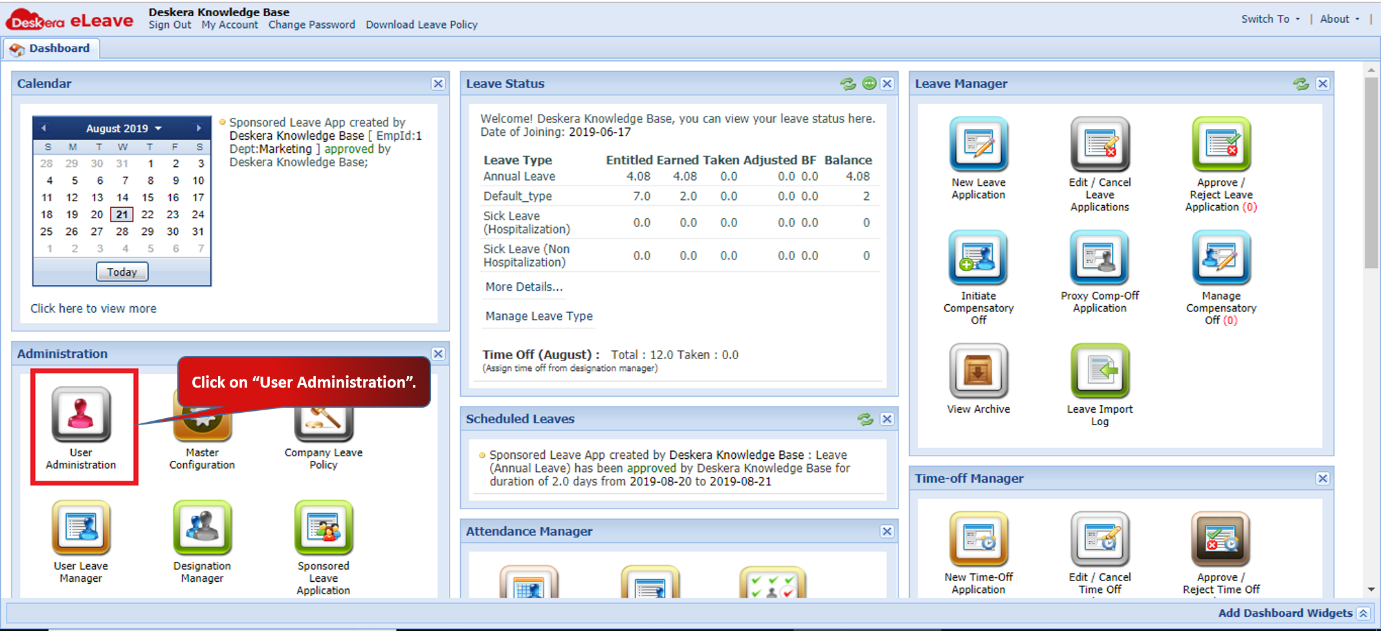 Fig 3.1.1.4.1 eLeave Dashboard
Step 2: Select the user (user should be manager or administrator) and click on Assigned Employee.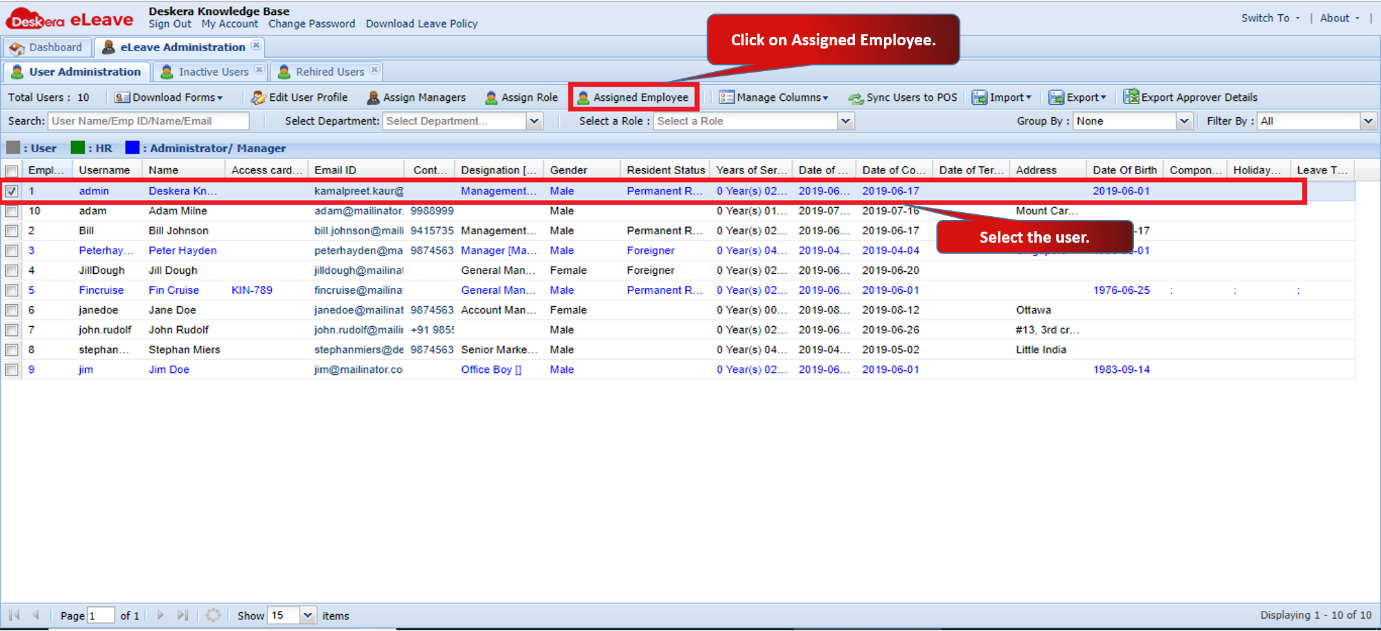 Fig 3.1.1.4.2 Assigned Employee
Step 3: You can view the list of employee’s under selected user. 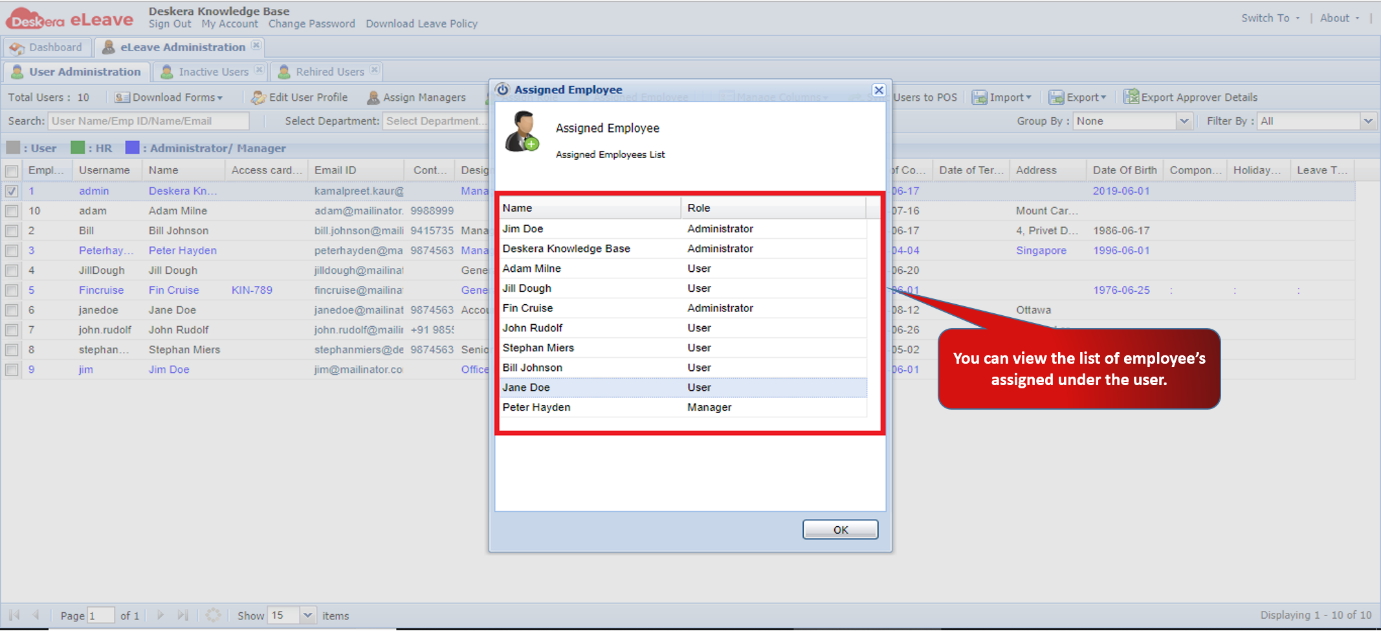 Fig 3.1.1.4.3 Assigned Employee
Comments
0 comments
Please sign in to leave a comment.