
Whenever there is an adjustment in the leave balance, it is recorded in the Leave Adjustment Log. The Leave Adjustment log can be accessed in Deskera e-Leave.
Prerequisites:
- You have your Deskera eLeaves application URL in place.
- You are the administrator of the eLeaves application.
- Ensure Stable Internet Connectivity.
Step 1: On the e-Leaves Dashboard, Click on Leave Adjustment Log under the Administration Widget.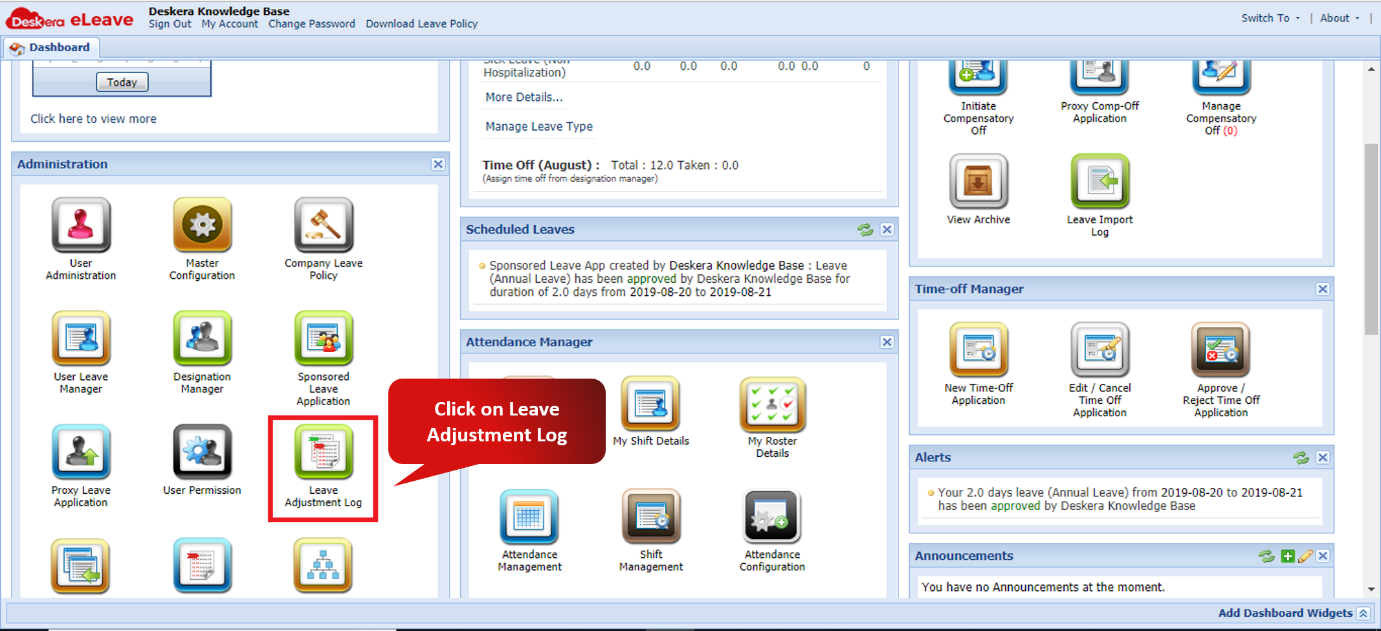 Fig. 3.1.9.1 e-Leaves Dashboard
Step 2: Select the date range to show the leave adjustments in that date range and click on Export.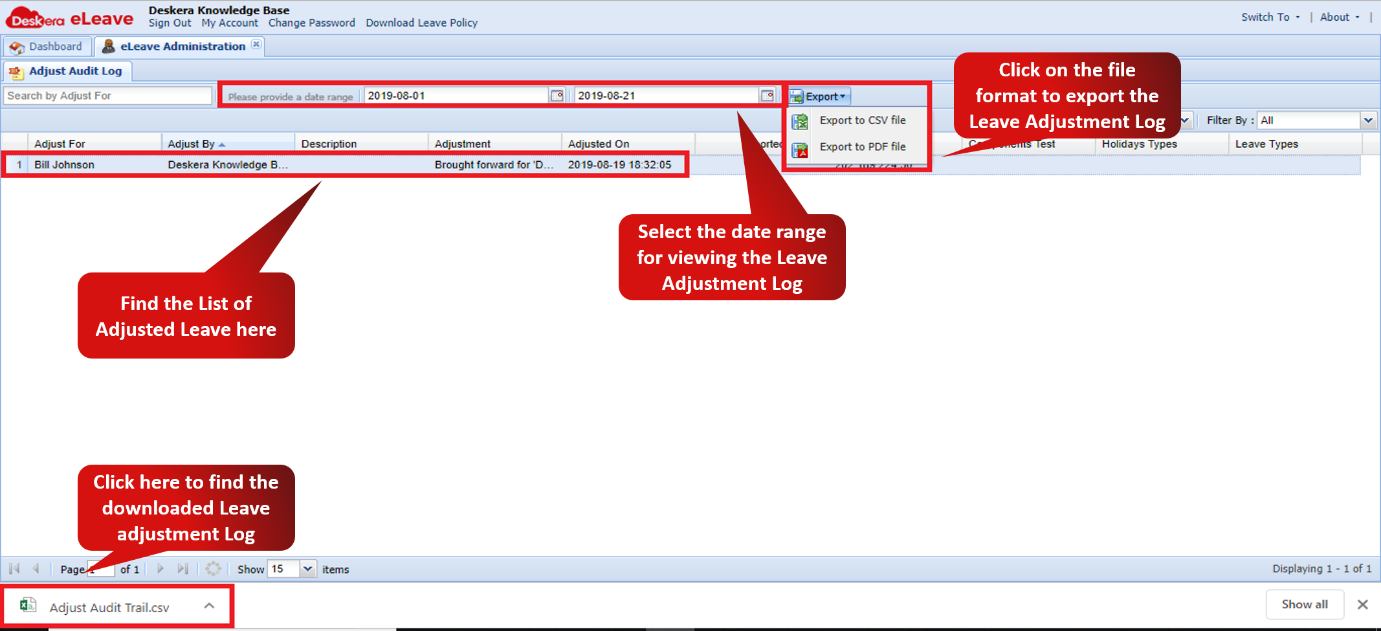 Fig. 3.1.9.2 Leave Adjustment Log Window
Comments
0 comments
Please sign in to leave a comment.