
The Permissions for each user can be restricted based on their roles in the Deskera e-Leave application. The article briefs us about how to set user permissions.
Prerequisites:
- You have your Deskera eLeaves application URL in place.
- You are the administrator of the eLeaves application.
- Ensure Stable Internet Connectivity.
Step 1: On the e-Leaves Dashboard, Click on User Permissions under the Administration Widget.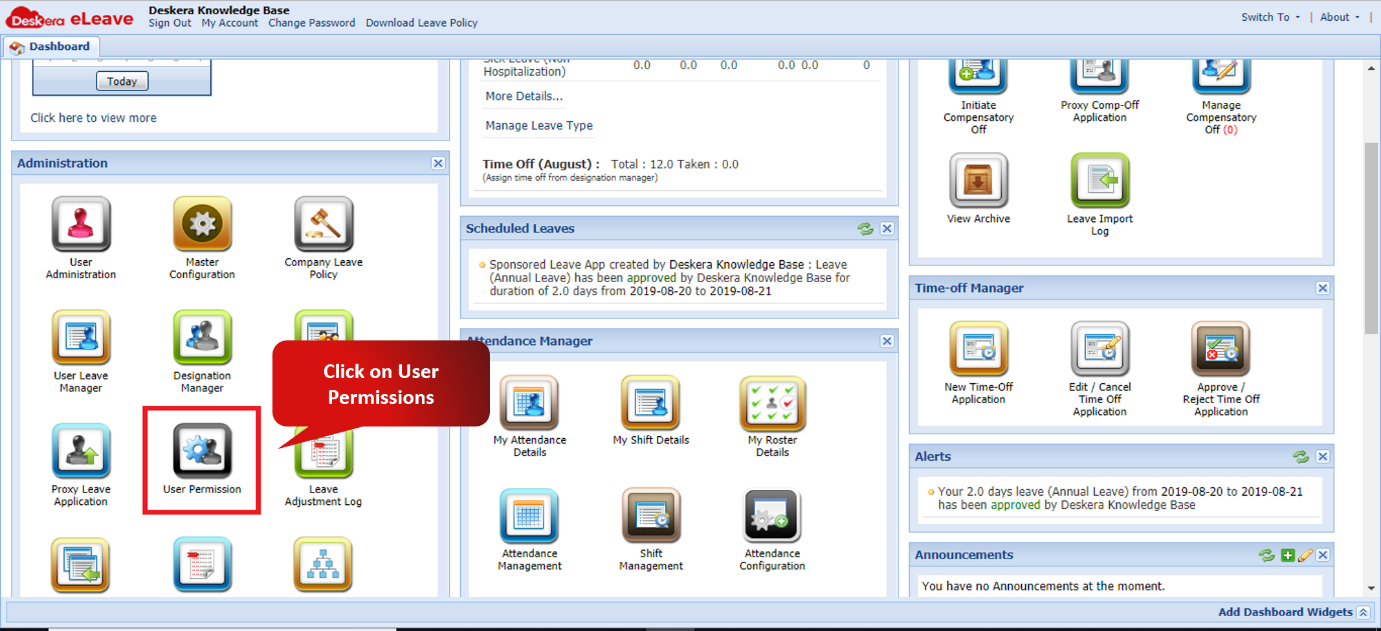 Fig. 3.1.8.1 e-Leaves Dashboard
Step 2: Assign Each role the permission as required by checking the box against each permission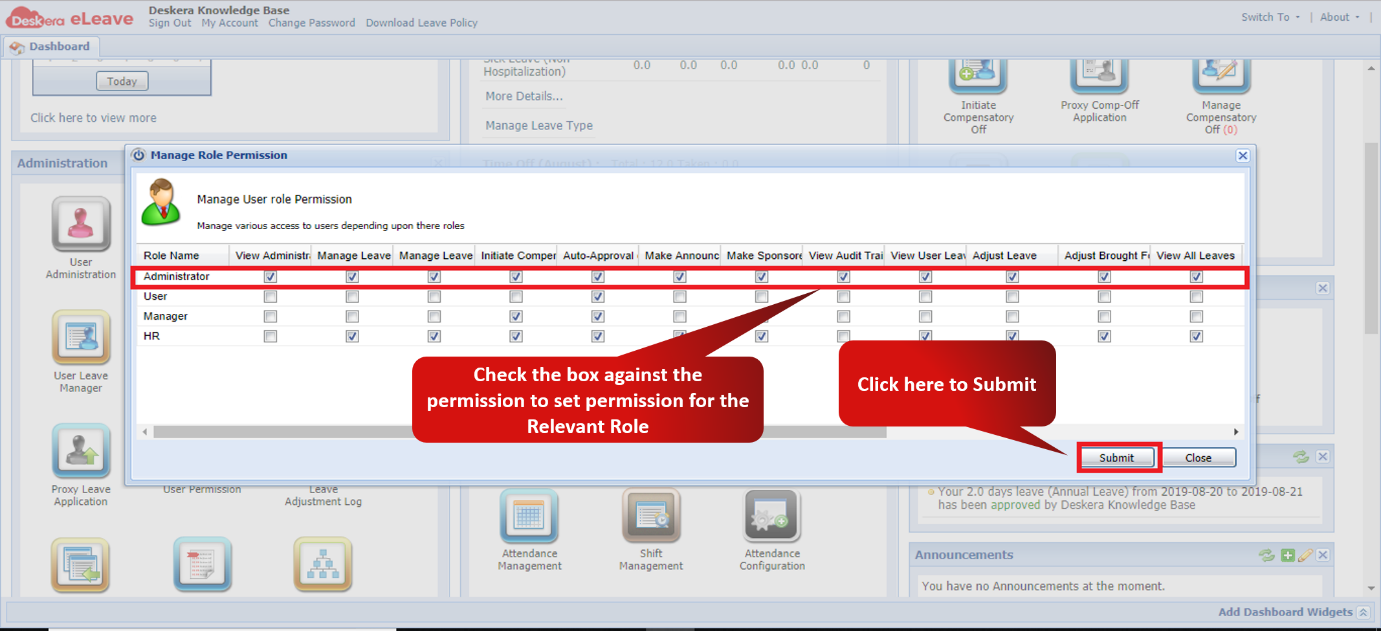 Fig. 3.1.8.2 User Permissions Window
Step 3: Click on OK to confirm assigning user Permissions.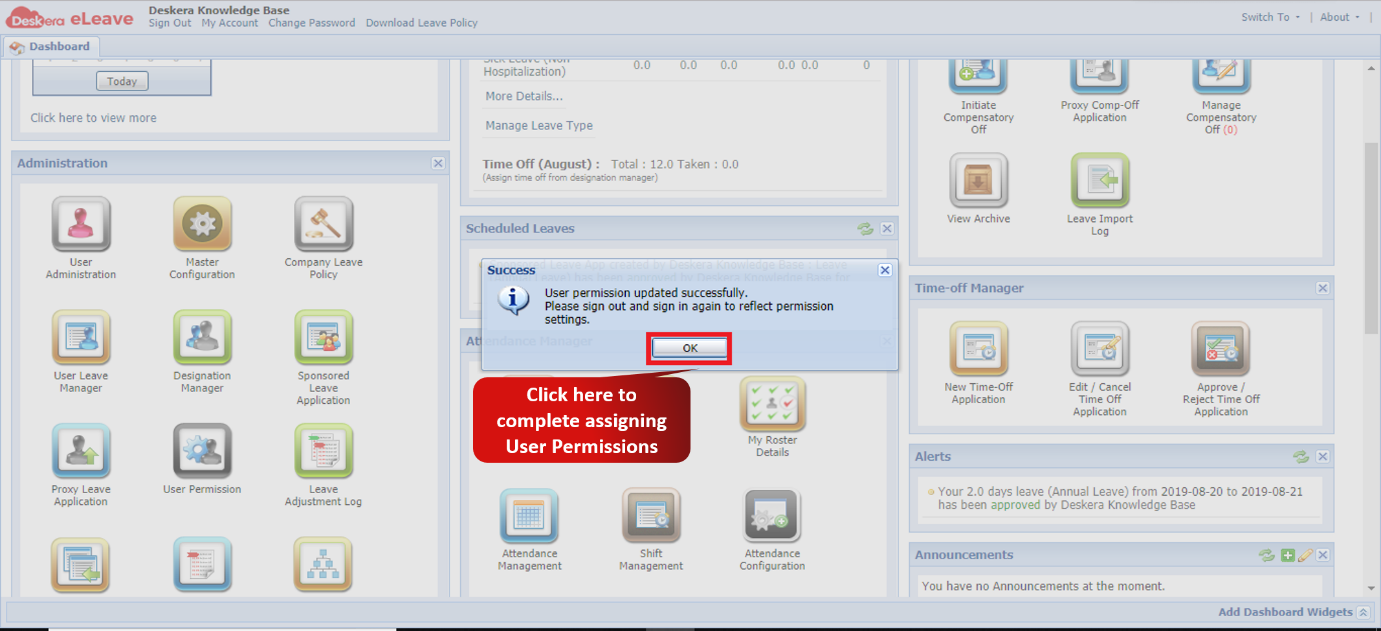 Fig. 3.1.8.3 User Permissions Confirmation Message
Comments
0 comments
Please sign in to leave a comment.