
The user can generate leave reports for all the group leaves applied by a group of employees for a specified date range. Select a date range to generate reports for the group leaves applied by a number of employees. Click on the '+' icon to expand the record and view the details of report like the type of leaves, dates of leaves availed and the employees who have applied for a group leave.
Prerequisites:
- You have your Deskera eLeave application URL in place.
- You are the administrator of the eLeave application.
- Ensure Stable Internet Connectivity.
Step 1: Click on Leave Report under Report Manager from the Dashboard.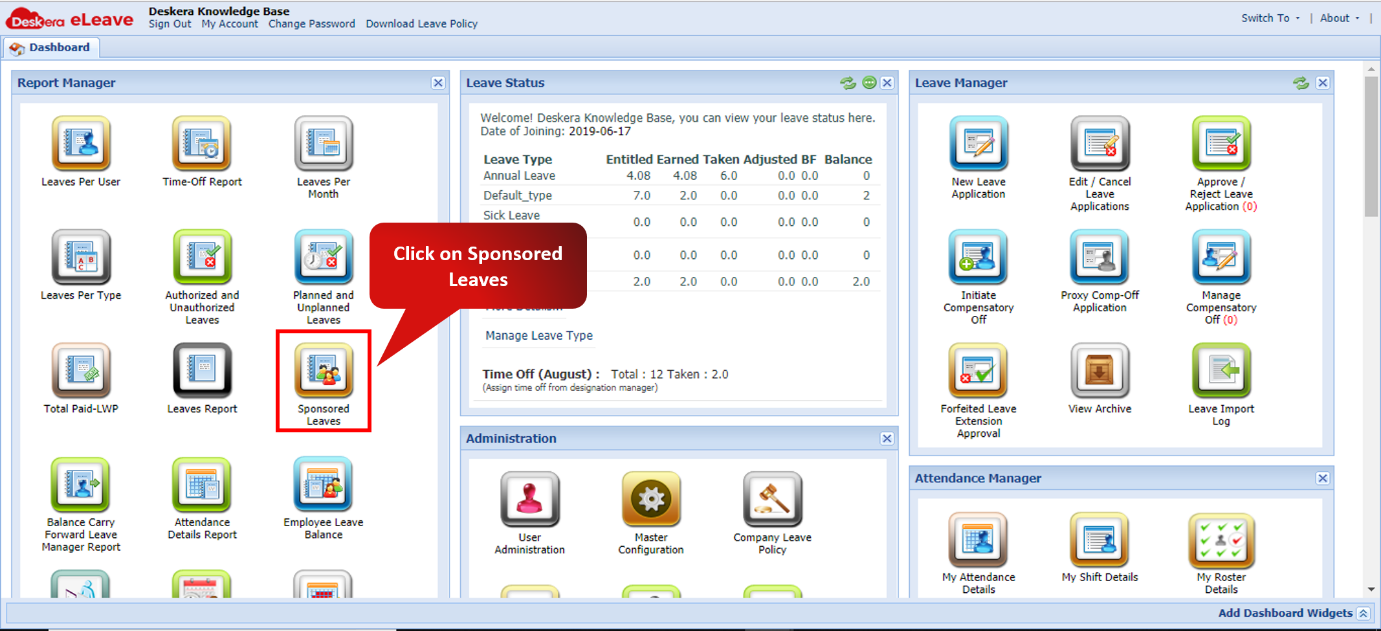 Fig. 3.6.9.1 eLeave Dashboard
Step 2: Select the Report you wish to generate. Then click on Fetch.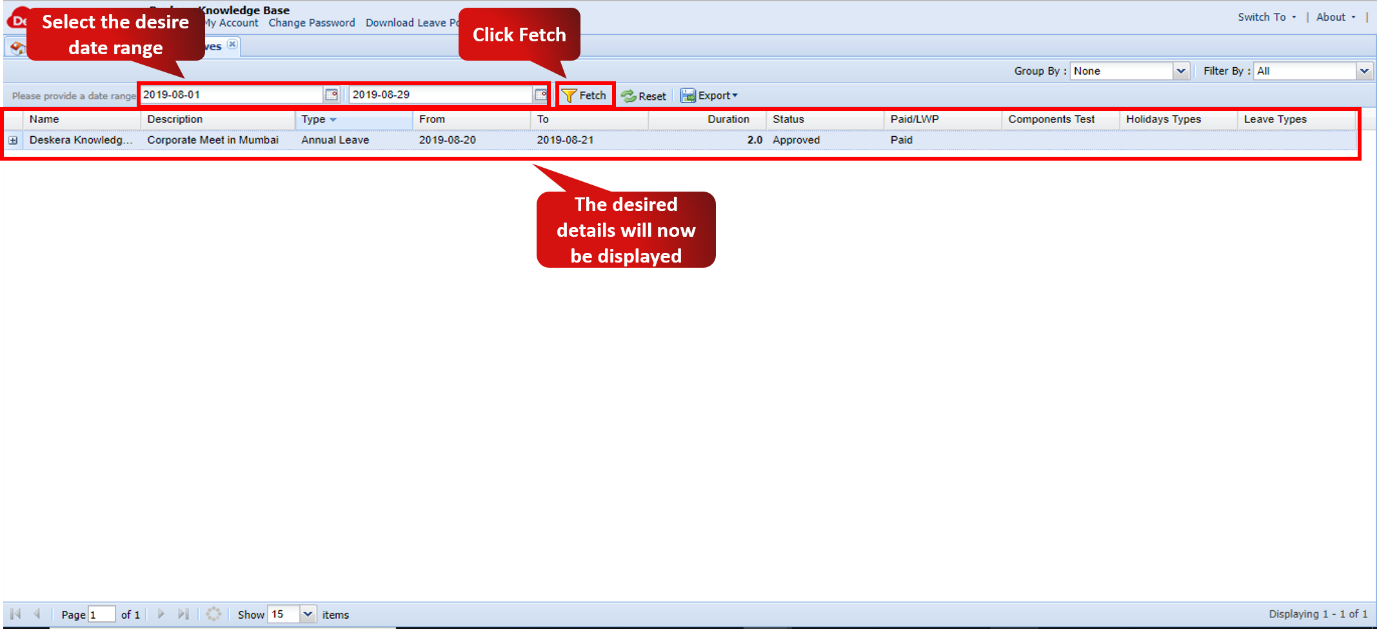 Fig. 3.6.9.2 Sponsored Leaves Report
Step 3: The user can also export the report to an external location in CSV and PDF formats.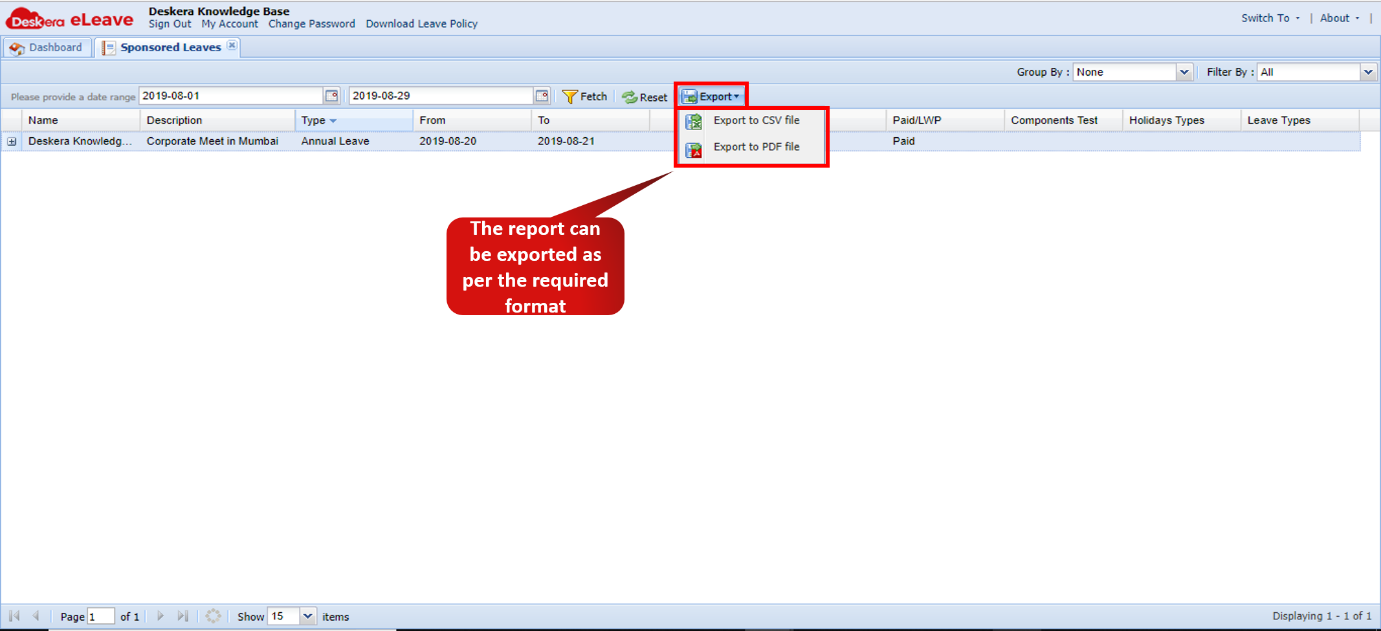 Fig. 3.6.9.3 Sponsored Leaves Report
Comments
0 comments
Please sign in to leave a comment.