
The user can check details of employees related to their balance carry forwarded leaves such as expired balance, availability of the balance carry forwarded leaves, consumed balanced carry forwarded leaves, unconsumed balance carry forwarded leaves and the extended forfeited leaves.
Prerequisites:
- You have your Deskera eLeave application URL in place.
- You are the administrator of the eLeave application.
- Ensure Stable Internet Connectivity.
Step 1: Click on Balance Carry Forward (BCF) Leave Manager Report under Report Manager from the Dashboard.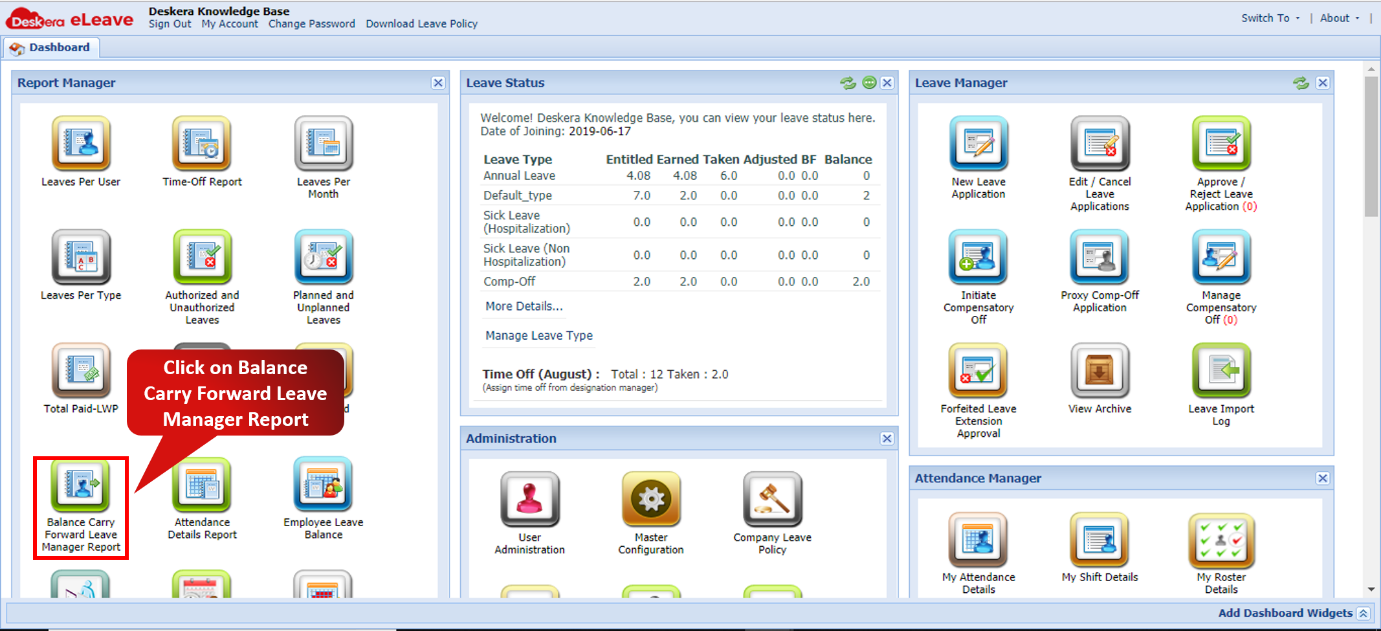 Fig. 3.6.10.1 eLeave Dashboard
Step 2: A list of employees will be displayed. Click on the “+” icon to check the different BCF details.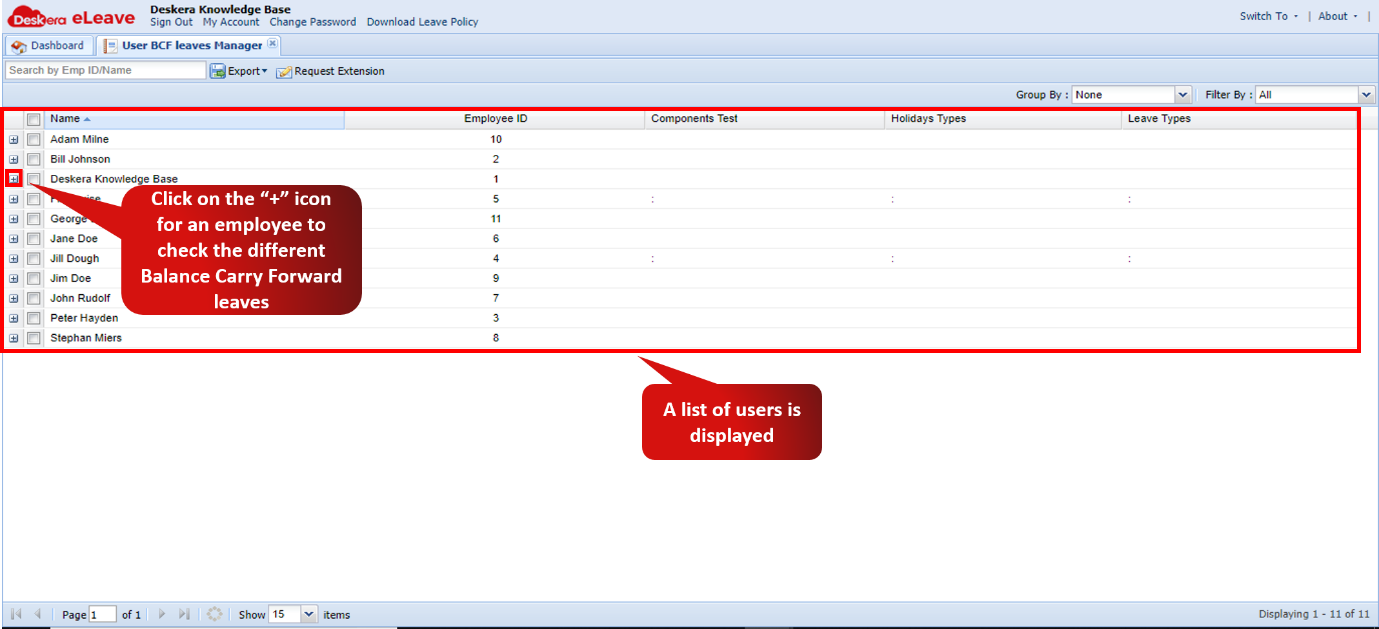 Fig. 3.6.10.2 BCF Leave Report
Step 3: Details of Forfeited BCF, Available BCF, Used BCF and Expired Balance (From Previous year) will now be displayed.Fig. 3.6.10.3 BCF Leave Report
Comments
0 comments
Please sign in to leave a comment.