
This report consists of Employee Name and Employee ID. Upon expanding a record, the users can view Leave Type and corresponding Entitled, Earned, Paid, Unpaid, Taken, Available BCF, Used BCF, Forfeited BCF, Adjusted, Balance (before adjustment), and Balance (after adjustment) leave balance.
Prerequisites:
- You have your Deskera eLeave application URL in place.
- You are the administrator of the eLeave application.
- Ensure Stable Internet Connectivity.
Step 1: Click Master Configuration icon on the dashboard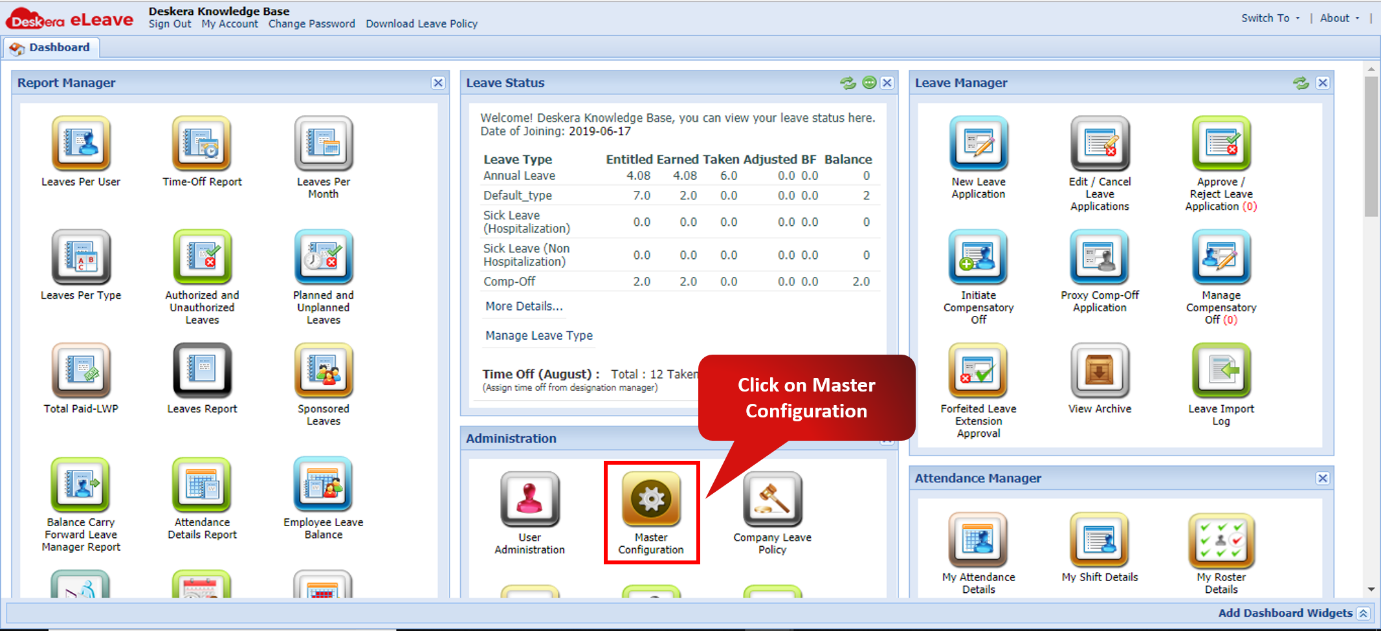 Fig. 3.6.12.1 eLeave Dashboard
Step 2: Scroll down Company Preferences panel to view Report Manager section. Tick the checkbox Employee Leave Balance Report and click Save.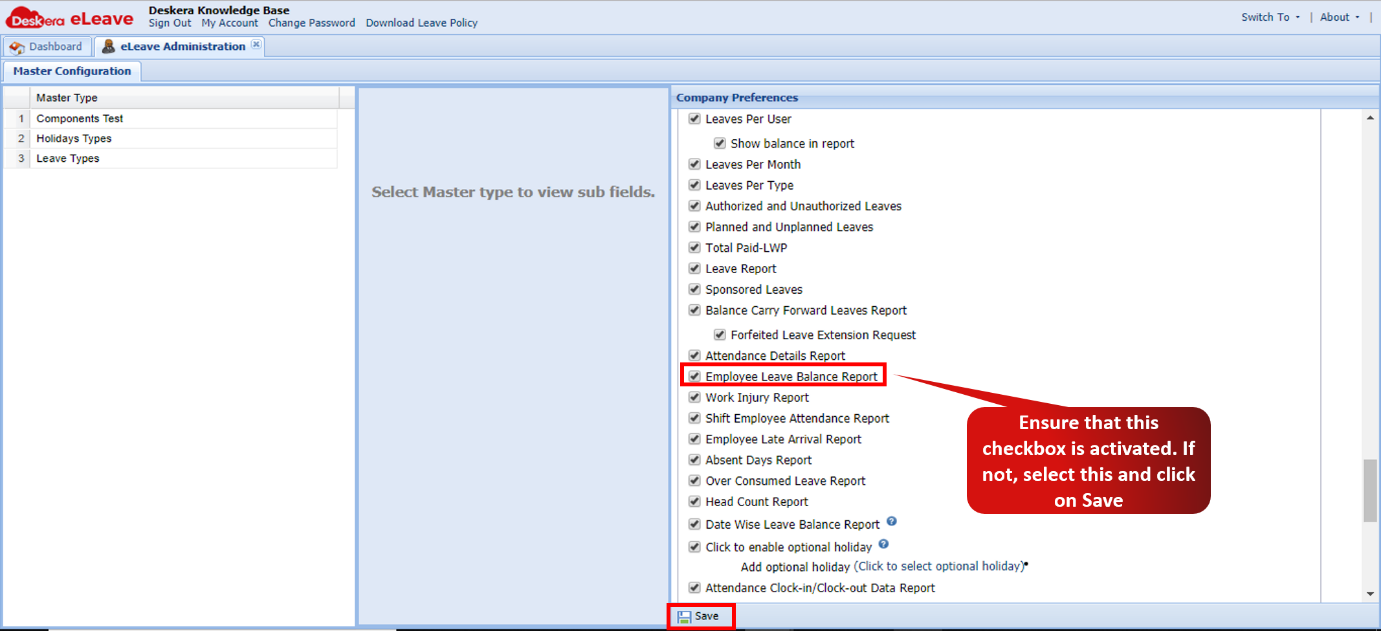 Fig. 3.6.12.2 Master Configuration
Step 3: Click Employee Leave Balance icon on the dashboard.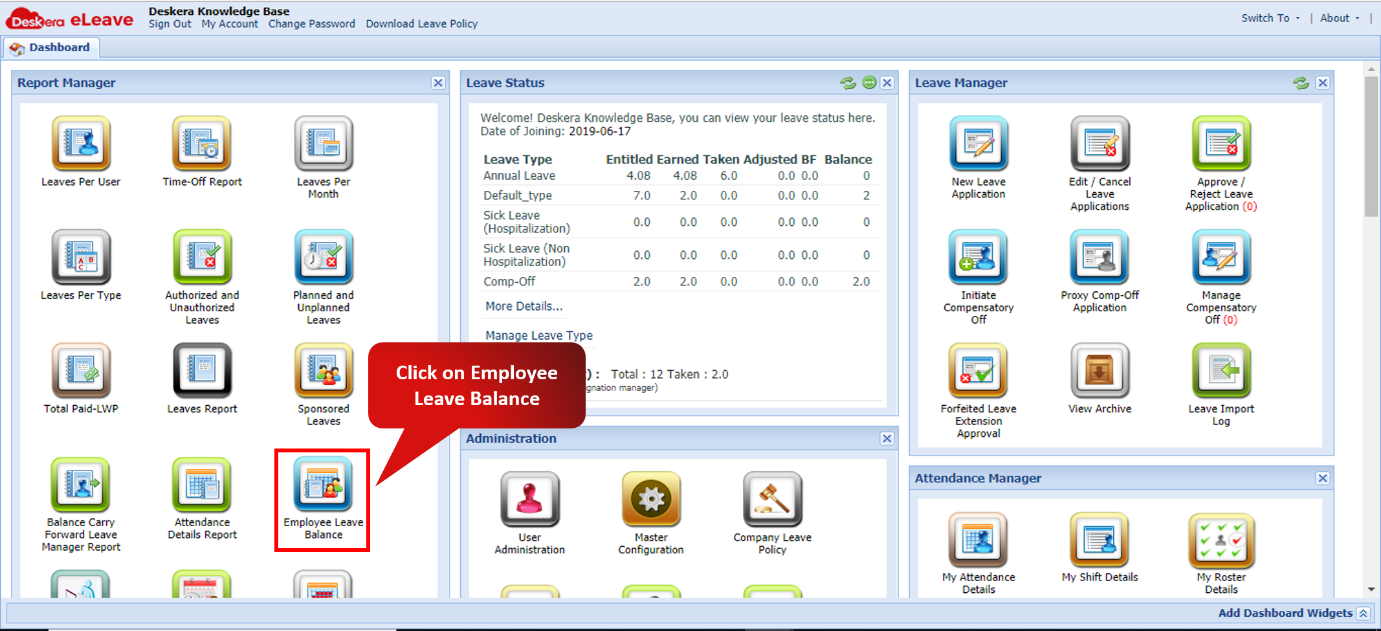 Fig. 3.6.12.3 Employee Leave Balance
Step 4: Expand a record to view the employee's leave balance details.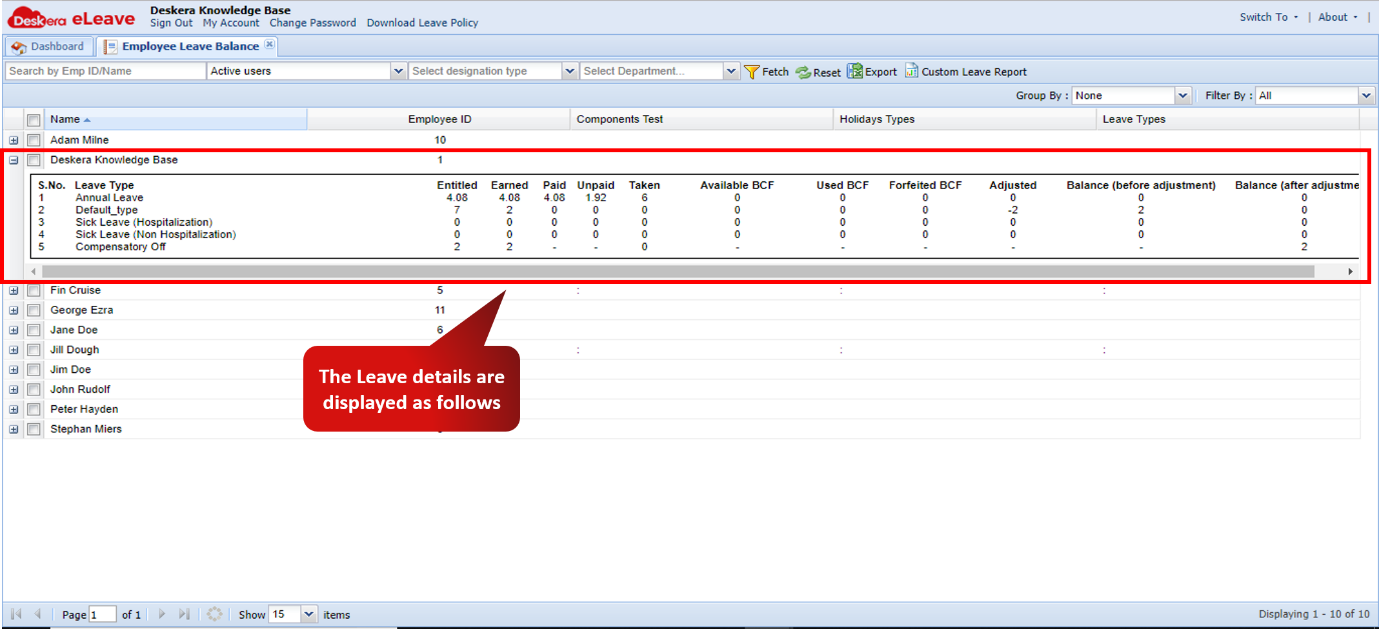 Fig. 3.6.12.4 Employee Leave Balance
Comments
0 comments
Please sign in to leave a comment.