
Company Preferences are those settings available in the Deskera system for the organization which is used to configure the application as per the company’s policies. These are the settings which describes Deskera to work as per the company requirements.
Prerequisites:
- You have your Deskera eClaims application URL in place.
- You are the administrator of the eClaims application.
- Ensure Stable Internet Connectivity.
Step 1: On the e-Claims Dashboard, click on Master Configuration under the Administration widget. The company preferences are found below claim approval rules on the right hand side of the Master configuration window.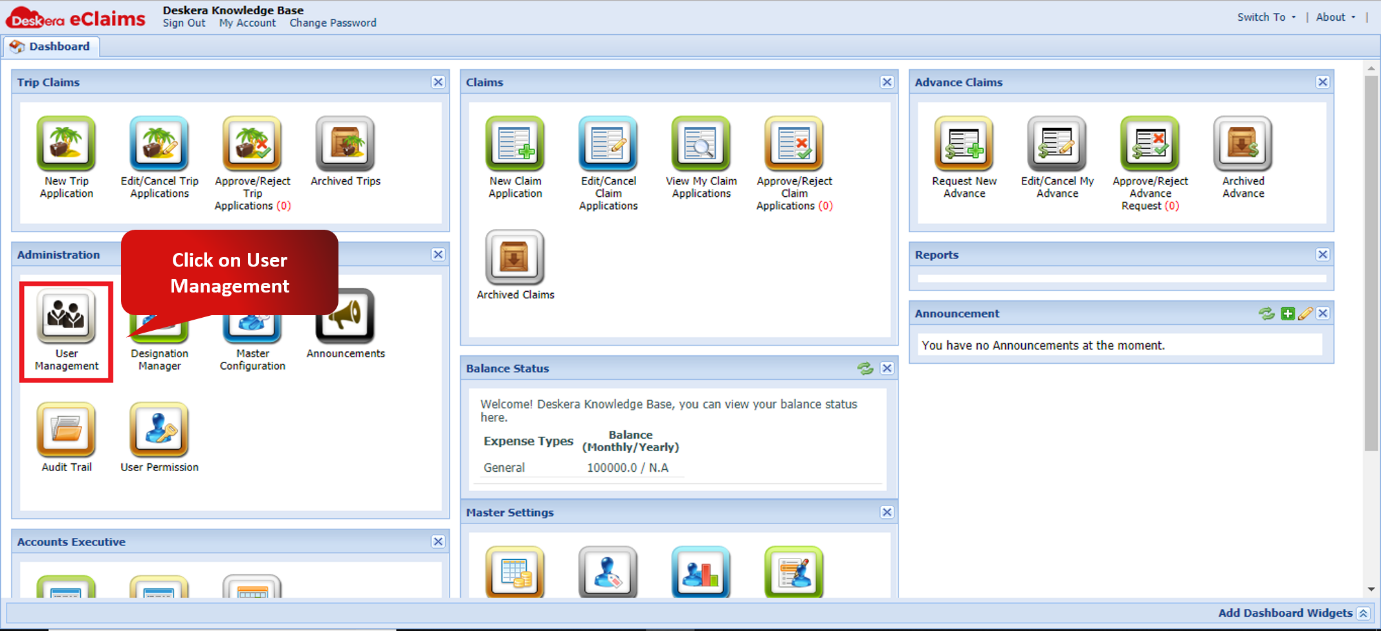 Fig. 4.2.1.1.1.1 e-Claims Dashboard
Step 2: Select the user to whom the manager has to be assigned and click on assign manager.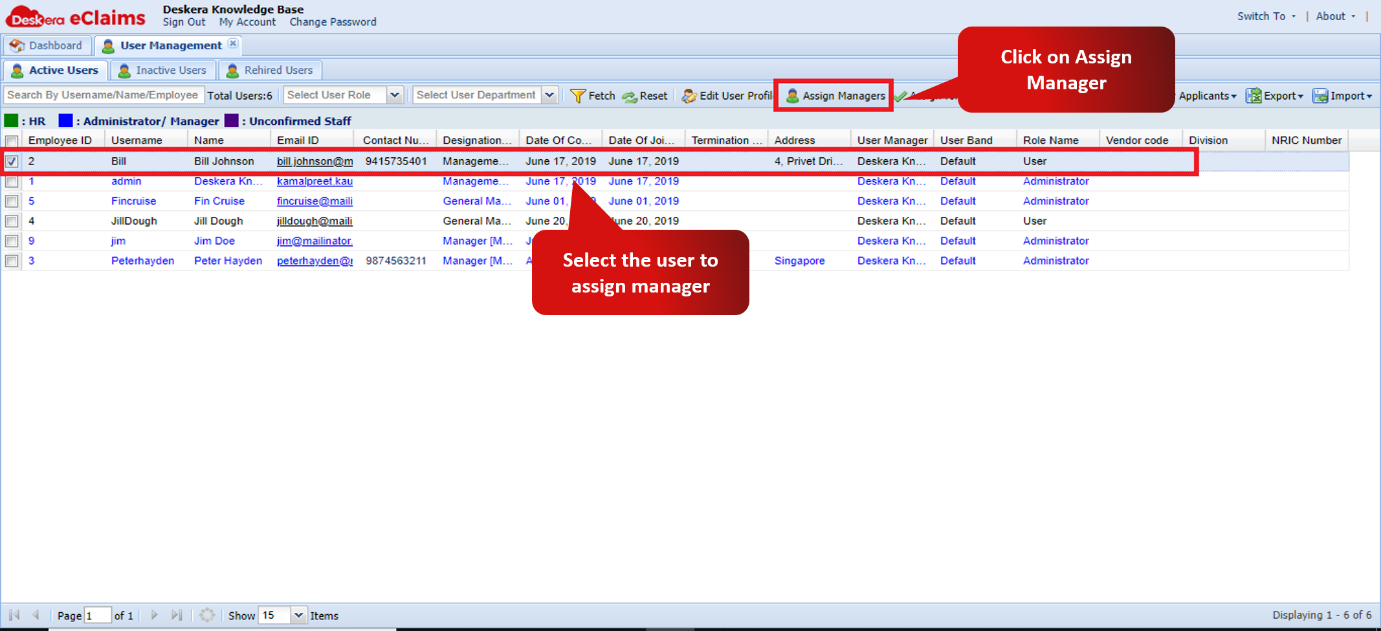 Fig. 4.2.1.1.1.2 User Management window
Step 3: Choose the manager who has to be assigned to the user and click on apply to assign manager.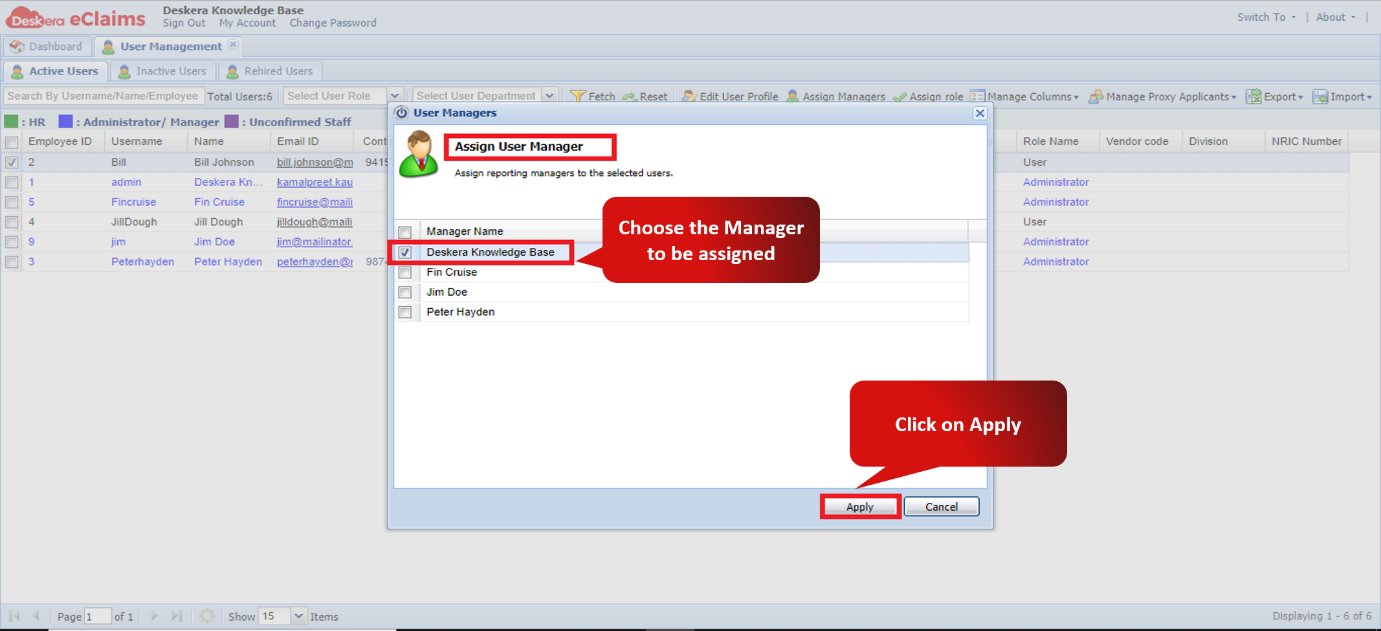 Fig. 4.2.1.1.1.3 Assign user Manager Wizard.
Comments
0 comments
Please sign in to leave a comment.