
This article briefs us about how we can activate users who are re-hired into the organization in order to apply for claims.
Prerequisites:
- You have your Deskera eClaims application URL in place.
- You are the administrator of the eClaims application.
- Ensure Stable Internet Connectivity.
Step 1: On the e-Claims Dashboard, click on user management under the Administration widget.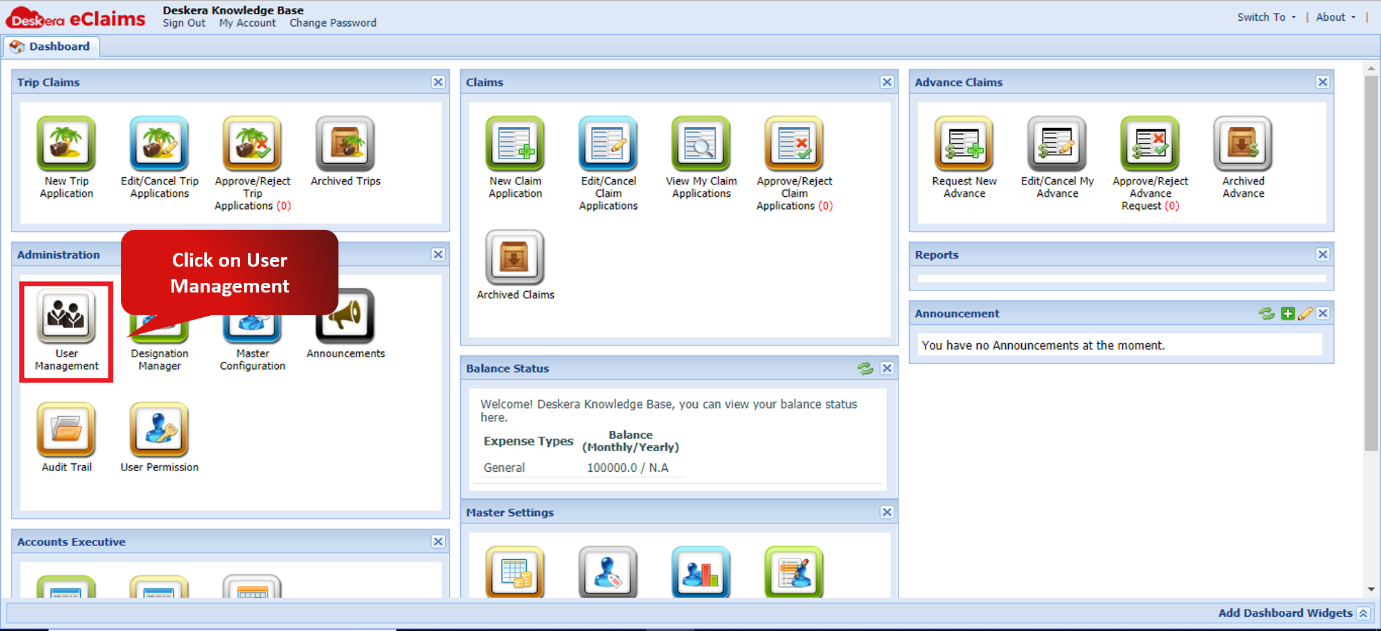
Fig. 4.2.1.2.1 e-Claims Dashboard
Step 2: Navigate to rehired users, Select the user to be activated and click on activate user.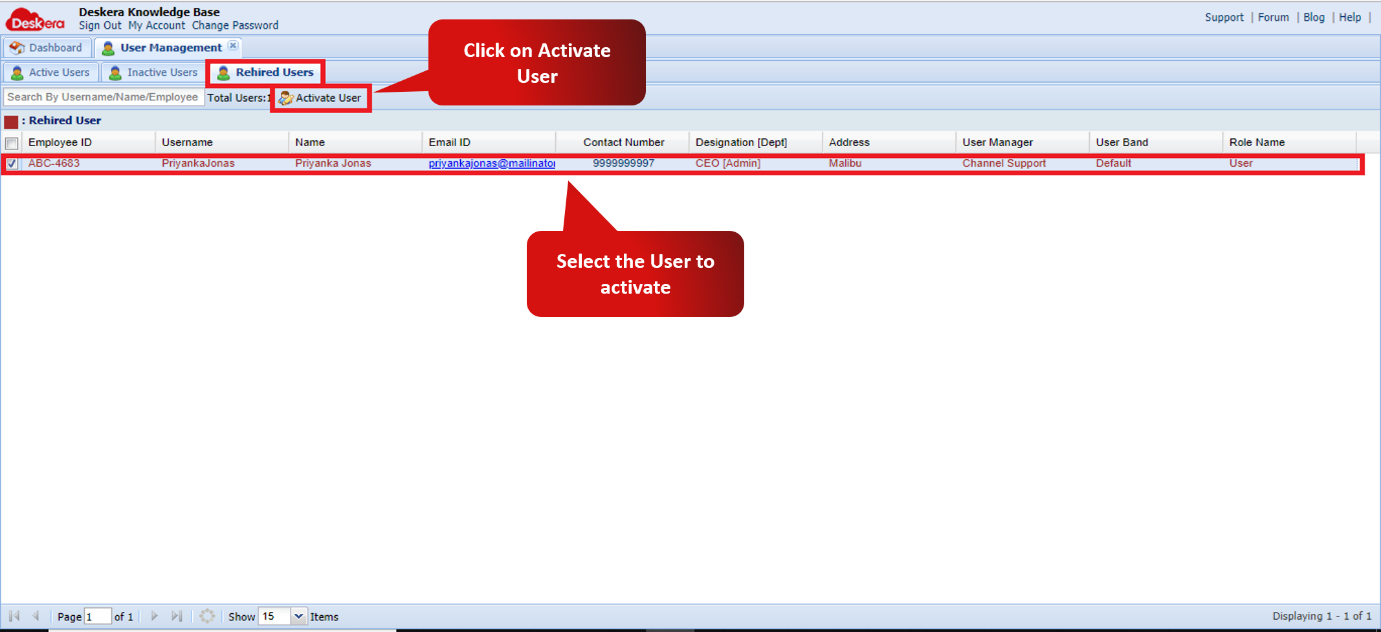
Fig. 4.2.1.2.2 User Management window
Step 3: If previous data has to be reset, check the box against the Reset and if the data should be archived, check the box against Archive and click on save to finish activating the user.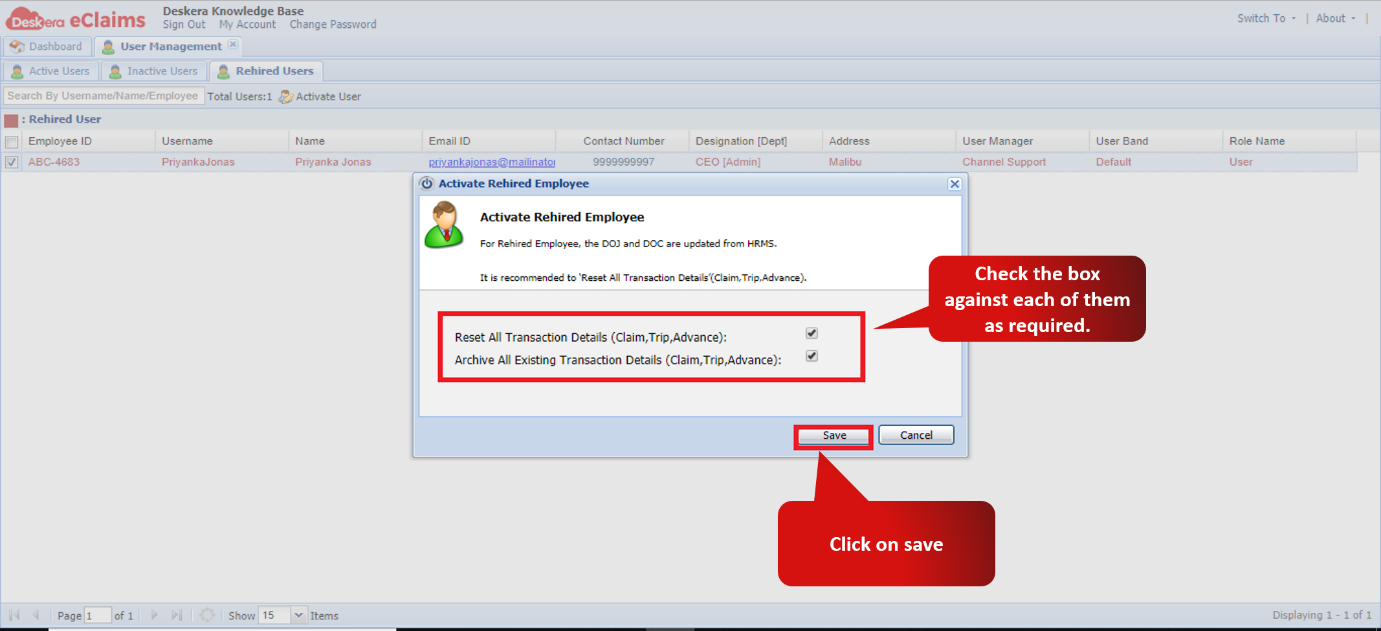
Fig. 4.2.1.2.3 Activate Rehired Employee Wizard.
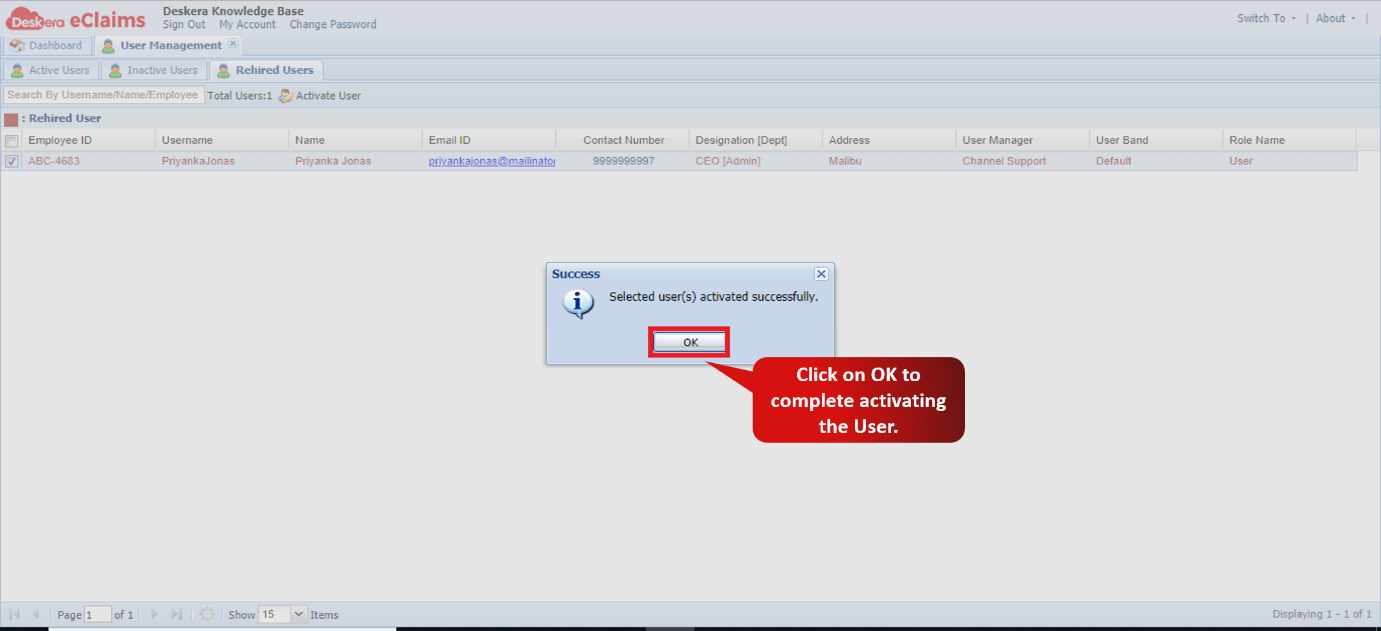
Fig. 4.2.1.2.4 Activation Confirmation Message.
Comments
0 comments
Please sign in to leave a comment.