
Each employee has a vital and unique role in the organization. In order to set a role for an employee in the Deskera e-Claim System, The following steps are to be followed.
Prerequisites:
- You have your Deskera eClaims application URL in place.
- You are the administrator of the eClaims application.
- Ensure Stable Internet Connectivity.
Step 1: On the e-Claims Dashboard, click on user management under the Administration widget.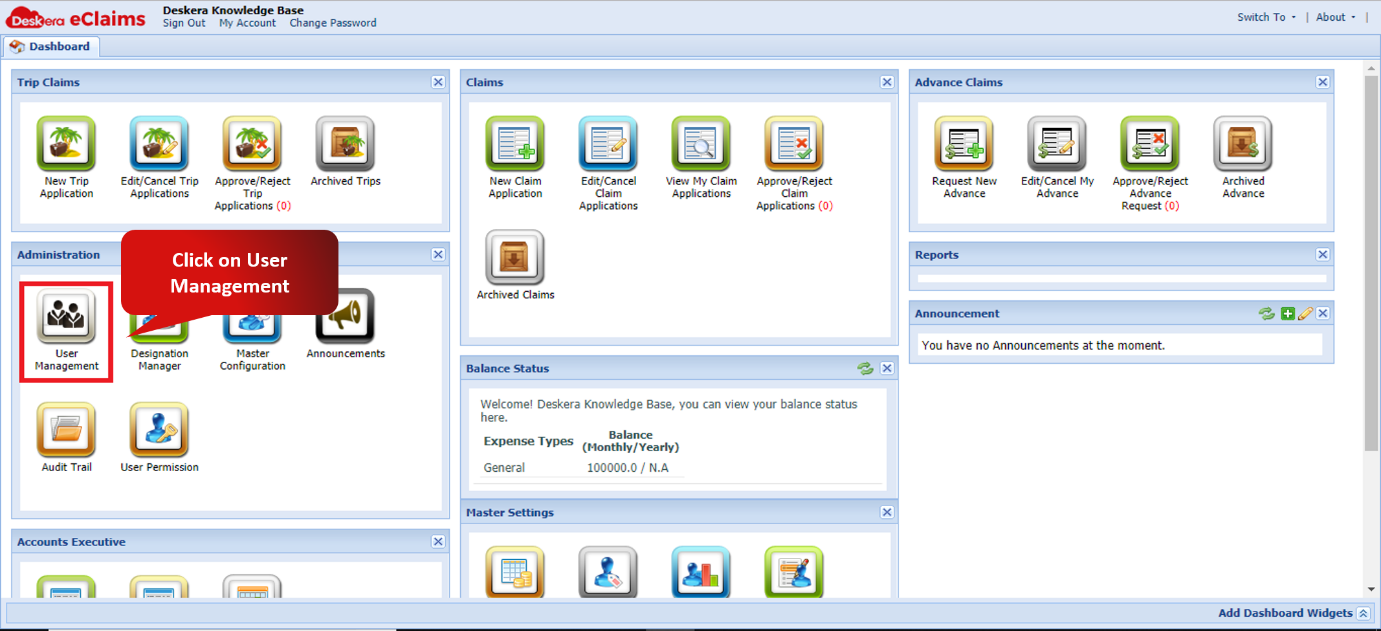
Fig. 4.2.1.1.3.1 e-Claims Dashboard
Step 2: Select the user whose role has to be set and click on assign role.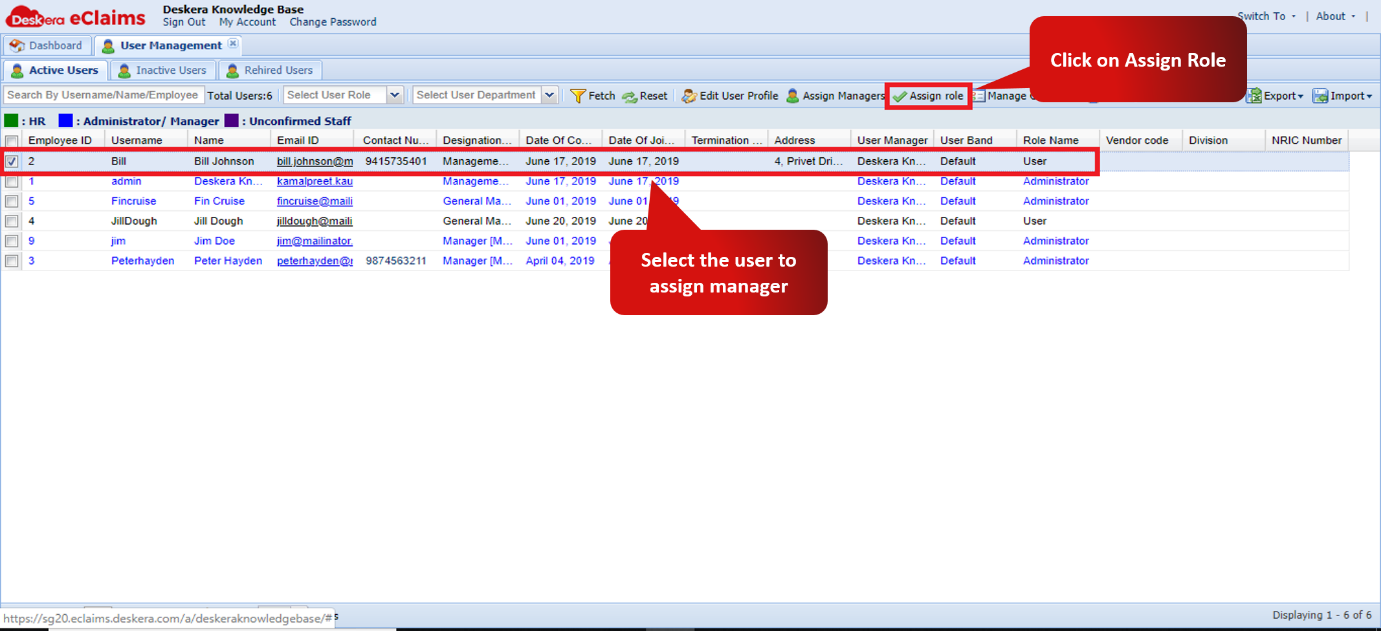
Fig. 4.2.1.1.3.2 User Management window
Step 3: Choose the role to be assigned to the user and click on apply to finish assigning role to the user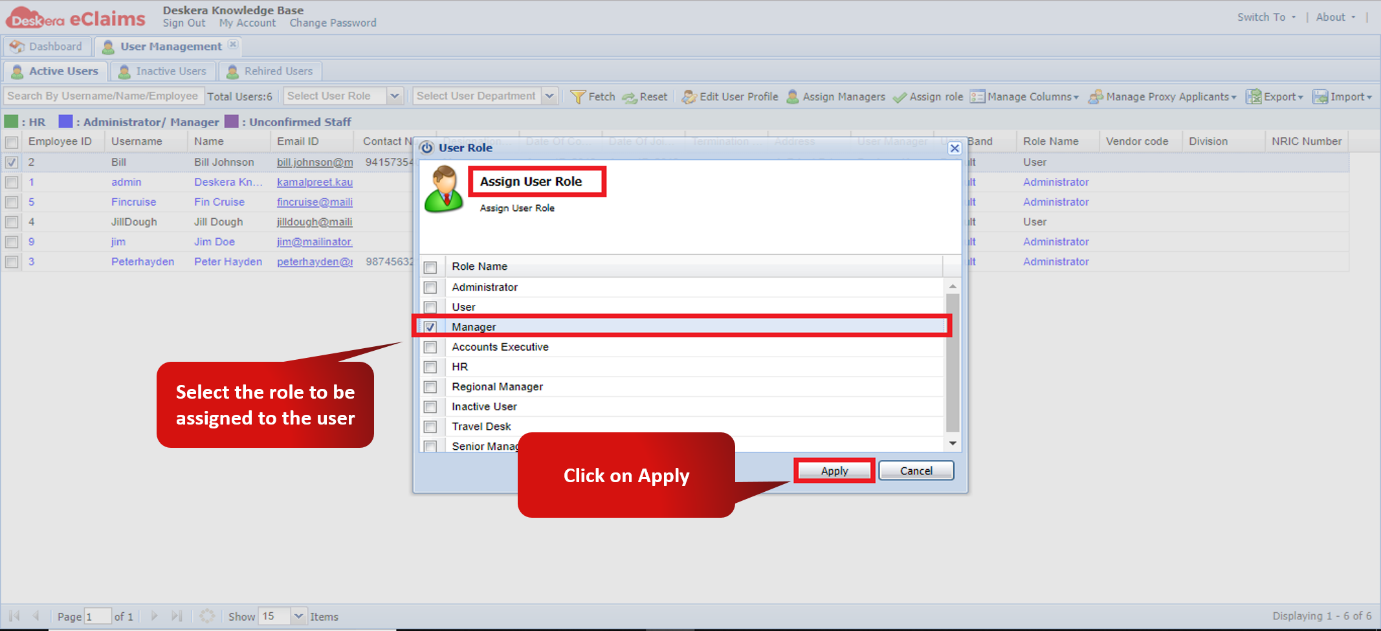
Fig. 4.2.1.1.3.3 Assign Role Wizard.
Comments
0 comments
Please sign in to leave a comment.