
Data Wise Leave Balance Report feature enables you to fetch leave balance report for all the users collectively.
Prerequisites:
1. You have your Deskera eLeave application URL in place.
2. You are the administrator of the eLeave application.
3. Ensure good internet connectivity.
Step 1: Go to Data Wise Leave Balance under Report Manager widget in eLeave.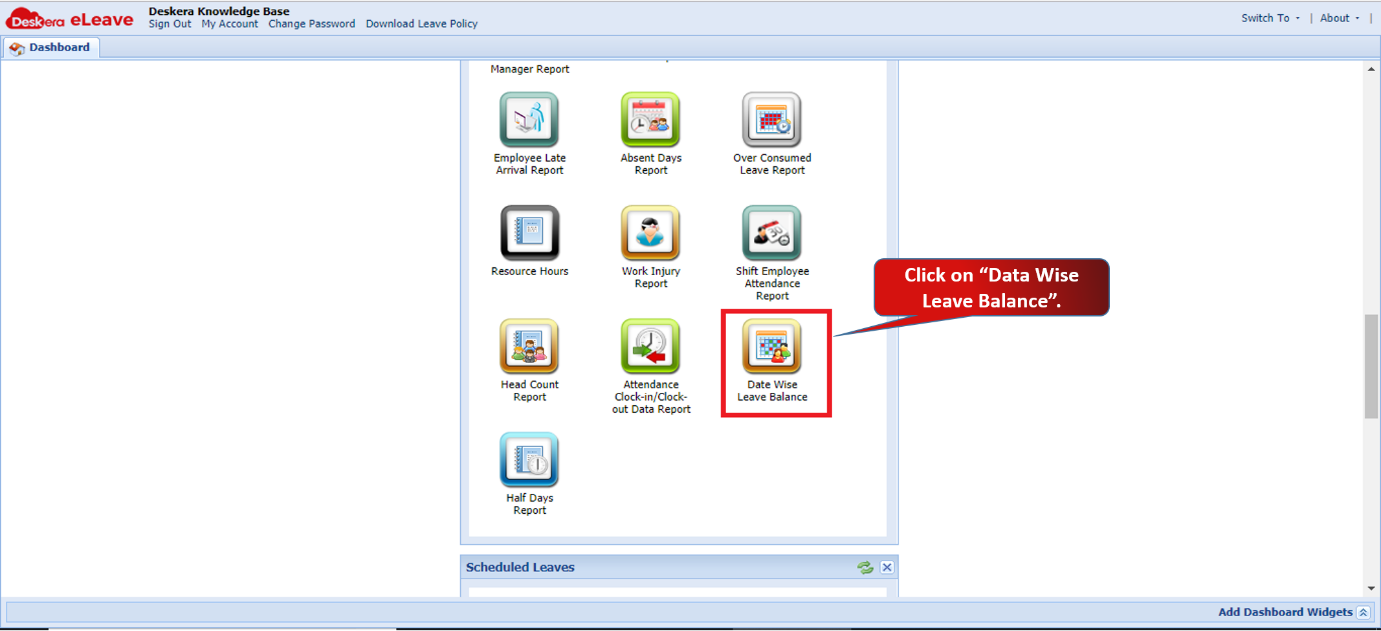 Fig 3.6.21.1 eLeave Dashboard
Step 2: Select the employee ID/Name or type of users (Active, Inactive, Rehired) to fetch the report. You can see the leave details all the users here. 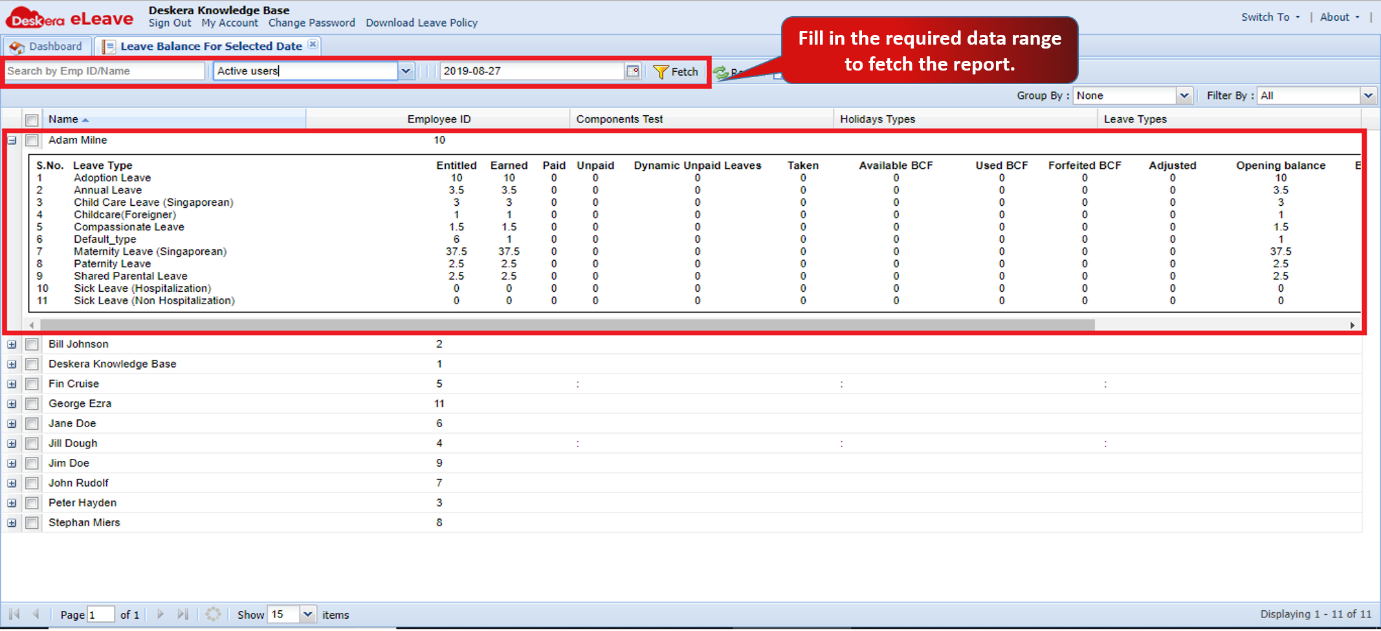 Fig 3.6.21.2 Data Wise Leave Balance
Comments
0 comments
Please sign in to leave a comment.