
Attendance Clock-In/Clock-Out Data Report feature enables you to fetch the attendance clock in and clock out timings of a user collectively.
Prerequisites:
1. You have your Deskera eLeave application URL in place.
2. You are the administrator of the eLeave application.
3. Ensure good internet connectivity.
Step 1: Go to Attendance Clock-In/Clock-Out Data Report under Report Manager widget in eLeave.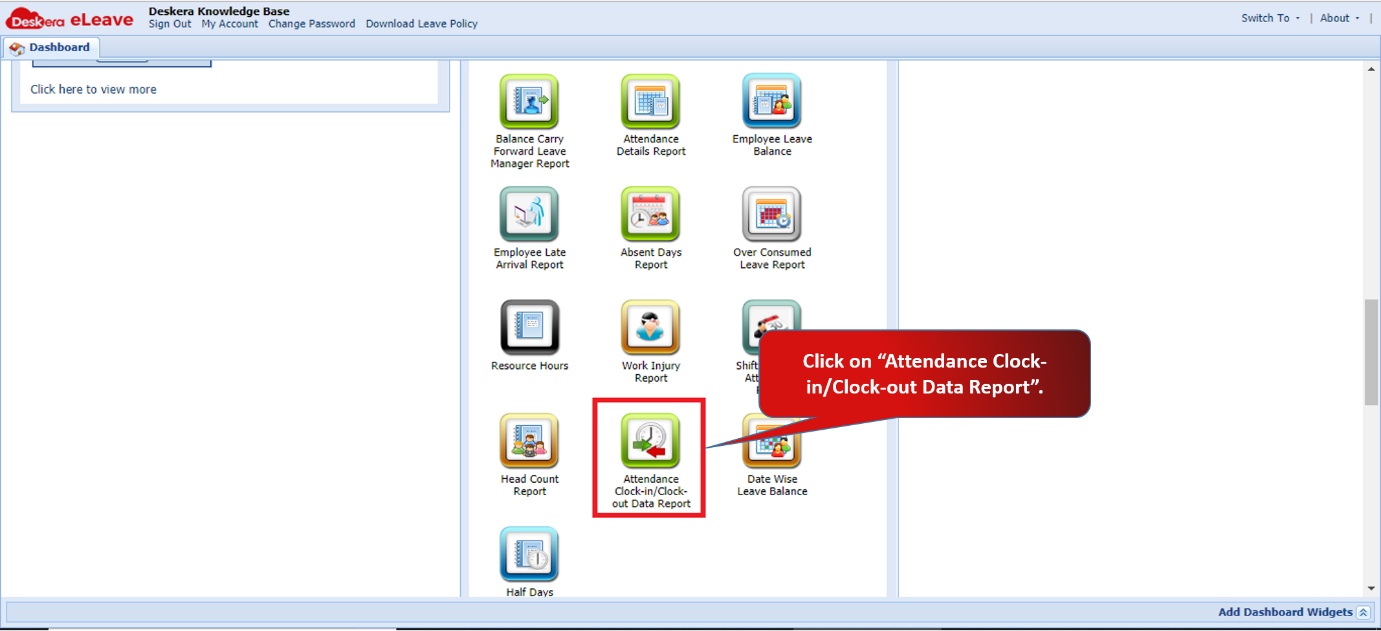 Fig 3.6.20.1 eLeave Dashboard
Step 2: Select the user name and the date range to fetch the required data. This report shows you the daily clock in and clock out time of the selected user. 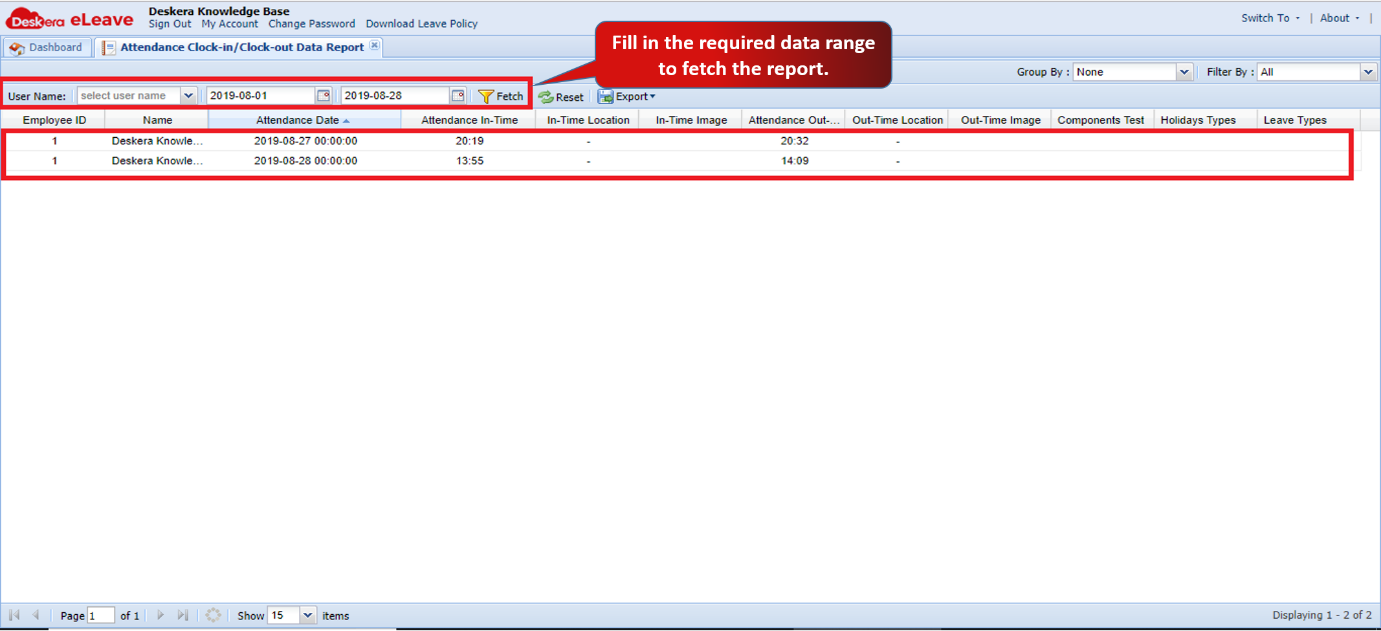 Fig 3.6.20.2 Attendance Clock-In/Clock-Out Data Report
Comments
0 comments
Please sign in to leave a comment.