
After creating an expense type in Deskera eClaims application, the admin can assign particular users to the expense type. Only those users who have been assigned to the expense type will be able to apply for a claim using the particular expense type. The expense type will remain hidden for other users.
Prerequisites:
1. Ensure you have your Deskera eClaims application URL in place.
2. Ensure you are the administrator of the eClaims application
3. Ensure a good internet connectivity
Step 1: Go to Manage Expense Types under Master Settings on eClaims Dashboard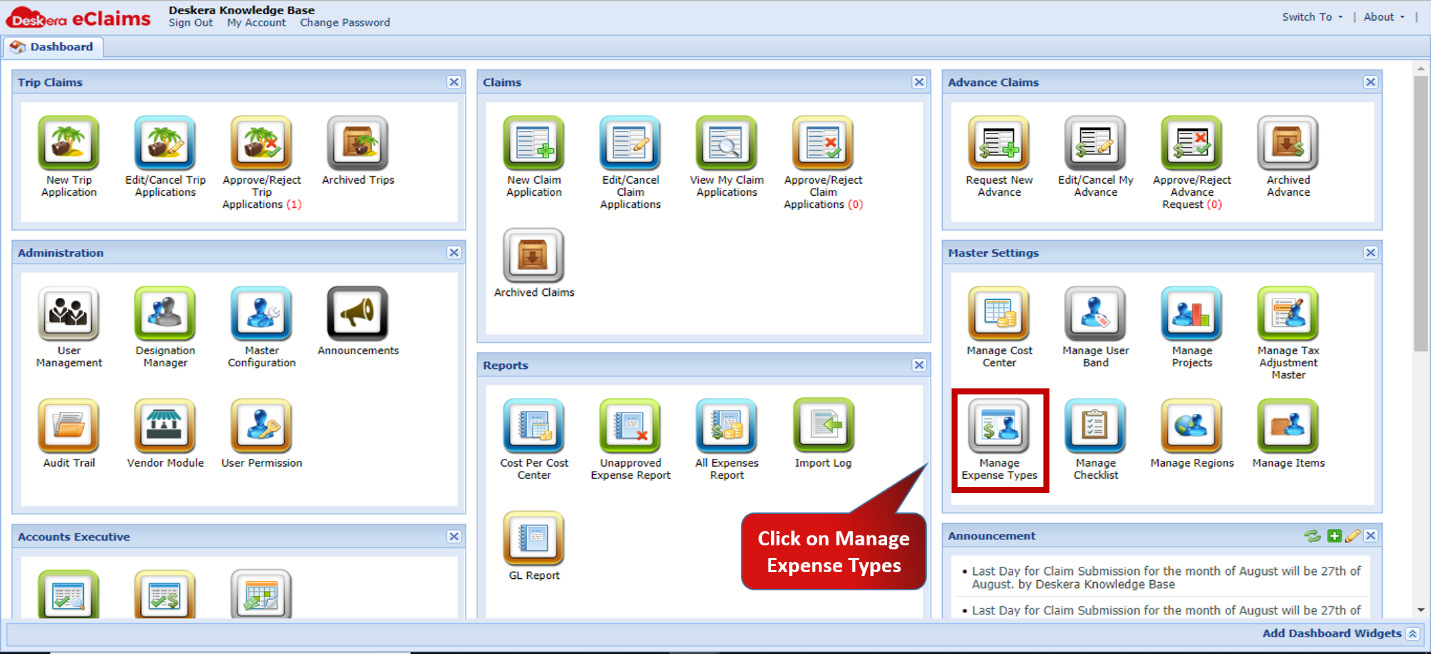 Fig.4.6.5.2.1 eClaims Dashboard
Step 2: Select the expense type to which to assign users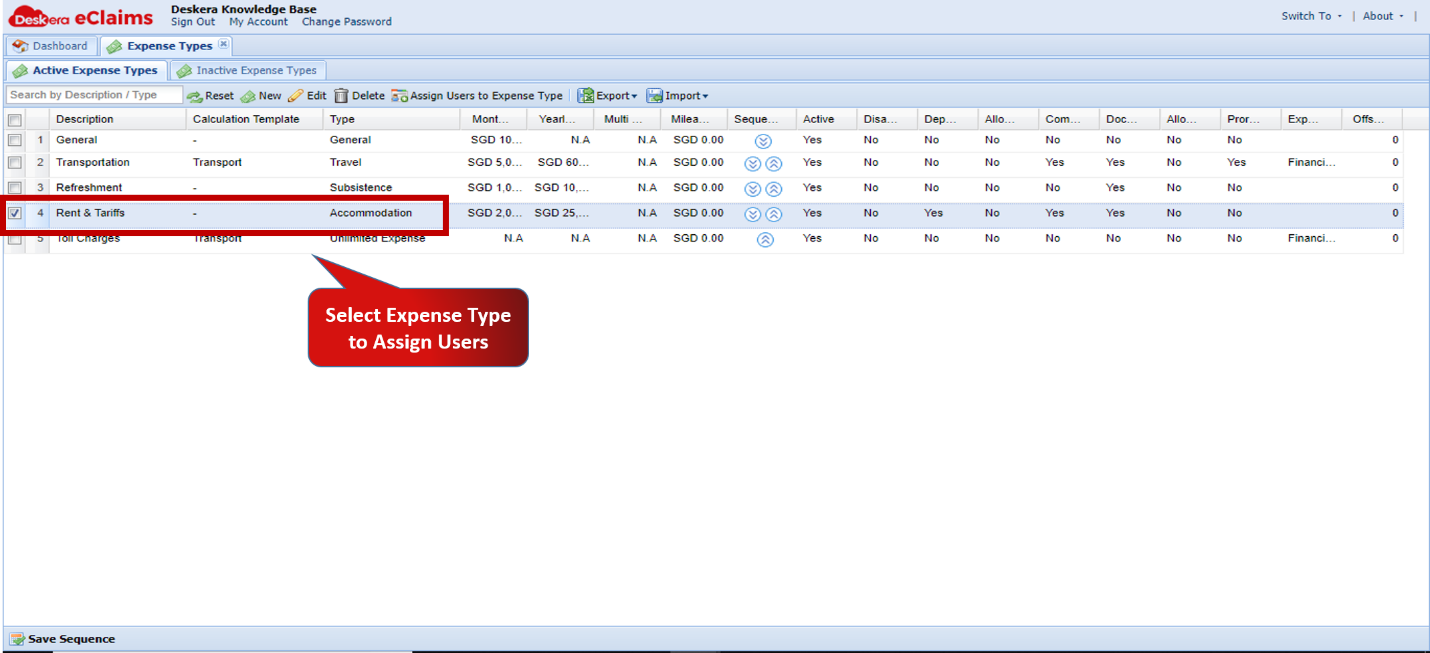 Fig.4.6.5.2.2 Manage Expense Types
Step 3: Click on Assign Users to Expense Type 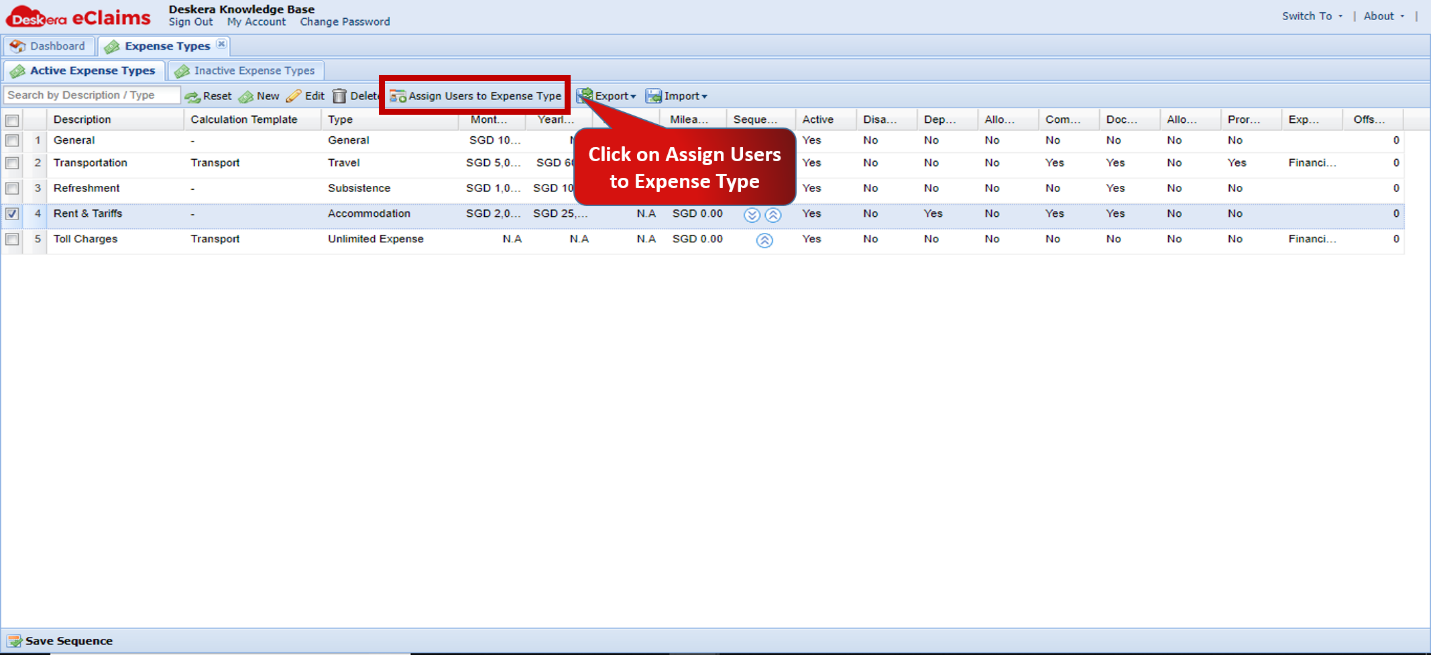 Fig.4.6.5.2.3 Manage Expense Types
Step 4: Select the users to assign and assign using the arrows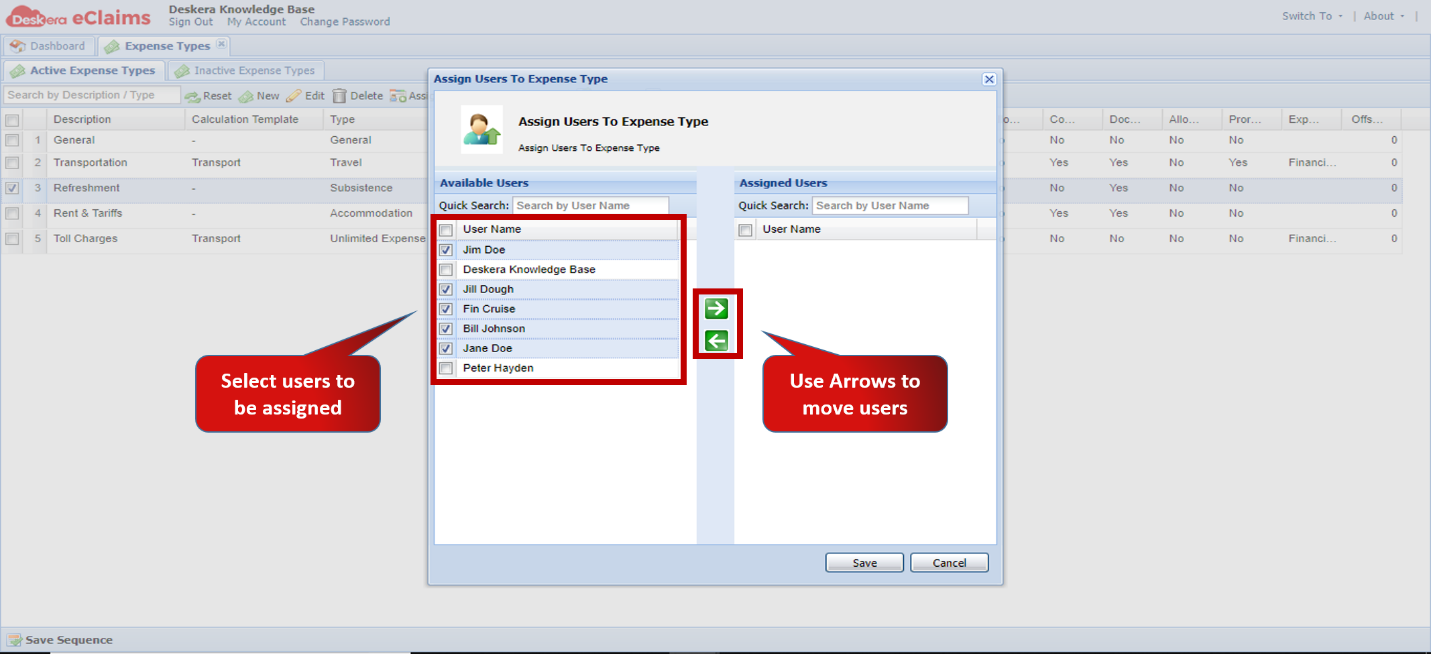 Fig.4.6.5.2.4 Assign Users to Expense Type
Step 5: Click on Save to assign users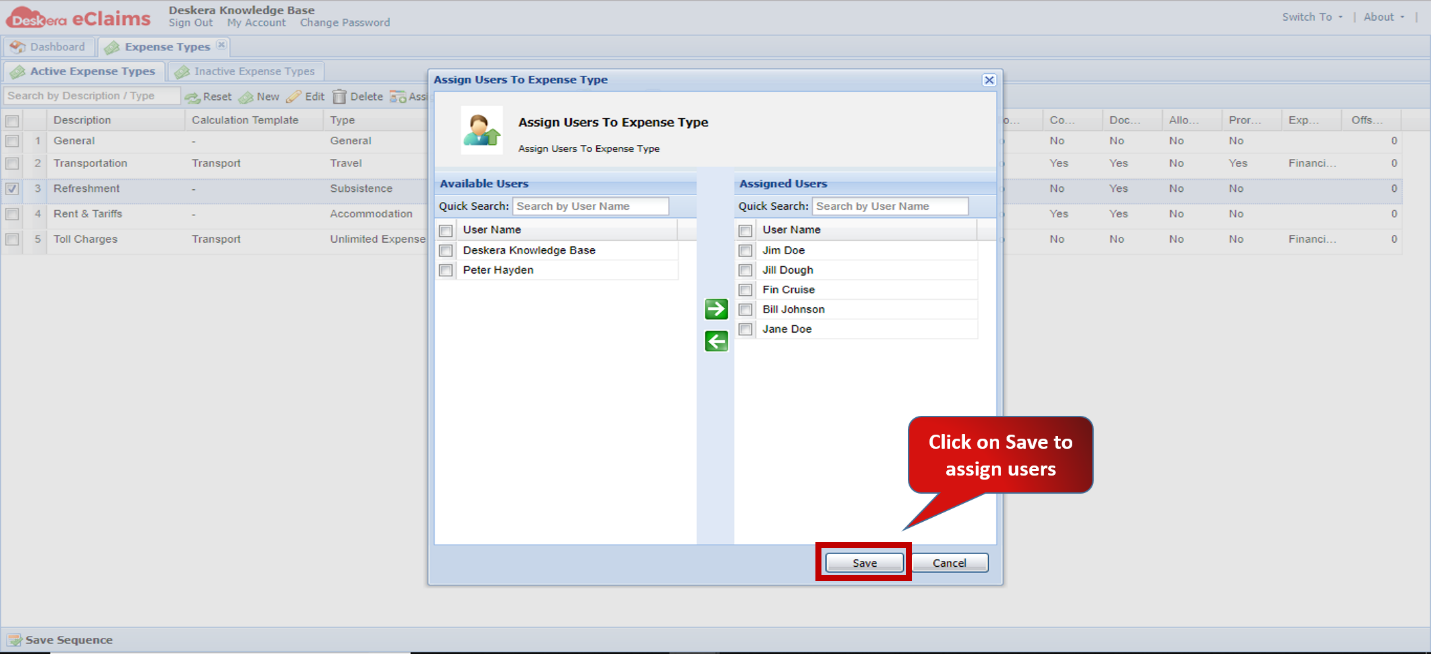 Fig.4.6.5.2.5 Assign Users to Expense Type
Comments
0 comments
Please sign in to leave a comment.