
Archived Claims feature enables you to view you archived claims at one place. You can also Unarchive the claims under Archive Claims tab.
Prerequisites:
1. You have your Deskera eClaims application URL in place.
2. You are the administrator of the eClaims application.
3. Ensure good internet connectivity.
Step 1: Go to View My Claim Applications under Claims widget in eClaims.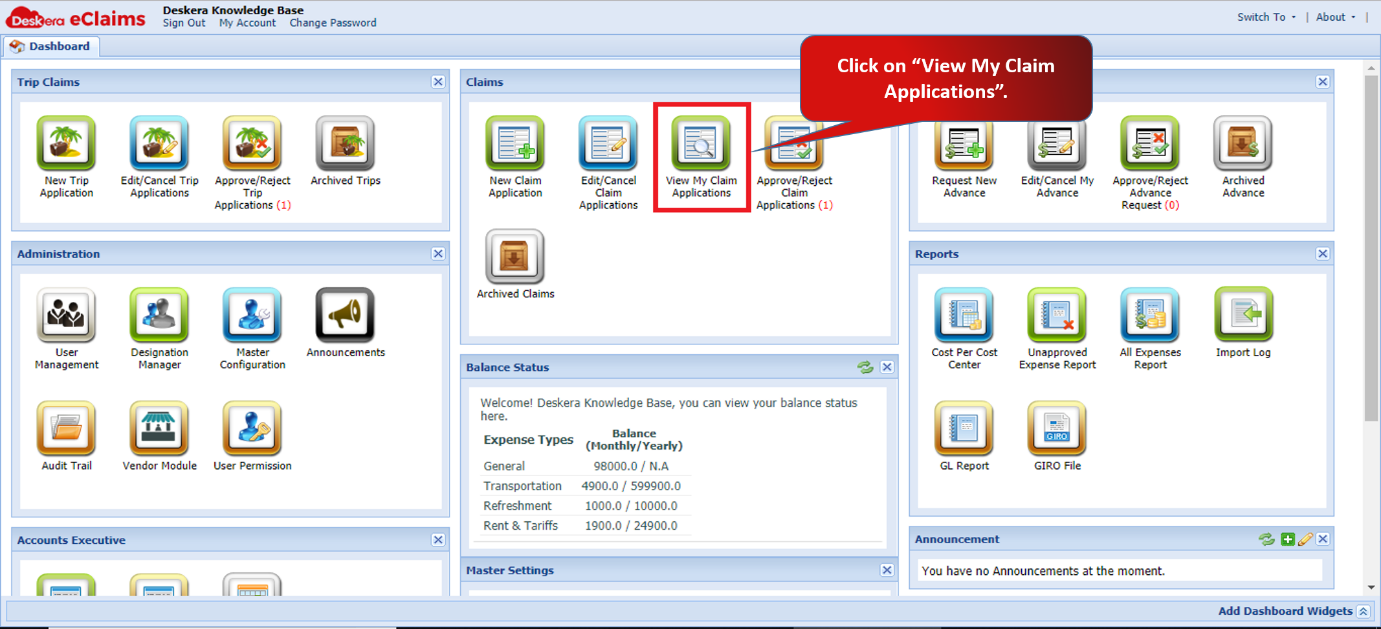
Fig 4.3.5.1 eClaims Dashboard
Step 2: Select the claim you want to add to archive. Right click the selected claim and click on Add to Archive.
The claim will be added to Archive successfully.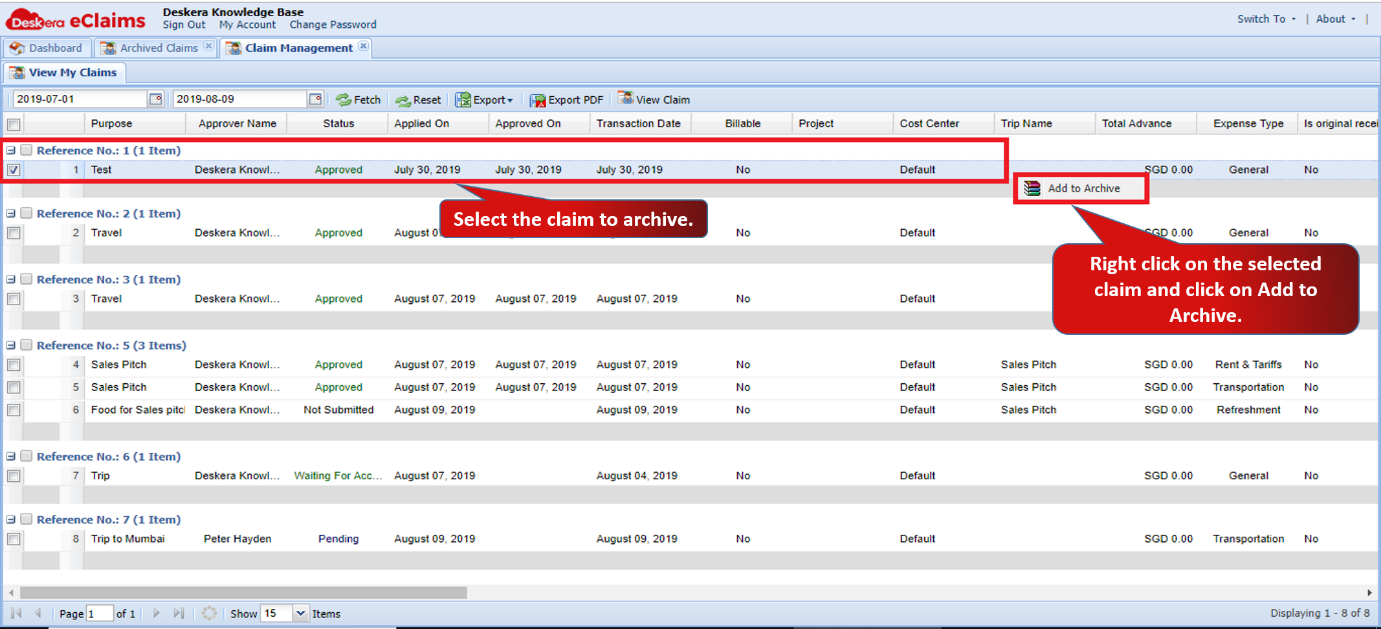
Fig 4.3.5.2 Approve/Reject Claims
Step 3: Go to Archived Cliams under Claims widget in eClaims.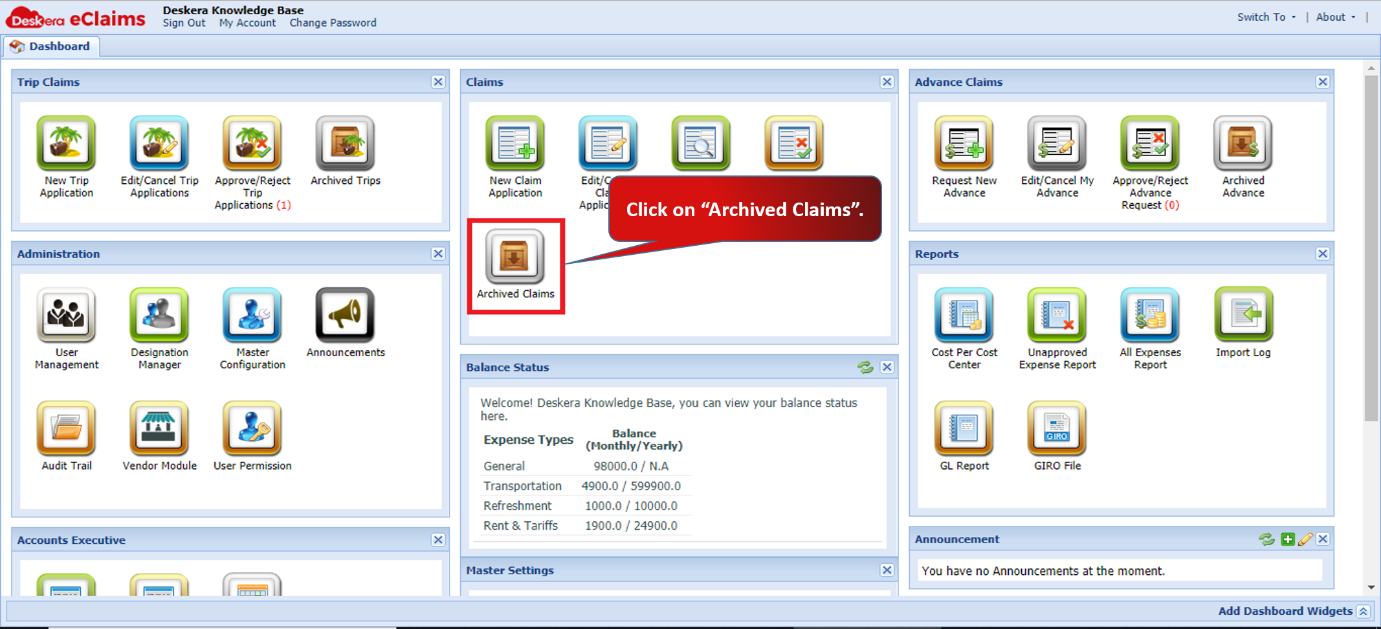
Fig 4.3.5.3 eClaims Dashboard
Step 4: You can view the Archived claims here. You can also select a claim and right click on it to Unarchive it as well.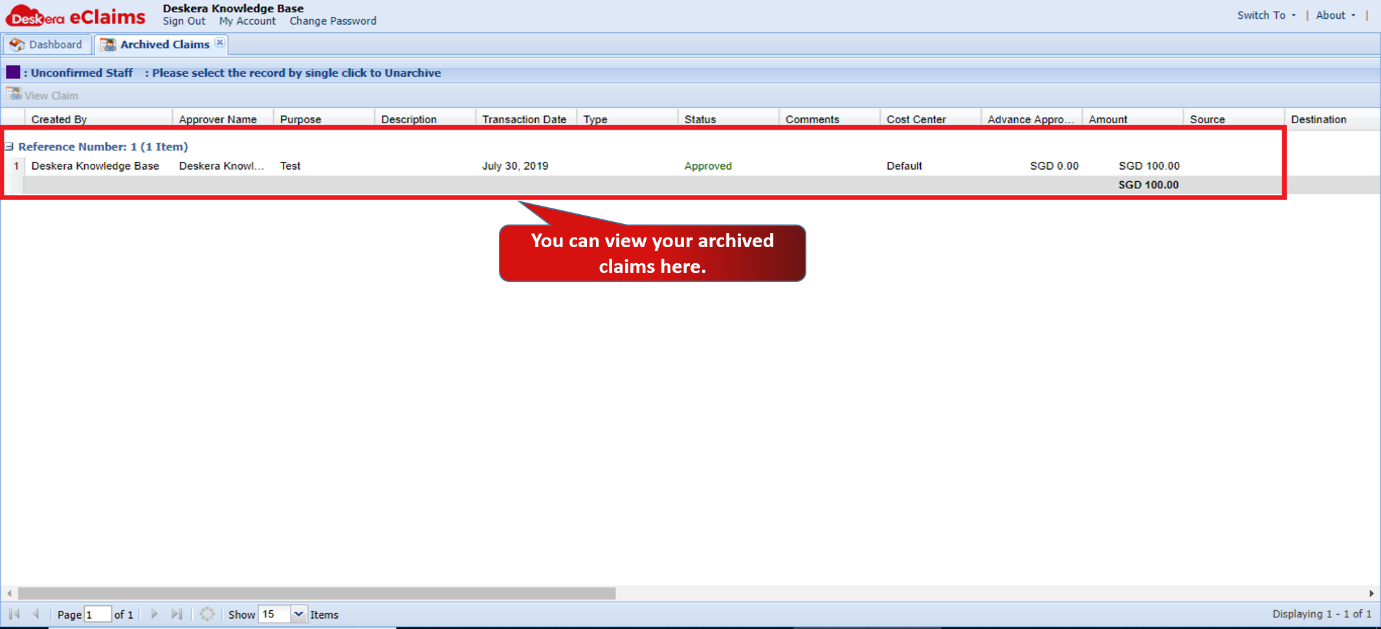
Fig 4.3.5.4 Archived Claims
Comments
0 comments
Please sign in to leave a comment.