
Assign Users to Cost Center feature enables you to assign users to a selected cost center as per your requirements. You can assign multiple users to a cost center.
Prerequisites:
1. You have your Deskera eClaims application URL in place.
2. You are the administrator of the eClaims application.
3. Ensure good internet connectivity.
Step 1: Go to Manage Cost Center under Master Setting’s widget in eClaims.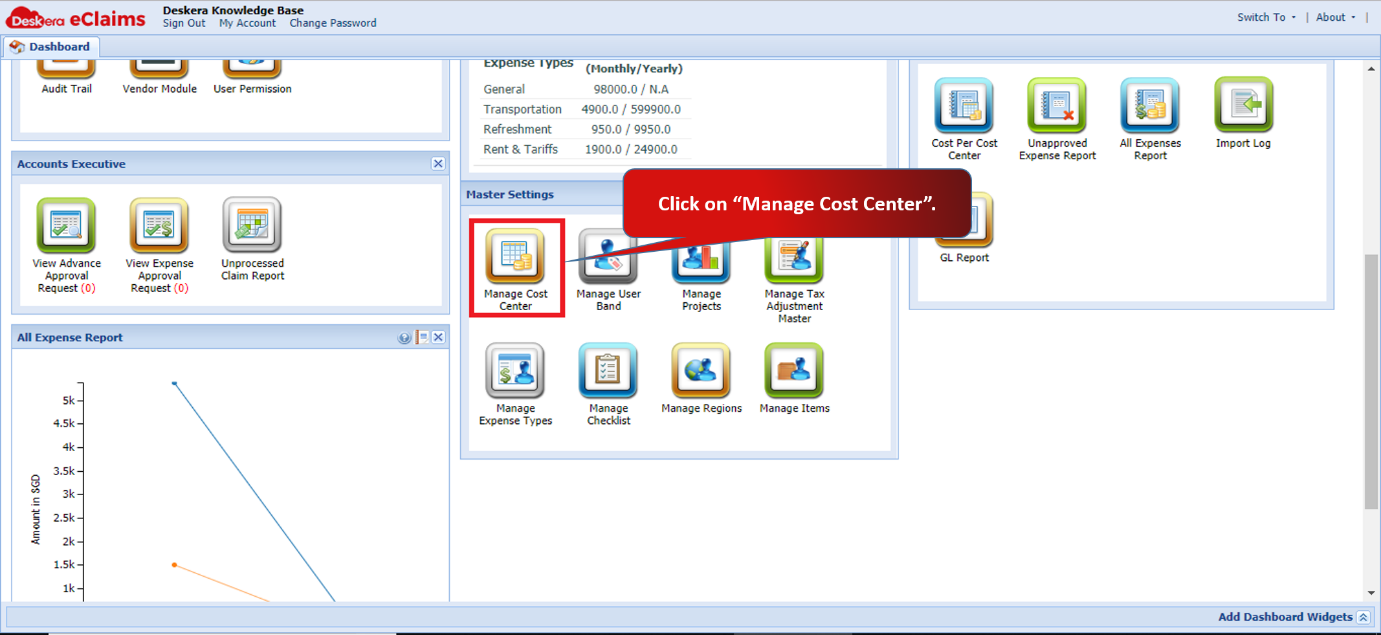 Fig 4.6.1.2.1 eClaims Dashboard
Step 2: Select the cost center and click on Assign Users to cost center.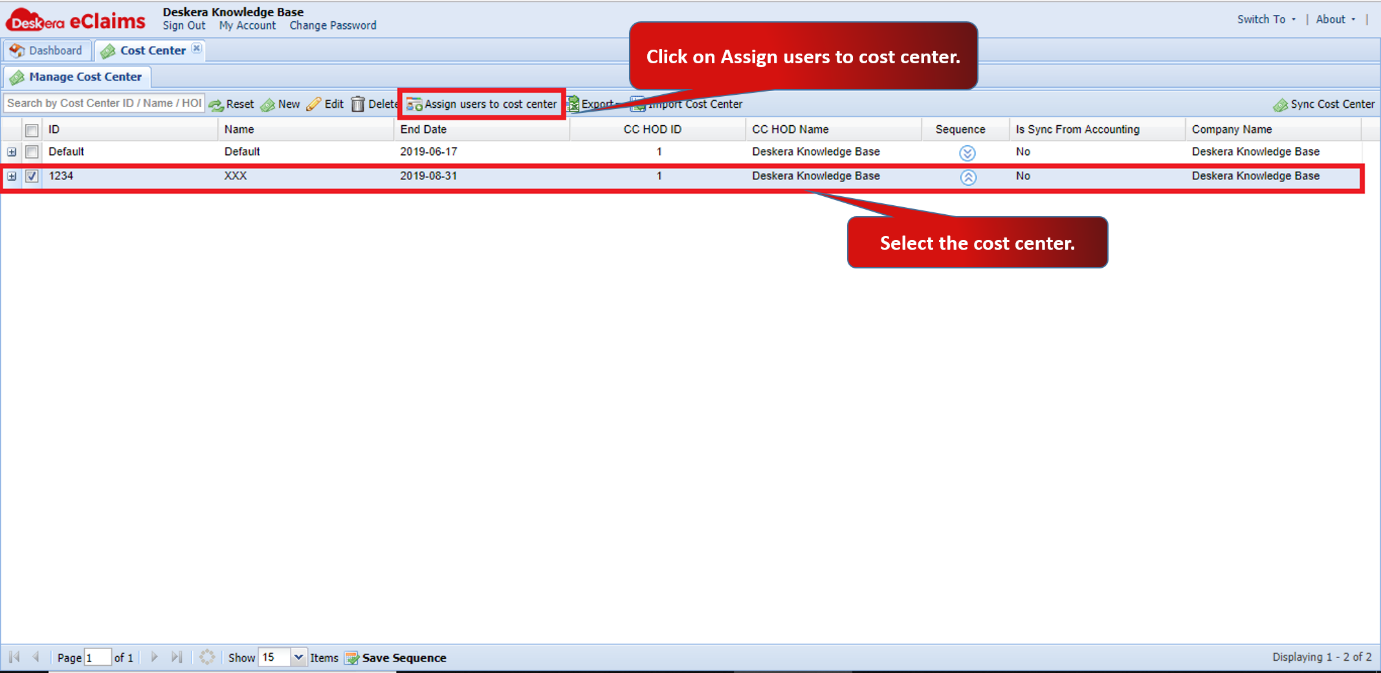 Fig 4.6.1.2.2 Manage Cost Center
Step 3: Select the user on the left and then click on the arrow to shift it to the right. User will be assigned. You can assign multiple users to a cost center. Click on Save.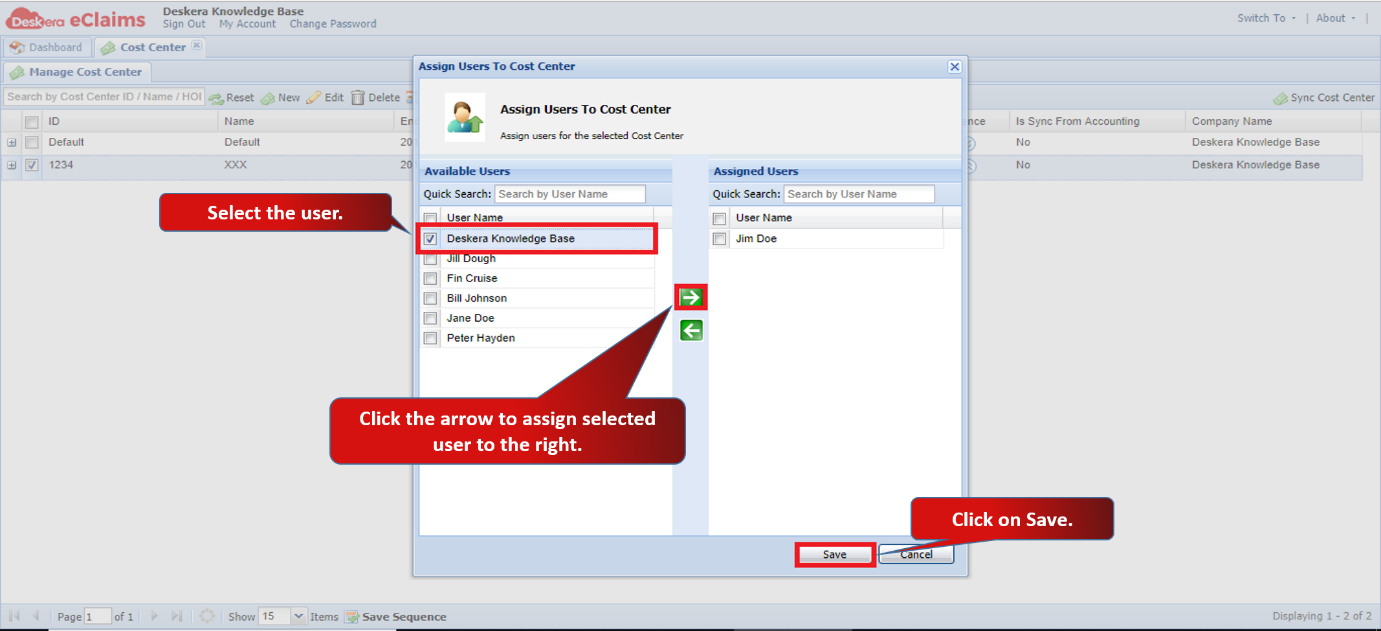 Fig 4.6.1.2.3 Assign Users to Cost Center
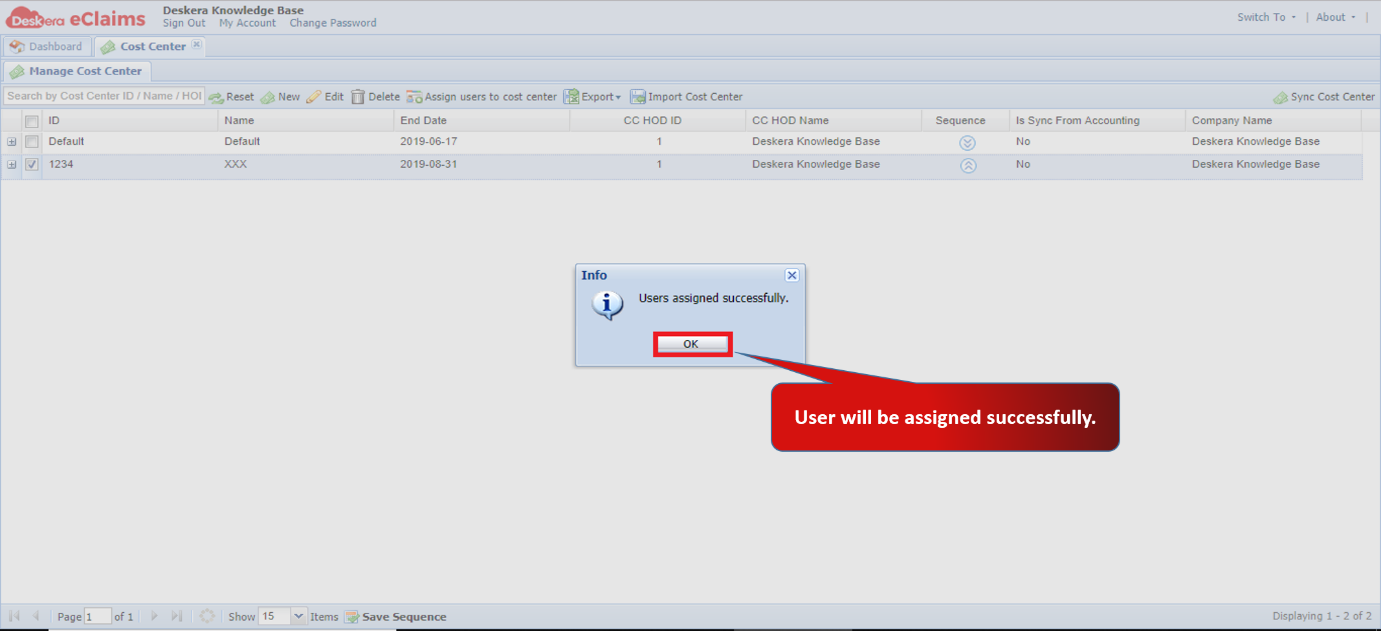 Fig 4.6.1.2.4 Assign Users to Cost Center
Comments
0 comments
Please sign in to leave a comment.