
Deskera eClaims application allows the administrator to send out announcements to users using the Announcements function on the eClaims Dashboard. These announcements can be targeted at all users or specific users and can be set for a particular time duration during which it will be visible to the users.
Prerequisites:
1. Ensure you have your Deskera eClaims application URL in place.
2. Ensure you are the administrator of the eClaims application
3. Ensure a good internet connectivity
Step 1: Go to Announcements under Administration on eClaims Dashboard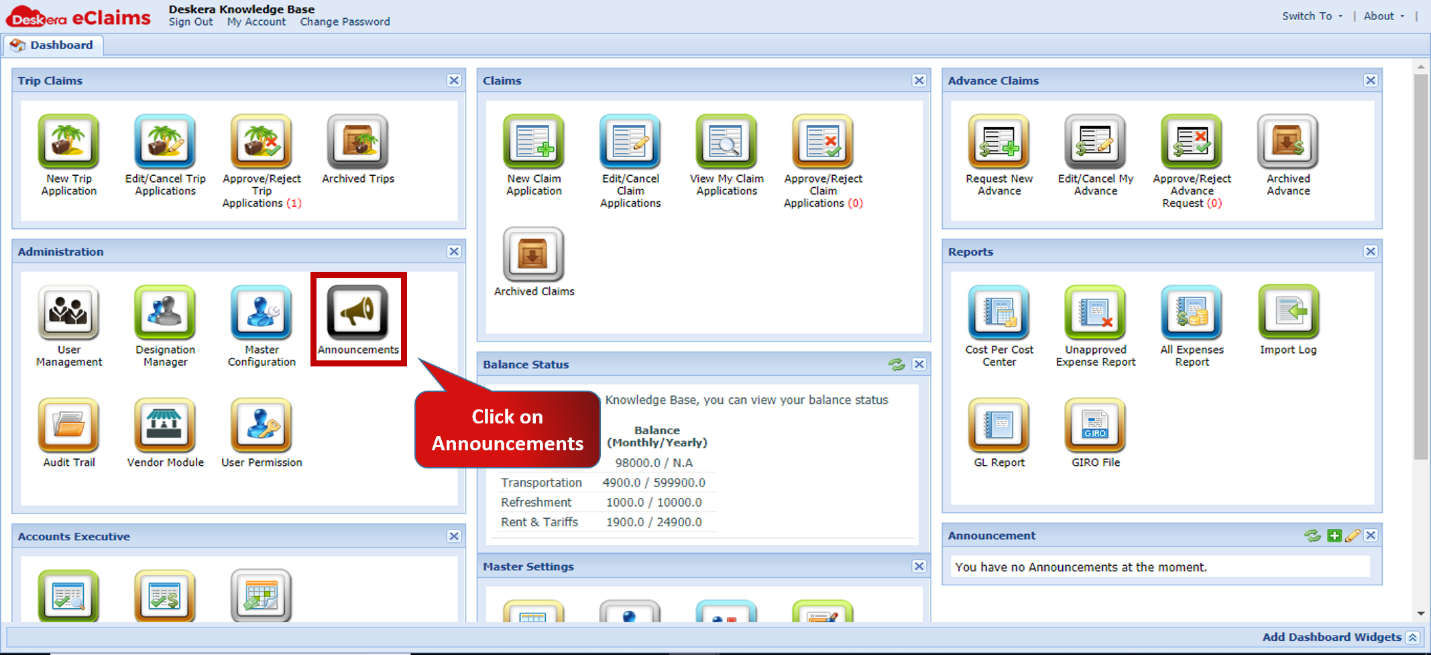 Fig.4.2.4.1 eClaims Dashboard
Step 2: Select the users to whom announcement is to be made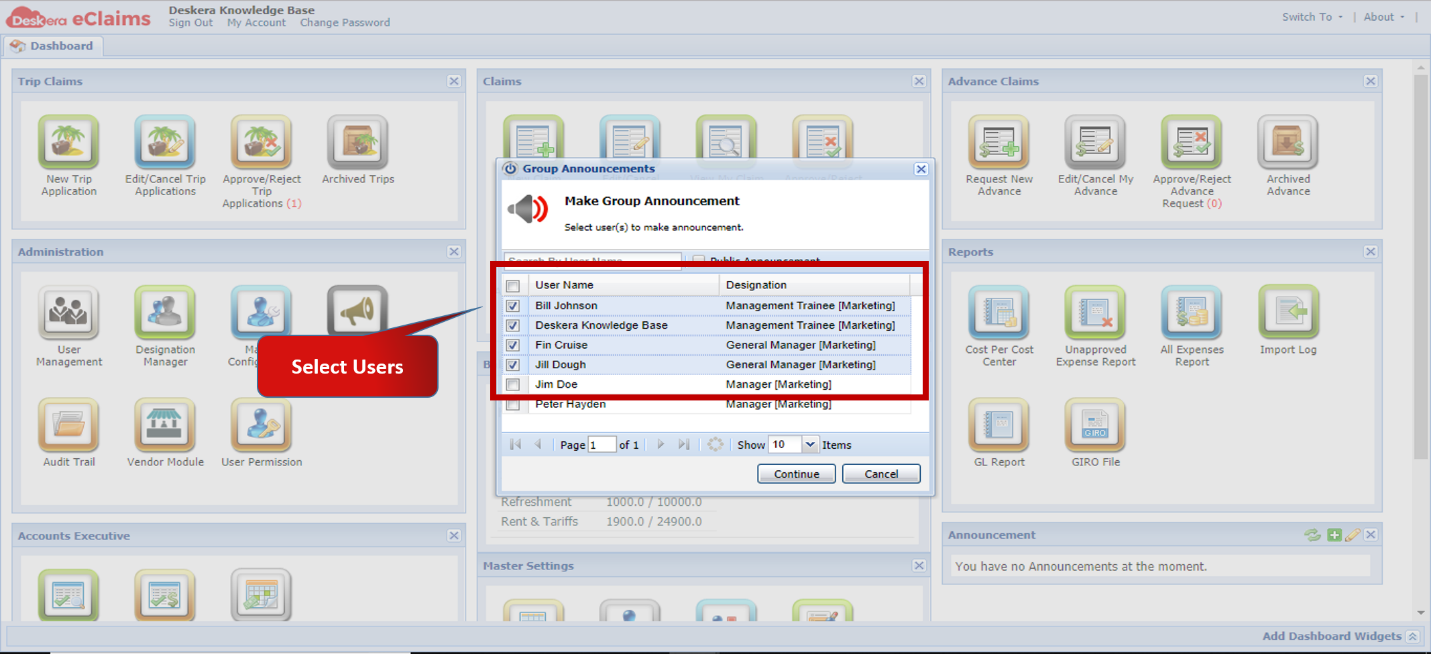 Fig.4.2.4.2 Make Group Announcement
Step 3: Enable Public Announcement if announcement is for all users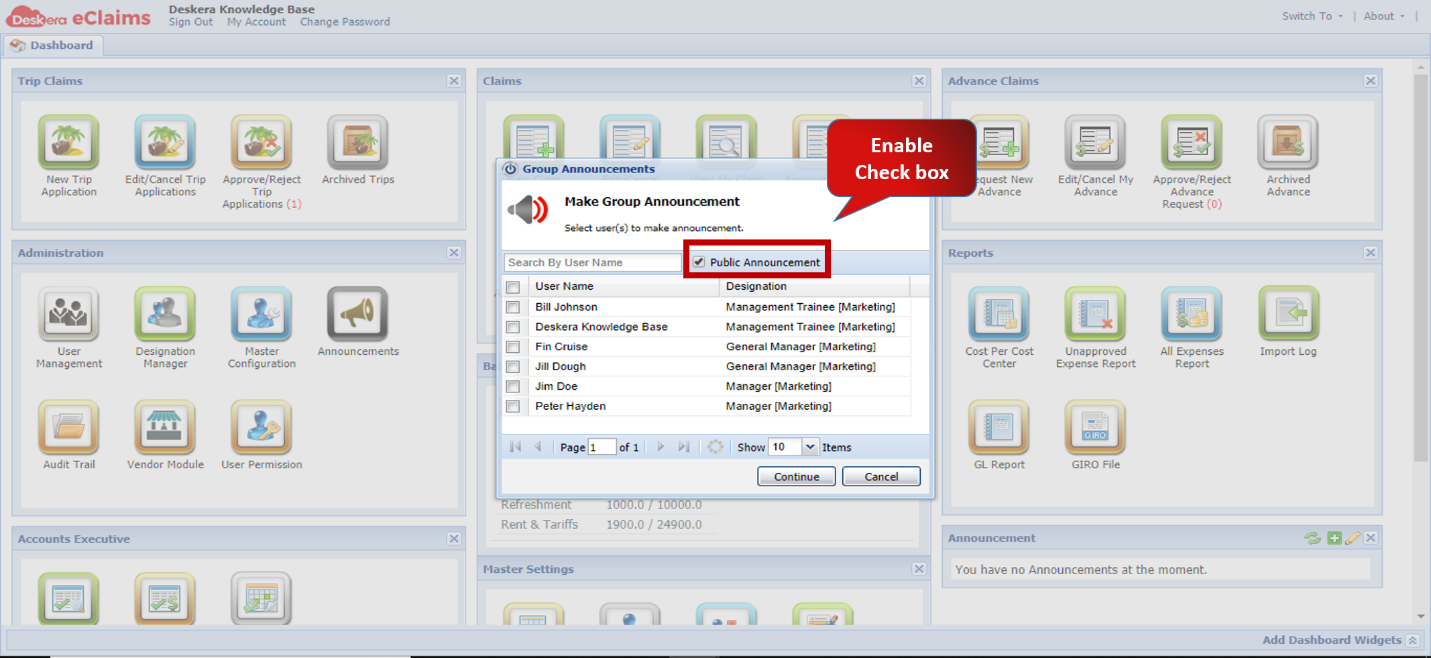 Fig.4.2.4.3 Make Group Announcement
Step 4: Click on Continue to proceed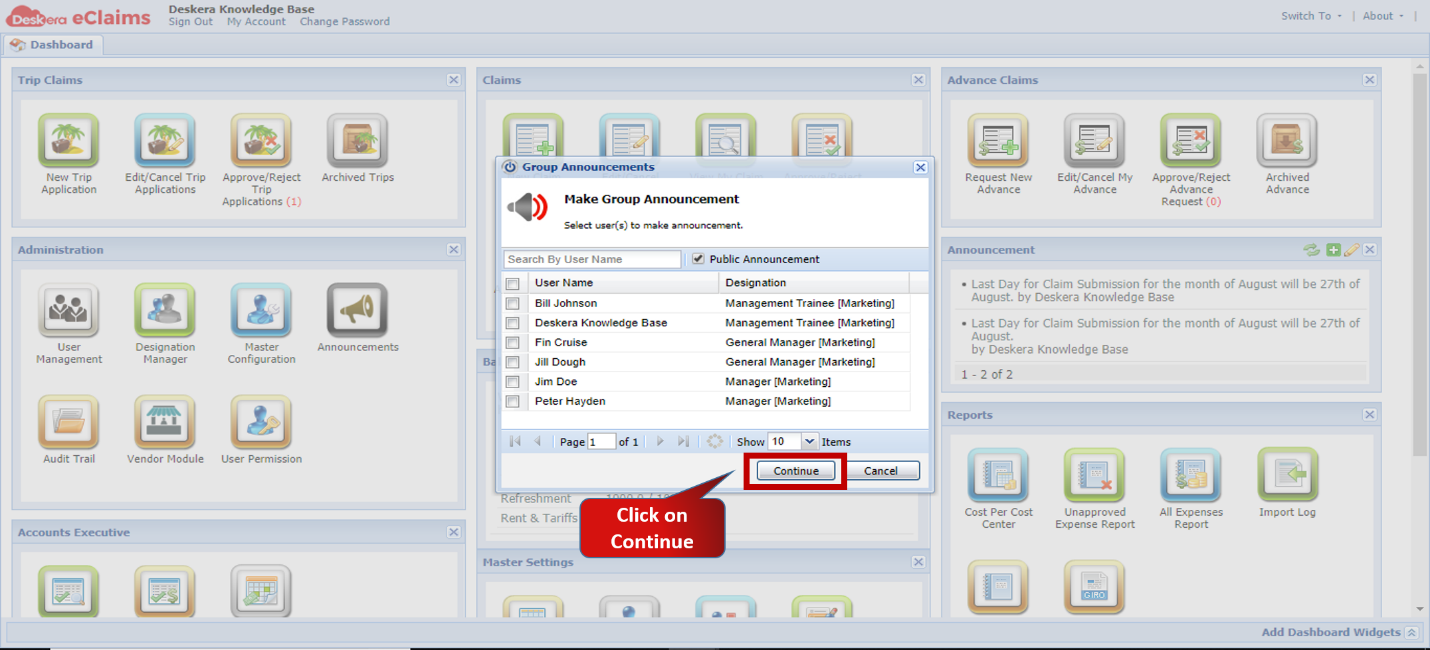 Fig.4.2.4.4 Make Group Announcement
Step 5: Enter the Announcement Content to be sent out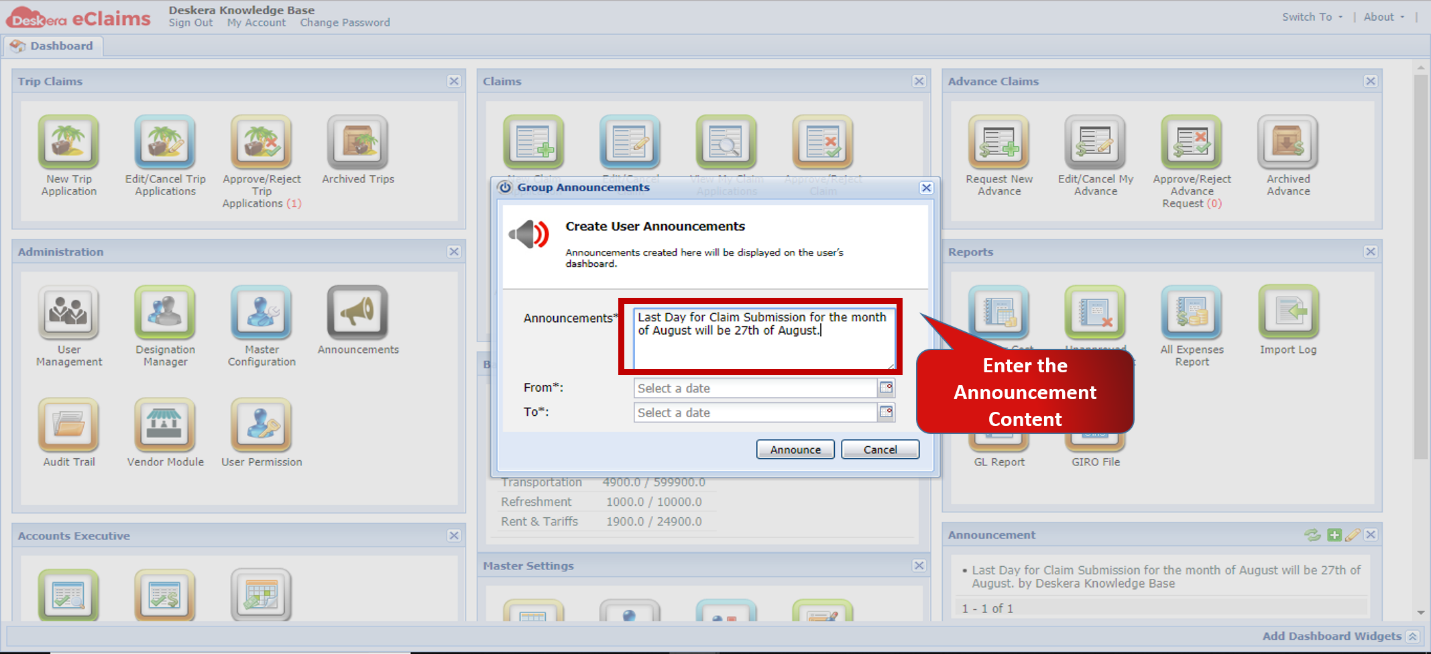 Fig.4.2.4.5 Make Group Announcement
Step 6: Enter Start and End Date during which announcement is to be made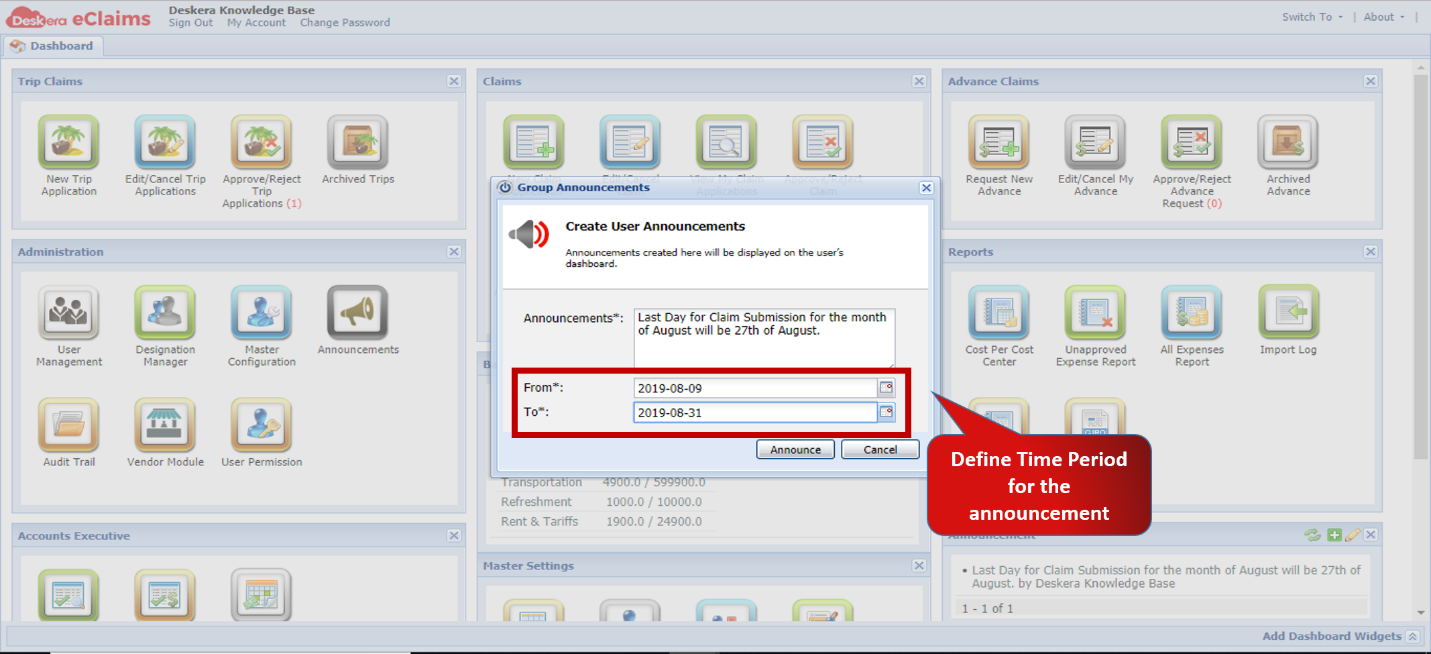 Fig.4.2.4.6 Make Group Announcement
Step 7: Click on Announce to make Announcement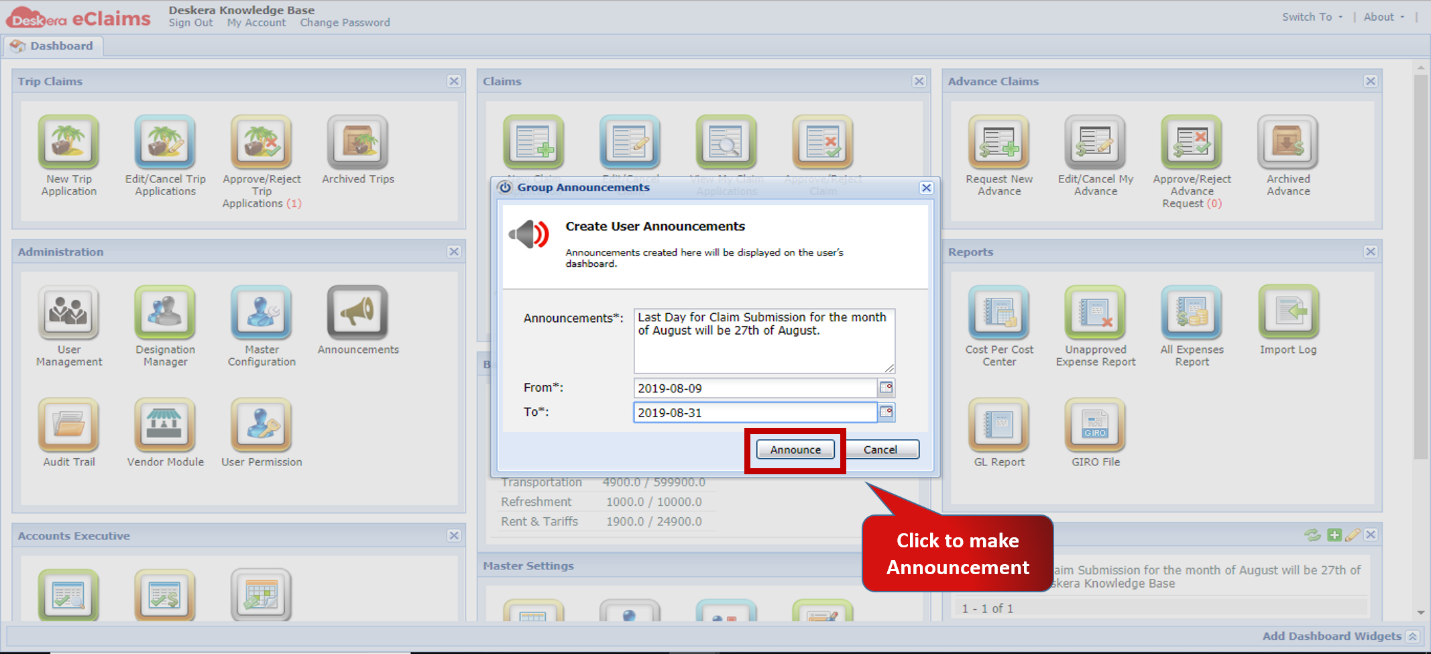 Fig.4.2.4.7 Make Group Announcement
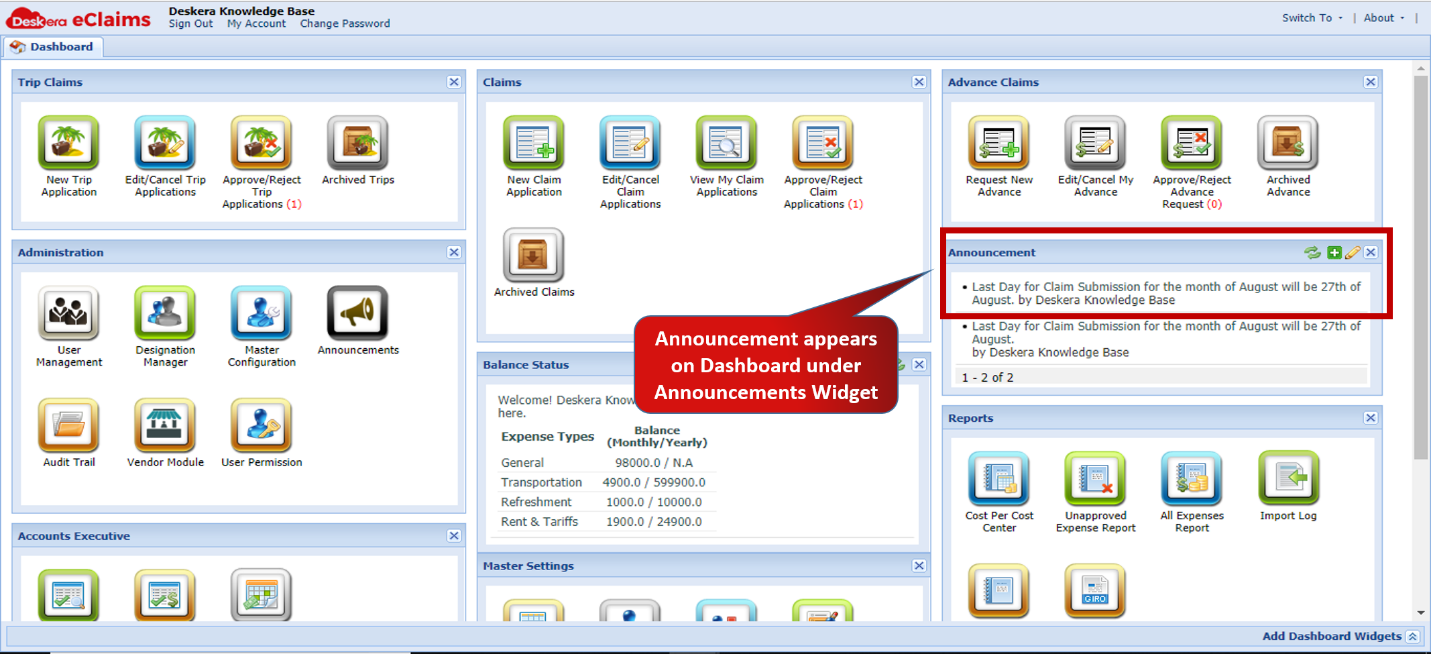 Fig.4.2.4.8 eClaims Dashboard -Announcement
Comments
0 comments
Please sign in to leave a comment.