
Employees in the Deskera eLeave Application can be assigned shifts. The assigned shifts can be viewed as follows.
Prerequisites:
- You have your Deskera eLeaves application URL in place.
- You are the administrator of the eLeaves application.
- Ensure Stable Internet Connectivity.
Step 1: On the e-Leaves Dashboard, Click on Attendance Management under the Attendance Manager Widget.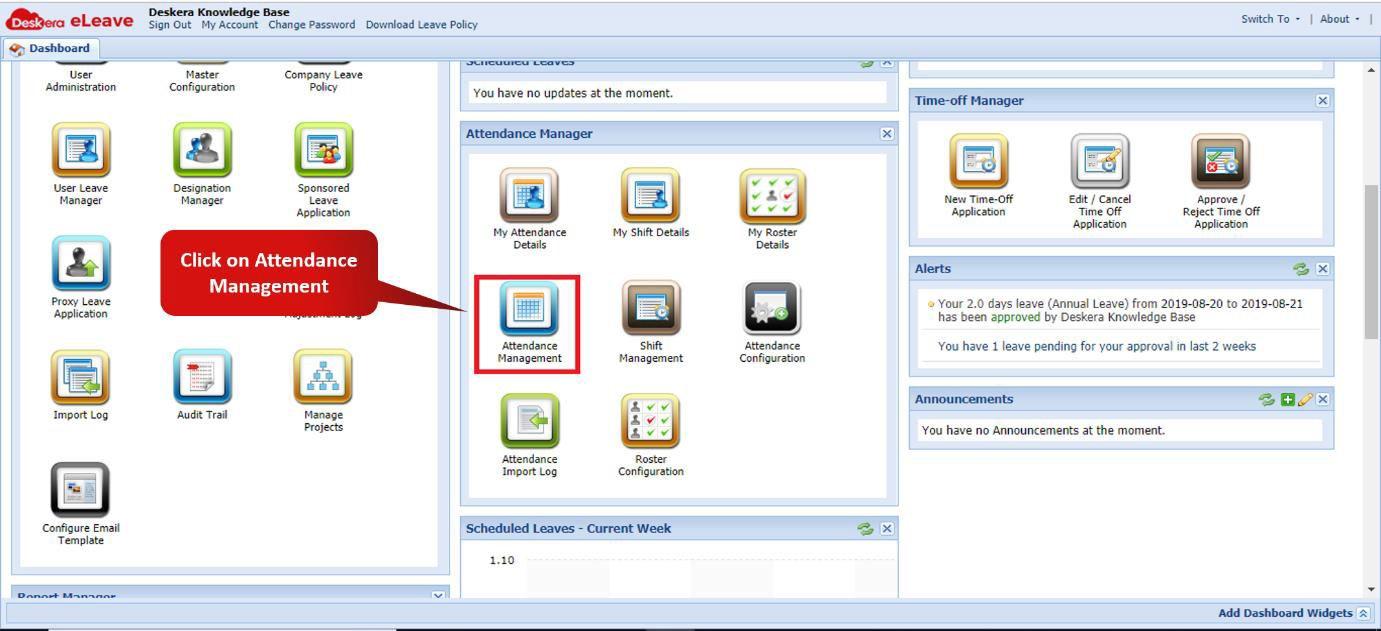 Fig. 3.3.3.4.1 e-Leaves Dashboard
Step 2: Choose the employee whose shift has to be assigned and click on Assign Shift.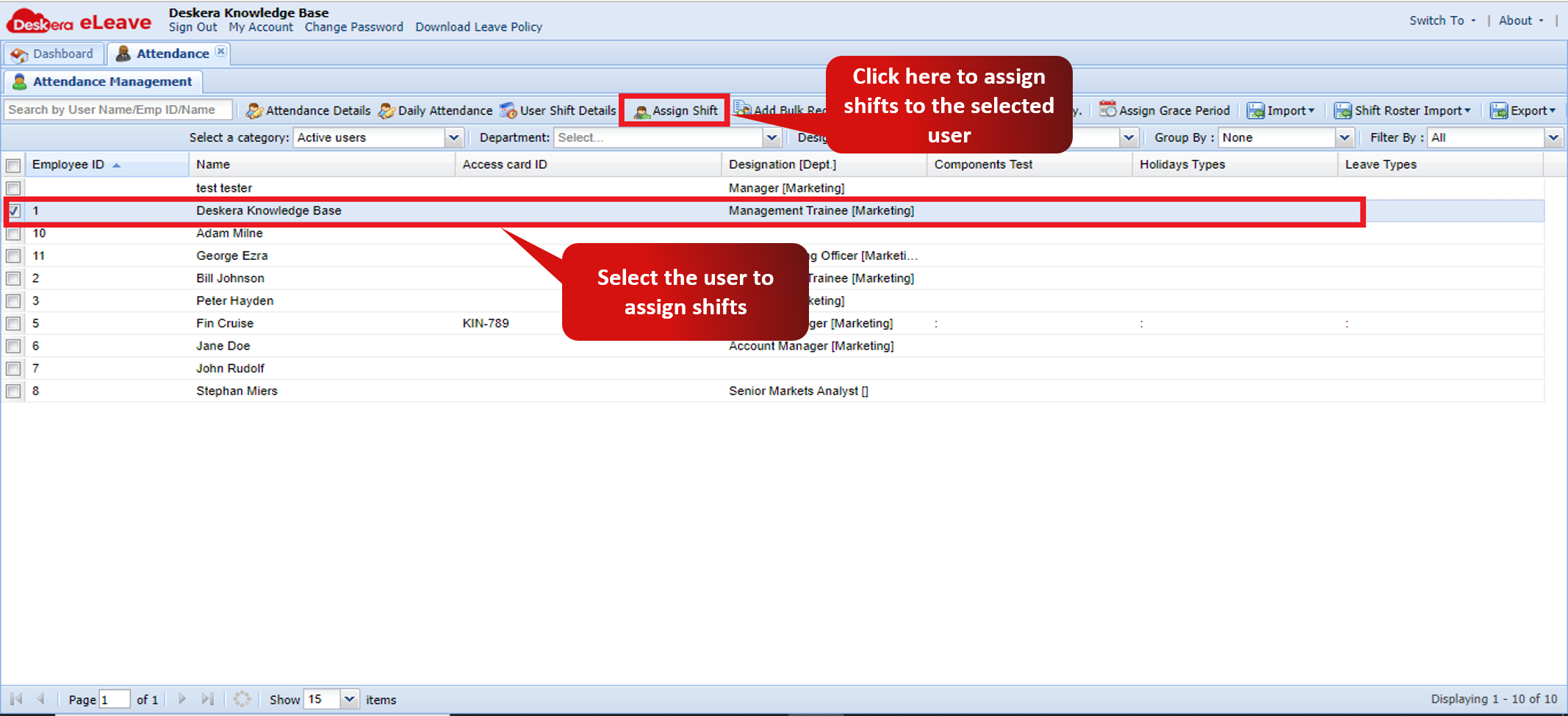 Fig. 3.3.3.4.2 Attendance Management Window
Step 3: Select the Shift to be assigned to the user and the date range for the shifts to be assigned. Click on save to finish assigning the shifts to the user.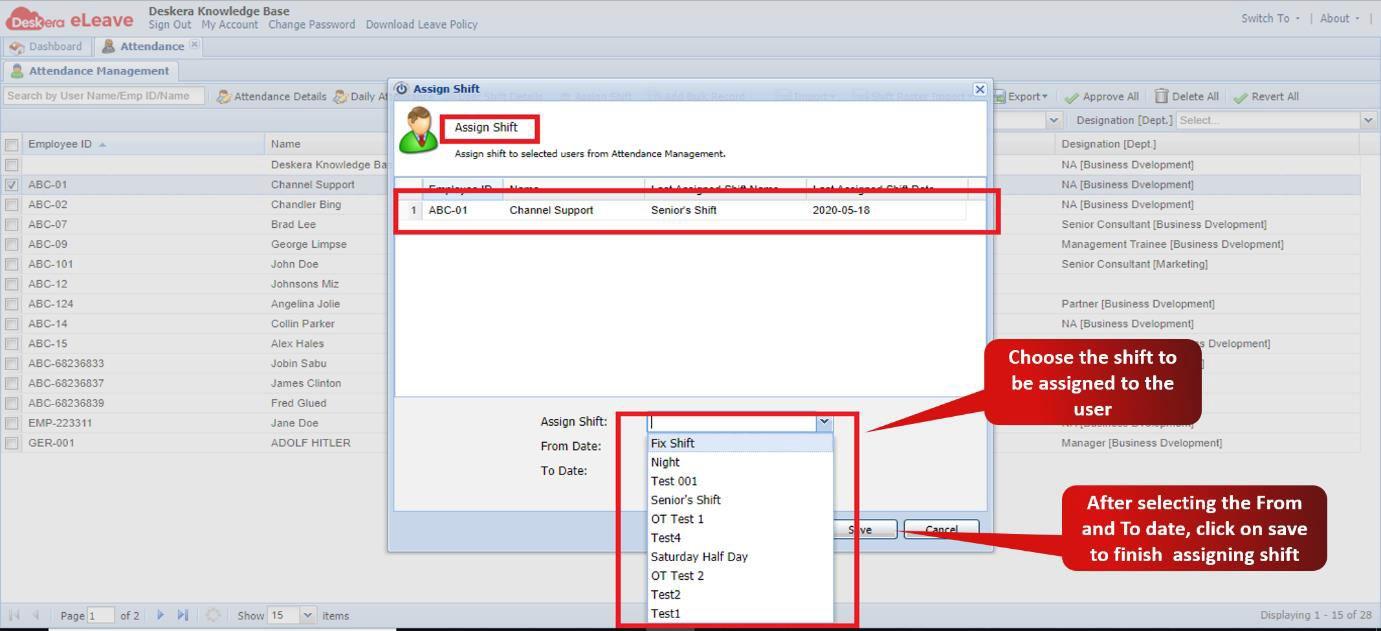 Fig. 3.3.3.4.3 Assign Shift Wizard
Comments
0 comments
Please sign in to leave a comment.