
Import function is used to import the Attendance of employees and Shift Roster imported is used to import the shift roster of employees in the Deskera eLeaves Application
Prerequisites:
- You have your Deskera eLeaves application URL in place.
- You are the administrator of the eLeaves application.
- Ensure Stable Internet Connectivity.
Import
Step 1: On the e-Leaves Dashboard, Click on Attendance Management under the Attendance Manager Widget.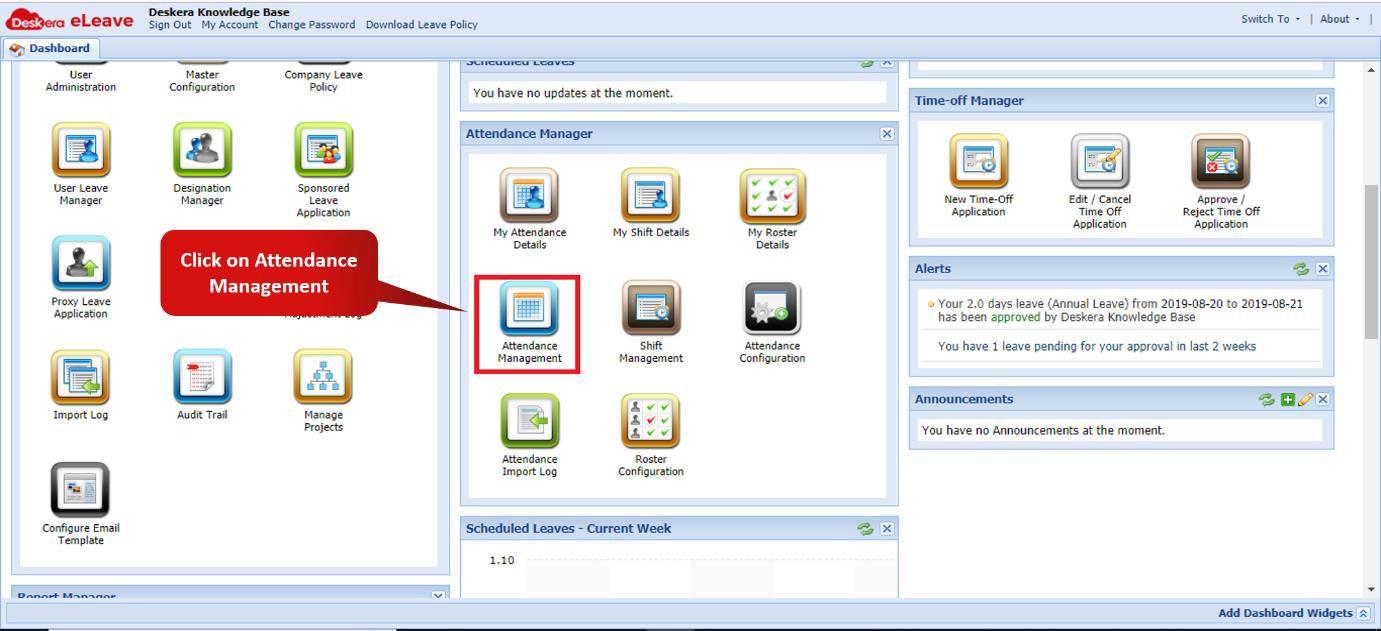 Fig. 3.3.3.5.1 e-Leaves Dashboard
Step 2: Click on import and choose the format of the file to be imported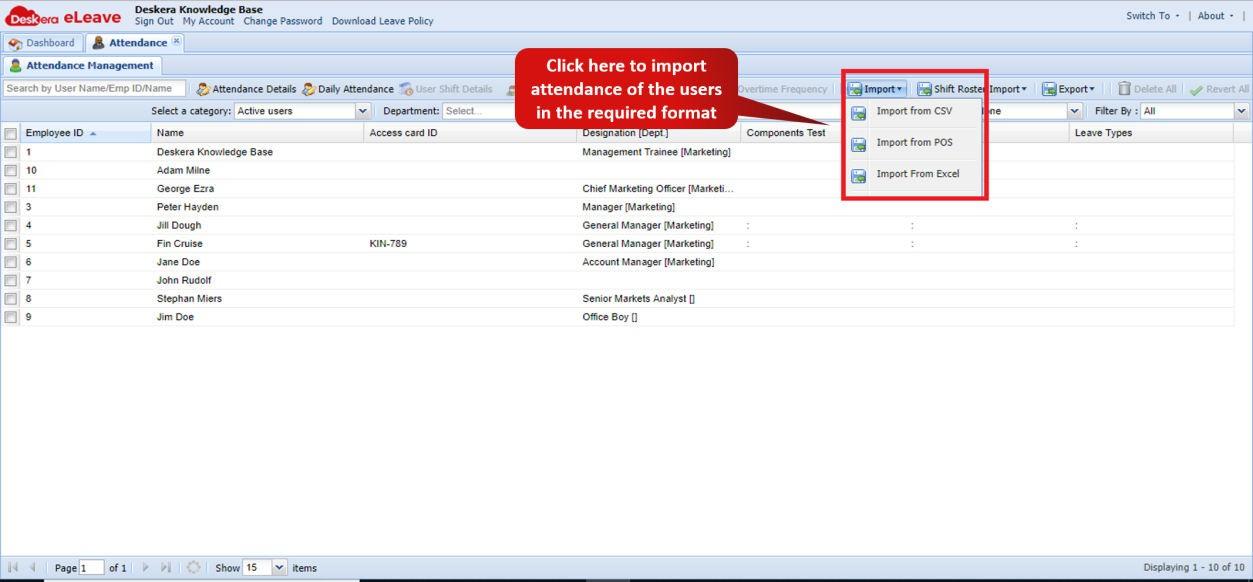 Fig. 3.3.3.5.2 Attendance Management Window
Step 3: Choose the file to be imported and select the date and time format for the same.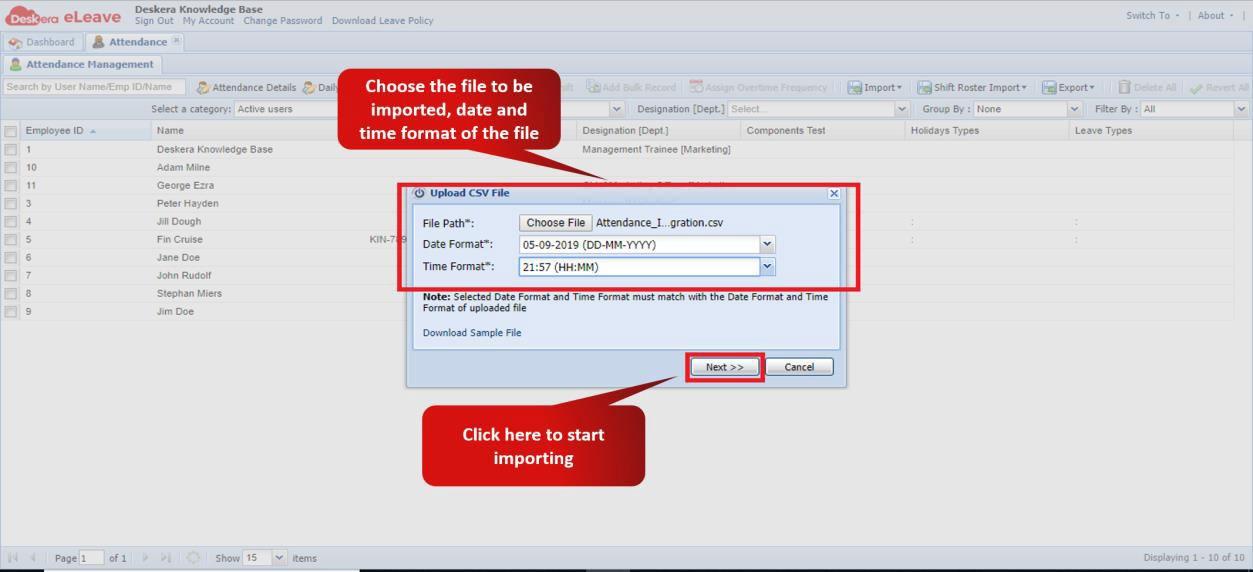 Fig. 3.3.3.5.3 Upload File Wizard
Step 4: Map the fields of the system to the fields in the import file and click on import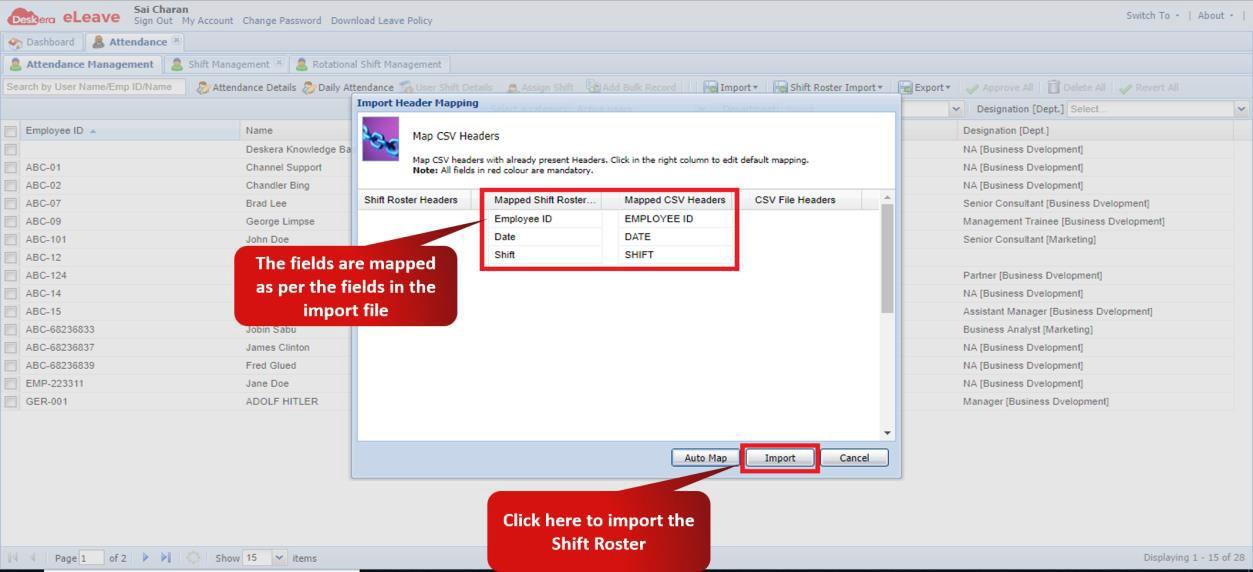 Fig. 3.3.3.5.4 Import Header Mapping
Step 5: The import is now in progress and would be notified via Email when completed.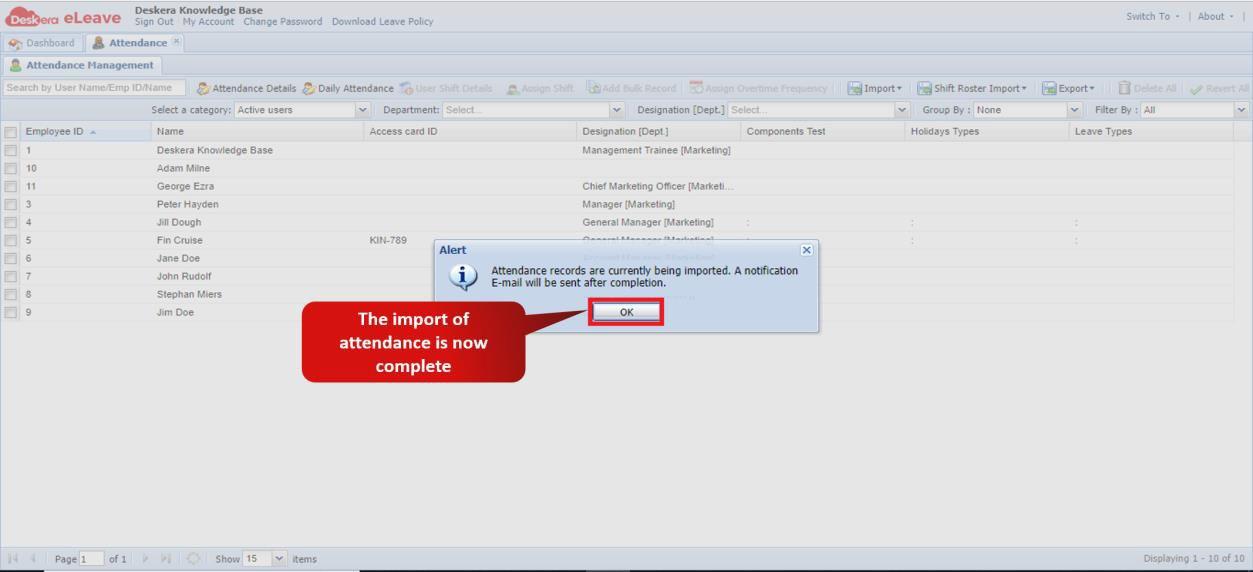 Fig. 3.3.3.5.5 Import confirmation
Shift Roster Import
Step 1: On the e-Leaves Dashboard, Click on Attendance Management under the Attendance Manager Widget.Fig. 3.3.3.5.6 e-Leaves Dashboard
Step 2: Click on Shift Roster import and choose the format of the file to be imported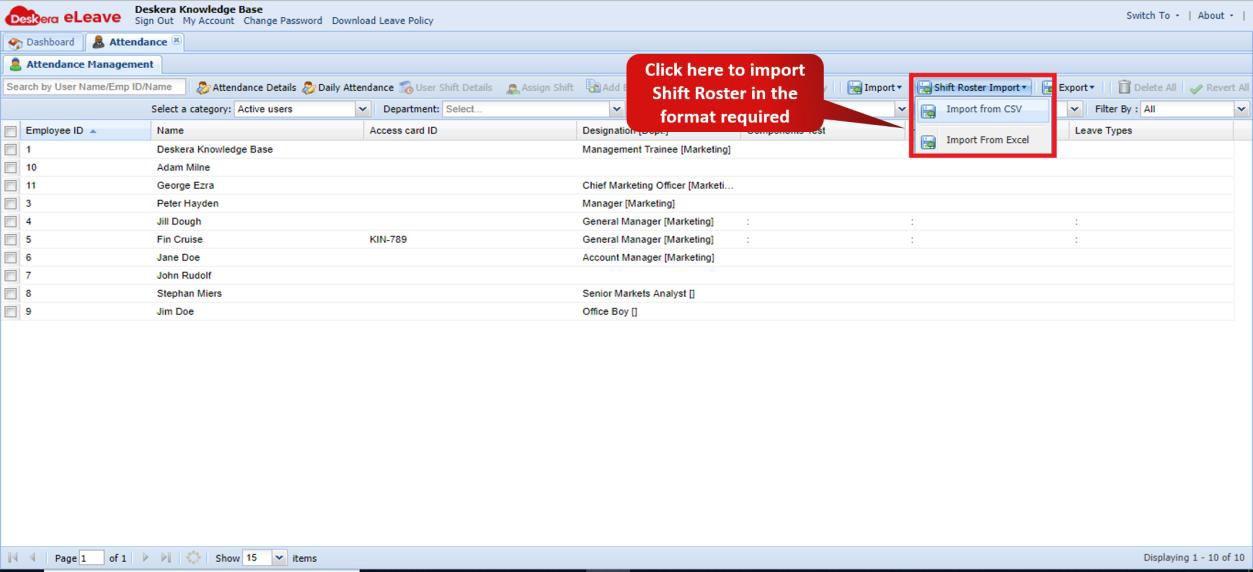 Fig. 3.3.3.5.7 Attendance Management Window
Step 3: Choose the file to be imported and select the date format for the same.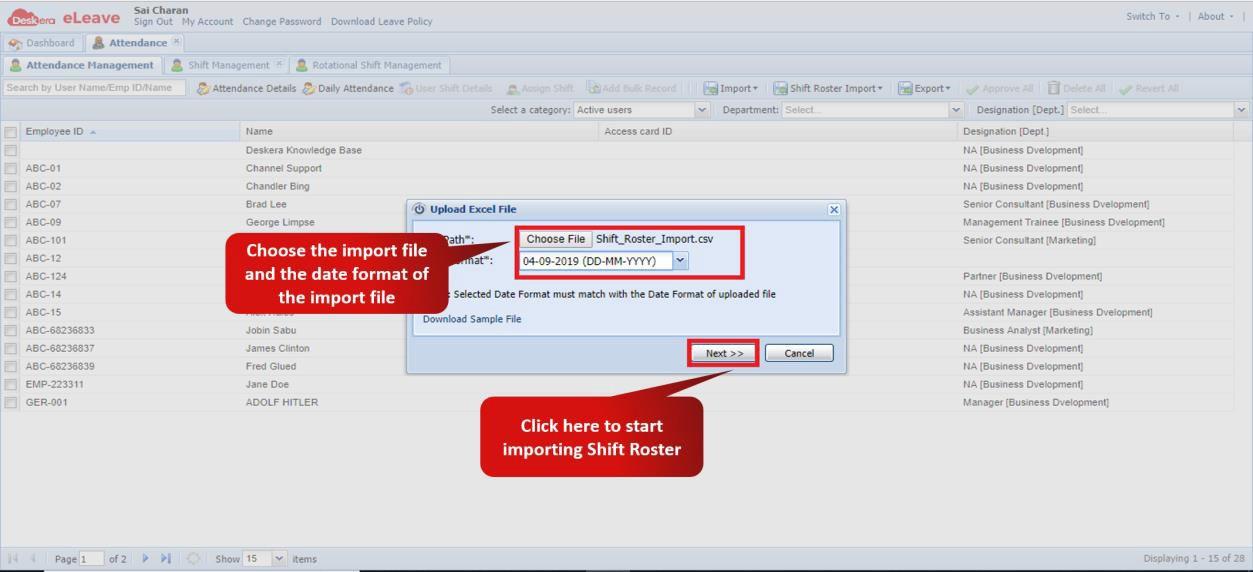 Fig. 3.3.3.5.8 Upload File Wizard
Step 4: Map the fields of the system to the fields in the import file and click on import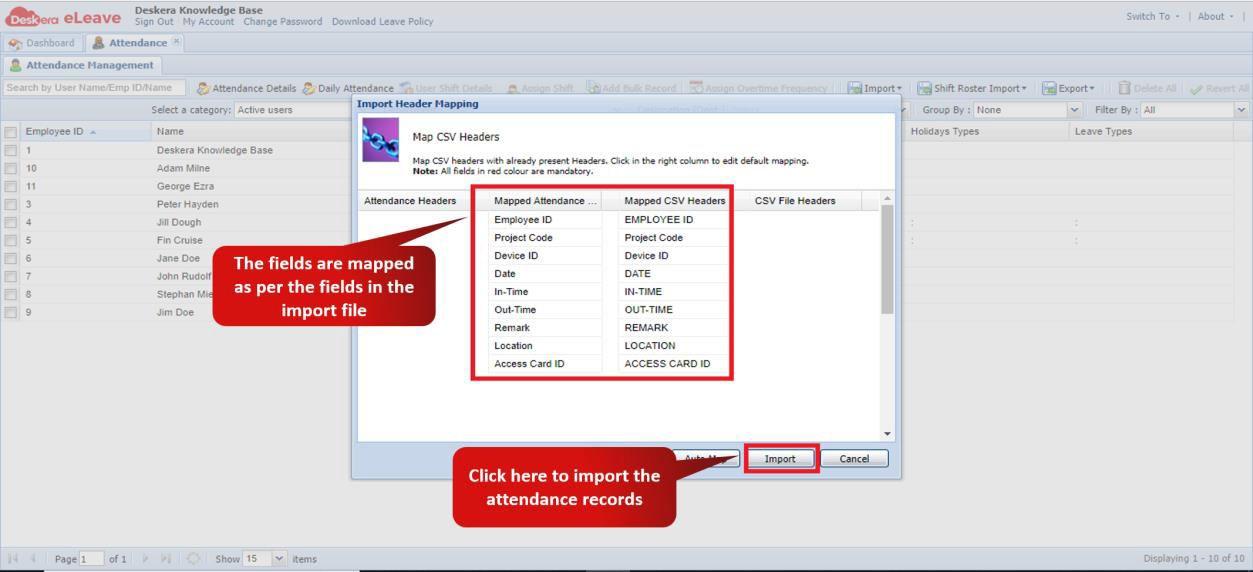 Fig. 3.3.3.5.9 Import Header Mapping
Step 5: The import is now in progress and would be notified via Email when completed. Fig. 3.3.3.5.10 Import confirmation
Comments
0 comments
Please sign in to leave a comment.