
The Leaves that are archived for future reference or future use can be viewed under the tab ‘View Archive’. This article briefs us of how to view archived leaves.
Prerequisites:
- You have your Deskera HRMS application URL in place.
- You are the administrator of the HRMS application.
- Ensure Stable Internet Connectivity.
Step 1: On the e-Leaves Dashboard, Click on View Archive under the Leave Manager Widget.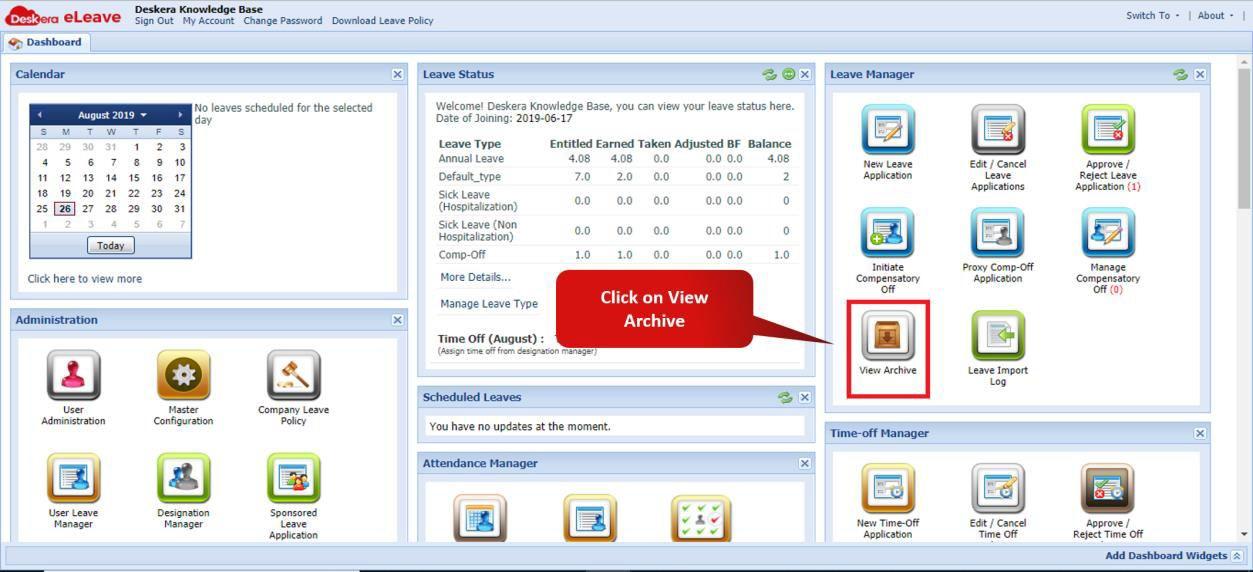 Fig. 3.2.8.1 e-Leaves Dashboard
Step 2: Click on the Leave you wish to unarchive.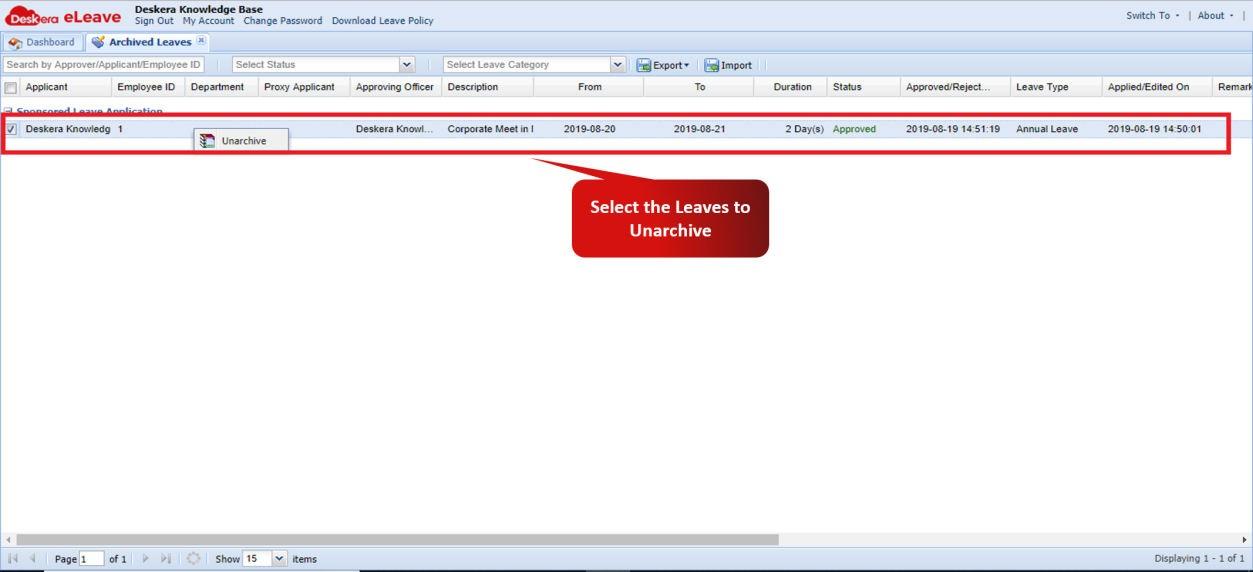 Fig. 3.2.8.2 View Archives Window
Step 3: You can Export Archived leaves from or import them into Deskera e-Leaves Application by clicking on Export or Import.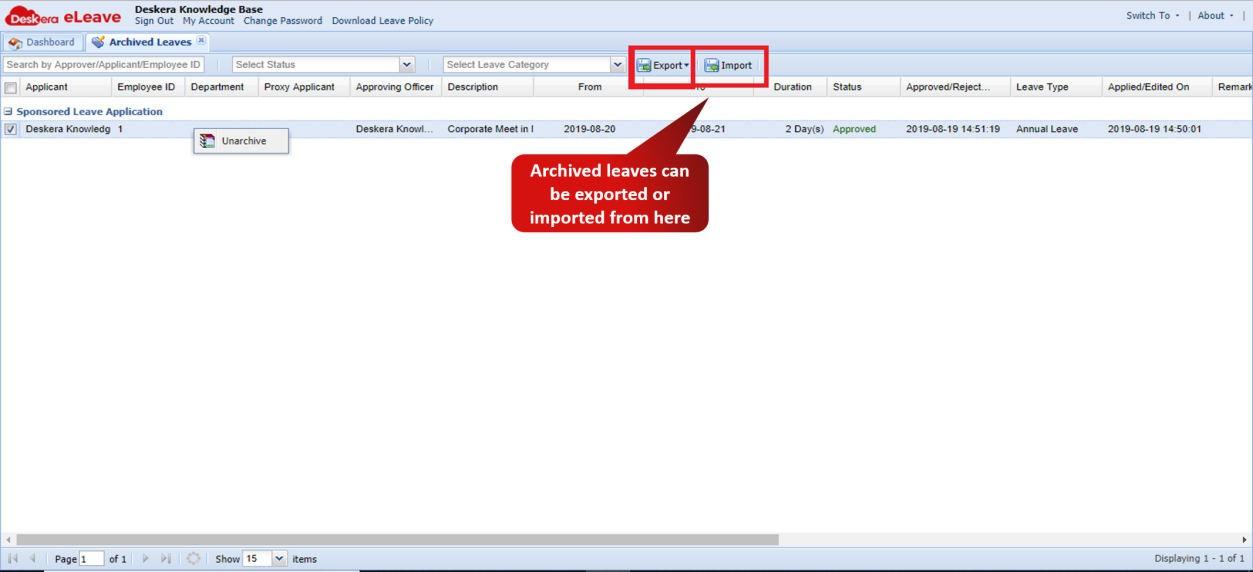 Fig. 3.2.8.3 View Archives Window
Comments
0 comments
Please sign in to leave a comment.