
Whenever a User wants to apply Comp-Off for another user in the Deskera e-Leave application, Proxy Comp-Off Application is used. The articles briefs us how to proxy Comp-Off application can be applied.
Prerequisites:
- You have your Deskera HRMS application URL in place.
- You are the administrator of the HRMS application.
- Ensure Stable Internet Connectivity.
Step 1: On the e-Leaves Dashboard, Click on Proxy Comp-Off under the Leave Manager Widget.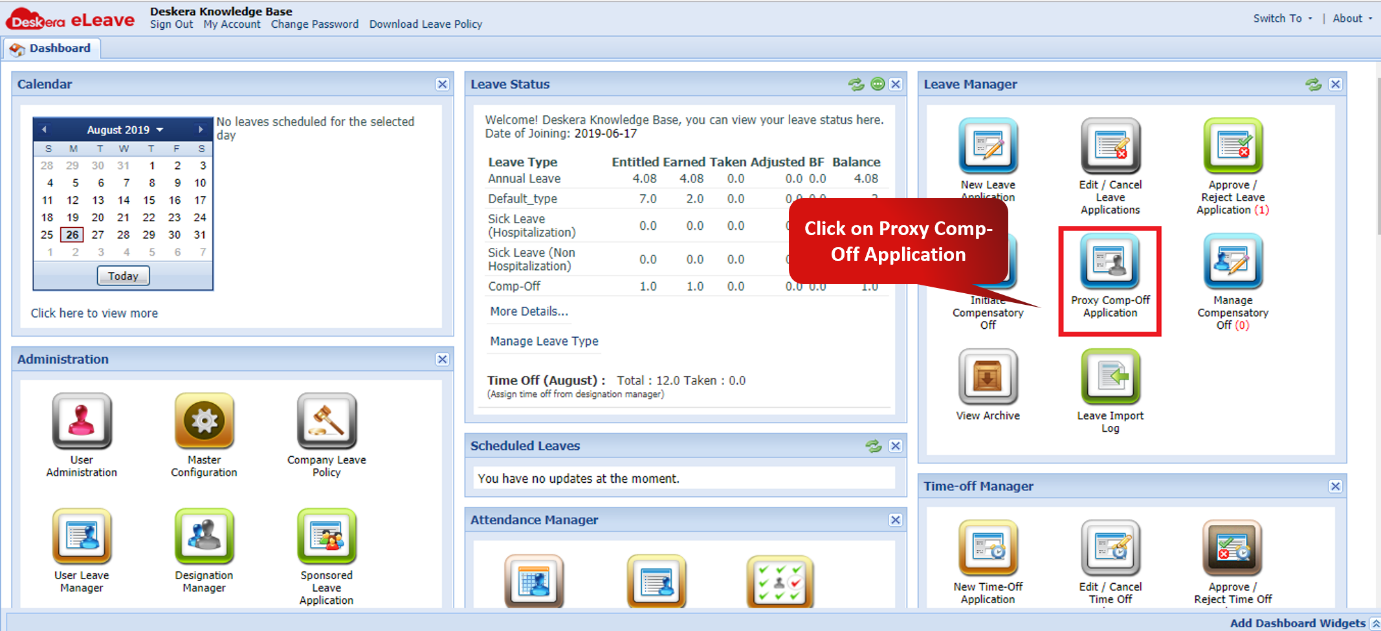 Fig. 3.2.5.1 e-Leaves Dashboard
Step 2: Choose the employee for whom the comp-off has to be applied for.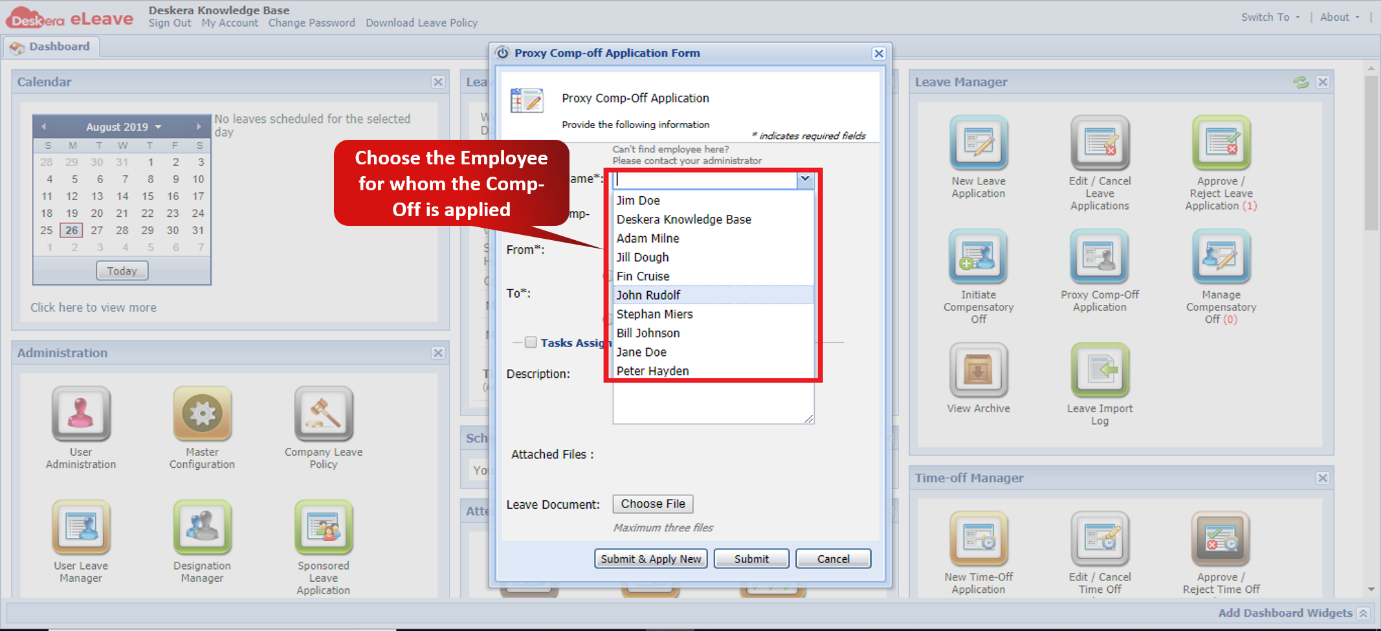 Fig. 3.2.5.2 Proxy Comp-off Application Window
Step 3: Fill the details of the leave and click on Submit to apply for Proxy Comp-Off. (You can Click and ‘Submit & Apply New’ if applying Proxy Comp-Off for more than one user)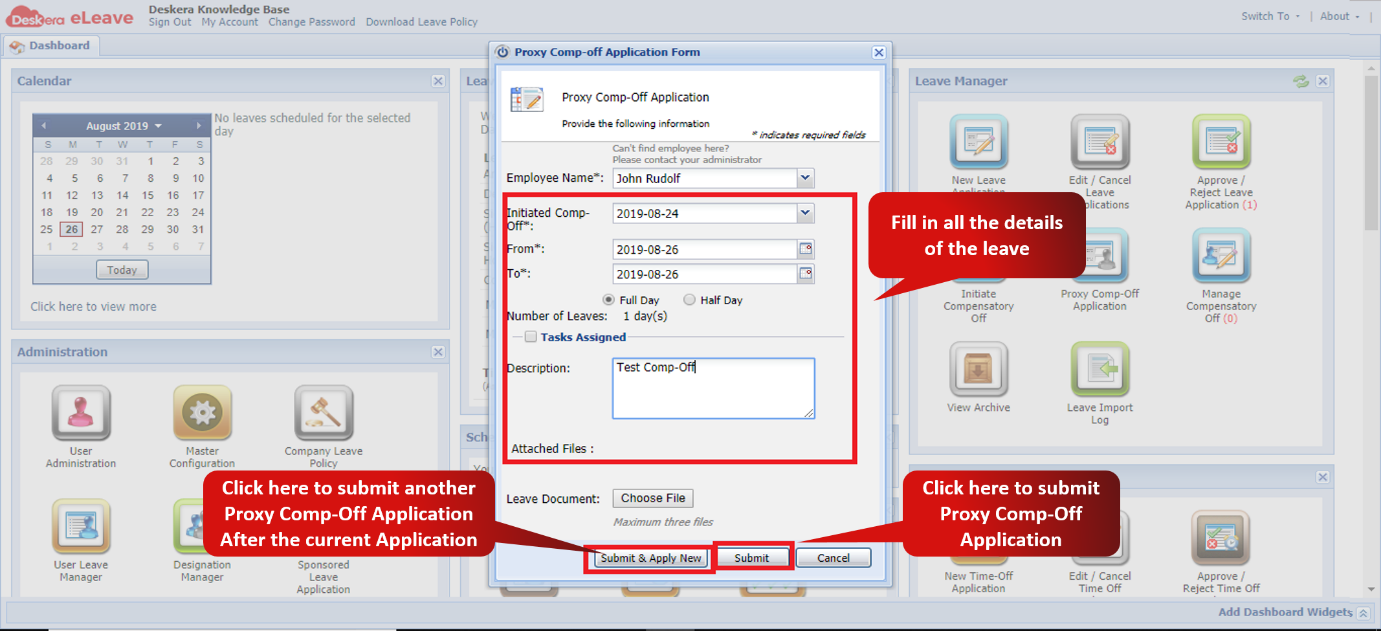 Fig. 3.2.5.3 Proxy Comp-off Application Window
Comments
0 comments
Please sign in to leave a comment.