
Managing compensatory off includes the approval, Editing and deleting of Comp-Offs that are applied by the employees. Comp-Off can be managed in Deskera e-Leaves application as follows:
Prerequisites:
- You have your Deskera HRMS application URL in place.
- You are the administrator of the HRMS application.
- Ensure Stable Internet Connectivity.
Step 1: On the e-Leaves Dashboard, Click on Manage Compensatory Off under the Leave Manager Widget.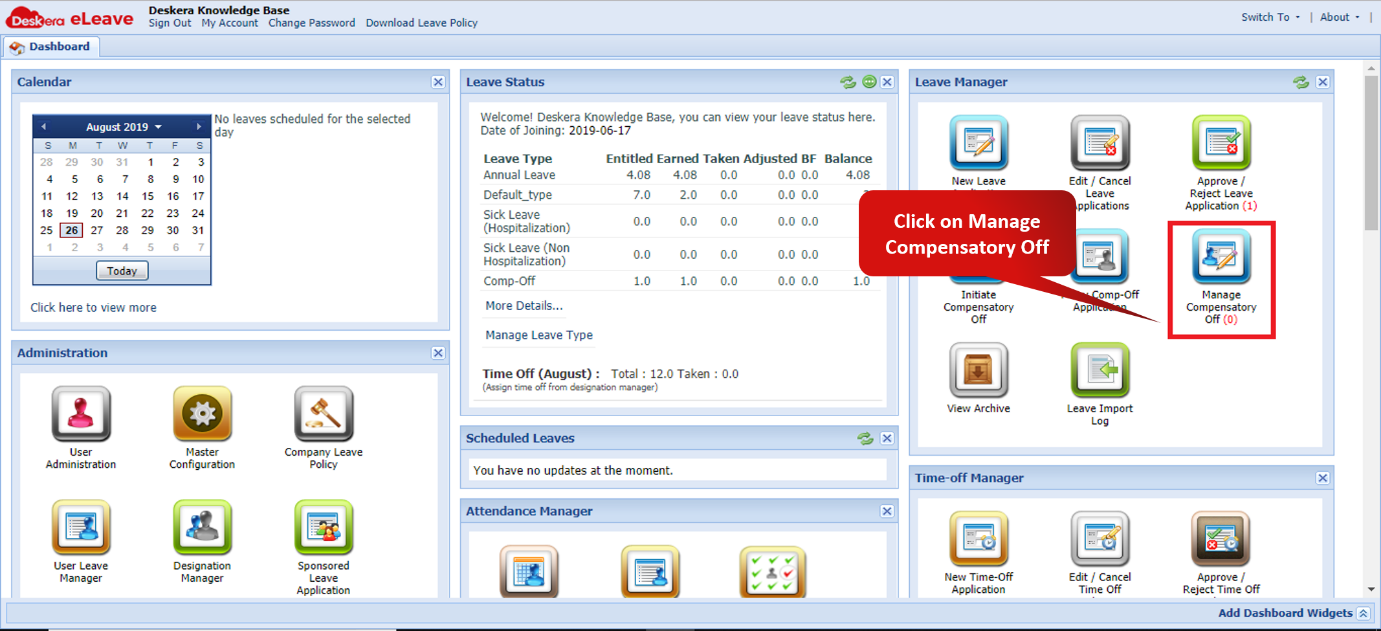 Fig. 3.2.6.1 e-Leaves Dashboard
Step 2: Choose the Comp-Off to be managed and click on it. Choose the action that has to be performed for that Comp-Off from the drop-down menu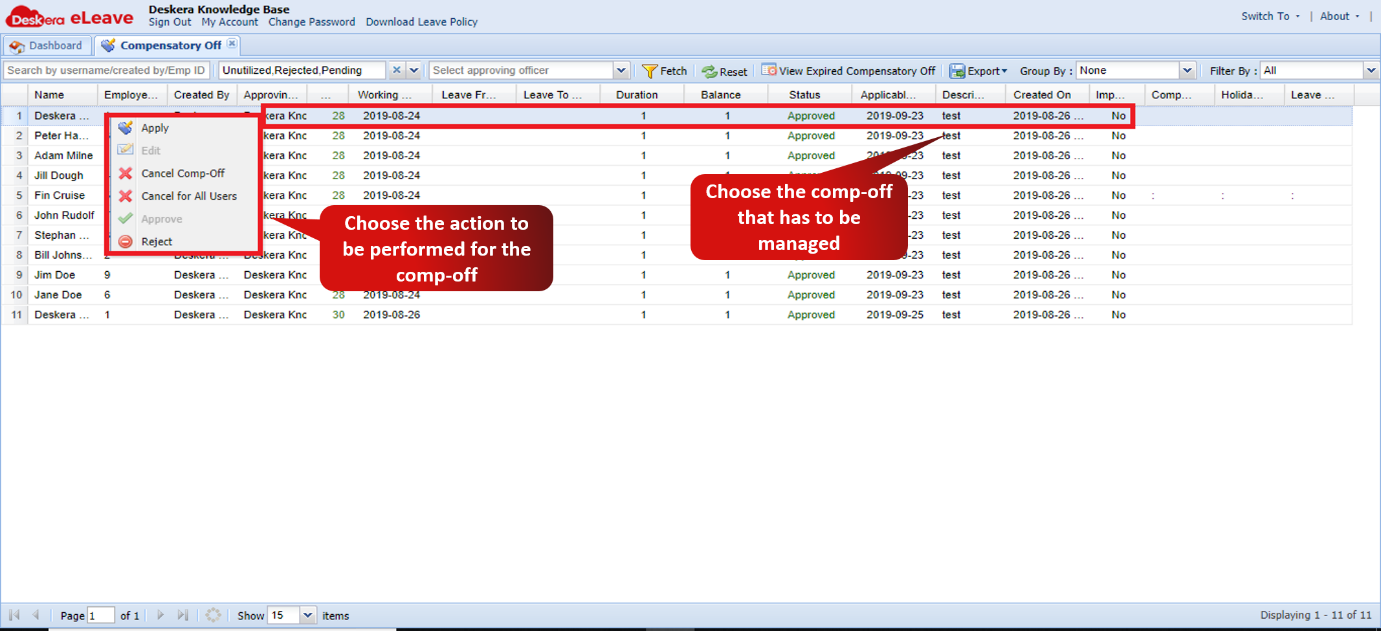 Fig. 3.2.6.2 Manage Comp-Off Window
The functions shown on the screen are as follows:
- Apply: This helps the user to apply a new comp-off
- Edit: This helps the users to edit the existing comp-off
- Cancel Comp-off: This functions cancels the applied comp-off for the user
- Cancel for all users: This functions cancels the comp-off applied for all users
- Approve: Used to approve comp-off
- Reject: In case of any changes to be made or if the approval is not applicable, the comp-off can be rejected by clicking on this.
Comments
0 comments
Please sign in to leave a comment.