
Deskera eLeave Application allows the users to efficiently manage the leave application and approval process for the employees. Various types of leaves can be created and assigned to users who can apply for those leaves allotted to them. This article focuses on how the user can go about to make a new leave application.
Prerequisites:
1. Ensure you have your Deskera eLeave application URL in place.
2. Ensure you are logged in as the concerned user to apply for the leave.
3. Ensure a good internet connectivity
Step 1: Go to New Leave Application under Leave Manager on eLeave Dashboard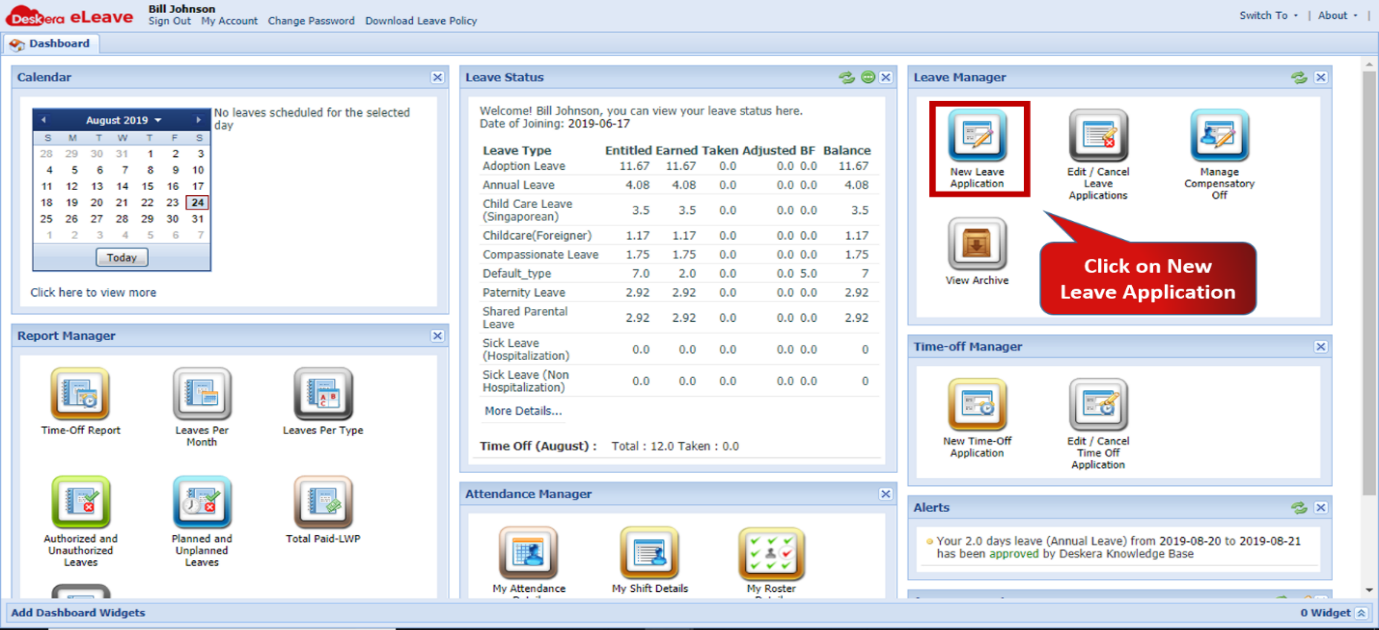 Fig.3.2.1.1 eLeave Dashboard
Step 2: Select the leave type the user wishes to avail from the types assigned to him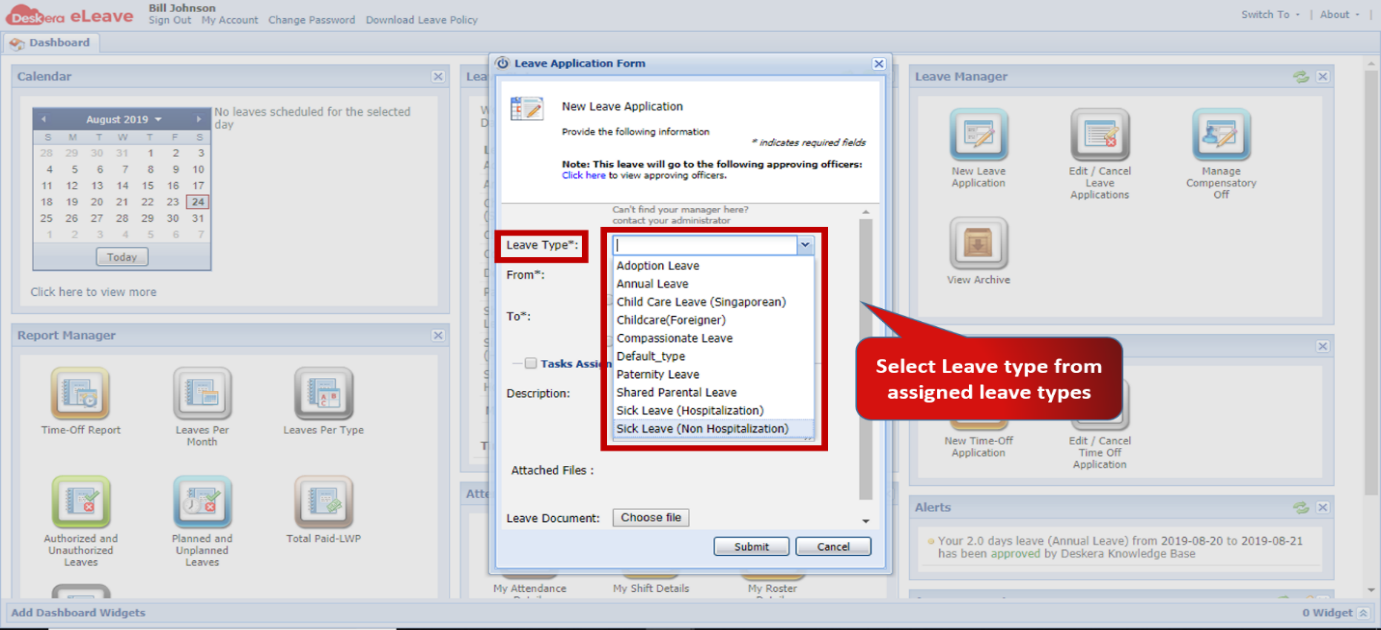 Fig.3.2.1.2 Leave Application Form
Step 3: Enter the time period during which the leave is to be availed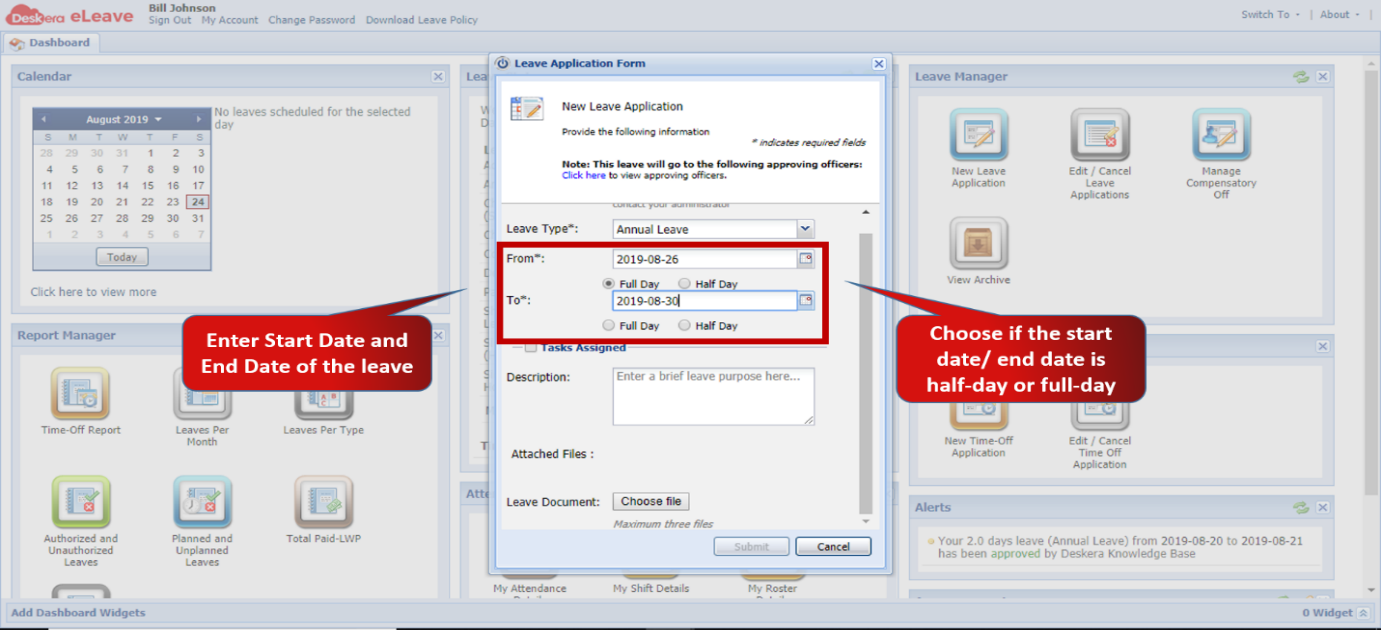 Fig.3.2.1.3 Leave Application Form
Step 4: Enter Leave description and attach leave documents if any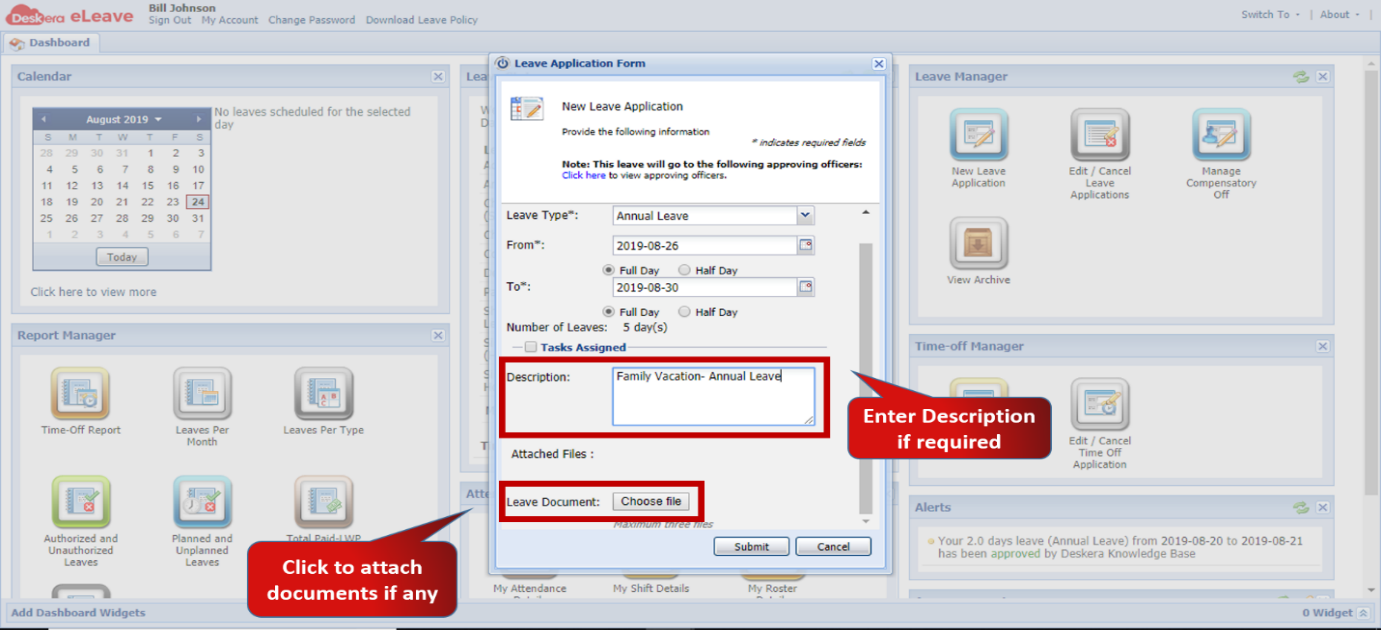 Fig.3.2.1.4 Leave Application Form
Step 5: Click on Submit to save application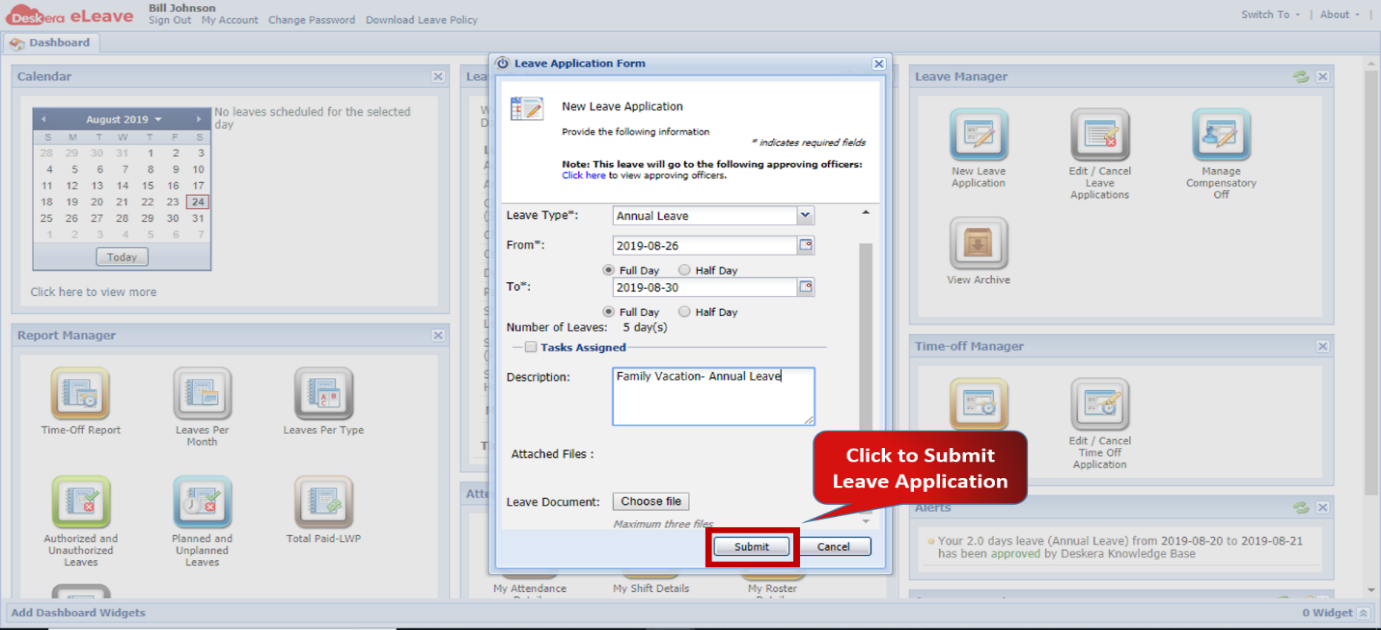 Fig.3.2.1.5 Leave Application Form
Comments
0 comments
Please sign in to leave a comment.