
Applying for a new trip by specifying trip name and description of the trip becomes possible through the eClaims application. The trip is created so as to get it approved by the respective approving manager first. The new trip application is automatically routed to the employee's approving manager for approval.
Prerequisites:
- You have your Deskera eClaims application URL in place
- You are the user/administrator of the eClaims application
- Ensure a good internet connectivity
Step 1: Click on New Trip Application under Trip Claims on the Deskera eClaims Dashboard.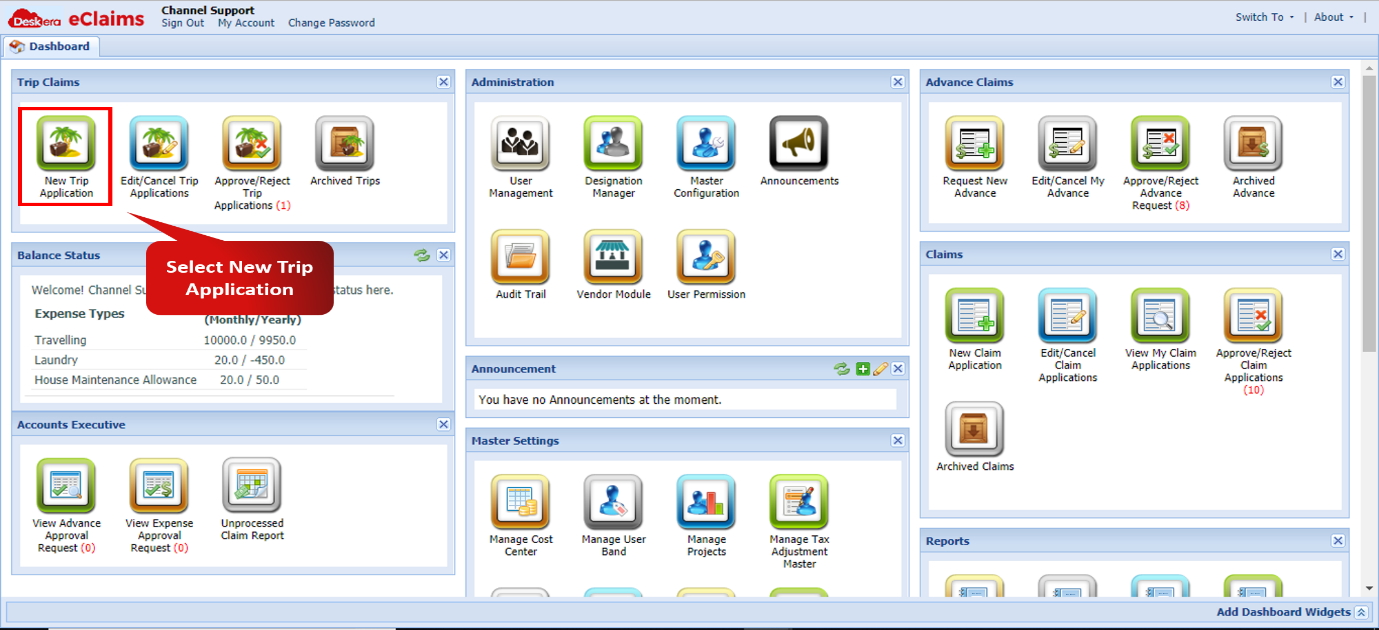 Fig 4.1.1.1 New Trip Application
Step 2: Enter details like Trip Name, Source, Destination and Approver Name.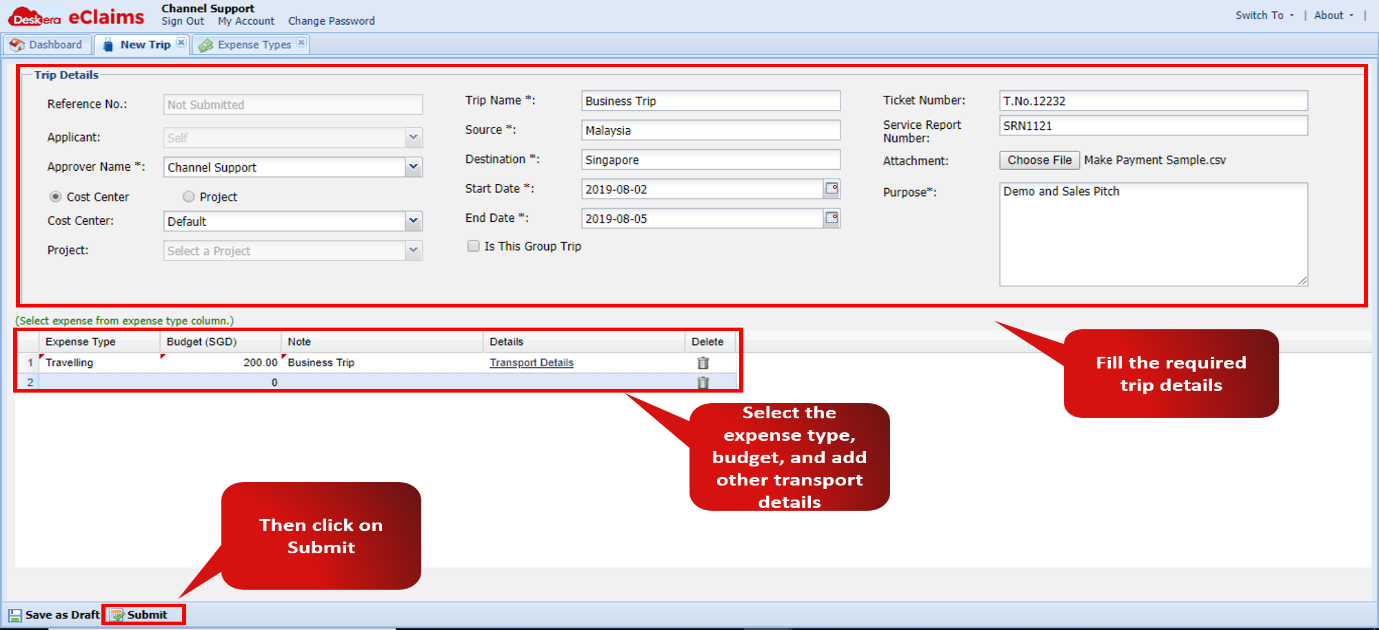 Fig 4.1.1.2 New Trip Application
The trip application is now complete.
Comments
0 comments
Please sign in to leave a comment.