
The Archived Trip sub-module on the eClaims Dashboard allows the user to view the claim applications that they have archived either on the View/Edit Trip Applications window or the Approve/Reject Trip Applications window.
Prerequisites:
- You have your Deskera eClaims application URL in place
- You are the user/administrator of the eClaims application
- Ensure a good internet connectivity
Step 1: Click on the Archived Trips sub-module under Trip Claims on the Deskera eClaims Dashboard.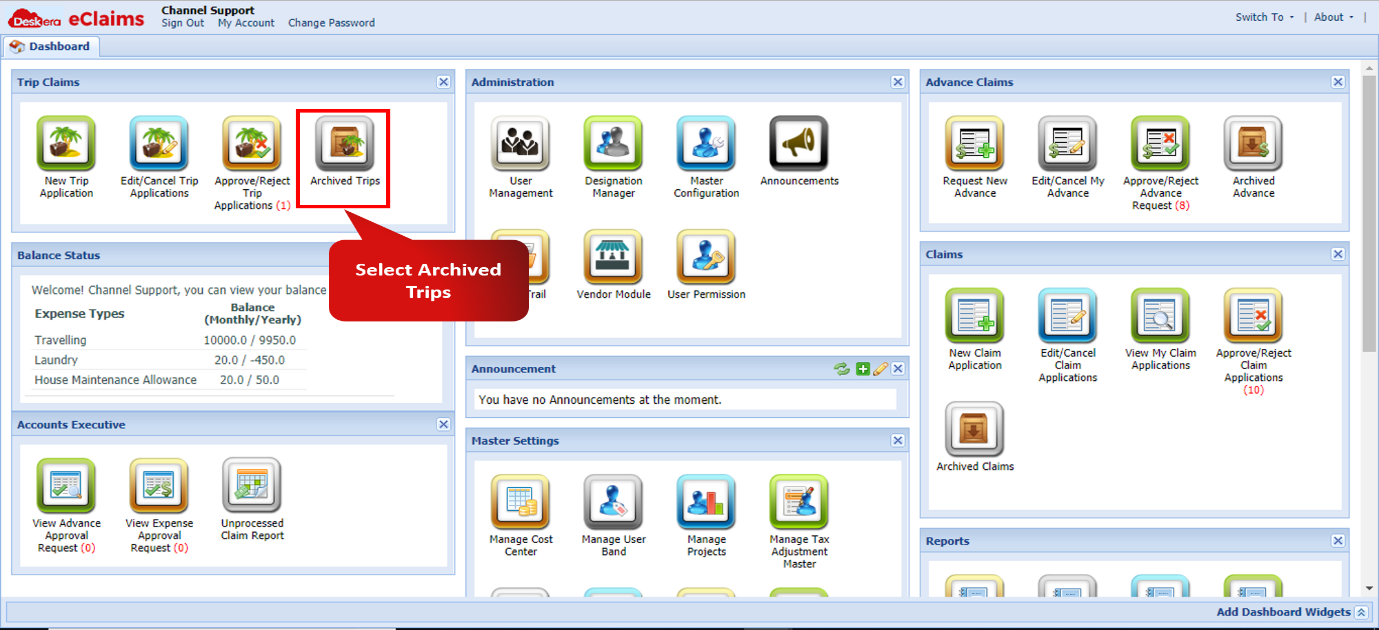 Fig 4.1.4.1 Archived Trips
Step 2: The Archived Trips window will now open. The user can check the records of all the Archived Trips and search for them based on the name of the applicant, status of the application, the date range of application/approval of the claim etc.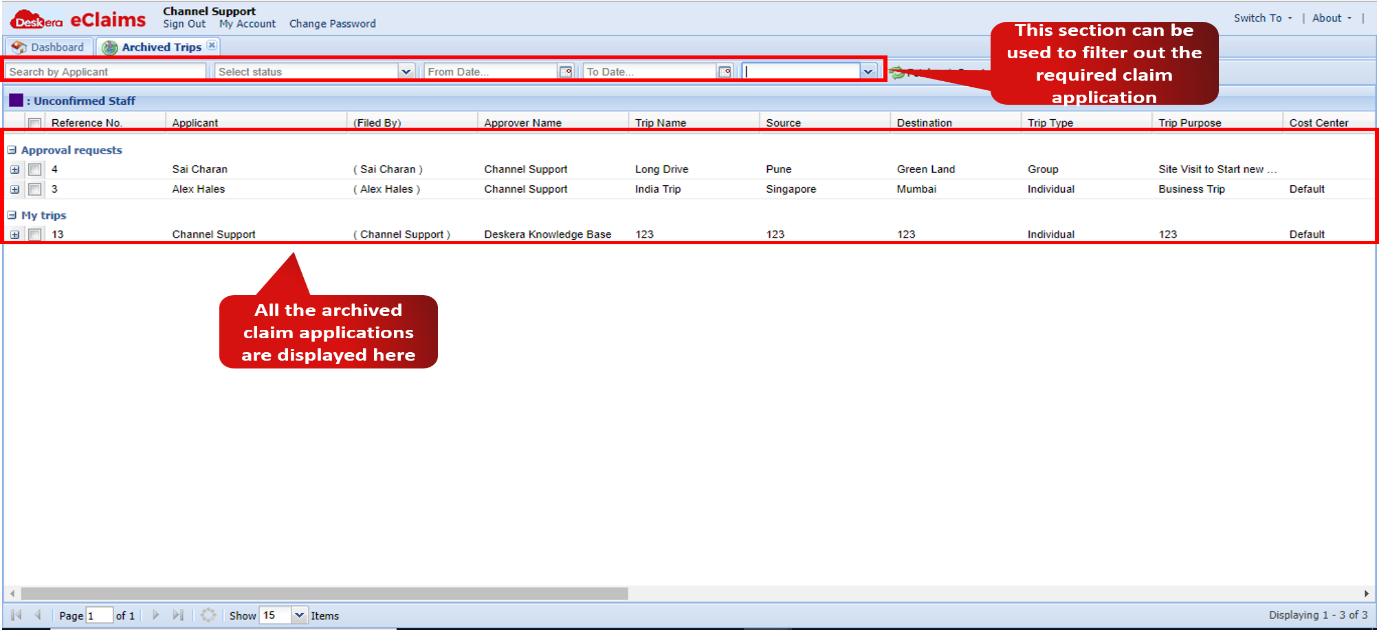 Fig 4.1.4.2 Archived Trips
Comments
0 comments
Please sign in to leave a comment.