
The View Trip Application feature and Archive feature under the Approve/Reject Trip Applications sub-module allow the user to check the details of the applications that are pending for approval/ have been approved/rejected and archive the trip application respectively.
Prerequisites:
- You have your Deskera eClaims application URL in place
- You are the user/administrator of the eClaims application
- Ensure a good internet connectivity
Step 1: Click on Approve/Reject Trip Applications under Trip Claims on the Deskera eClaims Dashboard.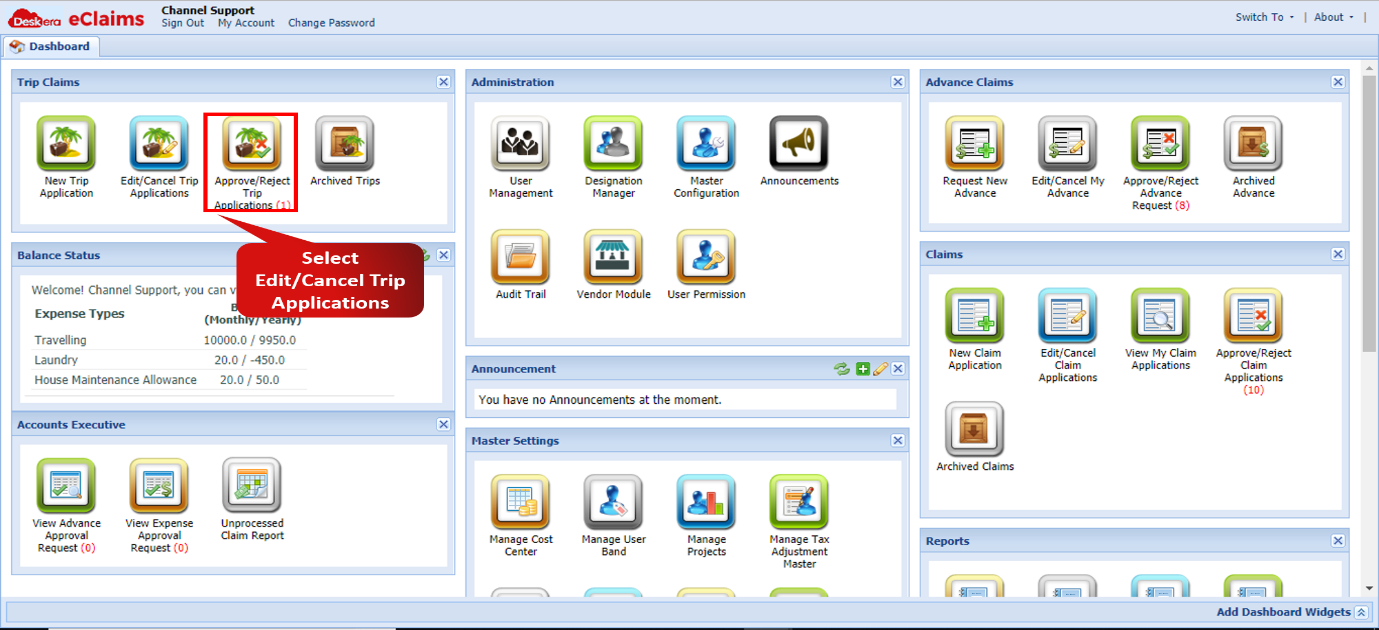 Fig 4.1.3.1.1 Approve/Reject Trip Applications
Step 2: Click on the trip that you wish to check the details of. Click on Trips and then select View Details to review the claim details.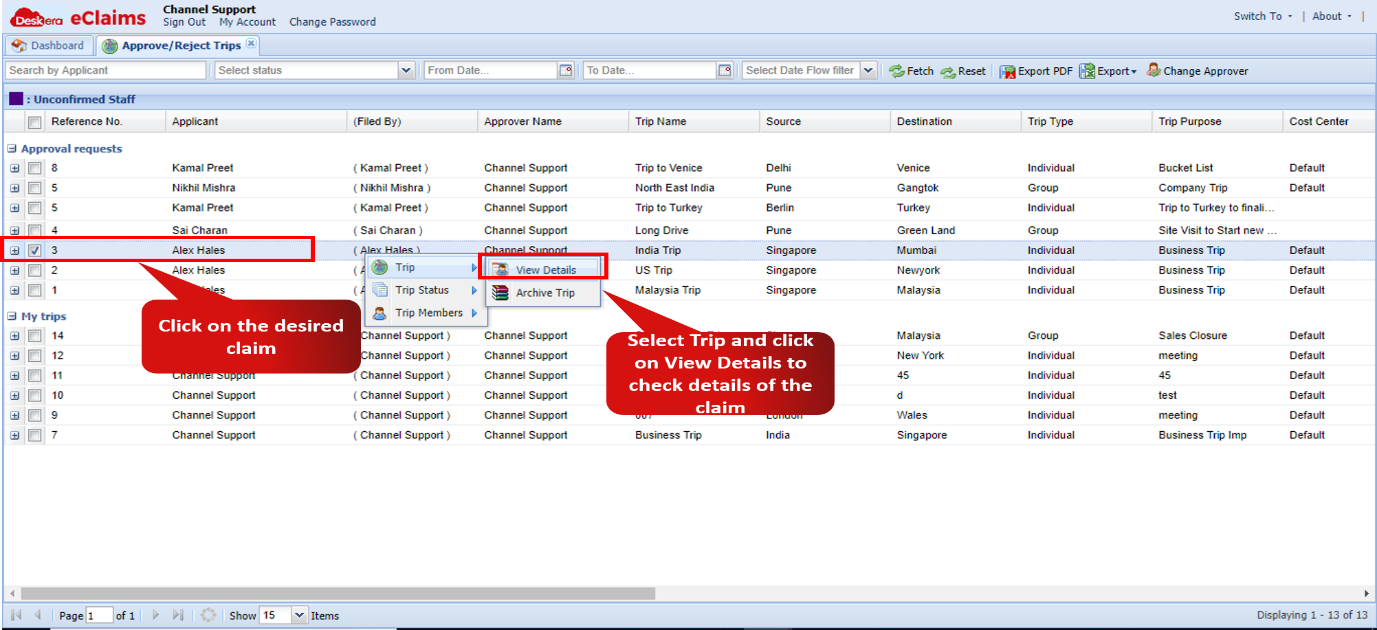 Fig 4.1.3.2 View Trip Details
Step 3: To archive a desired trip claim application, select the Archive Trip option after clicking on the desired trip claim and selecting the Trip option. The trip application will successfully get archived.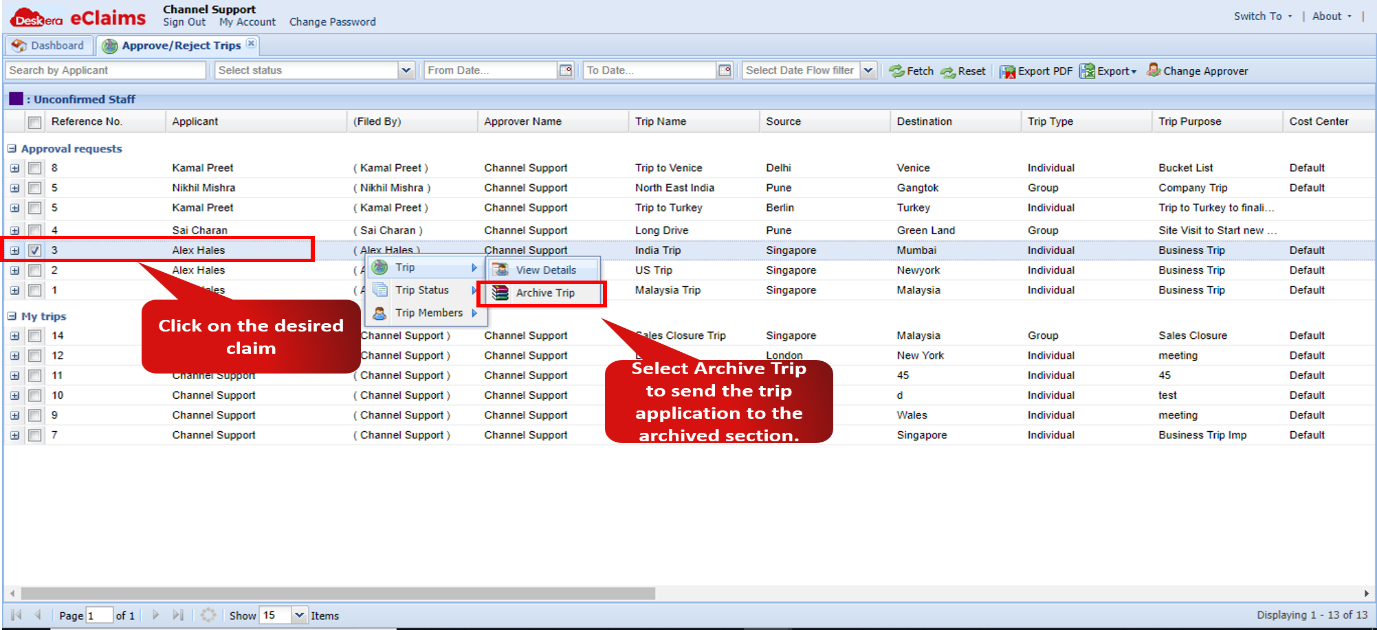 Fig 4.1.3.1.3 Archive Trip
Comments
0 comments
Please sign in to leave a comment.