
On-boarding Process feature helps you to initiate the On-boarding process of a selected applicant. This feature also allows you to update the on-boarding checklist and fill in the essential details, thereby creating a user in Deskera HRMS.
Prerequisites:
1. You have your Deskera HRMS application URL in place.
2. You are the administrator of the HRMS application
3. Ensure good internet connectivity
Initiate On-Boarding
Step 1: Go to All Applications under Recruitment Management widget in HRMS.
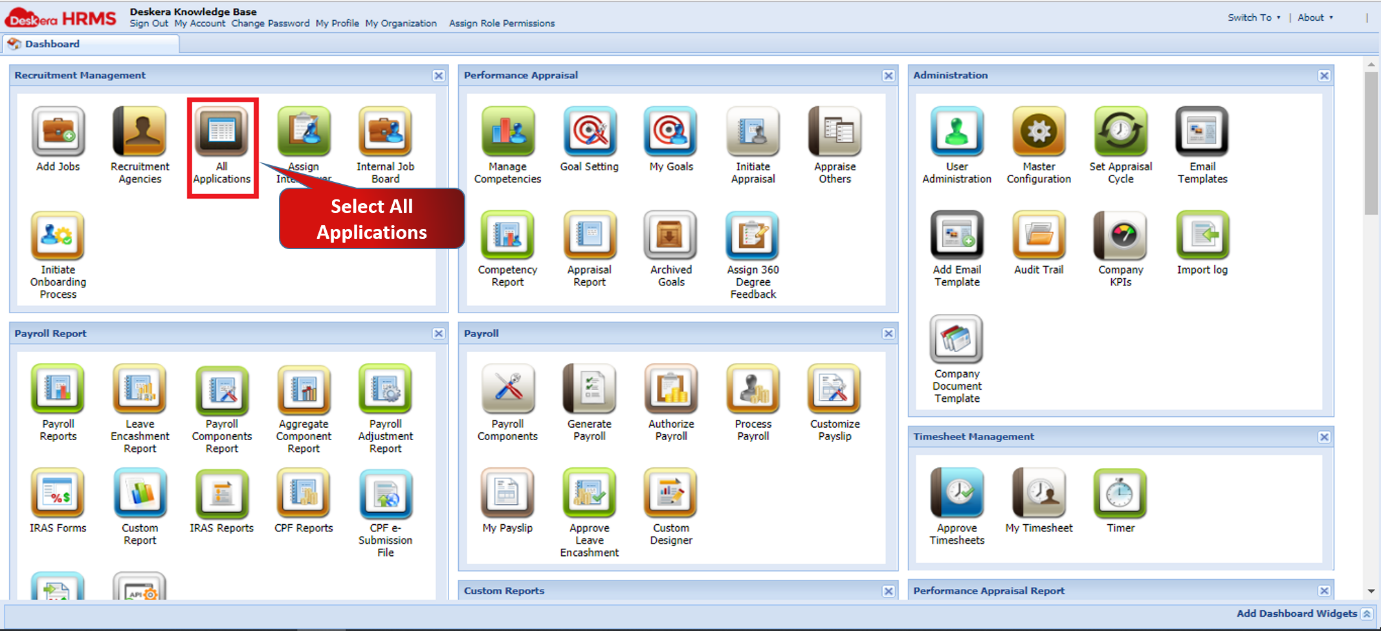
Fig 2.3.3.3.3.1 HRMS Dashboard
Step 2: Under Selected Applications tab, select the applicant for whom you want to initiate the on-boarding process. Go to On-Boarding Process and select Initiate On-Boarding.
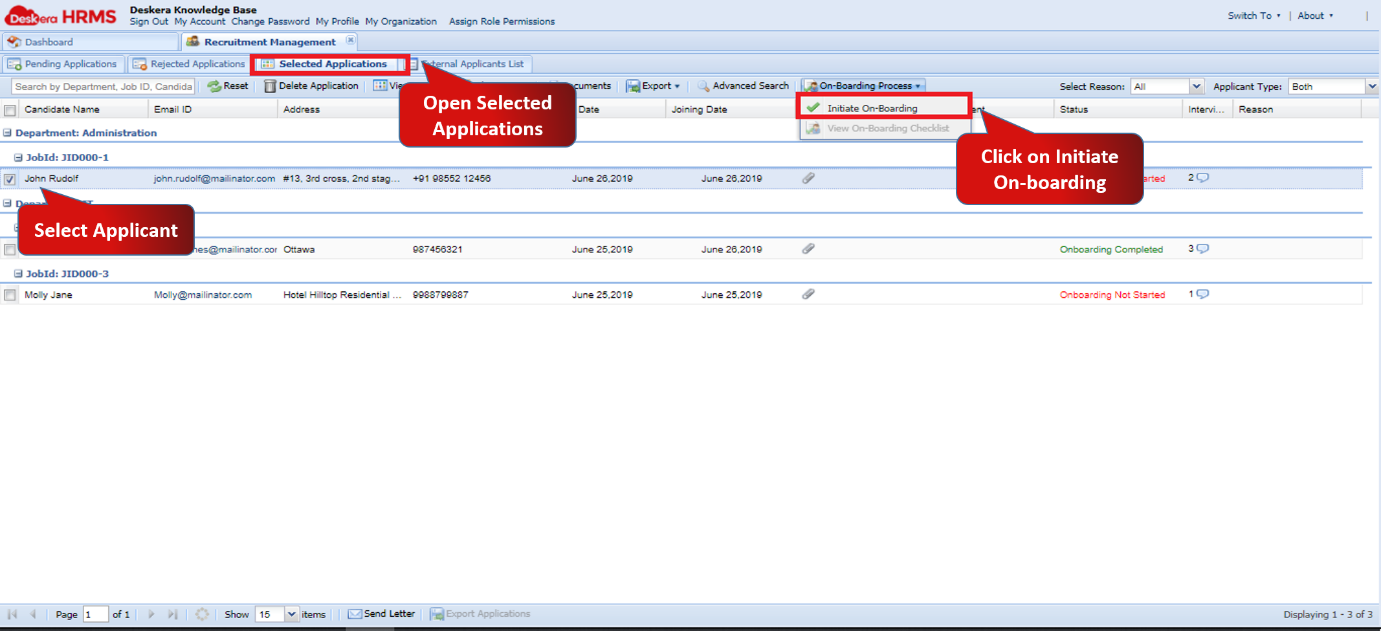
Fig 2.3.3.3.3.2 Selected Applications
Step 3: A new window will open to confirm the initiation of On-boarding process. Click Yes to confirm.
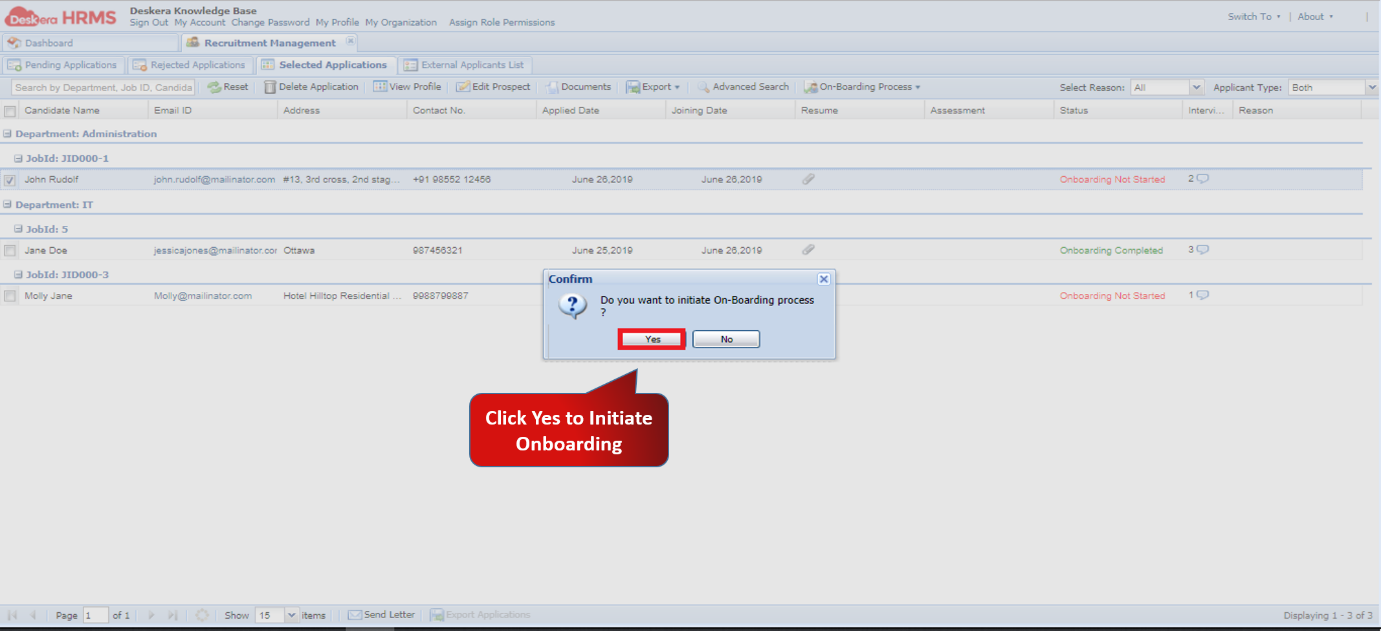
Fig 2.3.3.3.3.3 Initiate On-Boarding
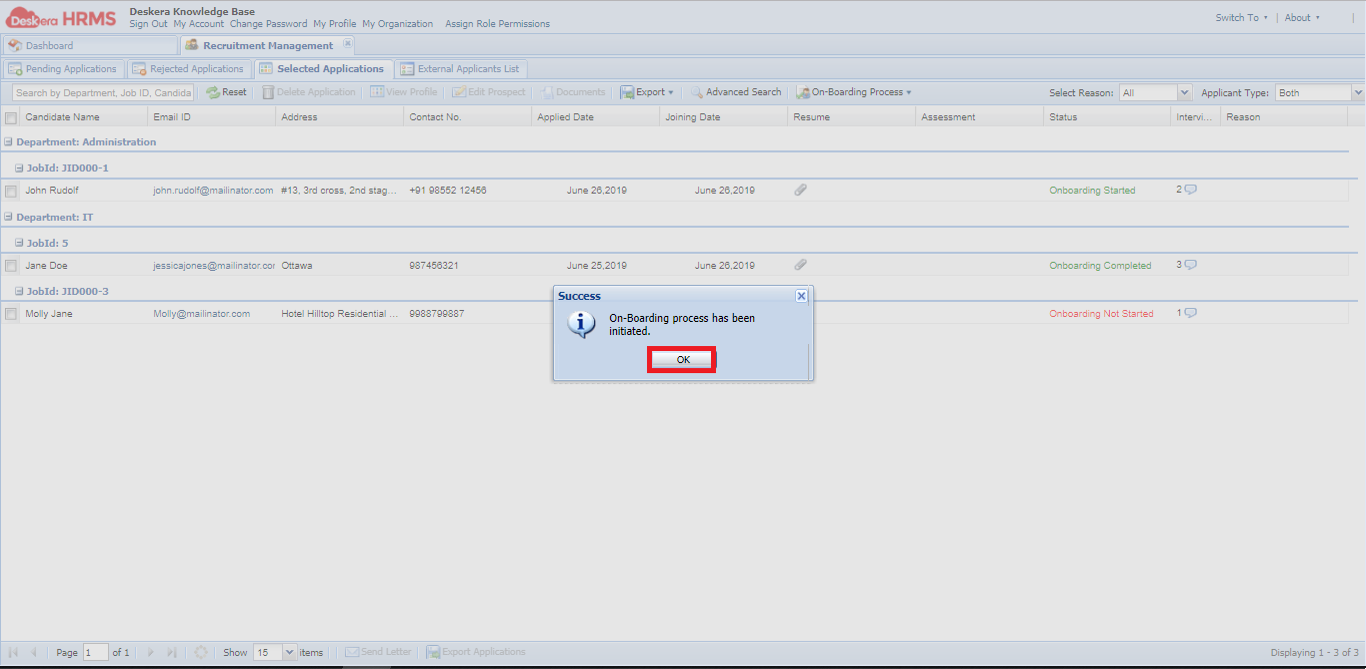
Fig 2.3.3.3.3.4 Initiate On-Boarding
View On-Boarding Checklist
Step 1: Go to All Applications under Recruitment Management widget in HRMS.
Fig 2.3.3.3.3.5 HRMS Dashboard
Step 2: Under Selected Applications tab, select the applicant whose On-boarding process has been initiated. Go to On-Boarding Process and select View On-Boarding Checklist.
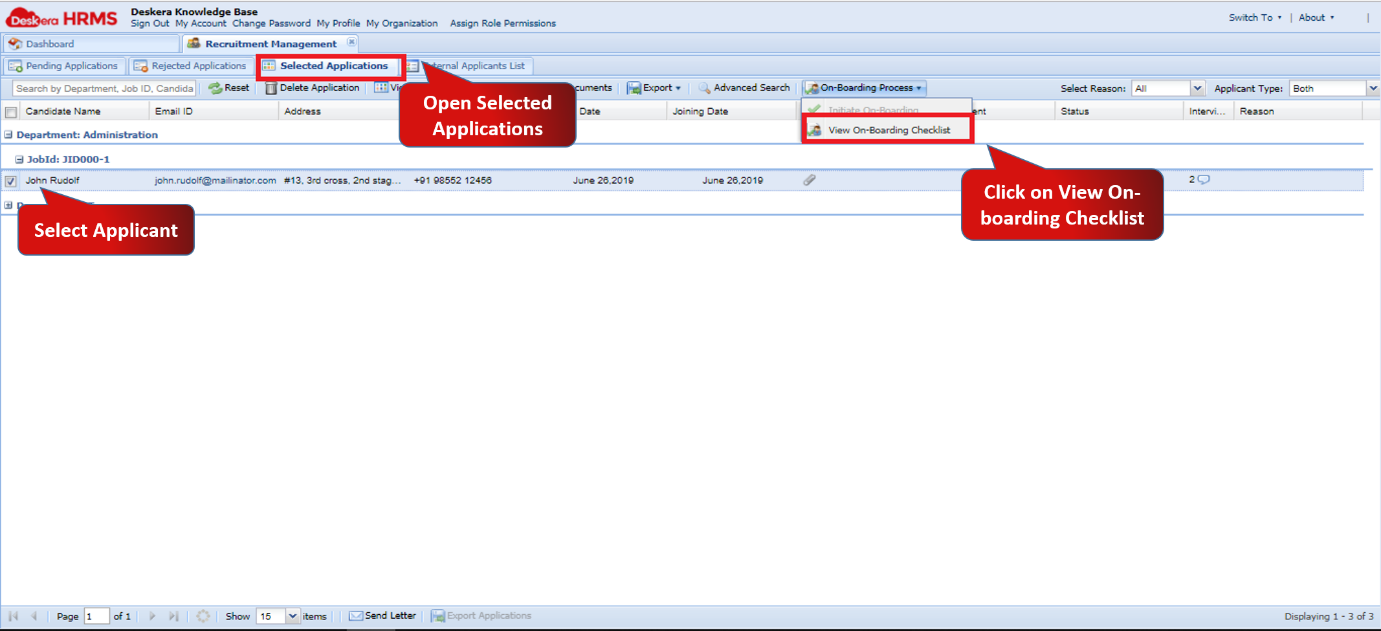
Fig 2.3.3.3.3.6 Selected Applications
Step 3: A new window titled Employee On-boarding Checklist will open on the screen. Update the status of the Checklist and click on Next.
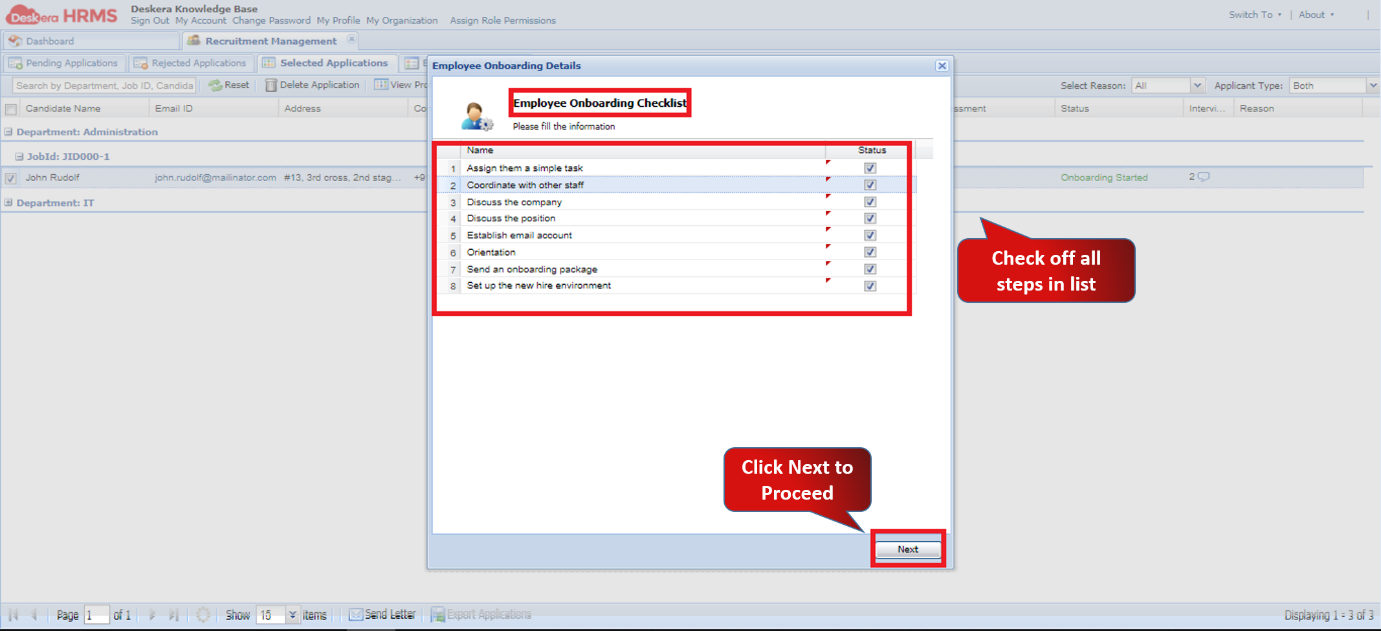
Fig 2.3.3.3.3.7 View On-Boarding Checklist
Step 4: After clicking Next, Employee Details Form window will pop up. Fill in the essential details and click on Create Employee.
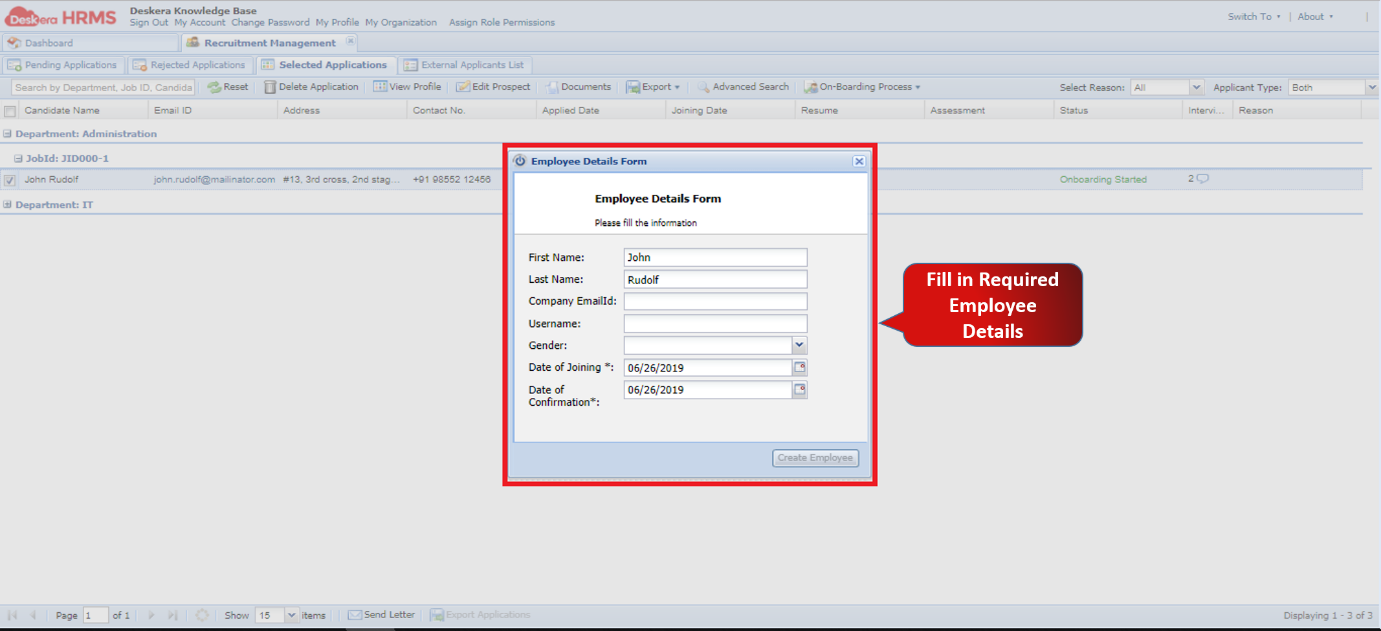
Fig 2.3.3.3.3.8 View On-Boarding Checklist
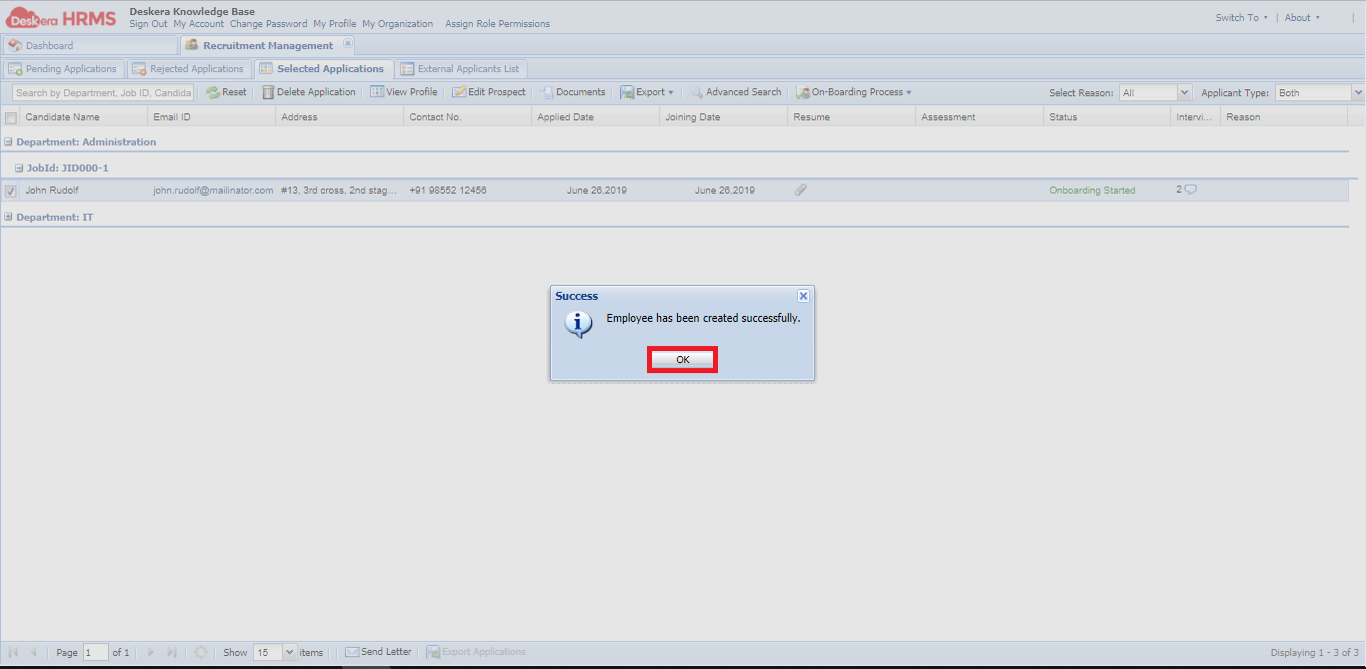
Fig 2.3.3.3.3.9 View On-Boarding Checklist
Comments
0 comments
Please sign in to leave a comment.