
The Add Agency function under the Recruitment Agencies tab allows the user to add recruitment agencies being used for providing their recruitment services.
Prerequisites:
1. You have your Deskera HRMS application URL in place.
2. You are the administrator of the HRMS application
3. Ensure a good internet connectivity
Step 1: Dashboard 🡪 Recruitment Agencies
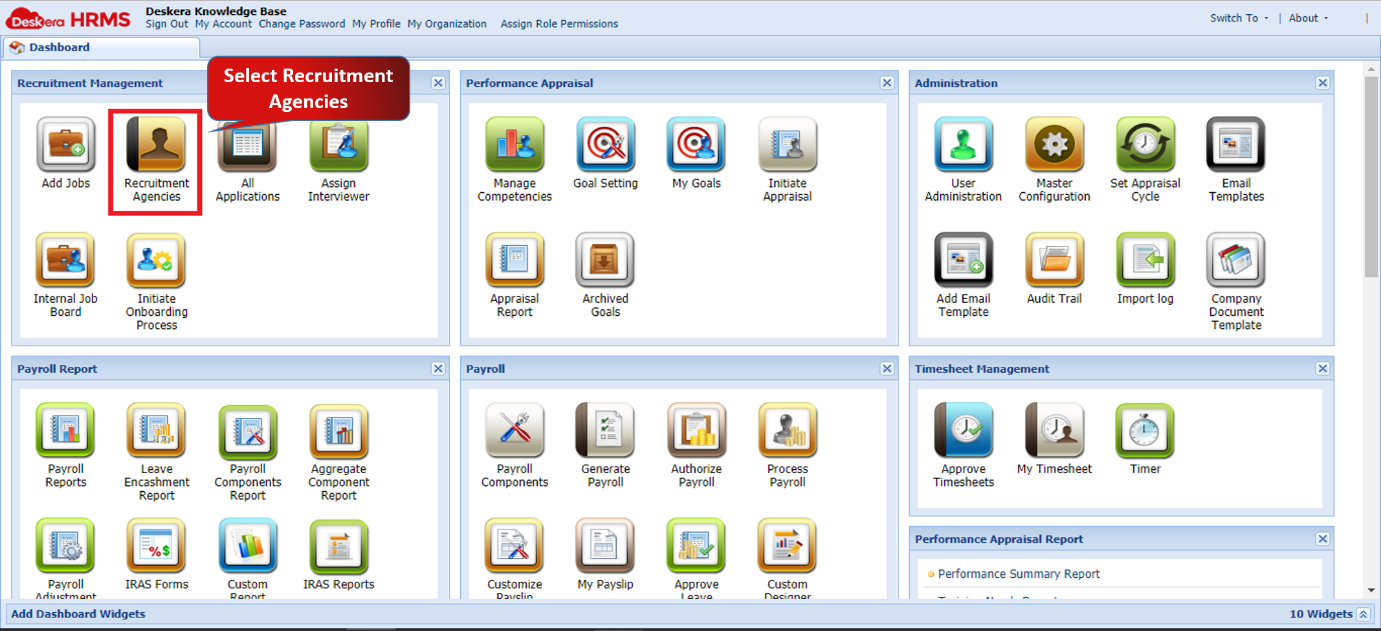
Fig. 2.3.1.1.1 Recruitment Agencies
Step 2: Under Manage Job Agencies, click on add agency and enter required details and save.
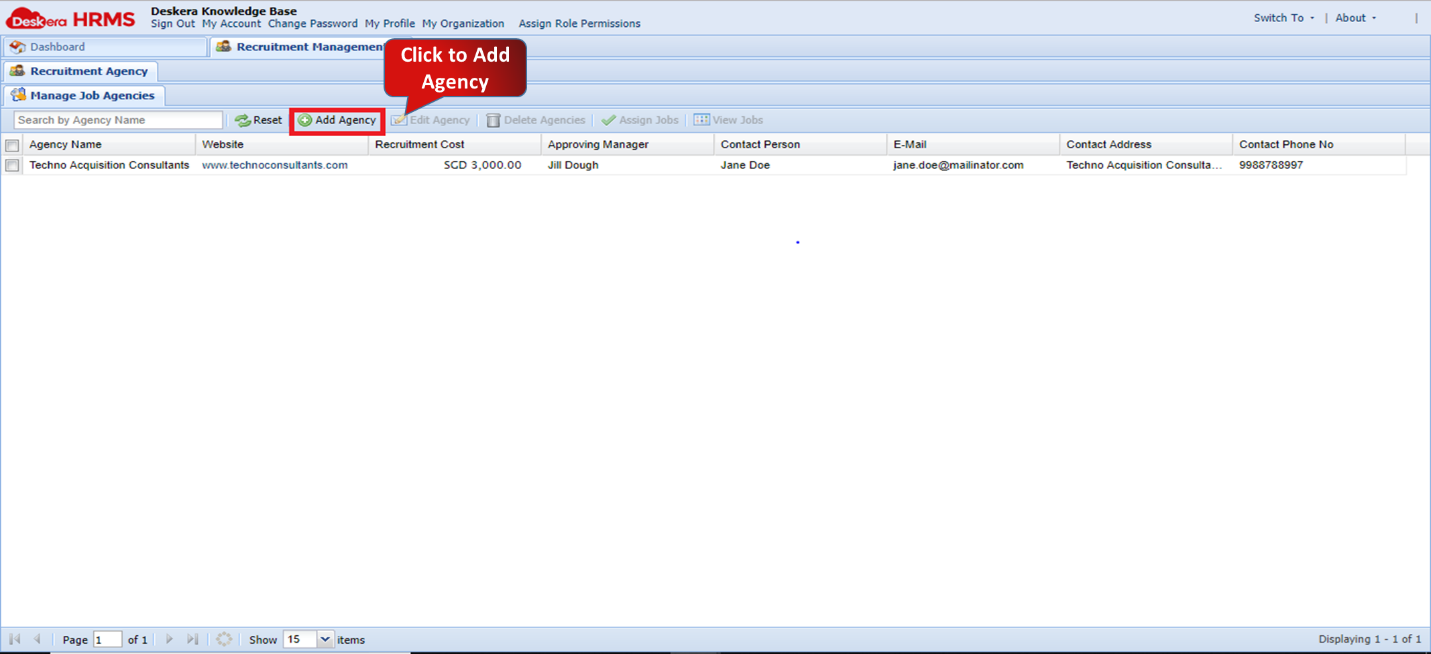
Fig. 2.3.1.1.2 Add Agency
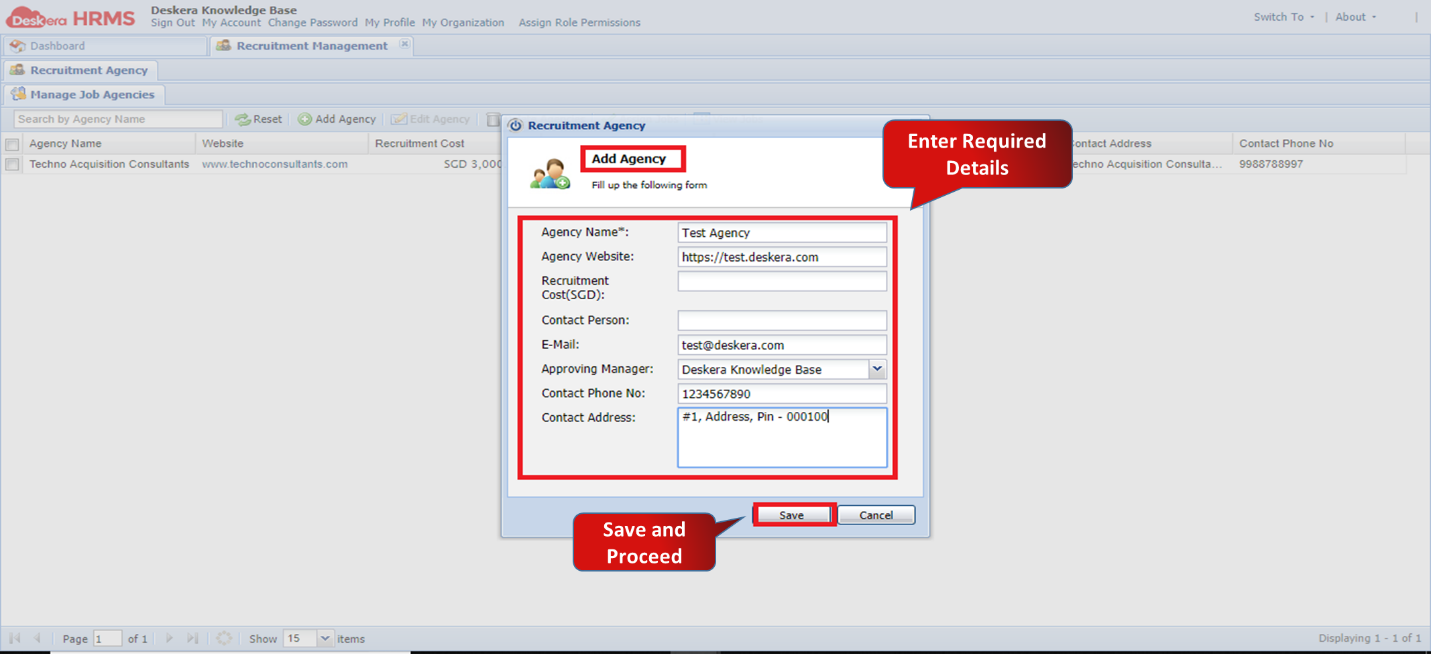
Fig. 2.3.1.1.2 Add Agency Pop-up window
The agency has been successfully added.
Comments
0 comments
Please sign in to leave a comment.