
Add Jobs feature helps you to add job positions and its details in Deskera HRMS. You can add No. of Vacancies, Department, Approving Manager, Job Type and much more using Add Jobs.
Prerequisites:
1. You have your Deskera HRMS application URL in place.
2. You are the administrator of the HRMS application
3. Ensure good internet connectivity
Step 1: Go to Add Jobs under Recruitment Management widget in HRMS.
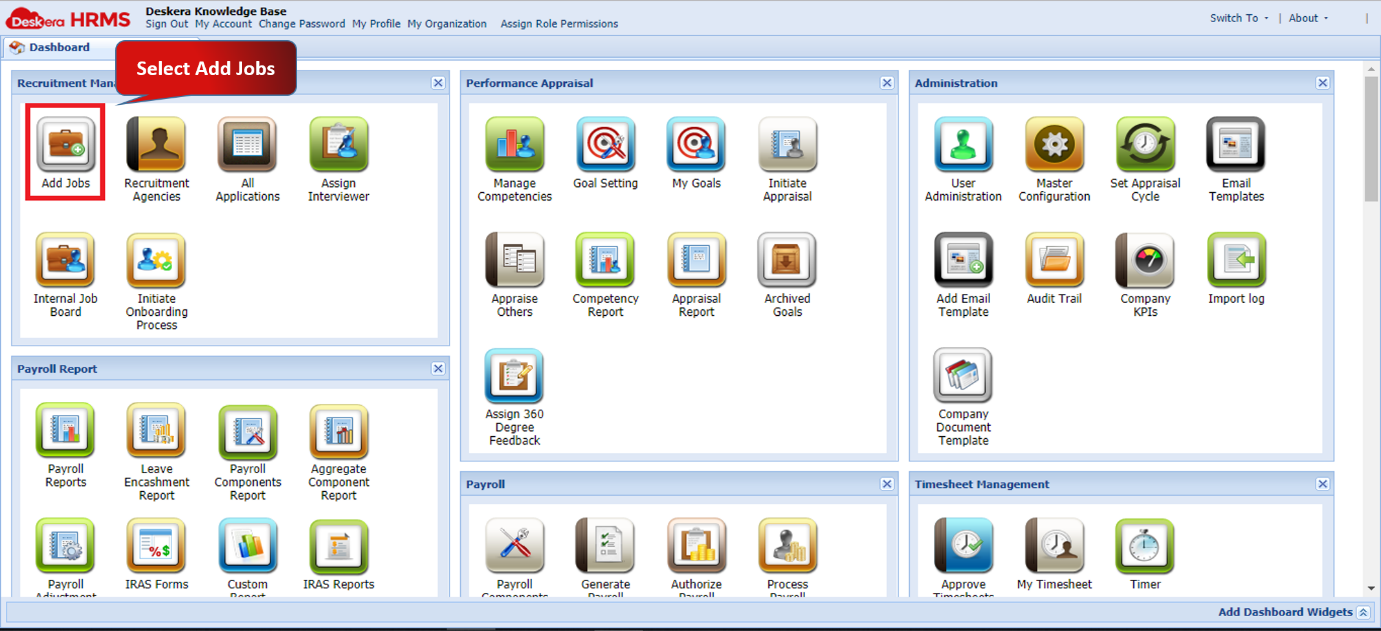
Fig 2.3.2.1.1 HRMS Dashboard
Step 2: Under Job Management tab, click on Add Job present on the top left corner of the screen.
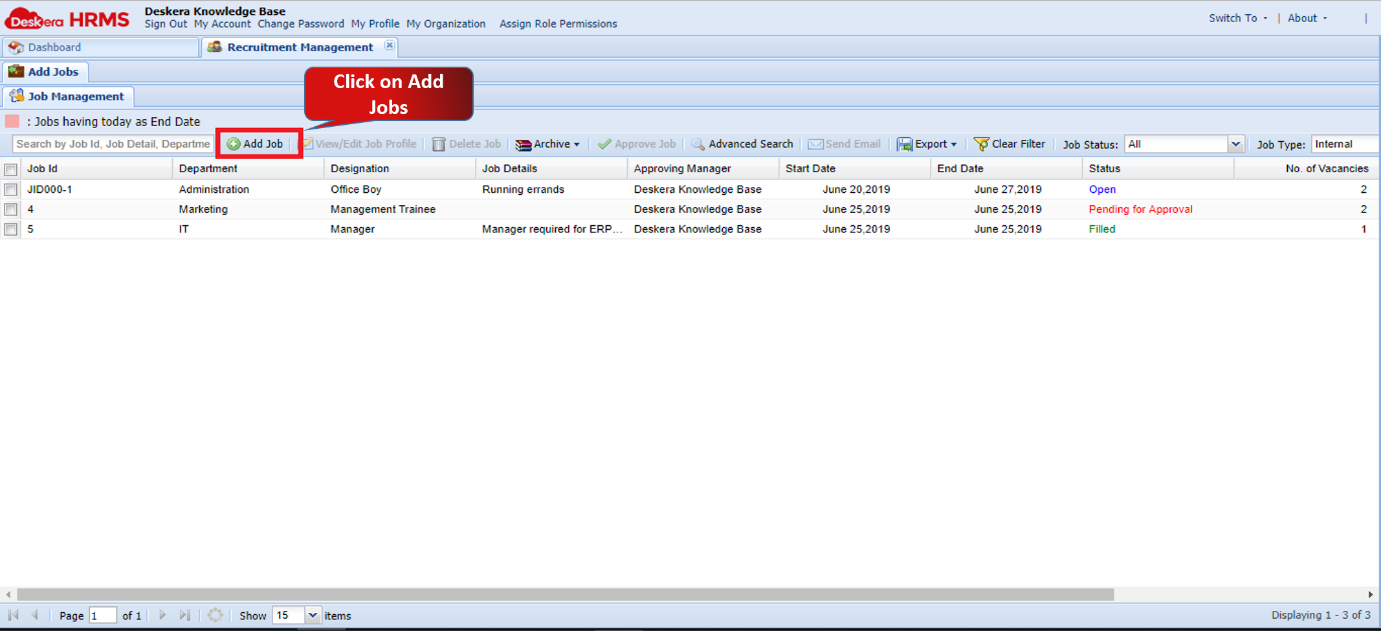 Fig 2.3.2.1.2 Job Management
Step 3: Fill in the mandatory details like Position Name, No. of Vacancies, Department, Approving Manager, Start Date, End Date and Job Type and click on Submit. A new job vacancy will open up for applicants.
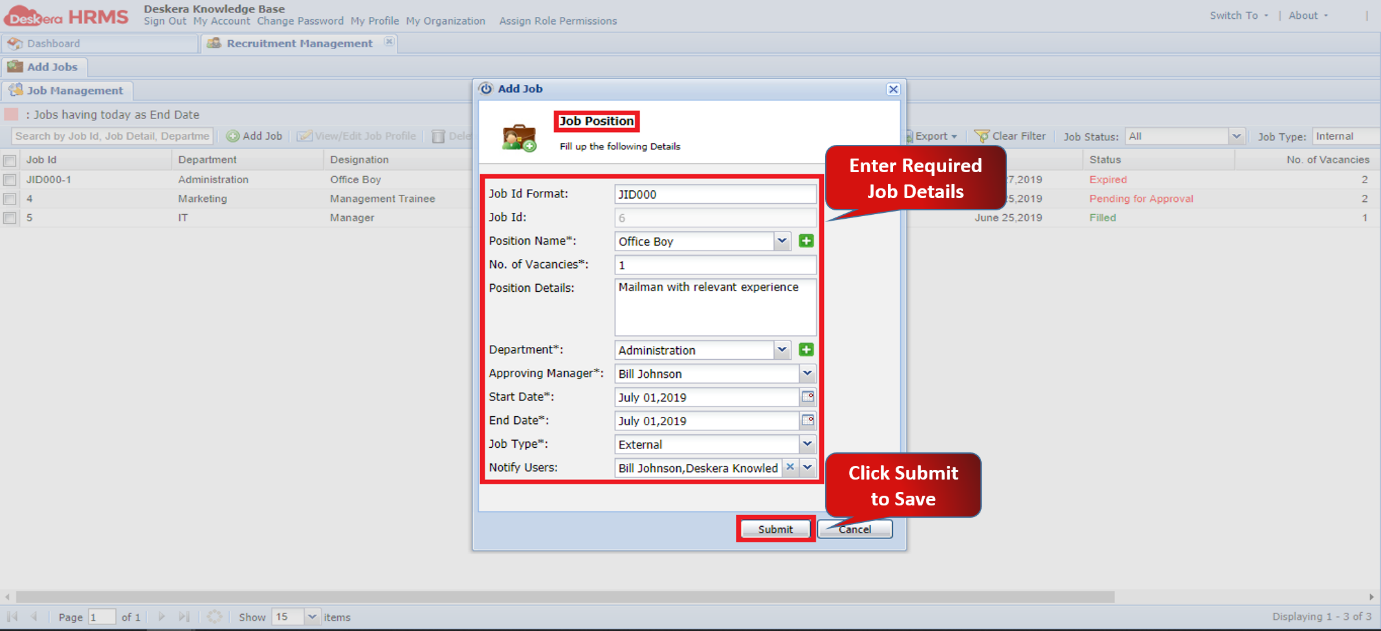
Fig 2.3.2.1.3 Add Job
Comments
0 comments
Please sign in to leave a comment.