
This article describes the steps to be taken to assign jobs to the recruitment agencies. The recruitment agencies will look for suitable candidates for that particular job role.
Prerequisites:
1. You have your Deskera HRMS application URL in place.
2. You are the administrator of the HRMS application
3. Ensure a good internet connectivity
Step 1: Dashboard 🡪 Recruitment Agencies
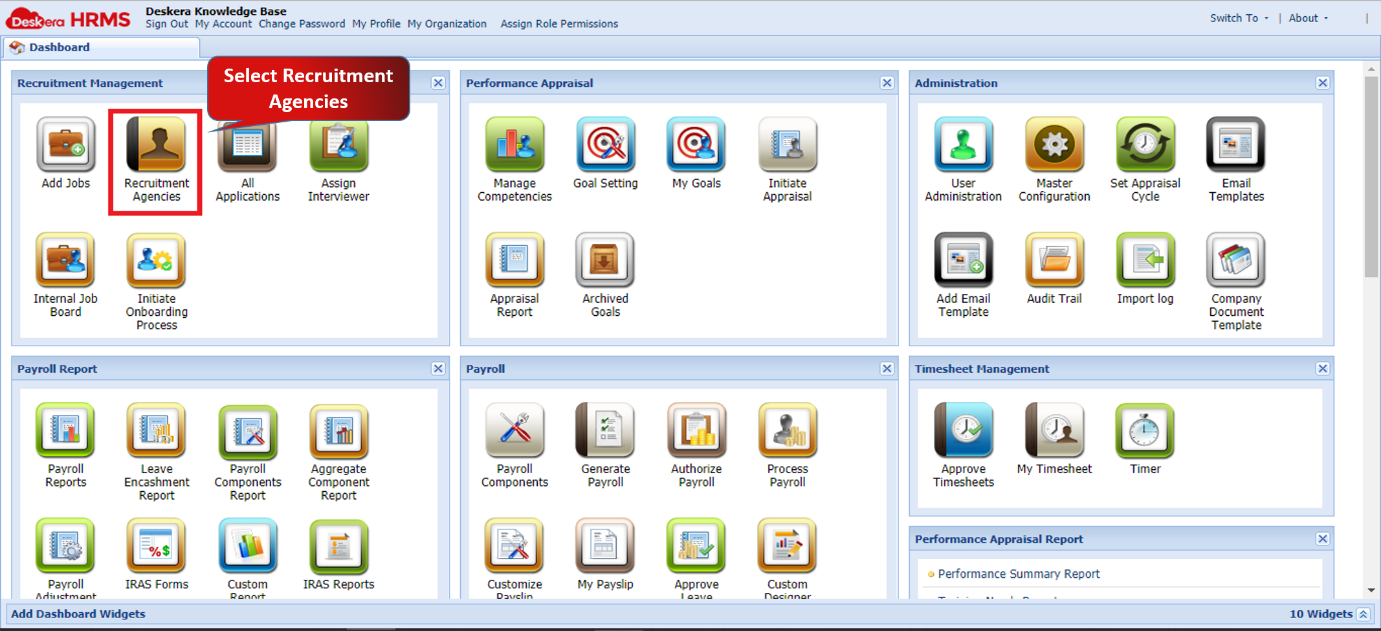
Figure 2.3.1.3.1 Recruitment Agencies
Step 2: Under Manage Job Agencies 🡪 Select Agency to assign a job to 🡪 Click on Assign Jobs.
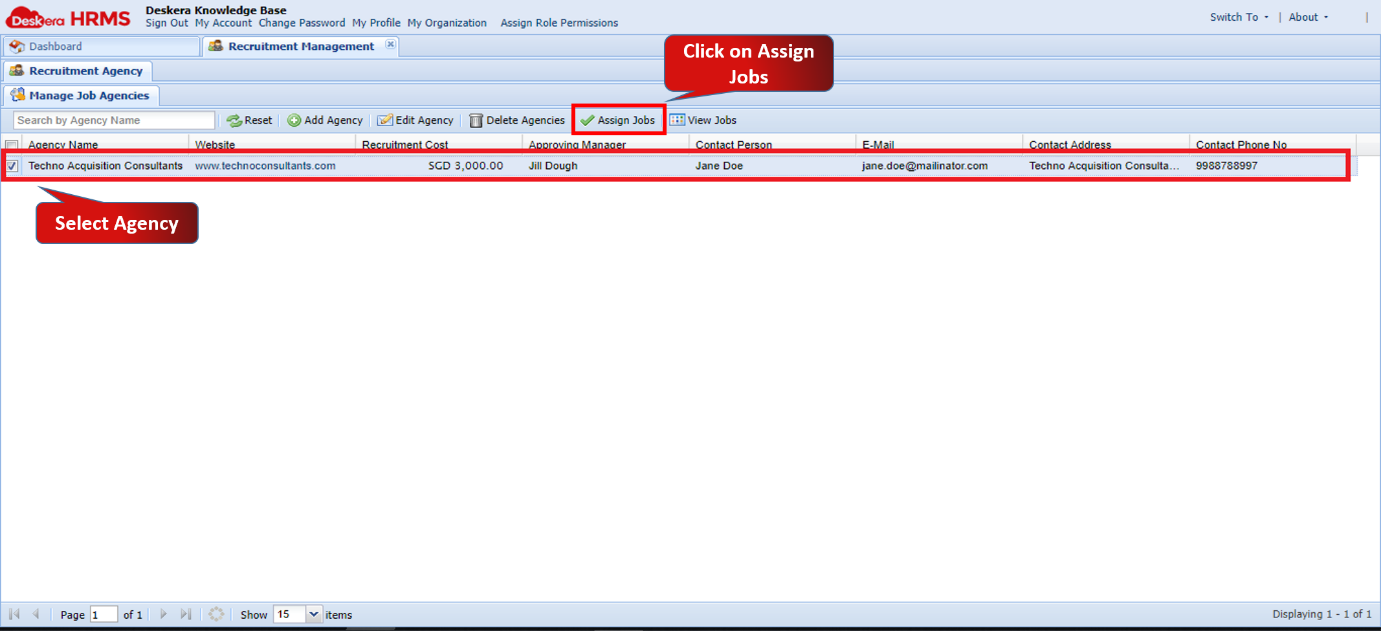
Figure 2.3.1.3.2 Assign Jobs
Step 3: Select the jobs you want to assign the agency 🡪 Click on Assign To Agency.
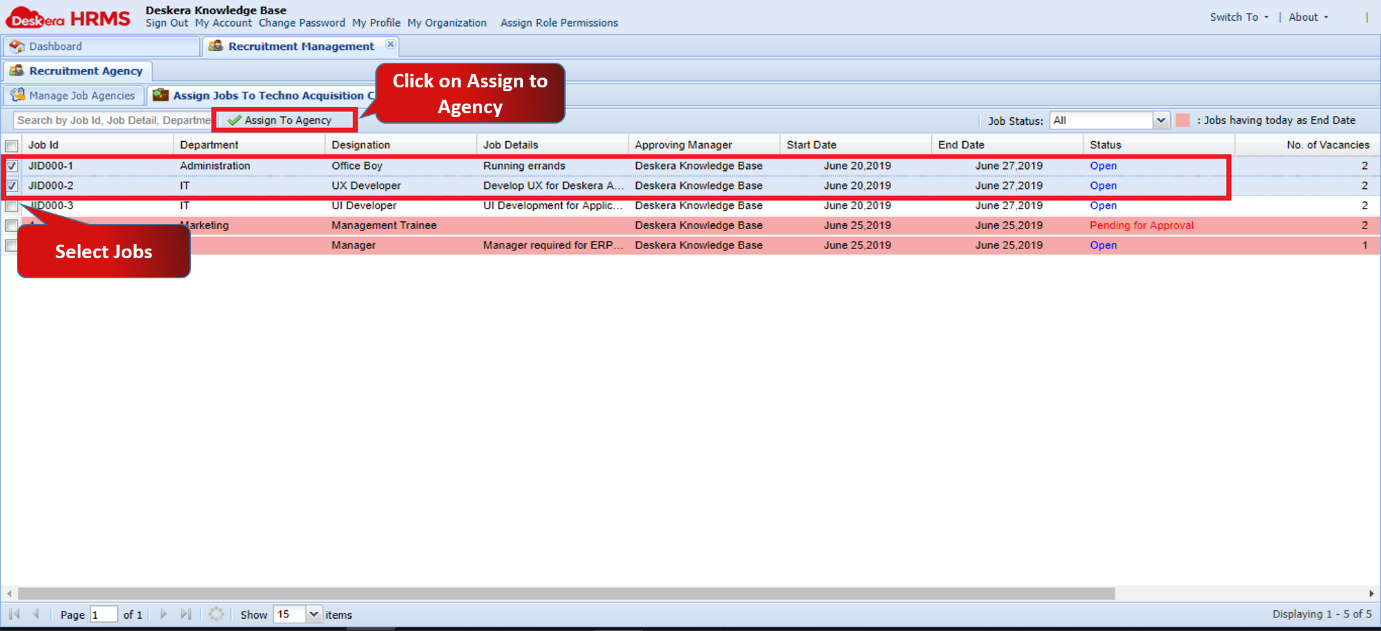
Figure 2.3.1.3.3 Assign To Agency
The jobs have successfully been assigned to the agency.
Comments
0 comments
Please sign in to leave a comment.