
Schedule Interview feature helps to set an Interview after the applicant is shortlisted. This feature enables you to set the date, location, and interviewer and keep a record for same in Deskera HRMS.
Prerequisites:
1. You have your Deskera HRMS application URL in place.
2. You are the administrator of the HRMS application
3. Ensure good internet connectivity
4. Make sure that an Interviewer is assigned.
Step 1: Go to All Applications under Recruitment Management widget in HRMS.
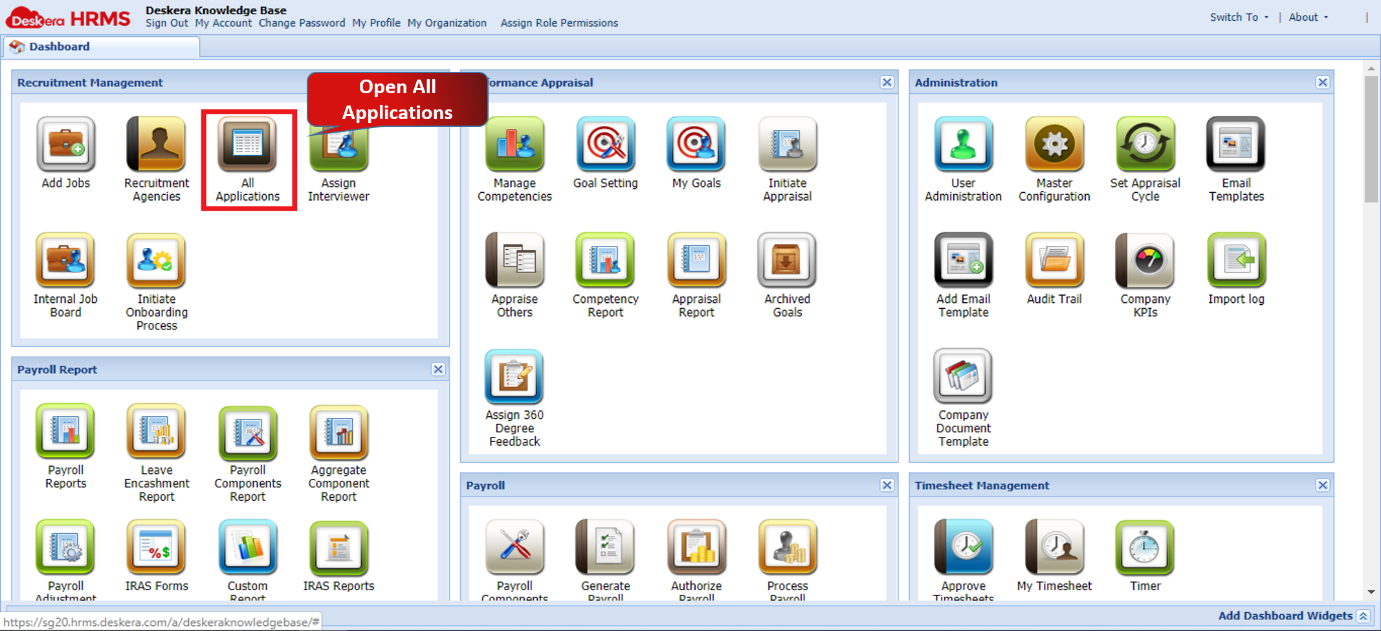
Fig 2.3.3.1.1.1 HRMS Dashboard
Step 2: Under Pending Applications tab, select the applicant for whom you want to schedule an interview. Make sure that the status of the prospect is updated as Shortlisted. Click on Schedule Interview option.
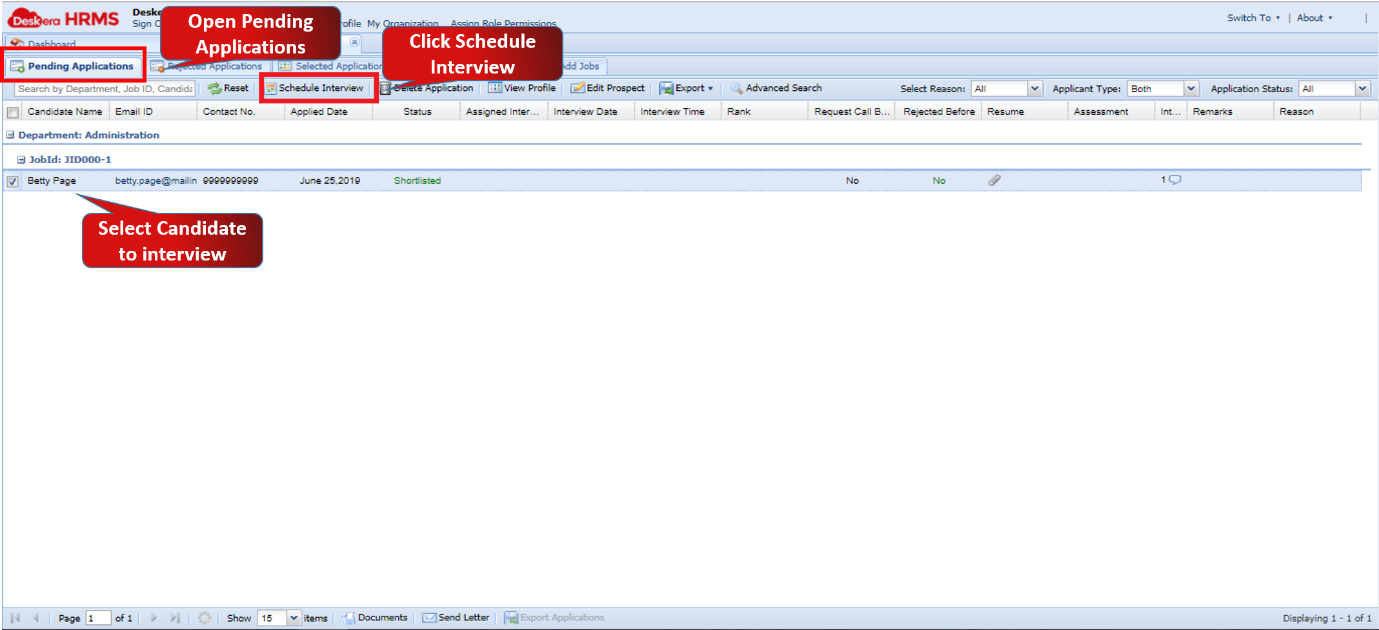
Fig 2.3.3.1.1.2 Pending Applications
Step 3: Fill in the mandatory details like Date, Interview Time, Location, Assign Interviewer and Contact Person and click on Save. The Interview will be scheduled successfully.
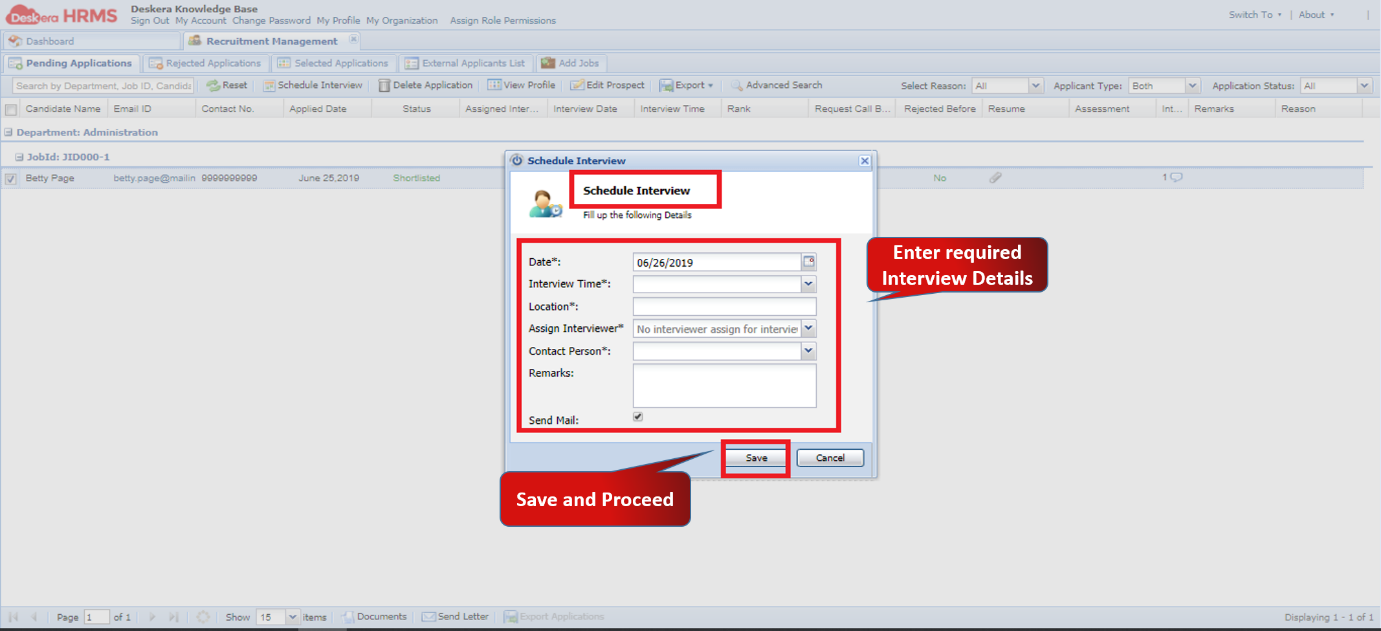
Fig 2.3.3.1.1.3 Schedule Interview
Comments
0 comments
Please sign in to leave a comment.