
Initiate On-Boarding Process feature enables you to add an employee directly in your organisation by filling in the details and updating the checklist for On-boarding an employee.
Prerequisites:
1. You have your Deskera HRMS application URL in place.
2. You are the administrator of the HRMS application
3. Ensure good internet connectivity
Step 1: Go to Initiate On-Boarding Process under Recruitment Management widget in HRMS.
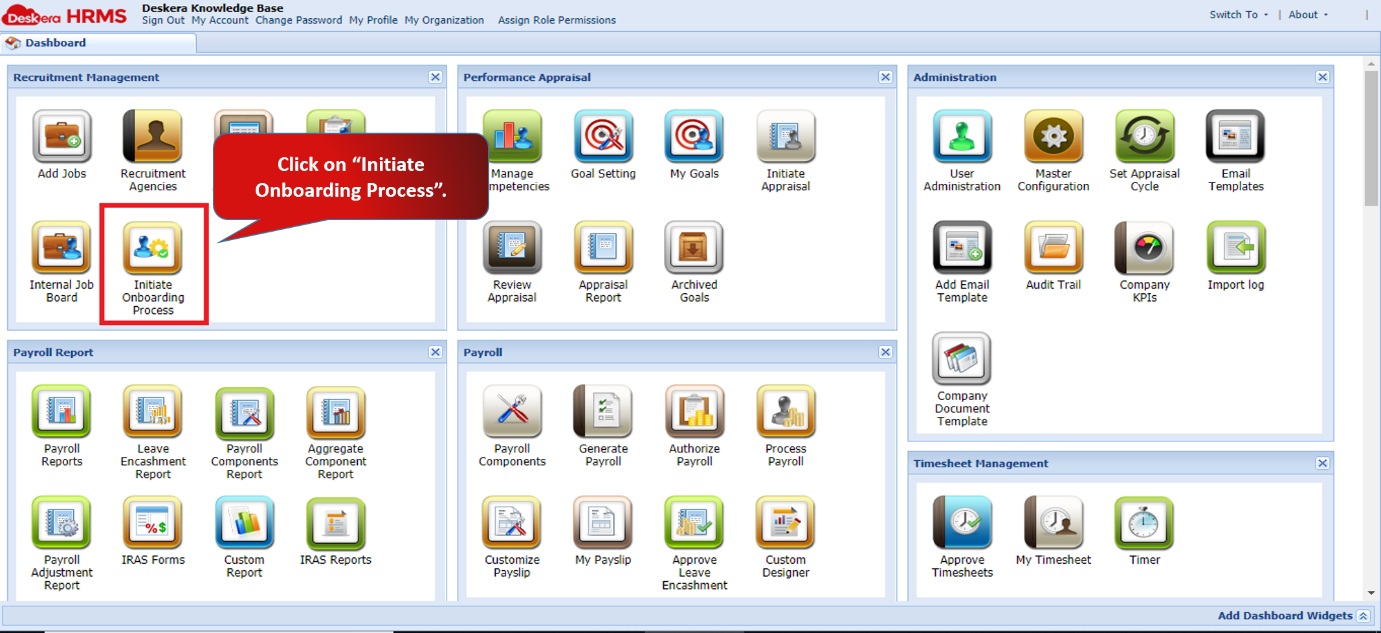
Fig 2.3.5.1 HRMS Dashboard
Step 2: A Job Application window will open. Fill in the mandatory details of the new employee to be added in the system. Click on Next once you fill in all the details.
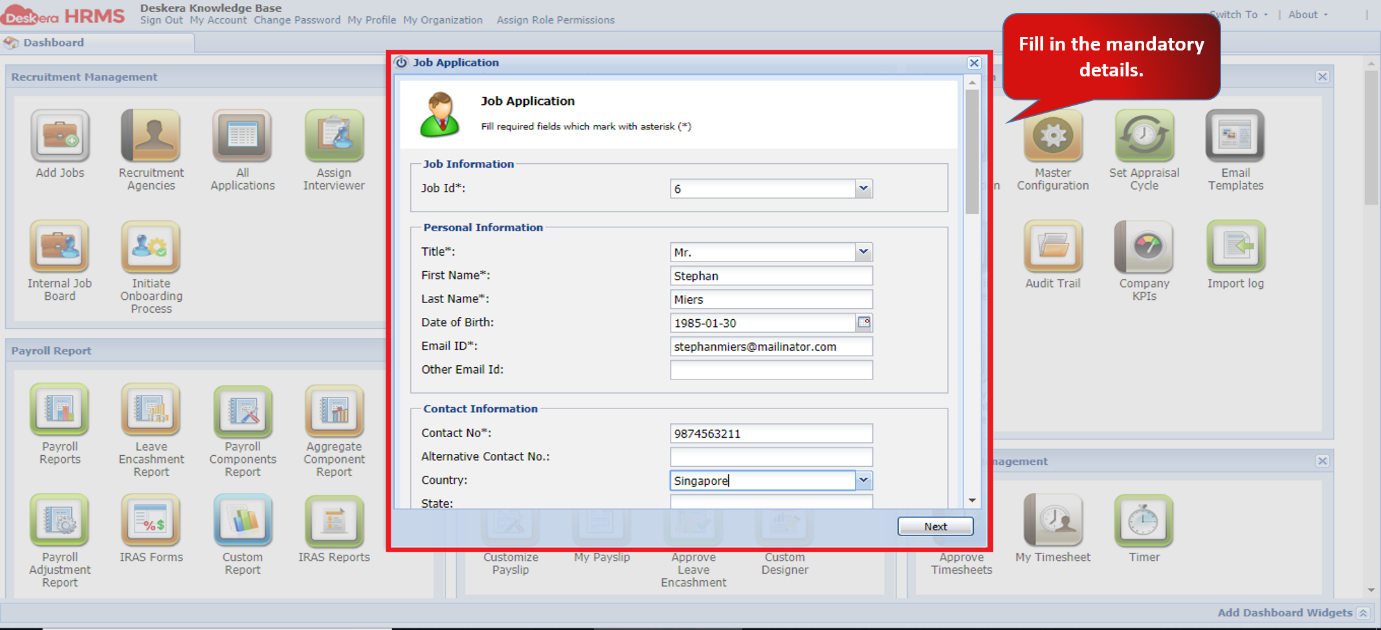
Fig 2.3.5.2 Job Application
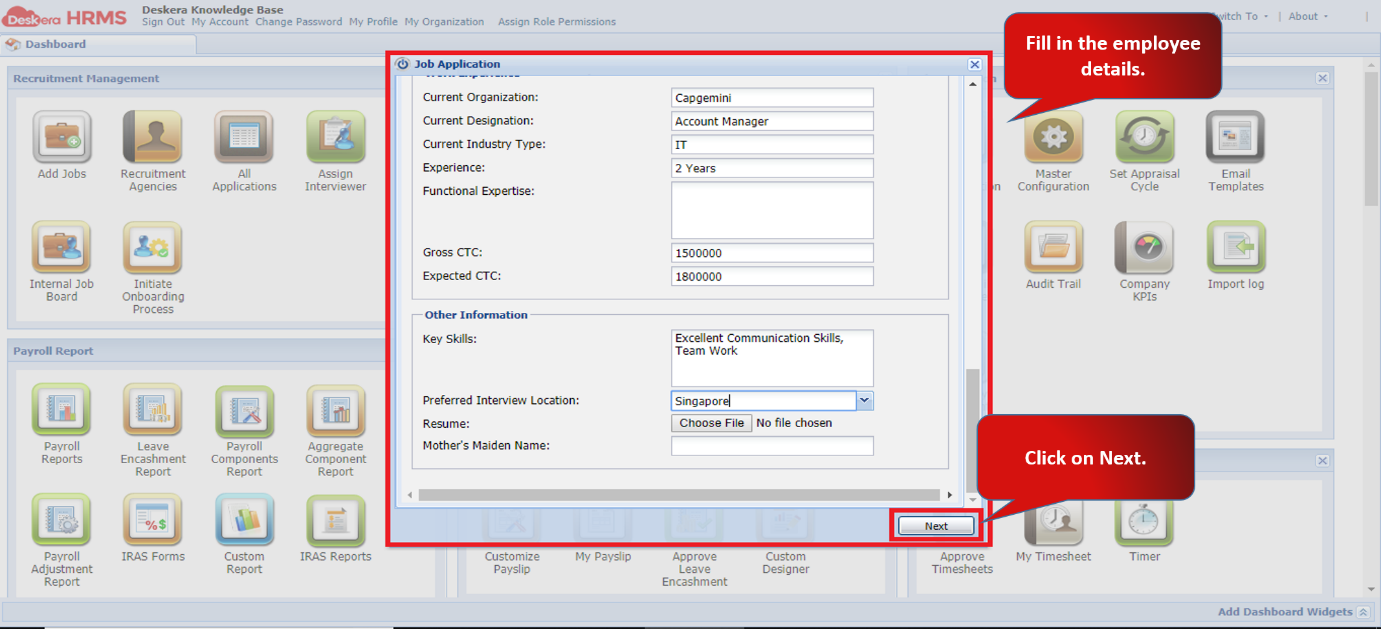
Fig 2.3.5.3 Job Application
Step 3: A confirmation box will pop up to confirm on-boarding process and send notification to the administrator of Deskera HRMS. Click on Yes to proceed.
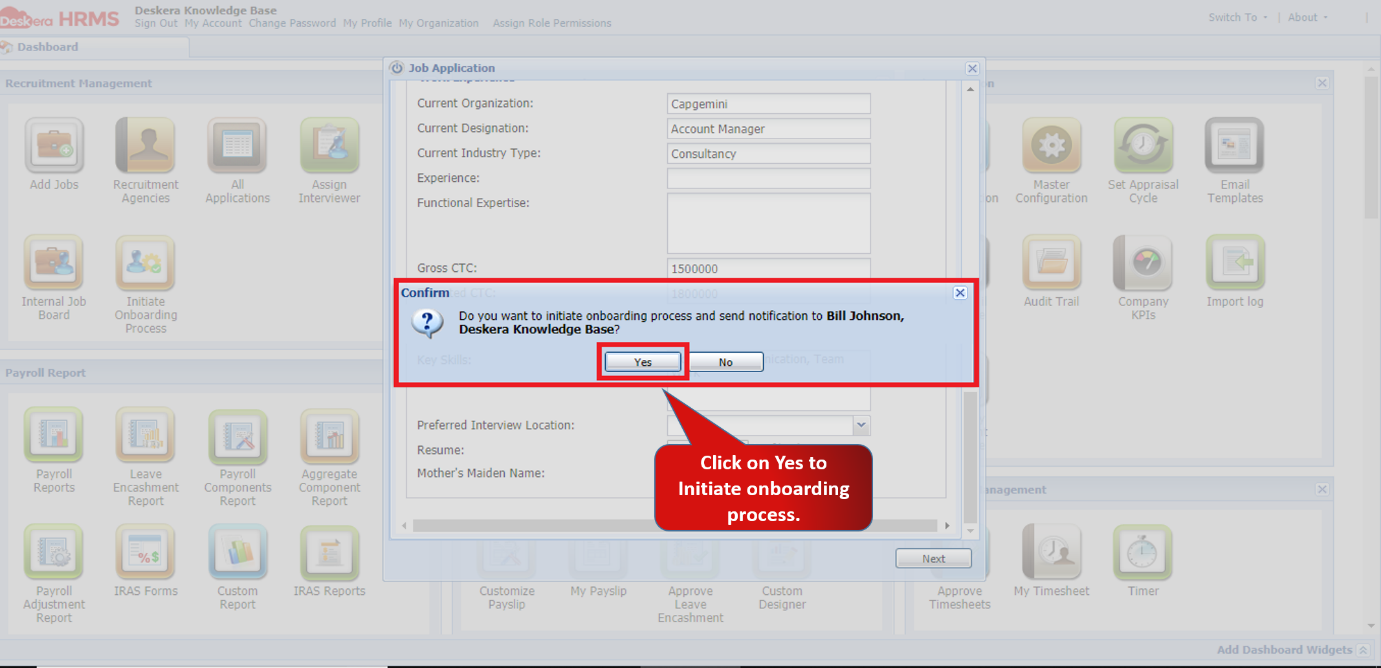
Fig 2.3.5.4 Job Application
Step 4: Employee On-boarding Details window will pop up. Here you can tick mark the checklist details required for on-boarding. Click on Next after you fill up the information.
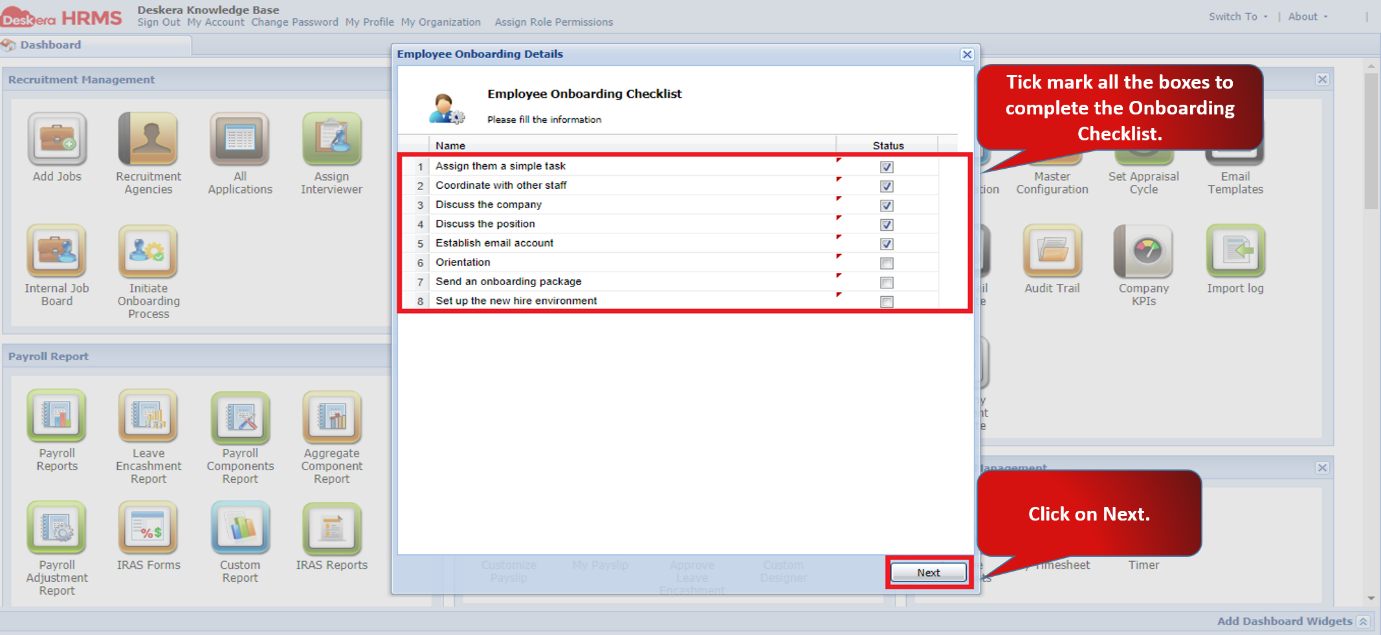
Fig 2.3.5.5 Employee On-boarding Checklist
Step 5: A new window of Employee Details Form will be seen. Fill in the Company Email ID and username and then click on Create.
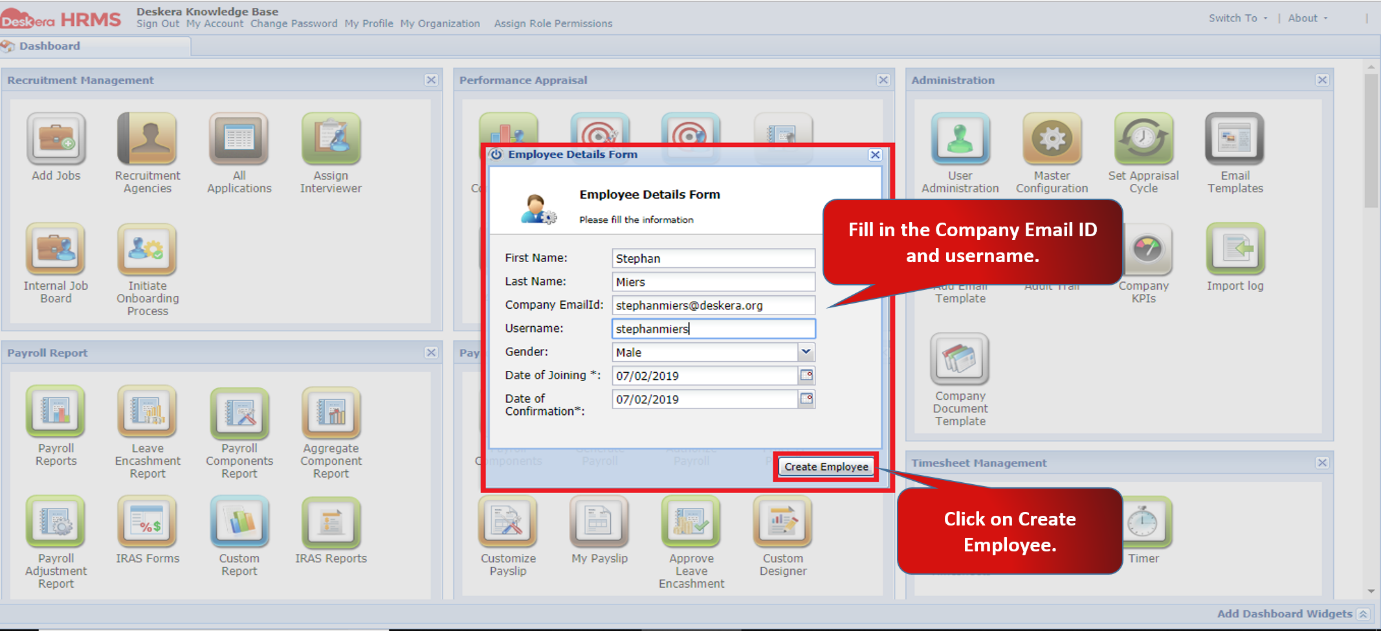
Fig 2.3.5.6 Employee Details Form
A new employee will be successfully on-boarded and can be seen under User Administration.
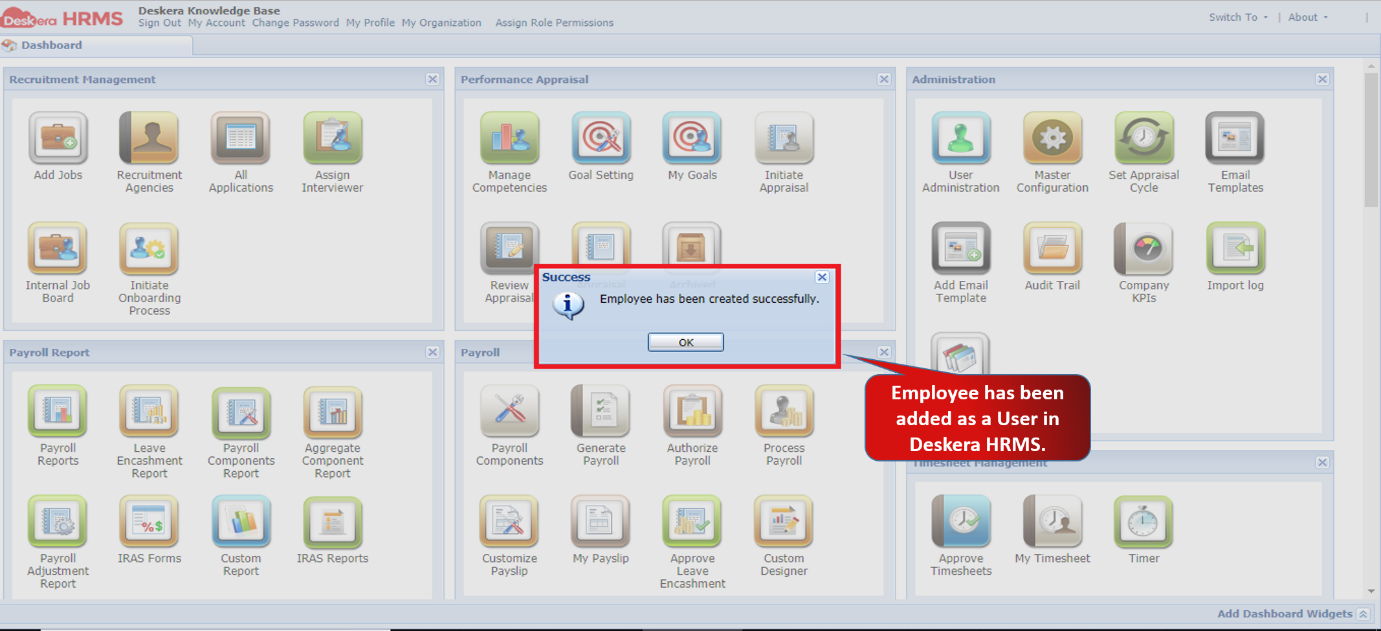
Fig 2.3.5.7 Employee Details Form
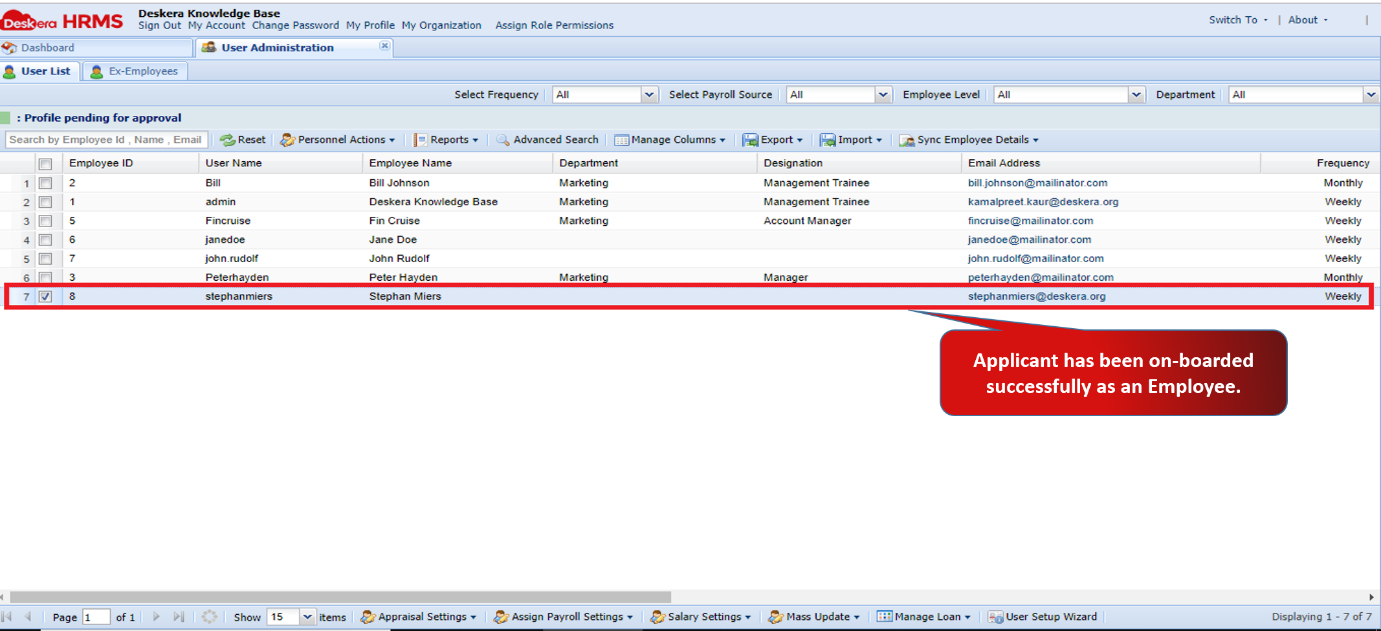
Fig 2.3.5.8 User Administration
Comments
0 comments
Please sign in to leave a comment.