
View/Edit/Delete Application features helps you to manage External Applicants List. You can view these applicants and edit their profiles as well delete at your convenience.
Prerequisites:
1. You have your Deskera HRMS application URL in place.
2. You are the administrator of the HRMS application
3. Ensure good internet connectivity
View/ Edit Profile
Step 1: Go to All Applications under Recruitment Management widget in HRMS.

Fig 2.3.3.4.2.1 HRMS Dashboard
Step 2: Under External Applicants List tab, select the applicant to be viewed and edited and click on View/Edit Profile present on the top left corner of the screen.

Fig 2.3.3.4.2.2 External Applicants List
Step 3: A new window will open the applicant’s profile. You can view and edit details here of the applicant and then once done, click on Submit Resume.

Fig 2.3.3.4.2.3 Applicant’s Profile
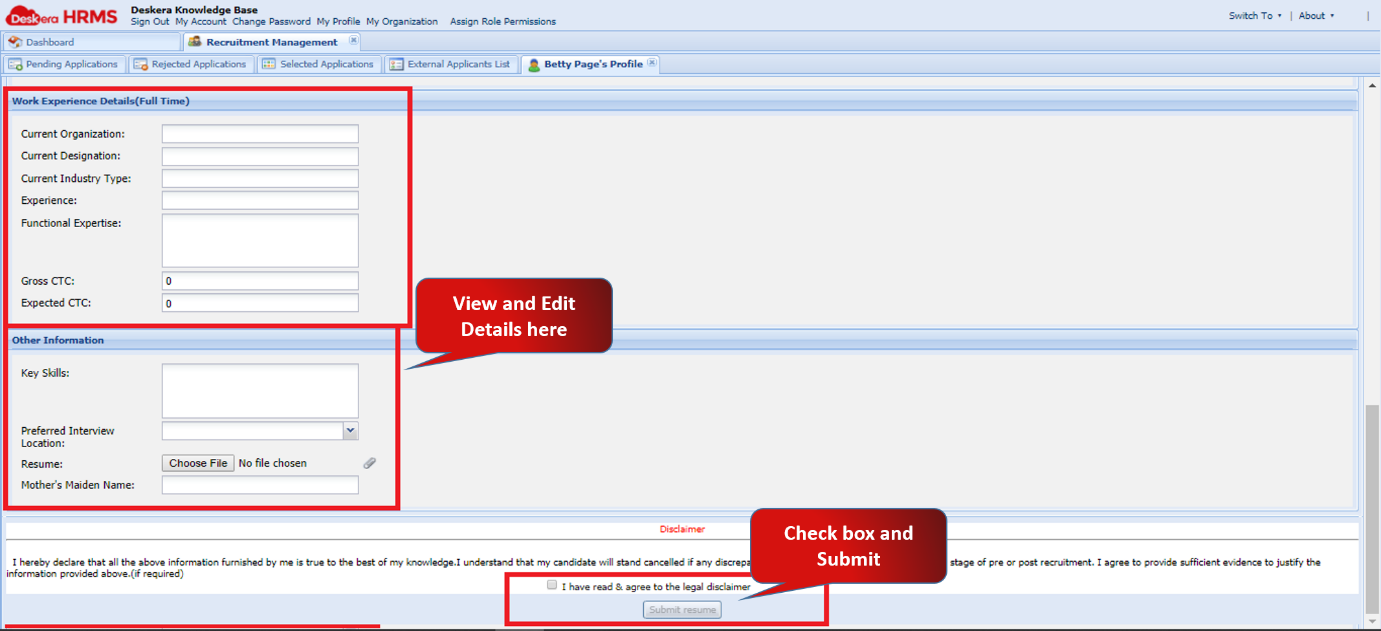
Fig 2.3.3.4.2.4 Applicant’s Profile
Delete Applicant
Step 1: Go to All Applications under Recruitment Management widget in HRMS.
Fig 2.3.3.4.2.5 HRMS Dashboard
Step 2: Under External Applicants List tab, select the applicant and click on Delete Applicant present on the top left corner of the screen.
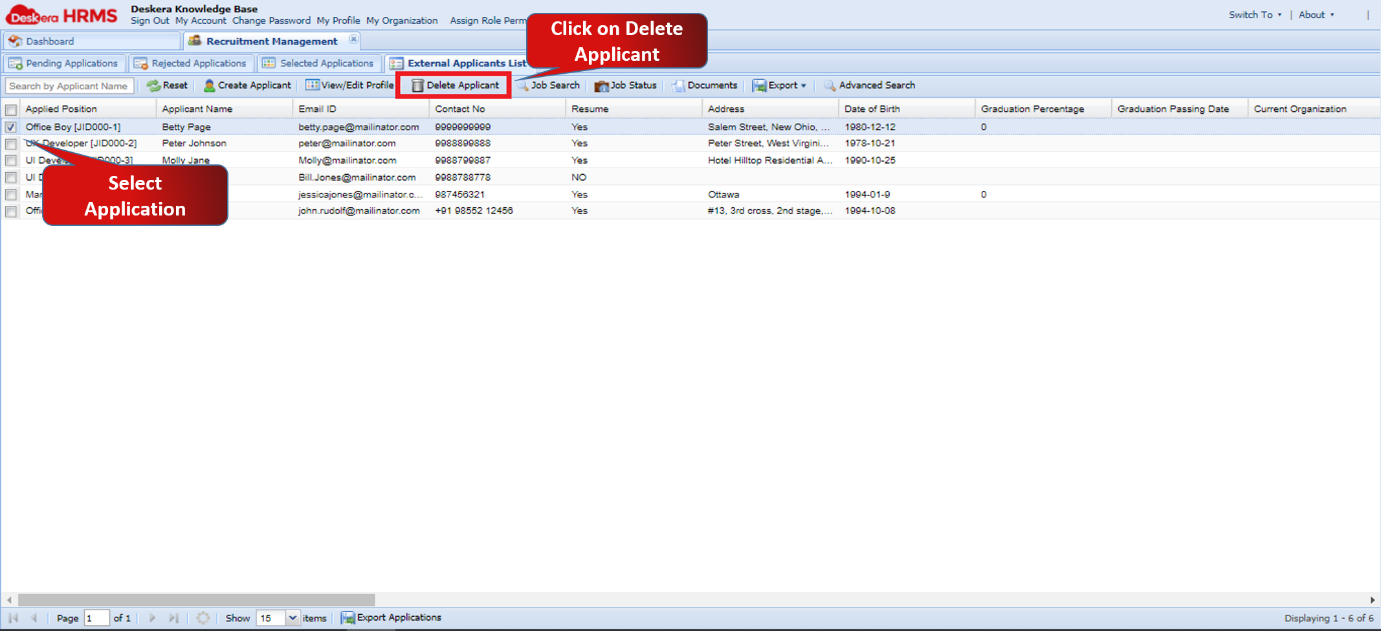
Fig 2.3.3.4.2.6 External Applicants List
Step 3: A window will pop up to confirm your deletion. Select Yes to Delete the Job profile.

Fig 2.3.3.4.2.7 Delete Applicant
Comments
0 comments
Please sign in to leave a comment.