
The Internal Job Board is a platform that lists down all openings within the organization that are open to existing employees in the organization. This platform allows internal users to view openings as well as apply for these openings. Users can also view and edit their own profiles from this tab.
The Internal Job Board can be accessed under the Recruitment Management widget on HRMS Dashboard.
Prerequisites:
1. Ensure you have your Deskera HRMS application URL in place.
2. Ensure a good internet connectivity
3. Ensure you are logged in as concerned User in the HRMS application
How to View Internal Job Openings?
Step 1: Go to Internal Job Board under Recruitment Management
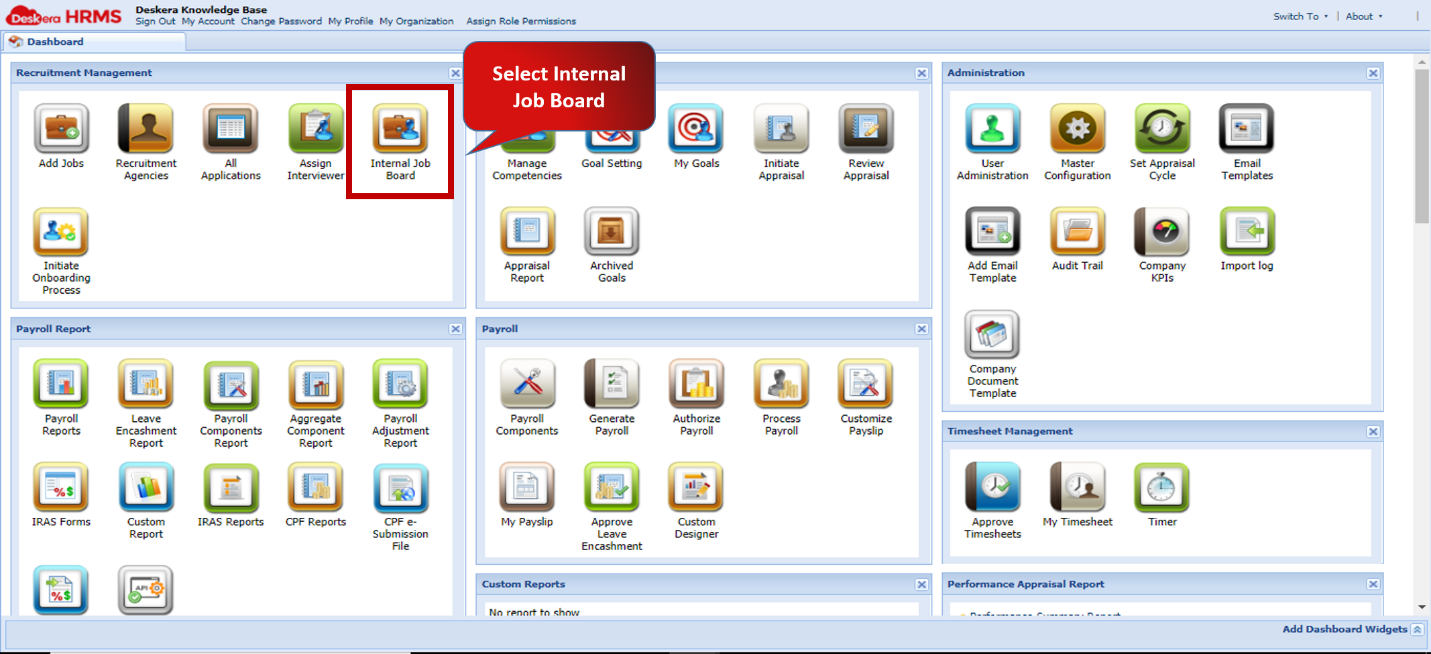 Fig.2.3.6.1 HRMS Dashboard
Step 2: Select Job Opening you wish to view and Click on View Job Profile
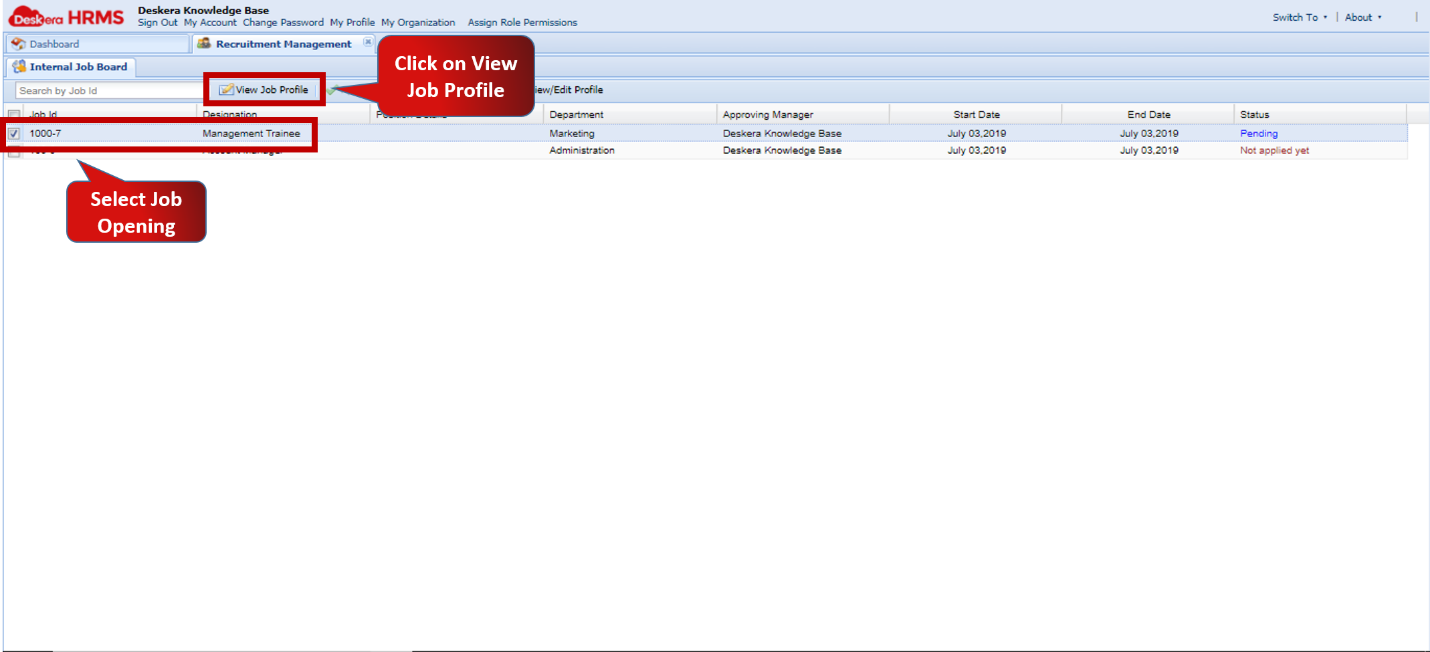 Fig.2.3.6.2 Internal Job Board
How to Apply for Internal Job?
Step 1: Go to Internal Job Board under Recruitment Management
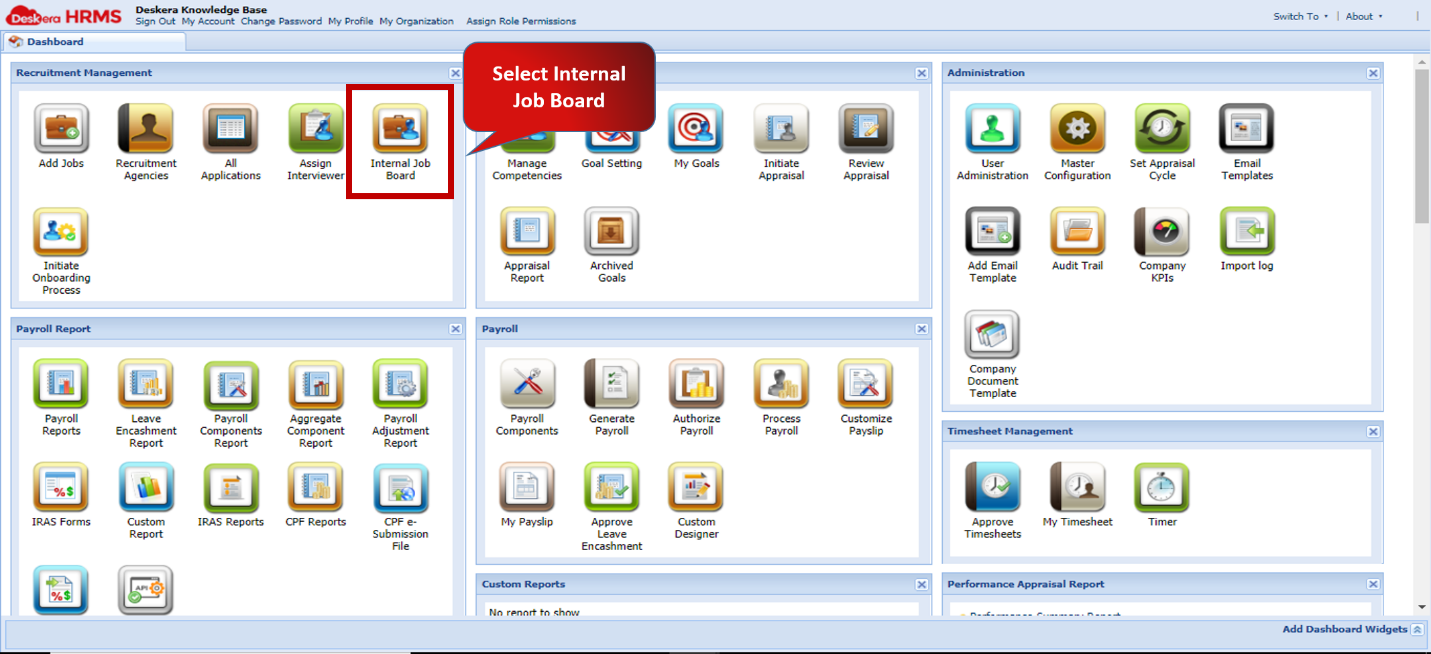 Fig.2.3.6.3 HRMS Dashboard
Step 2: Select Job Opening you wish to apply for and Click on Apply Job
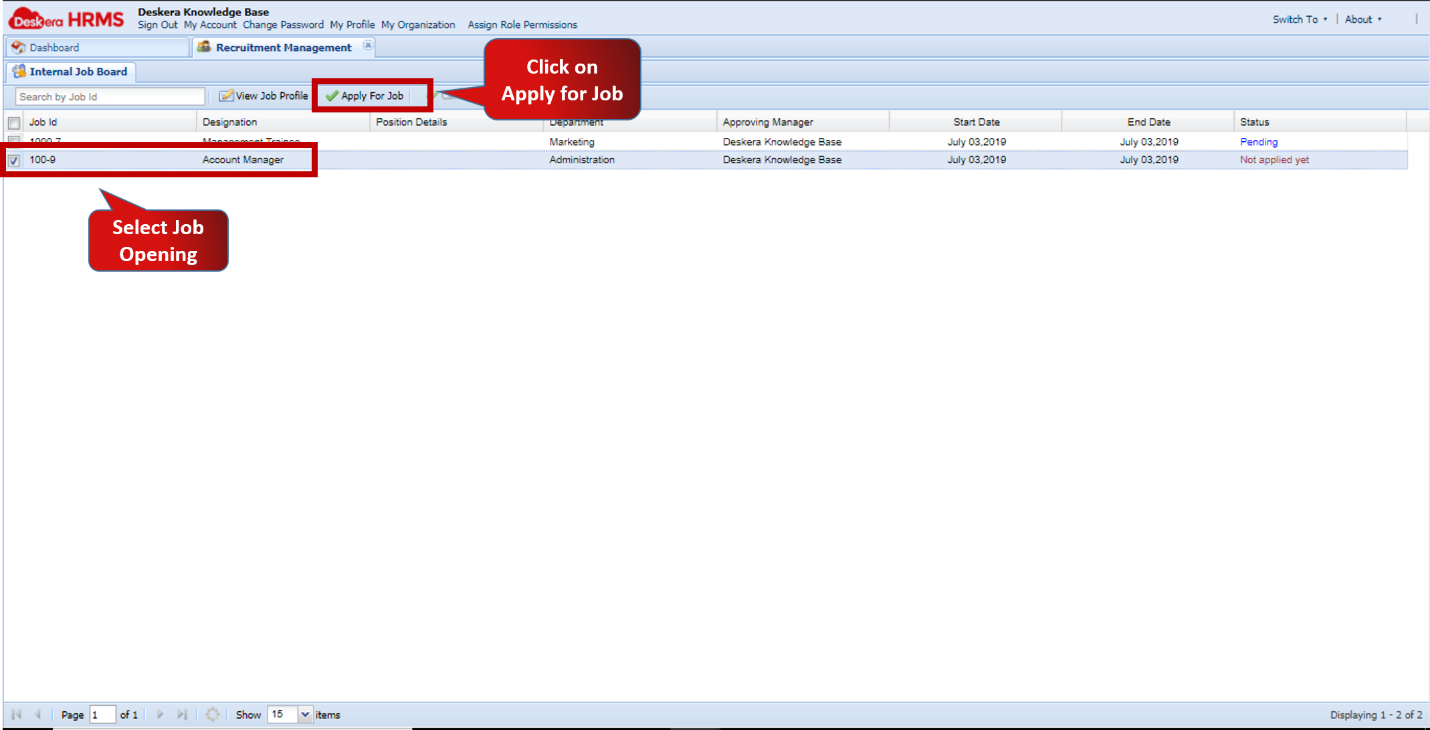 Fig.2.3.6.4 Internal Job Board
How to View/Edit User Profile?
Step 1: Go to Internal Job Board under Recruitment Management
Fig.2.3.6.5 HRMS Dashboard
Step 2: Select Job Opening you wish to apply for and Click on View/Edit Profile
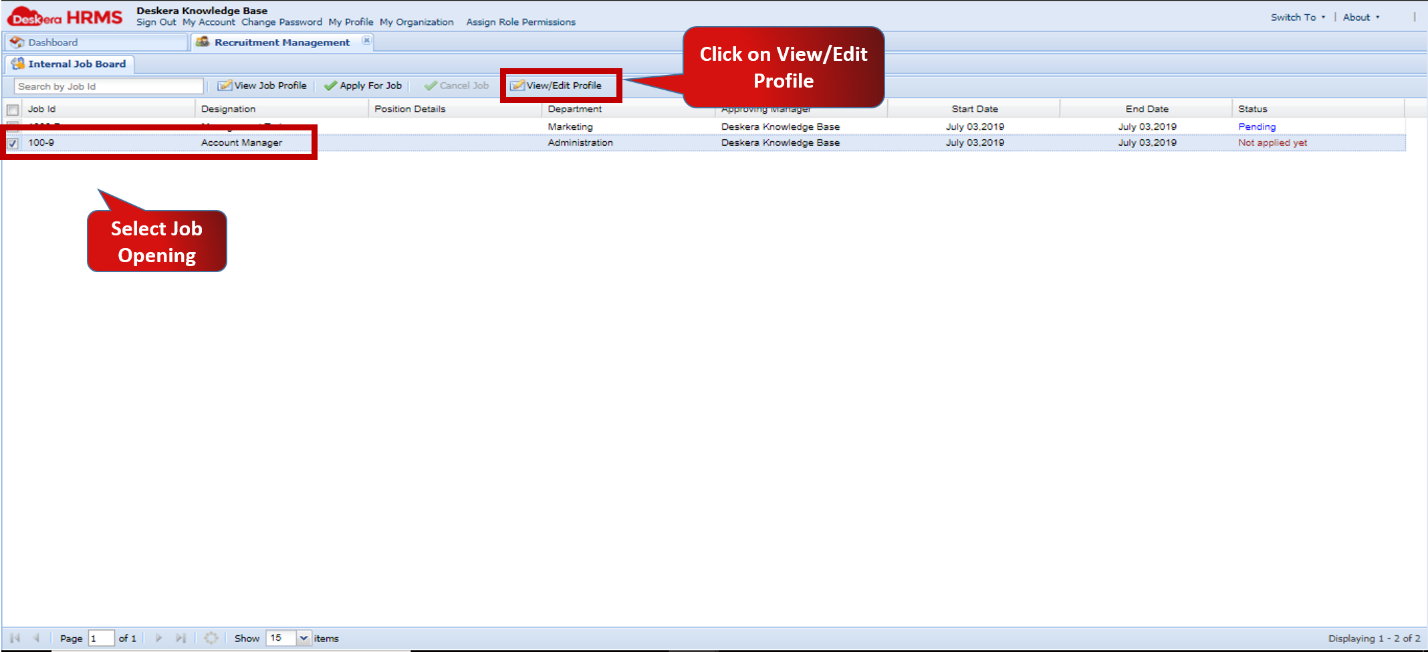 Fig.2.3.6.6 Internal Job Board
Comments
0 comments
Please sign in to leave a comment.