
This article describes the steps to be taken to view documents that had been uploaded by external applicants.
Prerequisites:
1. You have your Deskera HRMS application URL in place.
2. You are the administrator of the HRMS application
3. Ensure a good internet connectivity
Step 1: Click on All Applications on HRMS Dashboard
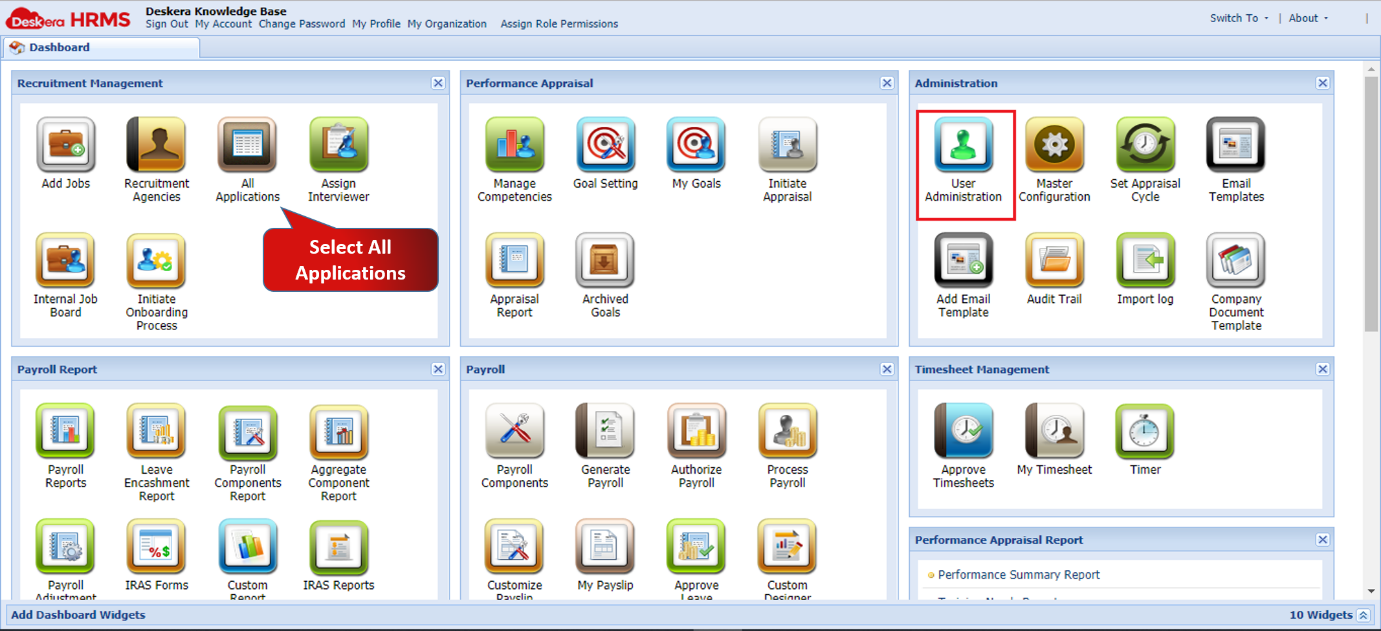
Fig 2.3.3.4.4.1 HRMS Dashboard
Step 2: Go to External Applicants List, select the user for whom you wish to view/upload/delete documents and click on Documents
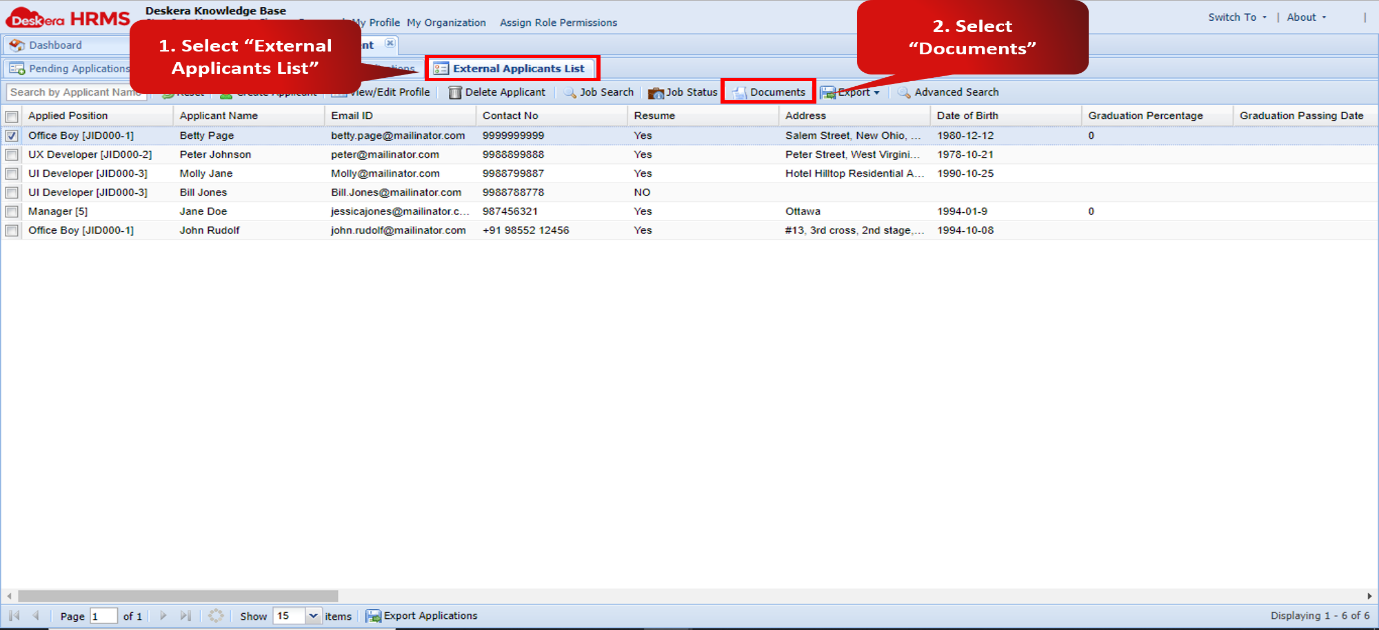
Fig 2.3.3.4.4.2 External Applicants List
Step 3: On this screen you can view and download all the documents that had been uploaded by the applicant with their descriptions. You can upload more documents and delete existing documents as well.
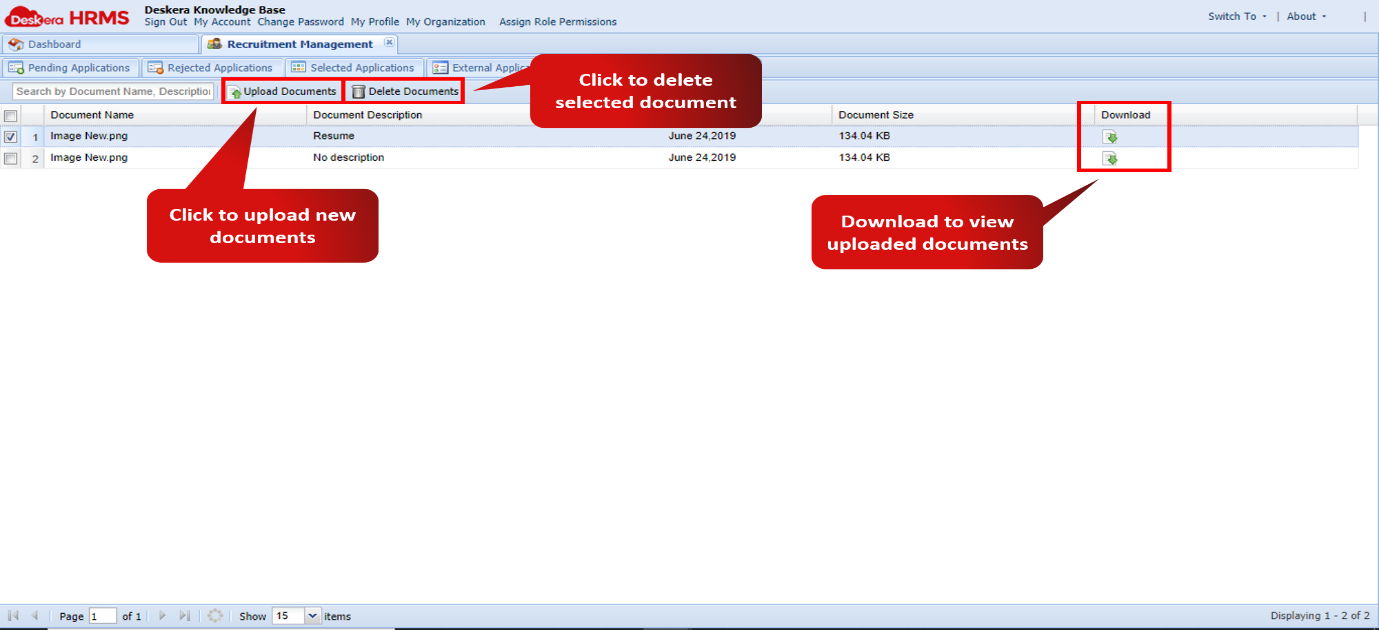
Fig 2.3.3.4.4.3 Documents
Comments
0 comments
Please sign in to leave a comment.