
This article describes the steps to be taken to create an External Applicant in the system.
Prerequisites:
1. You have your Deskera HRMS application URL in place.
2. You are the administrator of the HRMS application
3. Ensure a good internet connectivity
Step 1: Navigate to All Applications tab under the Recruitment Management Widget. Under External Applicants List, click on Create Applicant.
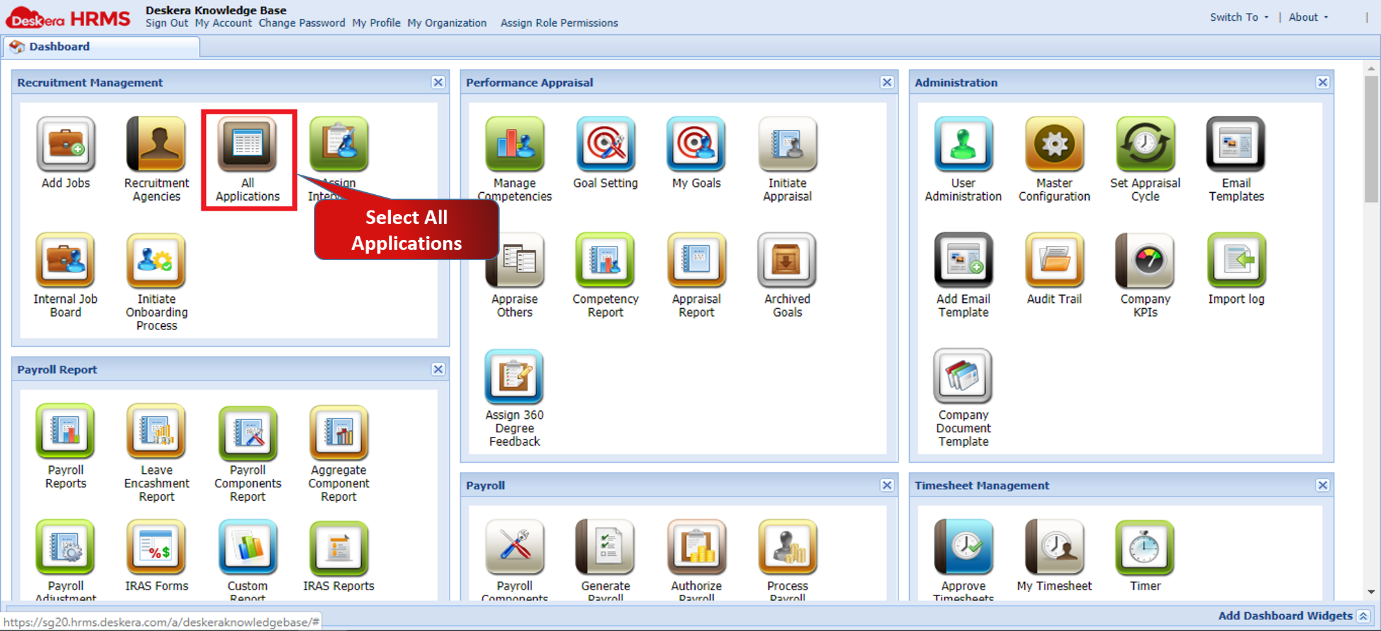
Figure 2.3.3.4.1.1 Deskera HRMS Dashboard
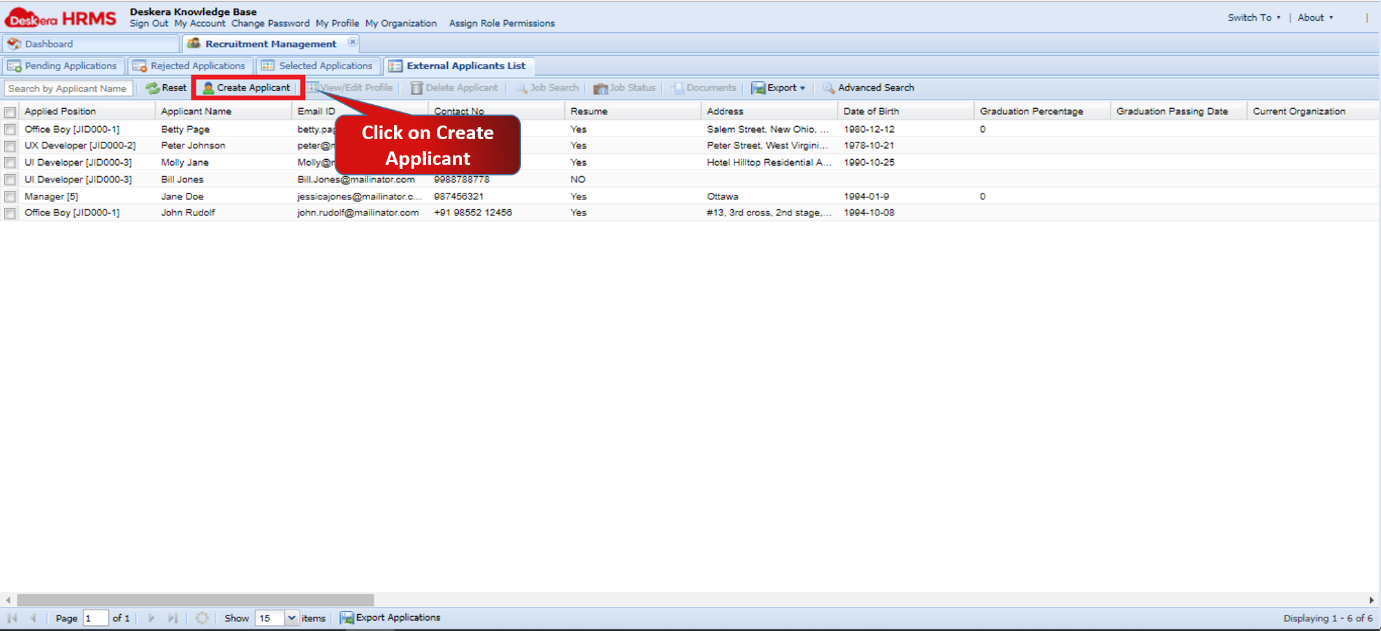
Figure 2.3.3.4.1.2 Create Applicant
Step 2: Fill all the mandatory details and then click on Create. The Applicant will successfully be created in the system.
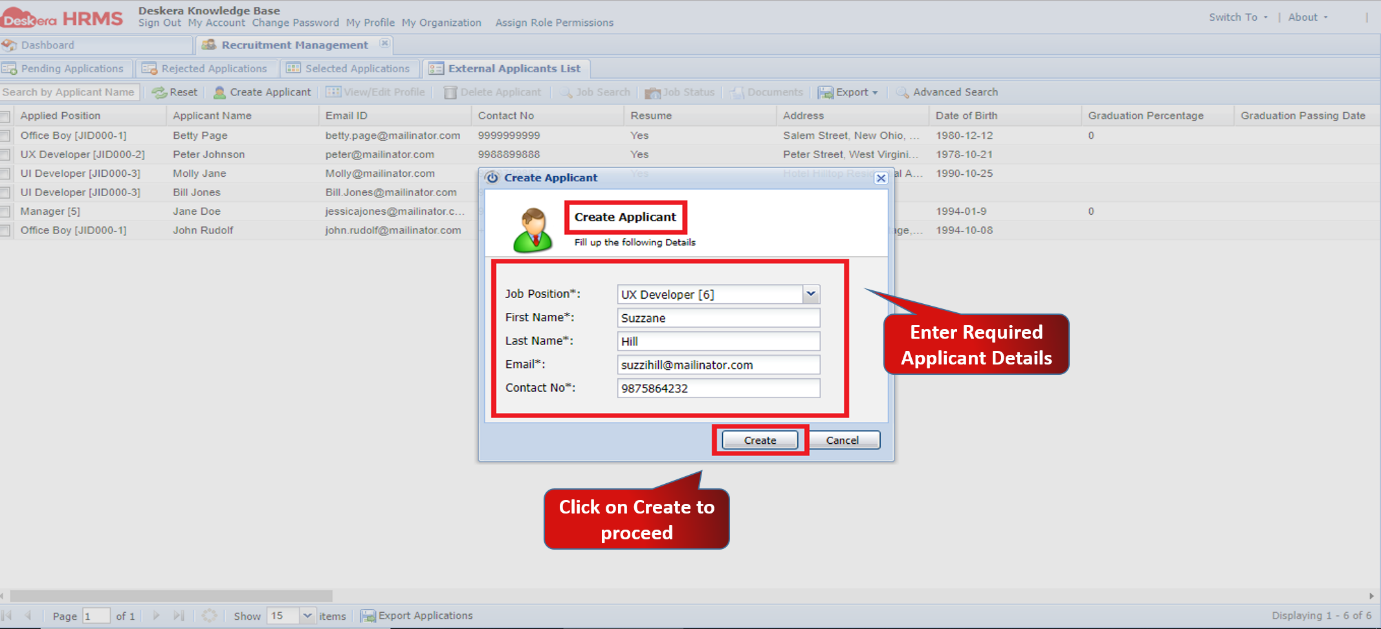
Figure 2.3.3.4.1.3 Create Applicant
Comments
0 comments
Please sign in to leave a comment.