
This article helps in understanding the steps that are to be followed by a user in order to edit or delete an advance claim that has been submitted. The user can edit or delete the claim only as long as it has not been approved by the concerned approver.
Prerequisites:
1. Ensure you have your Deskera eClaims application URL in place.
2. Ensure you are the logged in as the applicant of the advance claim.
3. Ensure a good internet connectivity.
4. Ensure that the user has already submitted an advance claim application.
How to Edit an Advance Claim Request?
Step 1: Go to Edit/Cancel My Advance under Advance Claims on eClaims Dashboard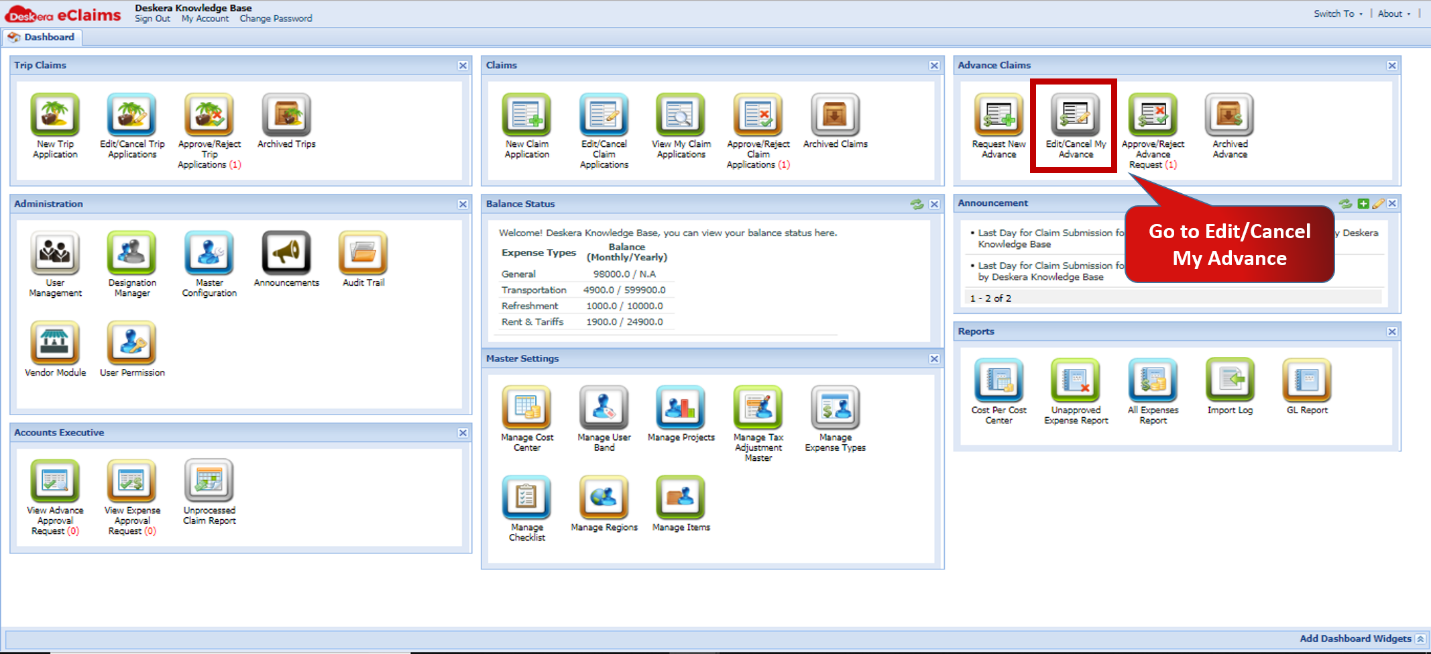 Fig.4.4.2.1 eClaims Dashboard
Step 2: Select the claim you wish to edit and click on Edit Claim under Status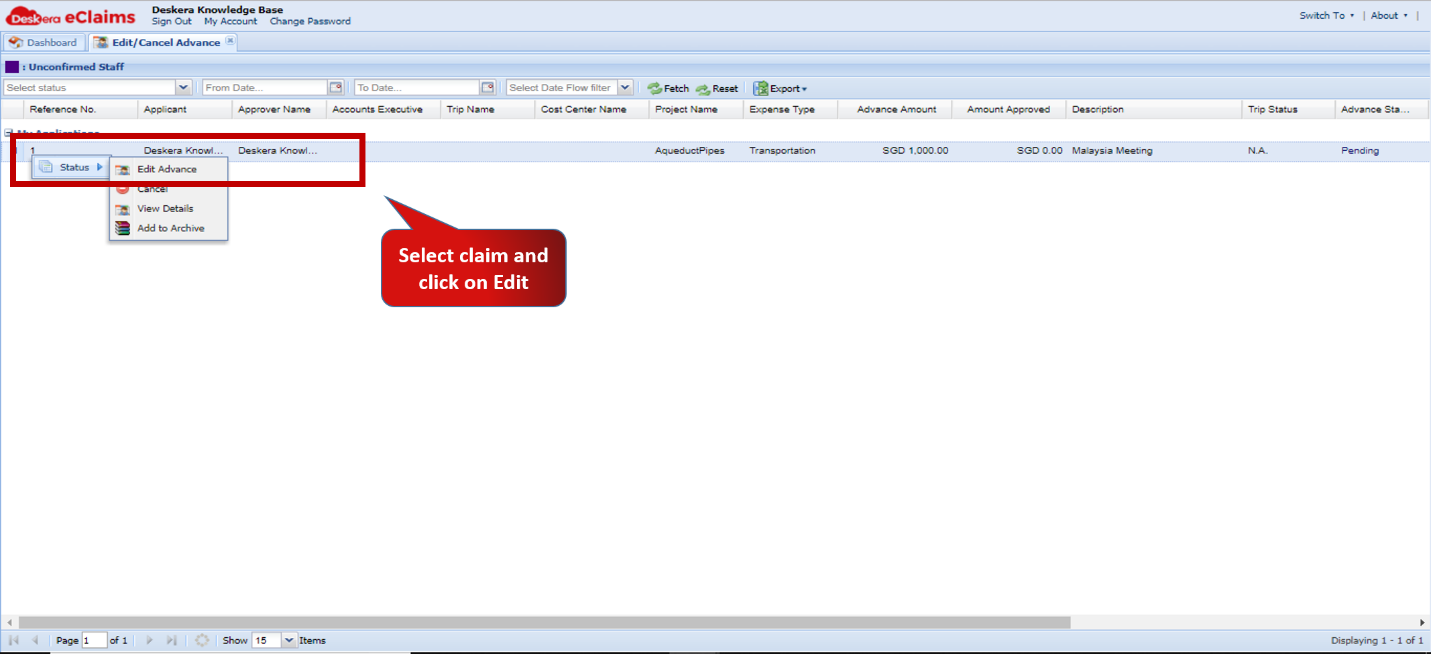 Fig.4.4.2.2 Edit/Cancel Advance
Step 3: Make the necessary changes to be made. 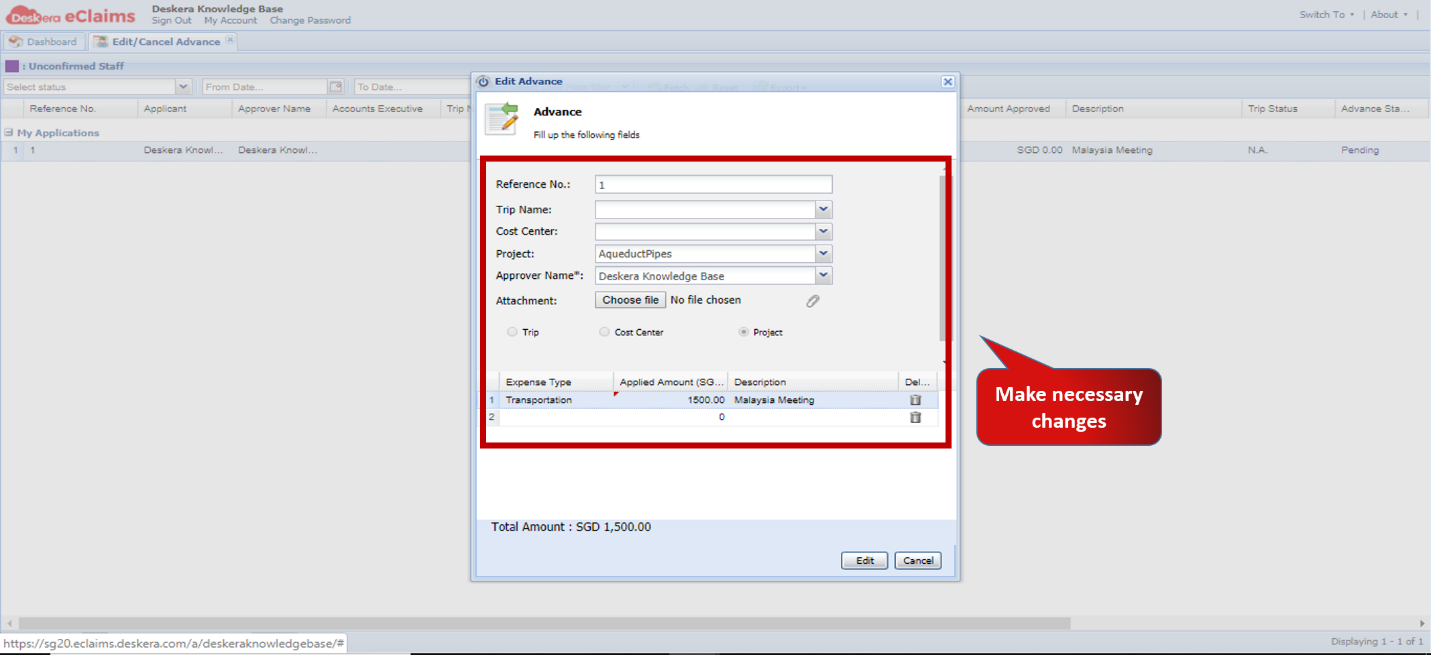 Fig.4.4.2.3 Edit/Cancel Advance
Step 4: Click on Edit to Save changes 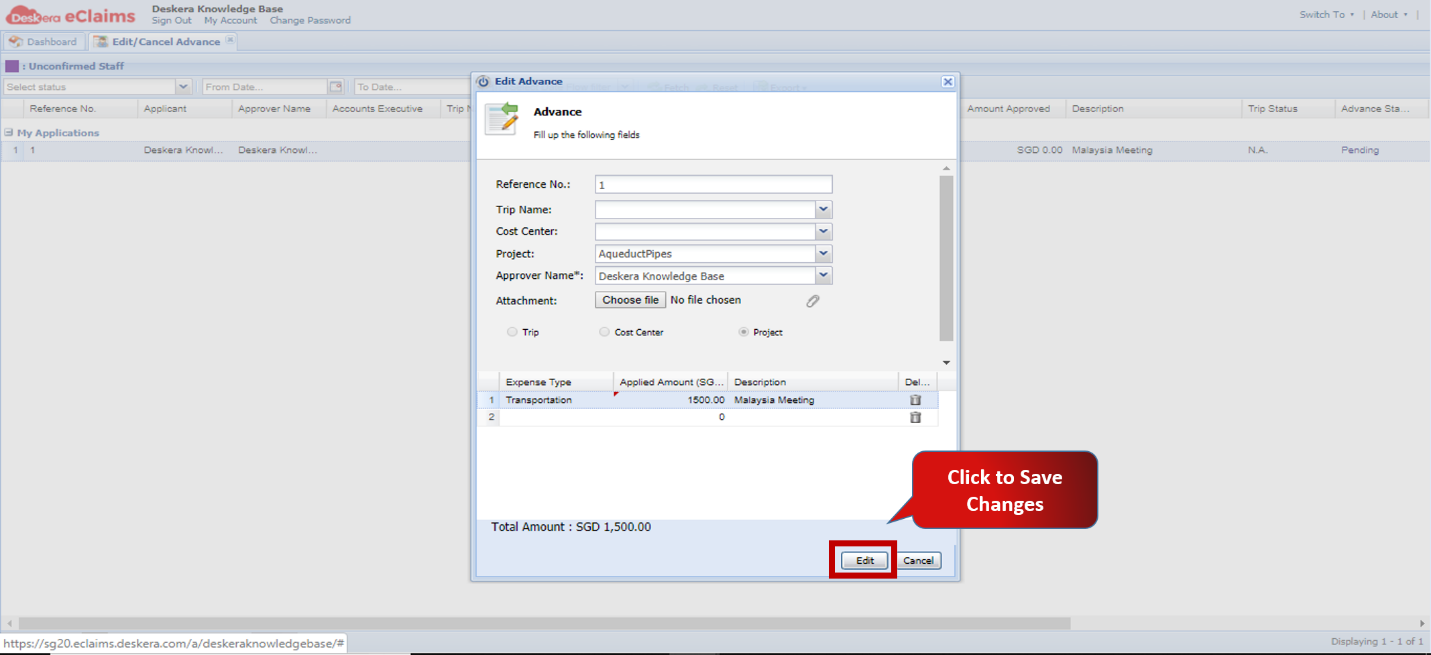 Fig.4.4.2.4 Edit/Cancel Advance
How to Delete an Advance Claim
Step 1: Go to Edit/Cancel My Advance under Advance Claims on eClaims DashboardFig.4.4.2.5 eClaims Dashboard
Step 2: Select the claim you wish to delete and click on Cancel under Status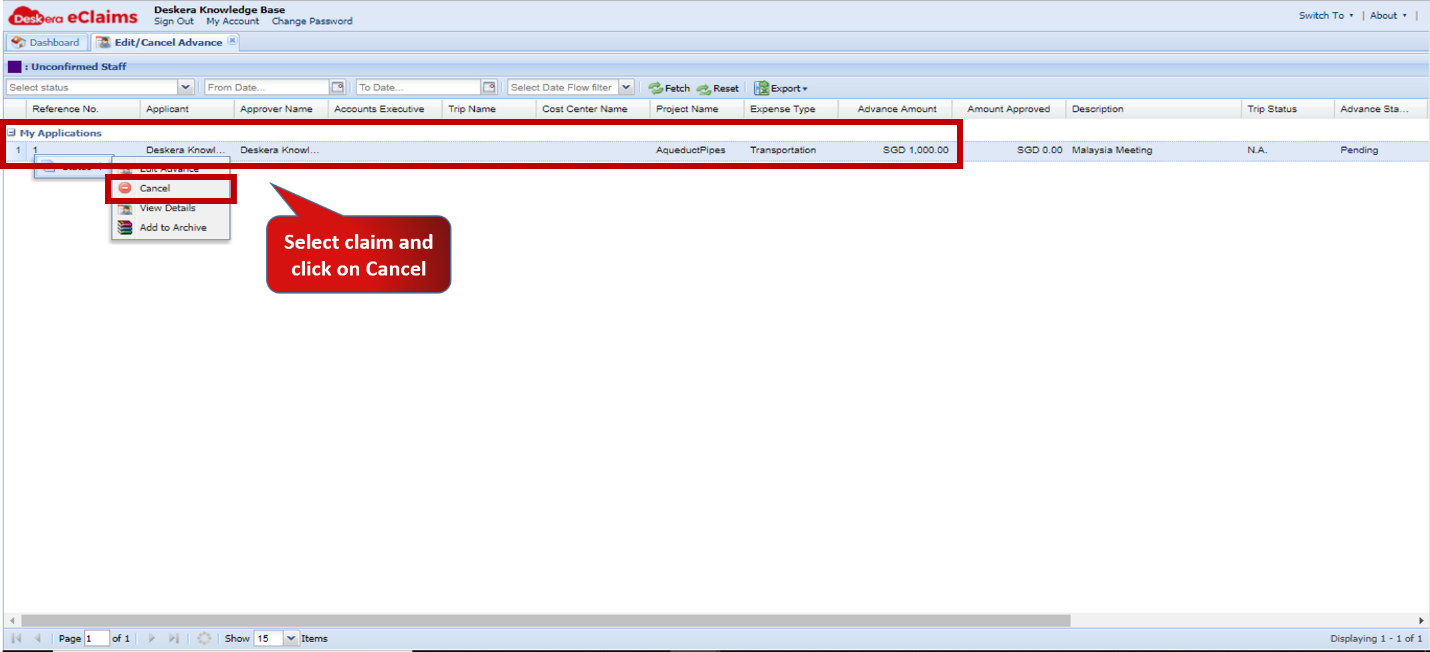 Fig.4.4.2.6 Edit/Cancel Advance
Step 3: Click on Yes to confirm Delete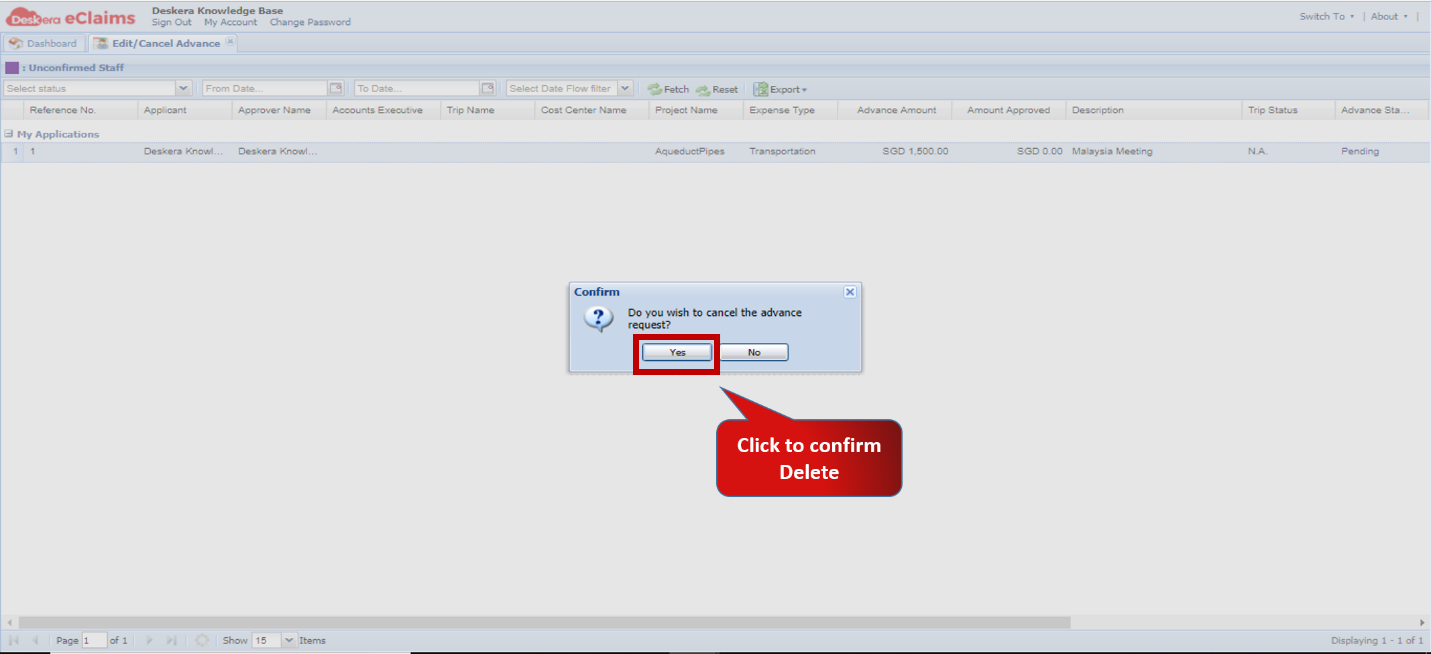 Fig.4.4.2.7 Edit/Cancel Advance
Comments
0 comments
Please sign in to leave a comment.